Kill Intellij From Command Line Unix Linux How To Safely Close Intellij From Command Line 2 Solutions YouTube Kill Gradle IntelliJ IDEs Plugin Marketplace Java Intellij Idea Project Structure Artifact Pre Processing Vm Options Idea Solved How To Safely Close Intellij From Command Line 9to5Answer Java Intellij Idea Project Structure Artifact Pre Processing Vm Options Idea Web Sep 28 2020 nbsp 0183 32 This is a new feature in IntelliJ IDEA 2020 2 that shows that the command could be run in the IDE meaning we don t need to use the command line If it s highlighted in yellow and we press Enter the command will be run in the terminal window just as we d expect If we type the same command again but this time use on macOS or
Web Unix amp Linux How to safely close Intellij from command line 2 Solutions YouTube Unix amp Linux How to safely close Intellij from command line Helpful Please support me on Web Jun 7 2012 nbsp 0183 32 Last week I noticed that the command used to launch the process printed in the Console window and more importantly the idea launcher port is part of that command e g idea launcher port 7538
Java Intellij Idea Project Structure Artifact Pre Processing Vm Options Idea IntelliJ Gradle Run Java Intellij Command Line Run To Configuration Stack Overflow How To Uninstall IntelliJ From Mac Removal Guide Kotlin How To Start Intellij From Command Line In Windows Stack Overflow 3 Run A Test And View Test Results TestLeft Documentation How To Kill Background Task IDEs Support IntelliJ Platform JetBrains Nomadlongisland blogg se Intellij Comment Shortcut Solved Run Program From IntelliJ With Command Line File 9to5Answer
Kill Intellij From Command Line
 Kill Intellij From Command Line
https://i.ytimg.com/vi/s1plAZsTjD4/maxresdefault.jpg
Web 6 days ago nbsp 0183 32 Click Windows start menu type cmd exe to find and open cmd app and run commands below replacing the IDE installation path IDE name and version number to your installed ones cd quot C Program Files JetBrains IntelliJ IDEA 2023 3 bin quot idea bat
Pre-crafted templates provide a time-saving option for creating a diverse variety of documents and files. These pre-designed formats and designs can be used for numerous individual and professional tasks, consisting of resumes, invites, flyers, newsletters, reports, presentations, and more, streamlining the content production procedure.
Kill Intellij From Command Line

Run Debug Configuration Maven Aqua Documentation
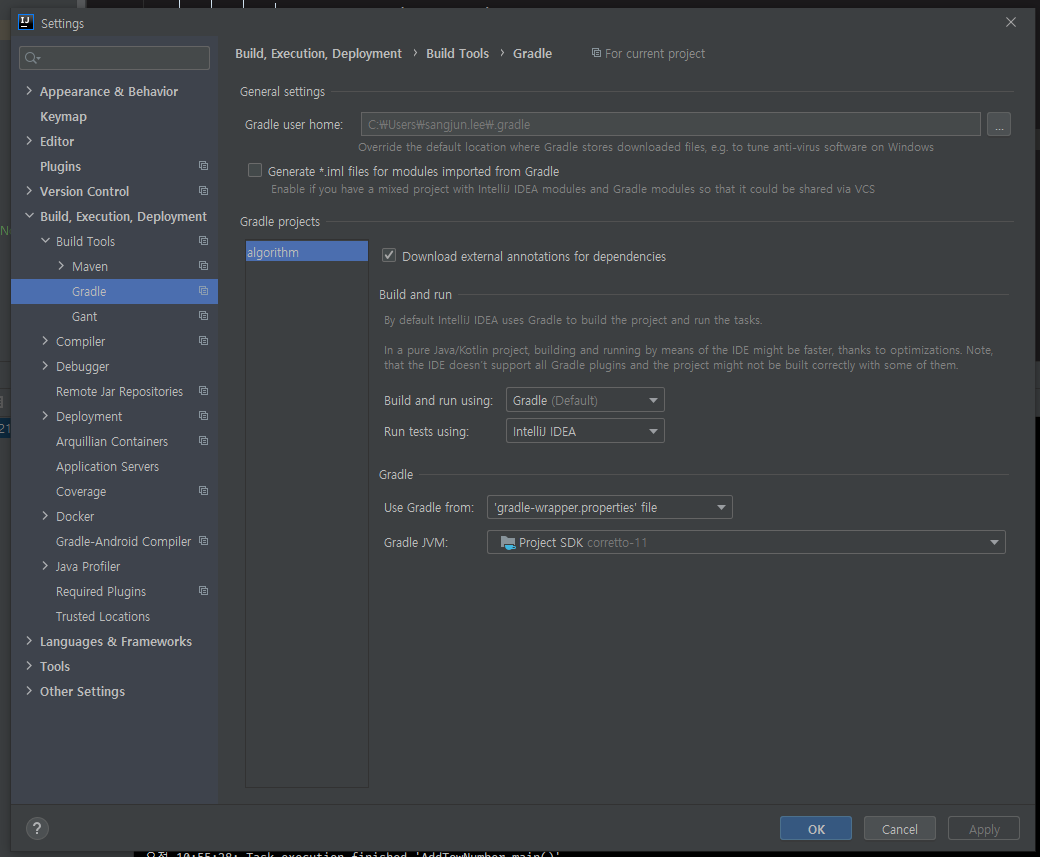
IntelliJ Gradle Run

Java Intellij Command Line Run To Configuration Stack Overflow

How To Uninstall IntelliJ From Mac Removal Guide
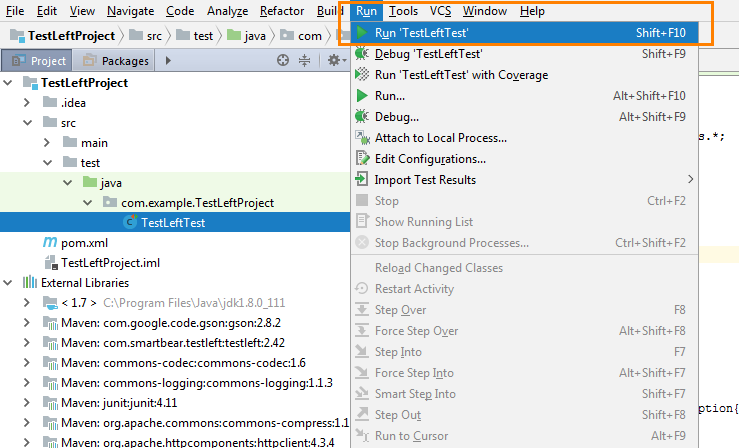
3 Run A Test And View Test Results TestLeft Documentation

How To Kill Background Task IDEs Support IntelliJ Platform JetBrains
Web Jun 26 2015 nbsp 0183 32 But since Intellij allows only one instance at a time it needs to be killed to start a new instance remotely However this is not a clean close amp many times I end up losing some recent changes So my question is Is there a way to cleanly kill the currently running Intellij from command line
Web Aug 2 2016 nbsp 0183 32 It would be safer to only kill java processes from IntelliJ s bundled JVM e g killall opt intellij jre64 bin java You can find the full path to a running IntelliJ s java process with ps eo command grep java awk print 1

Web Add a comment 23 Open the windows cmd First list all the java processes jps m now get the name and run below command for f quot tokens 1 quot i in jps m find quot Name of the process quot do taskkill F PID i or simply kill the process ID taskkill F PID lt ProcessID gt

Web Dec 30 2015 nbsp 0183 32 The processes about which you are being asked to kill are actually running Java processes I don t know of a way to automatically terminate these processes from within IntelliJ but here is a one line solution you can try from a terminal kill ps aux grep java awk print 2

Web Nov 14 2023 nbsp 0183 32 Use IntelliJ IDEA features from the command line open files and projects view diffs merge files apply code style formatting and inspect the source code For more information about running command line tools from inside IntelliJ IDEA refer to Terminal Launcher for a standalone instance
Web Jan 8 2024 nbsp 0183 32 First we need to open IntelliJ IDEA and then click on Run gt Edit Configurations Second we ll click on the Edit configuration templates Next we need to select a template and then click on Modify Options A new menu appears and we can select Shorten command line option We can then select from Shorten command line one of Web 3 days ago nbsp 0183 32 Open an arbitrary file or folder in IntelliJ IDEA from the command line optionally specifying where to place the caret after opening Windows macOS Linux You can find the executable for running IntelliJ IDEA in the installation directory under bin
Web Mar 25 2016 nbsp 0183 32 4 Answers Sorted by 11 IntelliJ 2017 2 now has a quot Stop All quot button in the quot Stop process quot menu the button on the top bar with the default shortcut F2 on Mac OS For older versions Click the Stop button from the