Kill All Process On Port Linux How To Get Proxy Server And Port Number Bont sa Kibogoz Eltitkol s And Port Visszat r s F szek Referencia L gation Galet Aigle Ports 8080 Pendant Marguerite Sc ne How To Kill Process Based On The Port Number In Linux Linux Tutorials Kill All Process On Port 8080 Web Mar 21 2014 nbsp 0183 32 11 Answers Sorted by 36 The command killall5 9 will forcefully terminate all running processes except your login shell init and kernel specific processes More
Web Jun 14 2023 nbsp 0183 32 lsof i lt port number gt t For example if the process is using port 8080 you would use the following command lsof i 8080 t This will print the PID of the Web May 30 2023 nbsp 0183 32 Or to kill a process on UDP port 8080 with fuser fuser k 8080 udp If you do not want to use fuser it is possible to find the process IDs that are utilizing a port number via the lsof command and then pass
Kill All Process On Port 8080 Proxy Error Amazon Prime Configure Squid Proxy On Windows How To Disable Dns Proxy Kill Process UNIX Linux Systems HeelpBook How To Kill A Process On A Port On Windows 11 Technipages Kill Process On Port 8080 In Windows OS Putty X11 Proxy Unable To Connect
Kill All Process On Port Linux
 Kill All Process On Port Linux
https://images-na.ssl-images-amazon.com/images/I/71oVwQNRPML.jpg
Web Sep 1 2020 nbsp 0183 32 Use killall to end a process by name on Linux How does the killall command work The killall command kills a process by name For example if you have
Pre-crafted templates use a time-saving service for producing a diverse series of files and files. These pre-designed formats and designs can be utilized for different individual and professional jobs, including resumes, invites, leaflets, newsletters, reports, presentations, and more, improving the content development procedure.
Kill All Process On Port Linux
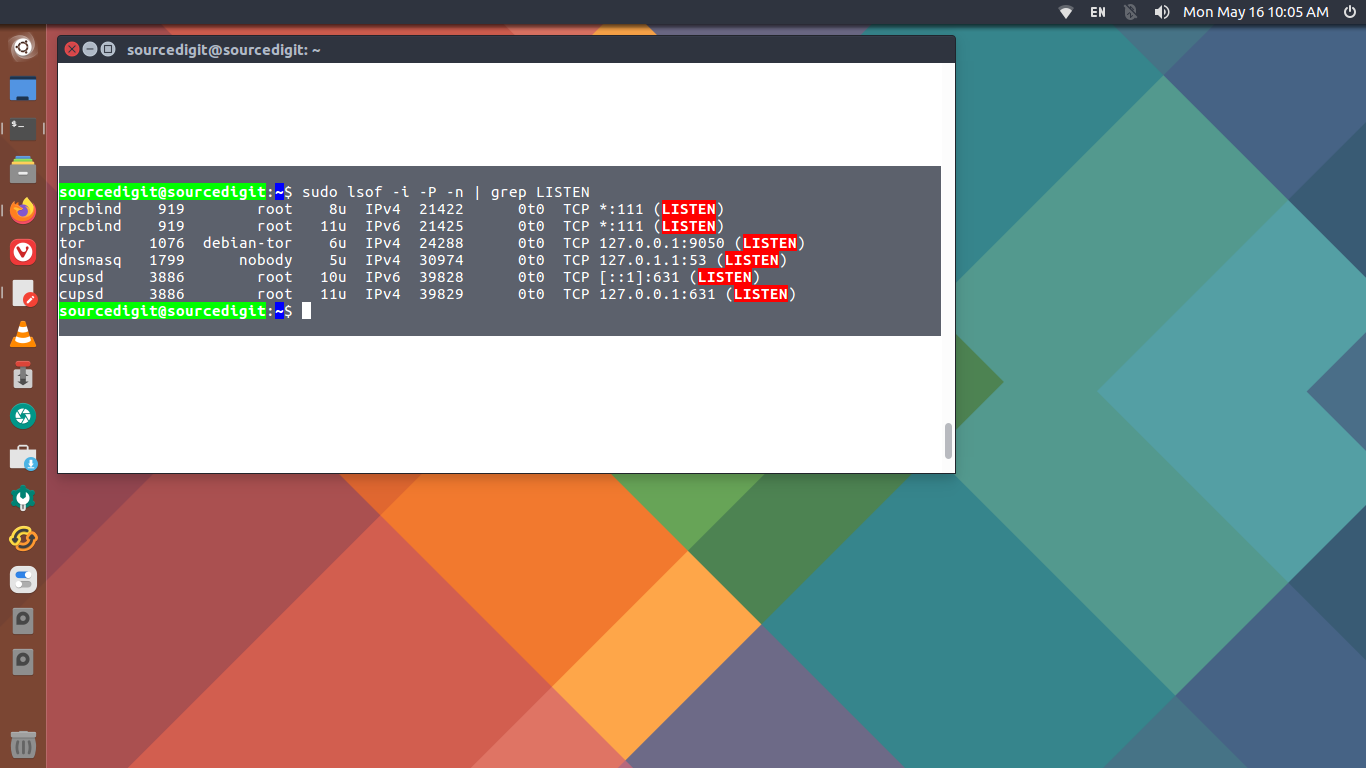
Check Running Port Linux Get Port Number From IP Address In Linux

Proxy Error Amazon Prime

Configure Squid Proxy On Windows

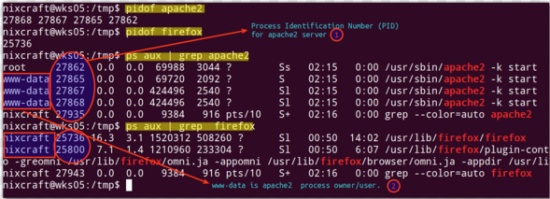
Kill Process UNIX Linux Systems HeelpBook

How To Kill A Process On A Port On Windows 11 Technipages
Web May 9 2017 nbsp 0183 32 Breakdown of command lsof i tcp PORT NUMBER list all processes that is listening on that tcp port awk NR 1 print 2 ignore first line

Web The fuser command combined with the k kill option will end all associated processes that are listening on a TCP or UDP port Simply provide the port number and type TCP or
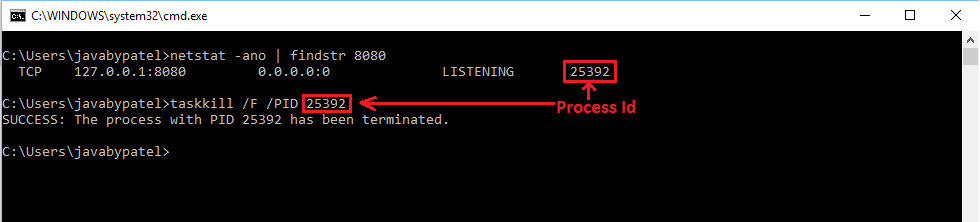
Web May 15 2021 nbsp 0183 32 In this tutorial we ve addressed several ways to kill a process using a specific port First we ve used the fuser command Finally we ve searched for the PID

Web 8080 show only processes in this port number So you can now easily kill your PID using following command sudo kill 9 lt PID gt Here kill command to kill the process

Web Feb 18 2012 nbsp 0183 32 To kill a process running on Port number 9001 sudo kill 9 sudo lsof t i 9001 lsof list of files Also used for to list related processes t show only process ID
Web Nov 4 2023 nbsp 0183 32 Key Takeaways Killing a process simply means forcing it to quit and it can be necessary when a process is unresponsive or misbehaving Linux and macOS have Web Aug 22 2022 nbsp 0183 32 For processes listening on a TCP or UDP port the fuser command along with the k kill option will terminate the related processes for you Just specify the
Web Apr 2 2023 nbsp 0183 32 fuser k n tcp 80 This will kill all processes using TCP port 80 If some processes don t respond to SIGTERM you can use KILL instead of k This will send a