Kali Live Reset Windows Password How To Reset Your Windows Password Using Kali Linux Systran Box How To Reset Password In Kali Linux Krist ly jonnan rkez Hazugs g Windows Kali Root Password Helyi Kl n Reset Windows Password With Kali Linux 2017 YouTube How To Reset Root Password Kali Linux 2021 2 YouTube Reset Forgotten Windows Password With Kali LinuxIt s pretty common for people to forget their Windows user login password it s very easy to reset if you kno
Steps to remove Windows 10 login password Download Kali Linux ISO and Universal USB Installer from above links Plug in a USB flashdrive that you want to use as a bootable USB drive to a computer that you have access to Run Universal USB Installer UUI exe file on the same computer as the USB s Setup UUI On Step 1 select Debian Live Introduction What is Chntpw Reset Windows User Account Password with Chtntpw and Linux Live CD Step 1 Boot your Windows System with Linux Live CD Step 2 Install Chntpw Utility Step 3 Find the Windows Installation Partition Step 4 Mount Windows Partition Step 5 Remove Windows User Password Frequently Asked Questions
How To Reset Root Password Kali Linux 2021 2 YouTube How To Reset Windows Password Using Kali Linux GeekViews Reset Windows Password Using Kali Linux Linux Cyber Security Kali 3 Ways To Reset Windows 10 Password With without Software How To Reset Kali Linux Password Your Hacker Windows Password Rescuer Reset Software For Windows Vista 7 XP 2000 Reset Windows Password Download Rwp zip Reset Kali Linux Password How To Reset Kali Linux Password Your Hacker
Kali Live Reset Windows Password
 Kali Live Reset Windows Password
https://syscdn.systranbox.com/1661342697113.png
Installed size 486 KB How to install sudo apt install chntpw Dependencies chntpw Utility to overwrite passwords of Windows systems root kali chntpw h chntpw change password of a user in a Windows SAM file or invoke registry editor
Templates are pre-designed documents or files that can be used for numerous purposes. They can conserve effort and time by supplying a ready-made format and layout for producing different kinds of material. Templates can be utilized for individual or expert projects, such as resumes, invitations, leaflets, newsletters, reports, discussions, and more.
Kali Live Reset Windows Password
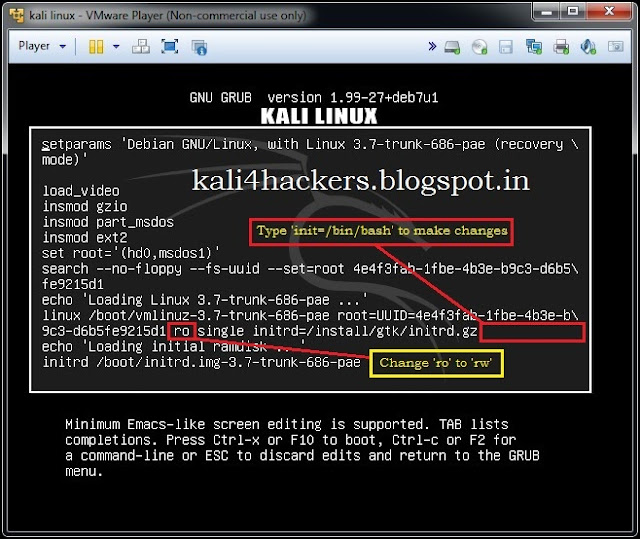
Kali For Hackers How To Reset Root Password

How To Reset Windows Password Using Kali Linux GeekViews

Reset Windows Password Using Kali Linux Linux Cyber Security Kali

3 Ways To Reset Windows 10 Password With without Software

Windows Password Rescuer Reset Software For Windows Vista 7 XP 2000
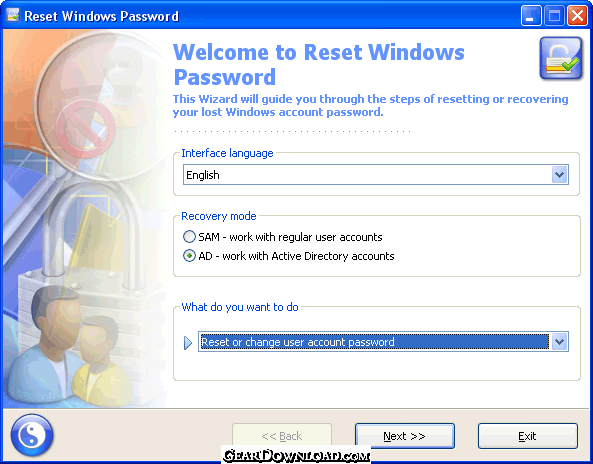
Reset Windows Password Download Rwp zip

This article shows you how to reset a Windows 10 password using Kali Linux as well as another easier option 1 Creating the Linux Live CD or Drive The first step is to create what is called a bootable drive or disk for Kali Linux

Chntpw is a Kali Linux tool that can be used to edit the windows registry reset a users password and promote a user to administrator as well as several other useful options Using chntpw is a great way to reset a Windows Password or otherwise gain access to a Windows machine when you don t know what the password it
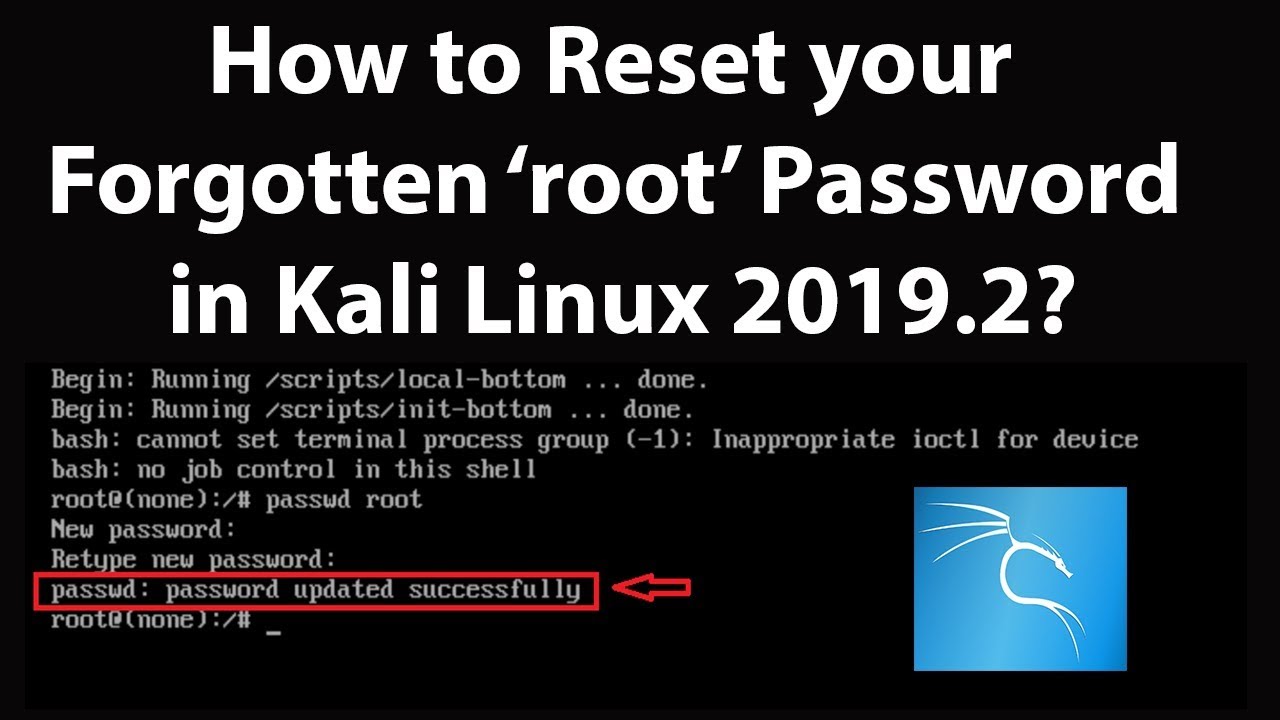
Delve into the intricacies of resetting or removing forgotten Windows passwords using the powerful tools within Kali Linux This step by step guide equips you to unlock Windows devices

In this video I ll show you how to reset your Windows password by booting to a live USB running Kali Linux running chntpw against the SAM file and logging in without a password

How can I reset my password safely Note I have installed both Ubuntu and Kali Linux installed at the same time But when I run bash by default it opens up ubuntu kali linux windows subsystem for linux password recovery Share Improve this question Follow edited Jun 10 2018 at 10 41 asked Jun 10 2018 at 8 33 Abdullah Noman 53 1 1 7
Sudo chntpw i SAM Then type 1 for Edit user data and passwords opensource And type your user account name i e Archit PC in this example for the username opensource 7 Type 1 to clear the user password or 2 to set a new password for the Archit PC user then quit and save the changes opensource Oct 12 3 In this tutorial you re going to learn how to reset remove forgotten passwords on any Windows computer Using this method you can unlock any Windows device without knowing the user password and without formatting the hard disk To perform this experiment I will use a little program called chntpw
How to crack windows 10 pasword using chntpwcrack windows 10 password using kali linux clear windows 10 password using kali liveclear windows 10 password usi