Kali Linux Password Change Command Kali Linux Default Root Password Systran Box How To Reset Your Forgotten Linux Password Systran Box How To Change Kali Linux Password In Virtualbox Easy Way YouTube Krist ly jonnan rkez Hazugs g Windows Kali Root Password Helyi Kl n Krist ly jonnan rkez Hazugs g Windows Kali Root Password Helyi Kl n How to configure and customize Kali Linux TechTarget Follow this walkthrough from Mastering Kali Linux to learn how to configure and customize the penetration testing and ethical hacking distribution
Step 1 Open Kali s command line Terminal Press Ctrl Alt T to open the Terminal Interface Add a comment Step 2 Enter the following command Use the command sudo passwd root When prompted enter your systems root command If this is a fresh install of Kali the default password will be set to kali When prompted enter your new command Method 1 Change the root Password Using the passwd Command The very first method of changing the root password of Kali Linux is that we will use the conventional passwd command on a terminal shell This command will allow us to change the root password on our system if we know the existing password
Krist ly jonnan rkez Hazugs g Windows Kali Root Password Helyi Kl n How To Force User To Change Password In Linux Make Tech Easier Kali Linux Parola De i tirme G ncelleme Kali Linux Password Change How To Reset Your Kali Linux Password Systran Box How To Reset Root Password Kali Linux Welcome To Linux For Hacker What Is Kali Linux Default Password And How To Reset It KaliTut 4 Ways To Change Your Password In Linux Using Terminal WikiHow FTP Command In Kali Linux Systran Box How To Change Password In Kali Linux 2020 Tamil YouTube
Kali Linux Password Change Command
 Kali Linux Password Change Command
https://syscdn.systranbox.com/1661343529951.jpg
It is highly recommended that you set a custom root password for your Kali Linux machine as soon as it boots up post installation In this primer you will find the easiest and swiftest way to reset the root password of your Kali Linux desktop with the passwd command or if you forgot your root password then with the GRUB bootloader Read this
Templates are pre-designed documents or files that can be used for different purposes. They can save time and effort by providing a ready-made format and layout for producing various type of content. Templates can be utilized for personal or professional jobs, such as resumes, invitations, leaflets, newsletters, reports, presentations, and more.
Kali Linux Password Change Command

Reset Kali Linux Password YouTube

How To Force User To Change Password In Linux Make Tech Easier

Kali Linux Parola De i tirme G ncelleme Kali Linux Password Change

How To Reset Your Kali Linux Password Systran Box

What Is Kali Linux Default Password And How To Reset It KaliTut

4 Ways To Change Your Password In Linux Using Terminal WikiHow

A quick way to change the Kali Linux root password is to use the built in passwd command With passwd you can change the password of any user root or not in Linux To do that fire up the terminal and run the passwd command with superuser privileges sudo passwd root Enter your current root password when prompted Type in the new root password

First open your kali Linux terminal Then type the following command and press Enter to switch to the root user sudo su After this you will be prompted to enter your user password

Type passwd command and enter your new password Enter the root password again to verify Press ENTER and confirm that the password reset was successful Reset root password kali linux
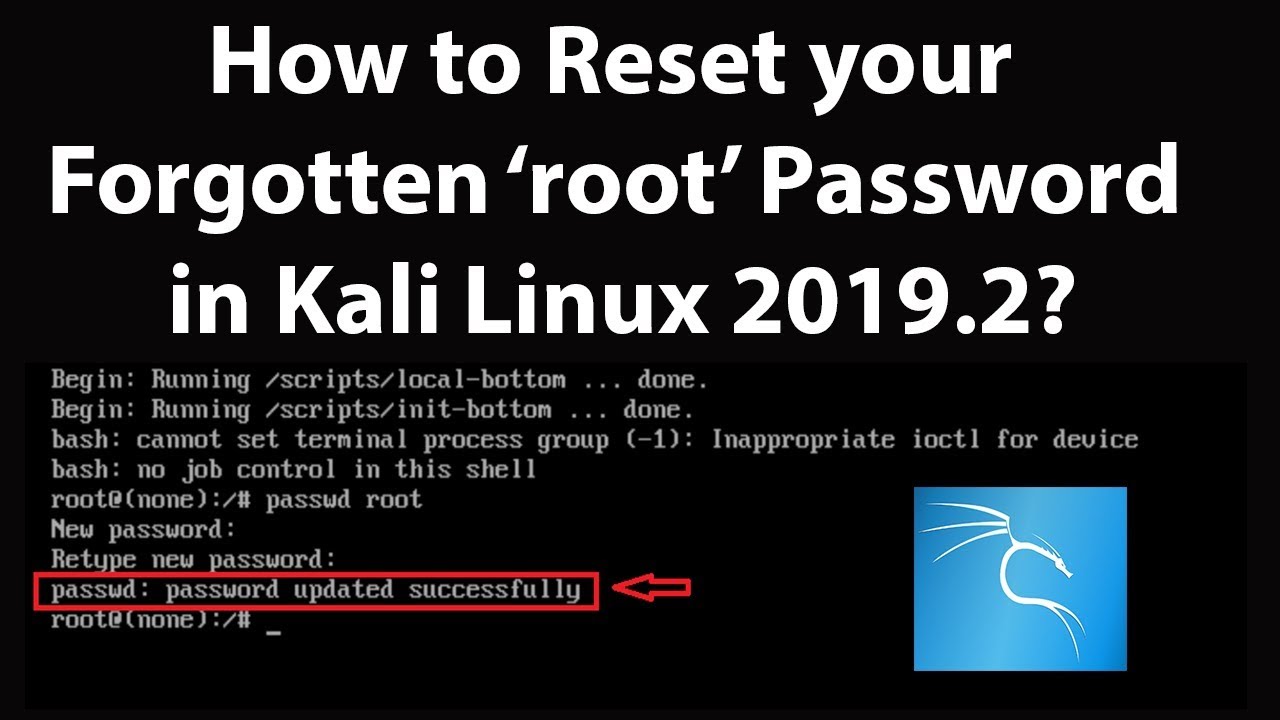
1 passwd Running the command will prompt you asking your new root password Give it that and you will again be prompted to retype the same password just for confirmation Now if you want to change the password for a different user simply run the passwd command with the username for which you want to change the password 1 passwd username

This ensures that Kali Linux starts in read write mode with the bash shell Step 2 Apply Changes and Access Bash Press Ctrl X or F10 to boot with the modified parameters This will bring you to a bash shell prompt Step 3 Change the Password To change the password use the following command passwd kali
Open a terminal and follow the steps below to enable root login in your GUI First use the apt package manager to install the kali root login package sudo apt update sudo apt install kali root login Install the kali root login package with apt command Next you need to set the root password with the passwd command 1 The first step is to restart the system The GRUB page will display as soon as the process finishes as in the following image Then quickly we must press the E key to not complete
How to Change Passwords for Other Users in Linux The bash passwd command can also change the password of another user account in the system To do so follow the steps above Log in as the root user and use the passwd command followed by the user s name passwd username For example if you want to change the password of a user named edward the command will look like this