Javascript Check If Div Is Visible On Screen How To Check If Value Exists In Javascript Object Web Development JQuery How To Check If Div Element Is Empty YouTube JQuery Cheking If Div Is Visible YouTube How To Check If Key Exists In JavaScript Object Sabe io How To Check If A Key Exists In A JavaScript Object LearnShareIT It observes changes in the visibility of an element relative to its parent or the top level document s viewport It can be used to trigger an action when an element becomes visible or hidden So while getBoundingClientRect can be used for positioning and sizing IntersectionObserver is used for observing the visibility of an element They
28 JUL 2022 2 mins read There are many ways to detect if an element is visible on page like element style display none element visibility hidden And what if you want to detect if an elemtn is in current viewport Easy right You just need to use getBoundingClientRect check if it s top and bottom are all in viewport Method 1 Checking the height width and bounding rectangle of the element The element can be checked whether it is visible by checking the height width and dimensions of the bounding rectangle of the element The offsetHeight property is used to get the height of an element including the vertical padding and borders if present It will return an integer with the height in pixels
How To Check If A Key Exists In A JavaScript Object LearnShareIT Windows 7 Program Not Visible On Screen Rutrackeraussie How To Know A Div Is Used In Javascript Spritely Html javascript CSDN If Div Contains Something Codepad Solved Javascript Check If Div Contains A Word 9to5Answer 39 Javascript Add Div Inside Div Javascript Answer How Do I Avoid Background Image Shrinking While Keyboard Is Visible On Solved Check If DIV Is Visible Using Javascript 9to5Answer
Javascript Check If Div Is Visible On Screen
 Javascript Check If Div Is Visible On Screen
https://i.pinimg.com/originals/0b/18/02/0b180207044f1a4d86ac44371bd35ccf.jpg
There are two ways to know when an element gets visible hidden in the screen during scrolling Listening to the window scroll event Observing the element for visibility using Intersection Observer API Scroll events have performance issues can cause page freezing and there may be a time lag
Pre-crafted templates provide a time-saving service for producing a diverse series of files and files. These pre-designed formats and layouts can be used for various personal and professional jobs, including resumes, invitations, flyers, newsletters, reports, presentations, and more, enhancing the material creation procedure.
Javascript Check If Div Is Visible On Screen

HTML Check If Div Has Overflow YouTube
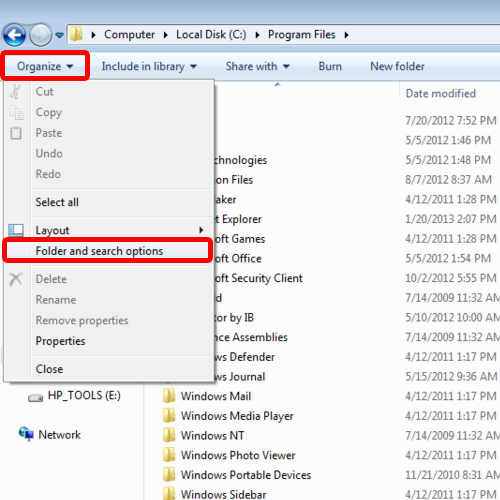
Windows 7 Program Not Visible On Screen Rutrackeraussie

How To Know A Div Is Used In Javascript Spritely

Html javascript CSDN

Solved Javascript Check If Div Contains A Word 9to5Answer
39 Javascript Add Div Inside Div Javascript Answer

So given a DOM element how can I check if it is visible or not I tried window getComputedStyle my element display but it doesn t seem to be working I wonder which attributes should I check It comes to my mind display none visibility hidden Any others that I might be missing javascript html dom Share Improve this question

Check If an Element is Visible in the Viewport Summary in this tutorial you ll learn how to check if an element is visible in the viewport using JavaScript When an element is in the viewport it appears in the visible part of the screen To check if an element is visible in the viewport you use the following isInViewport helper function

To find out if an element is hidden with visibility hidden see the example below This hidden element will take up space Example function myFunction var x document getElementById myDIV if window getComputedStyle x visibility hidden Do something Try it Yourself Tip Also check out How To Toggle Hide Show
In JavaScript the quickest way to check if an element is hidden or visible in DOM is to use the getComputedStyle method This method returns the actual values of CSS properties used to render an HTML element in DOM Let us say that we have got the following hidden HTML element hidden display none

Use the jQuery hidden selector to check if an element is hidden like this if thing is hidden console log Element is hidden else console log Element is visible Conclusion You now know four different ways of check if an element is hidden using JavaScript and jQuery
There are two ways to check the viewport s width Some browsers support window innerWidth other s support document documentElement clientWidth and some support both We can try one and fallback to the other by doing something like this window innerWidth document documentElement clientWidth We can do the following to check an element s visibility in the viewport Get the bounding rect of the DOM element using the getBoundingClientRect This method returns an object with an element s width height and position relative to the viewport We use the data above to check if the element position is inside the window s viewport
To use it we only need to call it from a React component and pass a reference to the element that we want to check if it s visible or not export function MyComponent const ref useRef const isVisible useIsVisible ref return div ref ref p isVisible Visible Not visible p div