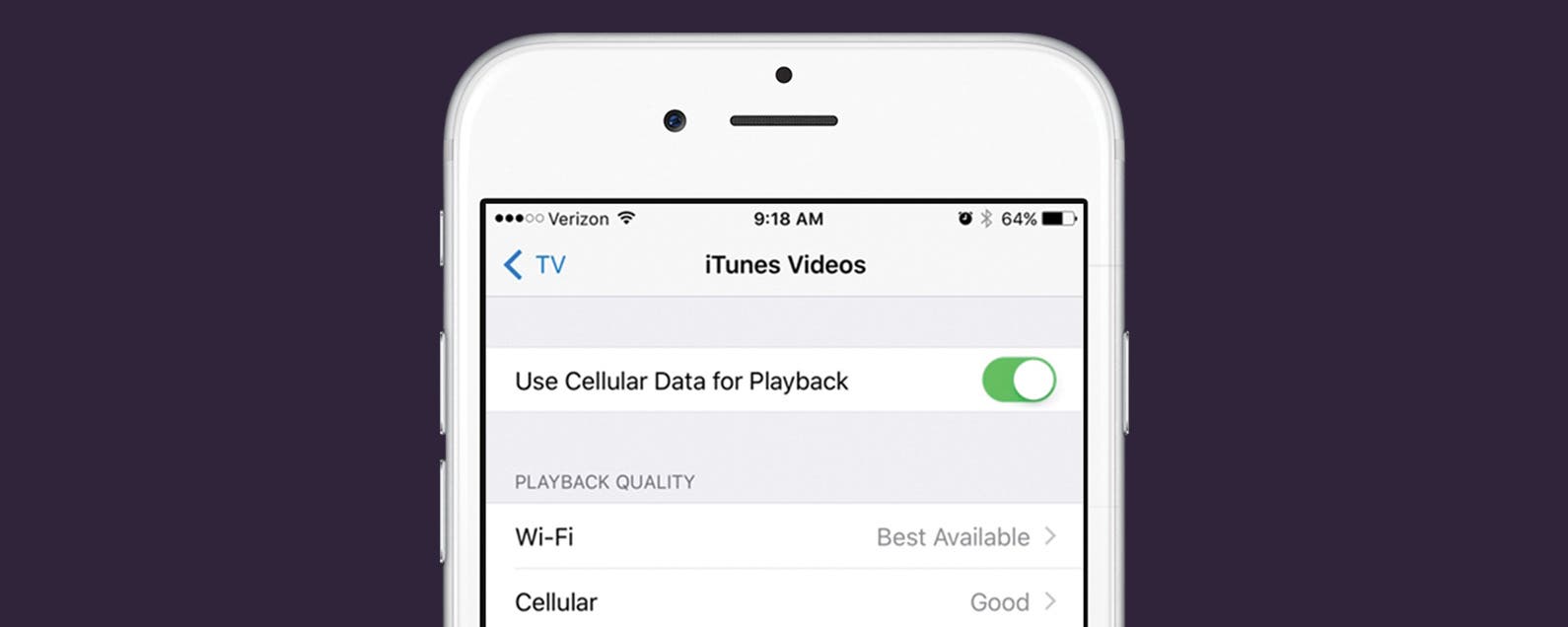
Iphone Video Playback Settings Cellular How To Use Cellular Data For Playback In The TV App On IPhone Video Playback Settings YouTube How To Change Video Playback Settings On IPhone Settings Base Video Playback Settings Iphone 13 Prudence Roldan How Do I Change Video Playback Settings On IPhone YouTube Learn how you can enable or disable cellular data for Apple TV for streaming or downloads on the iPhone 13 iPhone 13 Pro Gears I use iPhone 13 Pro https
Launch the Photos app Then select a video from the library and on the next screen it starts to play You can tap on the Volume logo to enable sound And to fast forward or backward the video move your finger right or left over the video timeline Wondering how to edit videos on iPhone Steps to Change Playback Quality for TV App on iPhone Are you tired of poor video quality on your TV app while streaming content on your iPhone
How Do I Change Video Playback Settings On IPhone YouTube Video Playback Settings Iphone 12 Tierra Tomlinson Video Playback Settings In Windows 10 Change Or Fix Problems Video Playback Settings Iphone Se Sharilyn Belton Cellular Tab option In My Settings Is Mis Apple Community Video Playback Settings In Windows 10 Automatically Process Video To How To Change Video Playback Settings On IPhone Applavia Video Playback Settings In Windows 10 Change Or Fix Problems Video Playback Settings Iphone 13 Leslee Emery
Iphone Video Playback Settings Cellular
 Iphone Video Playback Settings Cellular
https://www.iphonelife.com/sites/iphonelife.com/files/playback.jpg
Learn how you can enable disable use cellular data for TV streaming on Phone 12 iPhone 12 Pro Gears I use Velbon Sherpa 200 R F Tripod With 3 Way Panhead h
Pre-crafted templates use a time-saving option for creating a varied range of files and files. These pre-designed formats and layouts can be made use of for different personal and expert jobs, consisting of resumes, invitations, flyers, newsletters, reports, discussions, and more, improving the content development process.
Iphone Video Playback Settings Cellular

IOS 10 Supports Inline Video Playback In Safari On IPhone Video 9to5Mac

Video Playback Settings Iphone 12 Tierra Tomlinson
Video Playback Settings In Windows 10 Change Or Fix Problems
Video Playback Settings Iphone Se Sharilyn Belton

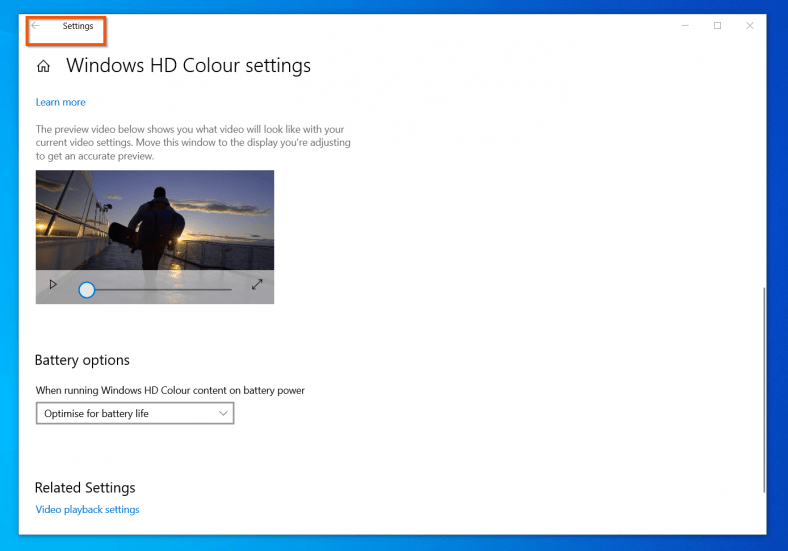
Video Playback Settings In Windows 10 Automatically Process Video To

How To Change Video Playback Settings On IPhone Applavia
Open Settings Select Cellular Scroll down and toggle on any apps you use to watch TV such as Netflix and Hulu or any apps you use to watch cable TV Master your iPhone in one minute a day Sign up here to get our FREE Tip of the Day delivered right to your inbox Topics How To iPhone Apps Apple TV Apple Apps

The Apocalyptic Outcome Watch on Today s post will take a close look at the video playback settings on iPhone and give you some insights on how to seamlessly tweak the settings to get the most out of your video watching experience

Accessing Video Playback Settings Navigating to the Settings app Locating the Accessibility option Finding the Video section within Accessibility Accessing video playback settings on your iPhone 11 is a straightforward process that allows you to personalize your viewing experience

Go to Settings Cellular then turn Cellular Data on or off for any app such as Maps or service such as Wi Fi Assist that can use cellular data

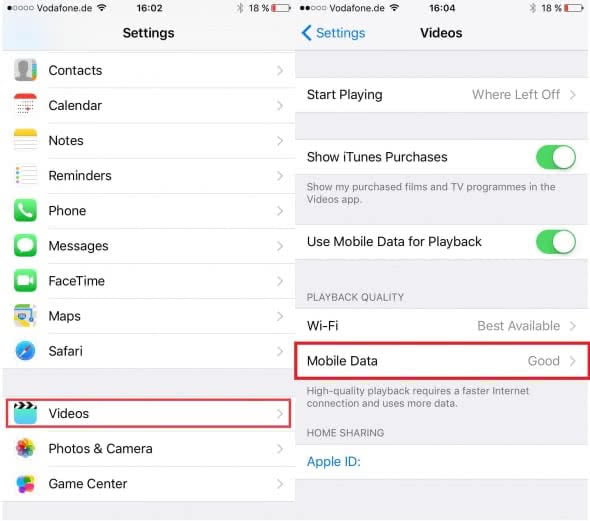
More About How Do I Change Video Playback Settings On IPhone How do I enable playback over cellular
Step 1 First open the Apple TV app Step 2 Find the video Step 3 Start the video Step 4 Get to the playback control Step 5 Modify the video setting Step 6 Adjust the audio and subtitles Step 7 Customize the video quality Step 8 Picture in Picture PiP mode should be enabled Step 9 Save Settings Method 1 Changing Video Resolution via Camera Settings Method 2 Adjusting Video Resolution in Settings Method 3 Using Third Party Video Editing Apps Method 4 Changing Video Resolution during Playback Conclusion FAQs Overview Your iPhone is not only a powerful communication tool but it can also capture stunning videos
Wi Fi only Enabled You have restricted video playback to wi fi connections If you want to play video with your cellular connection change your selection in your video playback settings I have an iPhone 12 Pro Max running on the most current iOS 14 5 1 I think I am not using cellular data in fact I have I turned off Im using wi if