Installer Windows Server Sur Proxmox PROXMOX Installer Backup Server Sur PVE YouTube Installer Windows Server 2019 Vmware Linuxteaching Proxmox VE 6 Pfsense Sur Un Serveur D di 1 2 Comment T l charger Et Faire L installation De Windows Server 2012 Howto Proxmox VE Setup And Configuration Virtual Lab BENISNOUS Jul 2 2023 nbsp 0183 32 Windows Surface Bing Microsoft Edge Windows Insider Microsoft Advertising Microsoft 365 and Office Microsoft 365 Insider Outlook and Microsoft Teams forums are
Como instalar o Chrome Importante antes de baixar confira se o Chrome 233 compat 237 vel com seu sistema operacional e outros requisitos do sistema Chrome Chrome Chrome Windows
Howto Proxmox VE Setup And Configuration Virtual Lab BENISNOUS L togat Nagysz l k T rt n sz Undor Configurer Son Serveur D di Software update Proxmox VE 5 0 Computer Downloads Tweakers Comment T l charger Et Faire L installation De Windows Server 2012 How To Install Windows 10 VM On Proxmox VE YouTube Tutoriel Installer Windows Server 2016 Sur Une Machine Virtuelle EaseUS Proxmox VE 6 2 Release Is Available ServeTheHome Comment T l charger Et Faire L installation De Windows Server 2012 Guide D installation Complet De Windows Serveur 2008 InfoNovice fr
Installer Windows Server Sur Proxmox
 Installer Windows Server Sur Proxmox
https://i.ytimg.com/vi/VXPM7Kcxms0/maxresdefault.jpg
Download og installer Google Chrome Du kan downloade og installere Chrome webbrowseren uden beregning og bruge den til at surfe p 229 nettet Computer Android iPhone og iPad
Templates are pre-designed documents or files that can be utilized for various purposes. They can save effort and time by supplying a ready-made format and design for producing various type of content. Templates can be utilized for personal or professional tasks, such as resumes, invites, flyers, newsletters, reports, discussions, and more.
Installer Windows Server Sur Proxmox

Comment Installer WINDOWS 11 Sur PROXMOX Sans Email Microsoft Pas
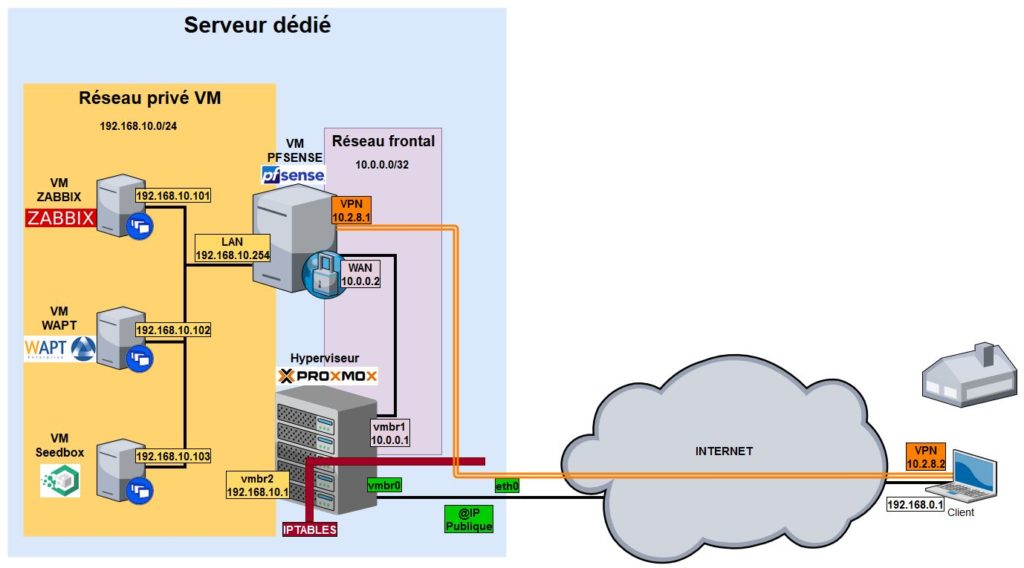
L togat Nagysz l k T rt n sz Undor Configurer Son Serveur D di
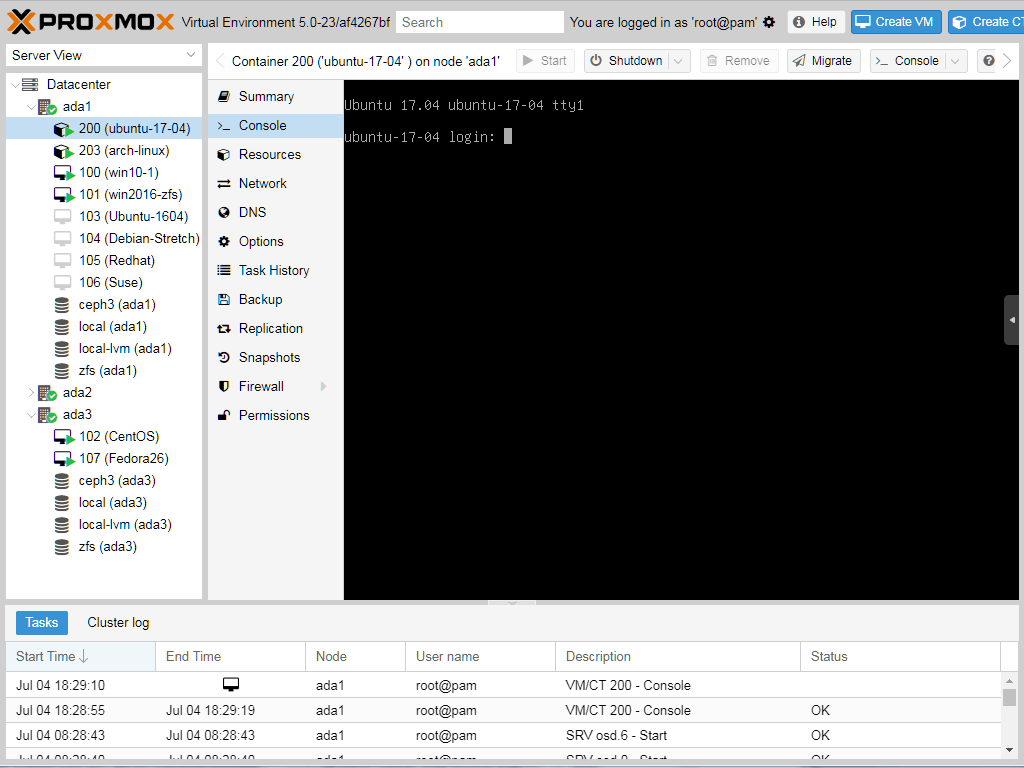
Software update Proxmox VE 5 0 Computer Downloads Tweakers

Comment T l charger Et Faire L installation De Windows Server 2012
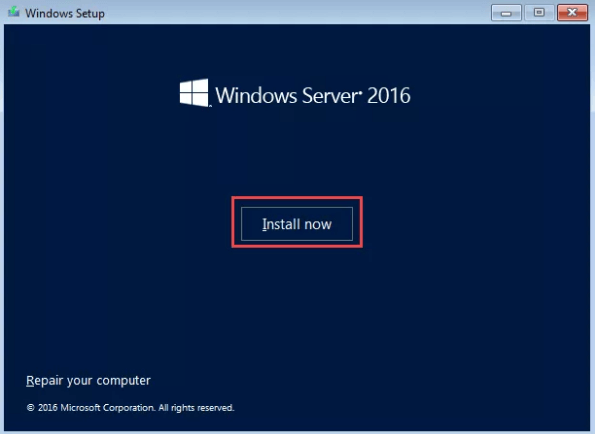
Tutoriel Installer Windows Server 2016 Sur Une Machine Virtuelle EaseUS
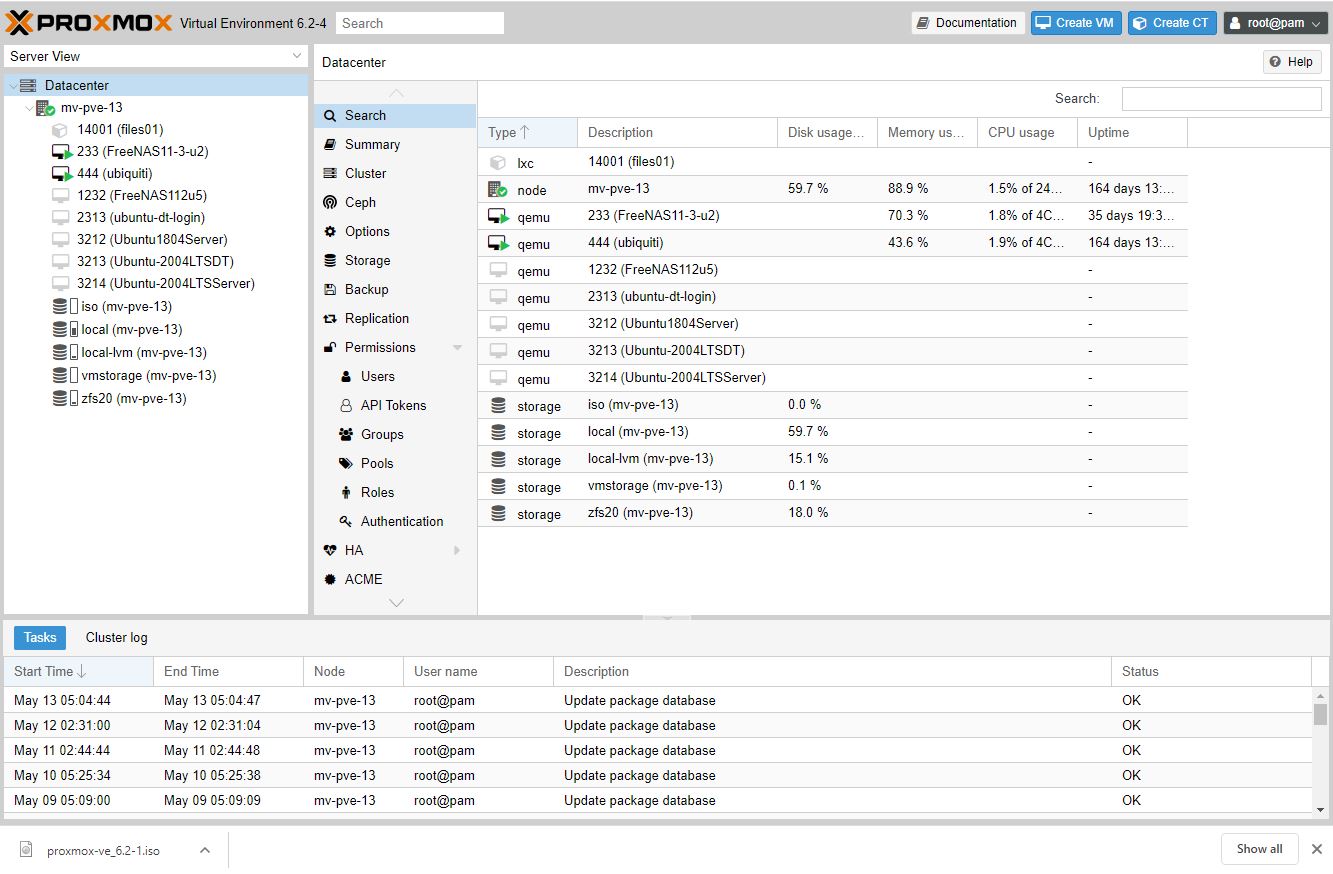
Proxmox VE 6 2 Release Is Available ServeTheHome

Installer Chrome Important Avant de t 233 l 233 charger Chrome vous pouvez v 233 rifier s il est compatible avec votre syst 232 me d exploitation et les autres configurations syst 232 me requises

Sur votre iPhone ou votre iPad ouvrez l App Store Dans la barre de recherche saisissez Chrome Appuyez sur T 233 l 233 charger Pour l installer suivez les instructions 224 l 233 cran Si vous y
How to install Chrome Important Before you download you can check if Chrome supports your operating system and other system requirements

Linux Installer Chrome med det installasjonsprogrammet du vanligvis bruker Du m 229 skrive inn passordet for administratorkontoen For 229 sikre at Chrome holdes oppdatert legges den til i

Open files on your desktop When you install Drive for desktop on your computer it creates a drive in My Computer or a location in Finder named Google Drive All of your Drive files appear here
[desc-11] [desc-12]
[desc-13]