Install Zabbix Proxy Sqlite Centos 8 Zabbix Proxy SQLite Centos 8 Rocky Linux Zabbix GitHub Binfix zabbix proxy sqlite3 debian armhf Zabbix Integration VMware Aria Operations For Applications Documentation Installing Zabbix Using Containers Dean Thomson How To Install CentOS 6 For Zabbix Zabbix Blog Install Zabbix on CentOS 8 Install Zabbix Agent on CentOS 8 Conclusion Install Zabbix on CentOS 8 What is Zabbix Zabbix is a free and open source networking monitoring software With Zabbix we can monitor networks servers virtual machines and cloud services
How to Install and Configure Zabbix on CentOS 8 CentOS Linux Monitoring Zabbix Using another OS Select the desired version or distribution CentOS 8 In this tutorial we will set up the Zabbix 5 server monitoring system on CentOS 8 The database management system will be Postgresql 12 and the Nginx web server Overview Official Zabbix packages are available for RHEL 8 CentOS 8 and Oracle Linux 8 Download Packages are available with either MySQL PostgreSQL database and Apache Nginx webserver support Zabbix agent packages and utilities Zabbix get and Zabbix sender are available for RHEL 7 RHEL 6 and RHEL 5 as well
How To Install CentOS 6 For Zabbix Zabbix Blog Zabbix Proxy Installation Explained YouTube Understanding Zabbix Proxy ZABBIX Forums Como Configurar Um Servidor Zabbix Proxy 3 0 No CentOS 7 Data Unique Install Zabbix Agent On Windows msi Server Monitoring Guide Initial Setting Of Zabbix Server Installing The Zabbix Server Agent GitHub Aur archive zabbix server sqlite Instalaci n De Zabbix Y Nginx En Debian 10 Hidden Benefits Of Zabbix Proxy Zabbix Blog
Install Zabbix Proxy Sqlite Centos 8
 Install Zabbix Proxy Sqlite Centos 8
https://itdraft.ru/wp-content/uploads/2021/02/laptop-2-1024x618.jpg
CentOS 8 CentOS 7 On this page Step 1 Install Apache Httpd Step 2 Install PHP Step 3 Install and Configure MariaDB Step 4 Install and Configure Zabbix 4 0 LTS Add Repository and Install Packages Import MySQL Database Scheme Configure Zabbix Server and Zabbix Agent Step 5 Configure Firewalld Step 6 Configure SELinux
Templates are pre-designed files or files that can be used for various purposes. They can save time and effort by providing a ready-made format and layout for developing various type of material. Templates can be used for individual or professional tasks, such as resumes, invitations, flyers, newsletters, reports, discussions, and more.
Install Zabbix Proxy Sqlite Centos 8
Handy Tips 18 Distributed Monitoring With A Lightweight Zabbix SQLite

Zabbix Proxy Installation Explained YouTube
Understanding Zabbix Proxy ZABBIX Forums

Como Configurar Um Servidor Zabbix Proxy 3 0 No CentOS 7 Data Unique

Initial Setting Of Zabbix Server Installing The Zabbix Server Agent
GitHub Aur archive zabbix server sqlite

Step 1 Set SELinux to permissive mode Step 2 Configure firewall Step 3 Install Zabbix Proxy on CentOS RHEL Step 4 Configure database a Install and start MariaDB 10 6 b Reset root password for database c Create database d Import initial database schema Step 5 Zabbix Proxy configuration Step 6 Start and enable Zabbix Proxy service
Sudo apt install zabbix proxy pgsql Note that with the sqlite3 version you won t need to install the database schema since it will be automatically created if it doesn t already exist If you use MySQL or PostgreSQL then you also need to install the schema Visit the official Zabbix Proxy install documentation at https www zabbix

Introduction In this tutorial we learn how to install zabbix40 proxy sqlite3 on CentOS 8 What is zabbix40 proxy sqlite3 Zabbix proxy compiled to use SQLite We can use yum or dnf to install zabbix40 proxy sqlite3 on CentOS 8 In this tutorial we discuss both methods but you only need to choose one of method to install zabbix40 proxy sqlite3
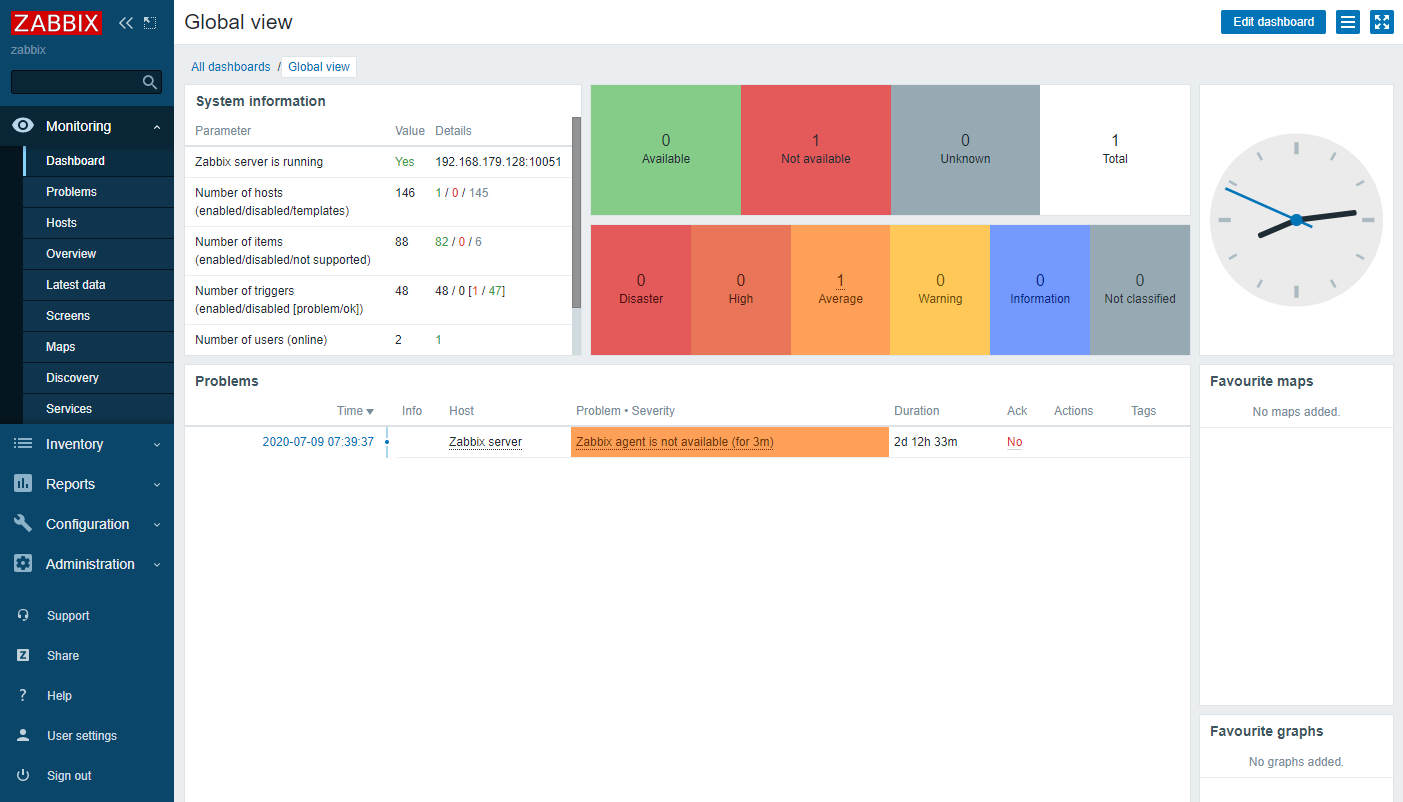
1 Database creation Overview A Zabbix database must be created during the installation of Zabbix server or proxy This section provides instructions for creating a Zabbix database A separate set of instructions is available for each supported database UTF 8 is the only encoding supported by Zabbix It is known to work without any security flaws

Once we have opened the shell go to the ansible directory where we have all of our Ansible files present cd ansible With the previous blog post we executed the zabbix server yml playbook Now we use the zabbix proxy yml playbook The playbook will deploy a MySQL database on node 3 and also installs the Zabbix
Step 1 Set SELinux to permissive mode Step 2 Install Zabbix server frontend and agent Step 3 Install and configure database a Install MariaDB 10 6 b Reset root password for database c Create database d Import initial schema and data e Enter database password in Zabbix configuration file Step 4 Start Zabbix server and agent processes Zabbix proxy is one of the infrastructure components that allows you to collect monitoring data from multiple devices and send data to the Zabbix Server Zabbix Proxy can be used to collect monitoring data from remote locations from hosts behind a firewall or to reduce the load on the central Zabbix Server in large environments
sudo dnf install y zabbix proxy sqlite3 zabbix agent policycoreutils python utils nano Create a directory for the database and assign the owner of the directory sudo mkdir var lib zabbix sudo chown R zabbix var lib zabbix If you create a directory different from var lib zabbix in the future there will be problems with SeLinux