Install Windows On External Drive Free Download Program How To Copy Files To External Hard Drive Windows SSD Windows 11 TABMODE Windows 11 22H2 Billionwallet SSD Windows 11 TABMODE SSD Windows 11 TABMODE Web Jun 14 2023 nbsp 0183 32 Connect the flash drive to a new device Turn on the device and press the key that opens the boot device selection menu for the computer such as the Esc F10 F12 keys Select the option that boots the device from the flash drive Windows Setup starts Follow the instructions to install Windows
Web Oct 25 2022 nbsp 0183 32 Select quot USB Flash Drive quot and click quot Next quot The Media Creation Tool will completely wipe any USB drive you choose to use Back up any files you want to save before proceeding Select the USB drive you want to use then click quot Next quot The Media Creation Tool will download Windows 10 and create a bootable USB drive Web Mar 24 2022 nbsp 0183 32 Quick Links What You ll Need Windows 11 Hardware Requirements Create the Installation Media Install Windows 11 From the USB Drive You can install Windows 11 on a supported device by downloading and using the ISO file that s available on Microsoft s official website To do this you re going to need a flash drive and meet certain
SSD Windows 11 TABMODE SSD Windows 11 TABMODE How To Install Windows Bootcamp On External Drive 2020 YouTube SSD Windows 11 TABMODE SSD Windows 11 Billionwallet SSD Windows 11 Billionwallet Mac Os Install Windows On External Drive Intensiveku Installing Windows On External Drive With Mac Partition On Mac 5 How To Install Windows On External Drive With BootCamp Window
Install Windows On External Drive
 Install Windows On External Drive
http://3.bp.blogspot.com/-r12SOLzyqbU/UU2RhL8ms0I/AAAAAAAABJk/rwp2mrh_u_Q/s1600/install+windows+7+to+external+hard+drive+2.png
Web Dec 7 2020 nbsp 0183 32 How can I install a bootable Windows 10 to an external drive Ask Question Asked 2 years 9 months ago Modified 1 year 5 months ago Viewed 13k times 8 This should be simple but I have been at it for over 12 hours and am no further forward The SSD on my laptop just died It contains my Windows 10 partitions I have
Pre-crafted templates use a time-saving option for developing a varied range of documents and files. These pre-designed formats and layouts can be utilized for various personal and professional tasks, including resumes, invites, leaflets, newsletters, reports, presentations, and more, streamlining the content production process.
Install Windows On External Drive

SSD Windows 11 TABMODE

SSD Windows 11 TABMODE

How To Install Windows Bootcamp On External Drive 2020 YouTube
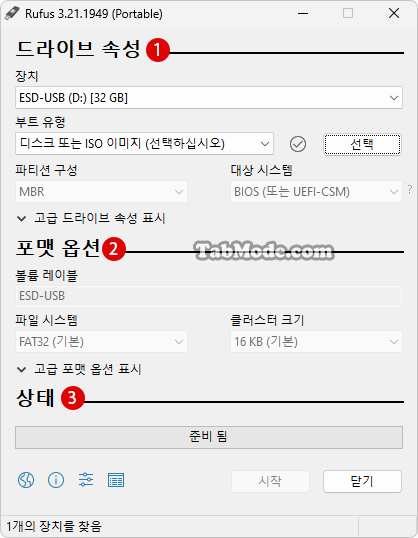
SSD Windows 11 TABMODE

SSD Windows 11 Billionwallet

Mac Os Install Windows On External Drive Intensiveku

Web Sep 12 2023 nbsp 0183 32 1 Install Windows 10 8 7 on External Hard Drive using EaseUS OS2GO 2 Install Windows 10 Enterprise Education Edition on External Hard Drive By doing so you can take your Windows to anywhere and boot Windows 11 10 on any computer via the external hard drive Is It Possible to Install Windows 11 10 on an External Hard Drive
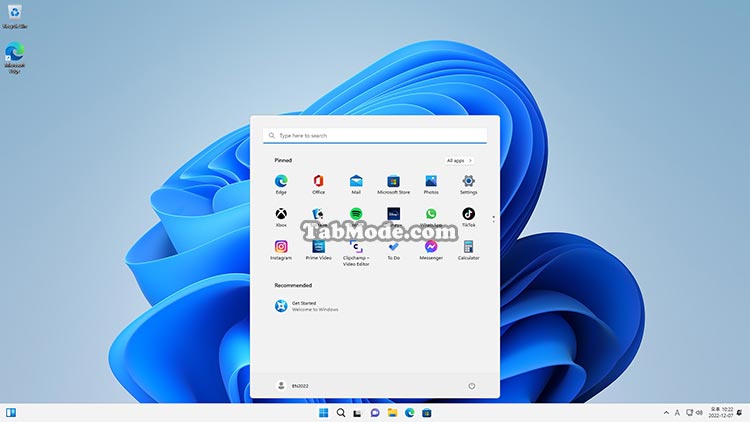
Web Learn how To create the installation media here s what you ll need A PC with a reliable internet connection The download time will vary depending on your internet connection A USB flash drive external hard drive or DVD A blank USB flash drive or external hard drive with at least 8 GB of space or a blank DVD and DVD burner
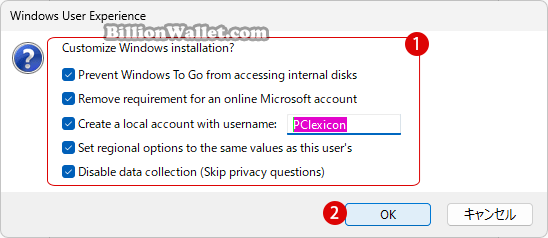
Web Jun 15 2023 nbsp 0183 32 Download Windows 10 ISO File To run Windows 11 from a USB drive you need to obtain a Windows 11 ISO file and use it to install the operating system onto the drive Head to the
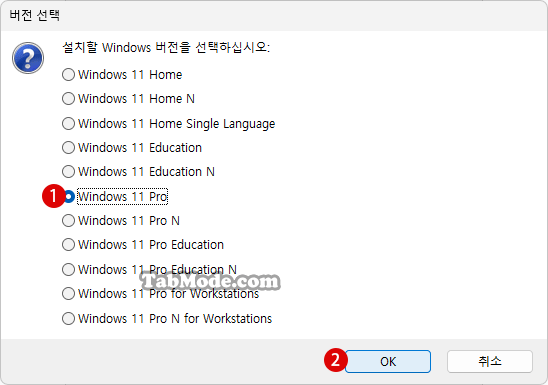
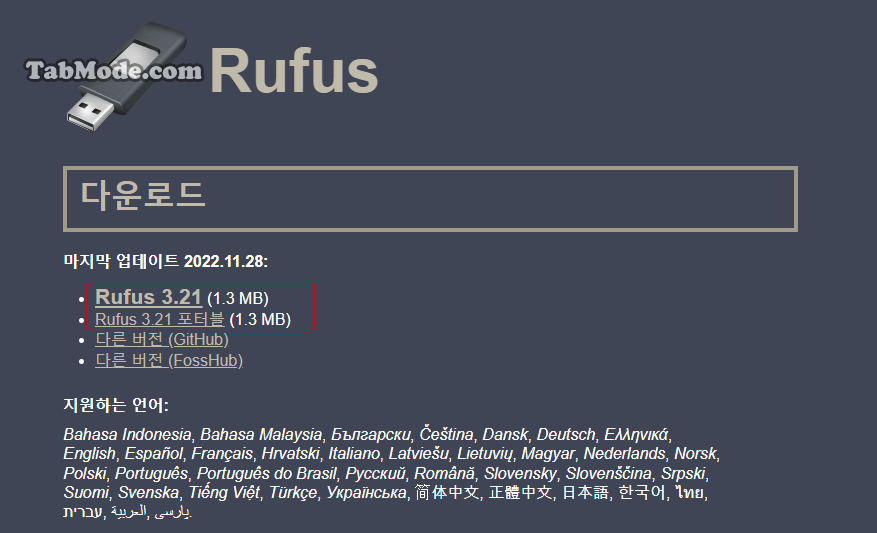
Web Oct 17 2021 nbsp 0183 32 1 Download the latest version of Rufus and install it on your machine At the time of writing the latest version is 3 16 which includes the Extended Windows 11 Image support 2 Insert a
Web Sep 1 2021 nbsp 0183 32 Windows 10 Hardware Requirements Create the Installation Media Install Windows 10 from the USB Drive Most modern computers don t have a CD or DVD drive so installing Windows 10 using a disc isn t always possible The good news is you don t need discs anymore all you need is a USB drive
[desc-11] [desc-12]
[desc-13]