Install Vnc Viewer Linux Terminal Cara Install VNC Viewer Di Ubuntu Linux Mint Nixpoin VNC Viewer Ubuntu password Check Failed How To Install VNC Connect On Kali Linux Systran Box Install Vnc Viewer Linux Mint Lasopabf Install Vnc Viewer Linux Mint Lasopamybest Secure your VNC connection The VNC server generates a display or graphical output identified by a number that is defined when the server starts If no display number is defined the server will use the lowest one available VNC connections take place on port 5900 display This guide will use a display number of 1 therefore you will connect to remote port 5901
Extract the installer in your Downloads folder using your system s file manager and run it by double clicking the RealVNC Connect installer application icon Click the Accept and Install button and follow the on screen instructions Step 1 Installing the Desktop Environment and VNC Server By default a Debian 10 server does not come with a graphical desktop environment or a VNC server installed so begin by installing those Specifically install packages for the latest Xfce desktop environment and the TightVNC package available in the official Debian repository
Install Vnc Viewer Linux Mint Lasopamybest Install Vnc Server On Linux Redhat Avagagas How To Install And Configure VNC On Ubuntu 14 04 Unixmen Egyptnaa Blog Gulliver Mod Mcpe Primarypassa How To Install RealVNC VNC Viewer On Linux DevsDay ru VNC Viewer Terminal And Folders Are Not Working Ubuntu 16 04 Stack VNC High Performance Computing Group How To Install The Best VNC Server Viewer On Linux Mint 19 x
Install Vnc Viewer Linux Terminal
 Install Vnc Viewer Linux Terminal
https://nixpoin.com/img/RealVNC_logo.svg_.png
Download the installer for TightVNC Choose custom setup type only install TightVNC Viewer optional In PuTTy go to Session select and load the settings you use to connect to your server then go to Connection SSH Tunnels Type 5901 in Source port and localhost 5901 in Destination Click Add
Templates are pre-designed files or files that can be utilized for numerous purposes. They can save effort and time by supplying a ready-made format and design for creating different type of material. Templates can be utilized for personal or expert tasks, such as resumes, invites, flyers, newsletters, reports, presentations, and more.
Install Vnc Viewer Linux Terminal
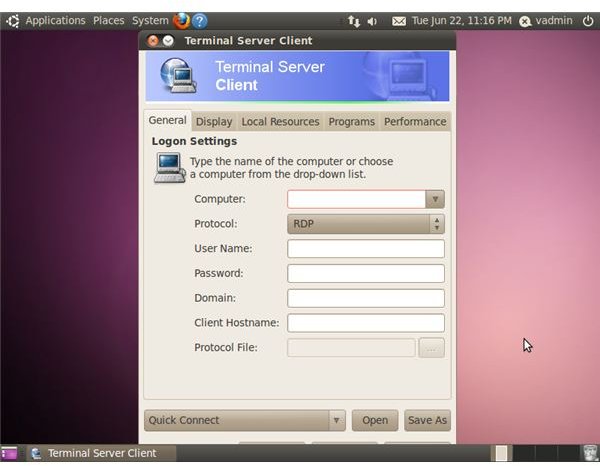
How To View Remote Linux Desktop Ubuntu Guides Bright Hub

Install Vnc Server On Linux Redhat Avagagas

How To Install And Configure VNC On Ubuntu 14 04 Unixmen

Egyptnaa Blog

How To Install RealVNC VNC Viewer On Linux DevsDay ru

VNC Viewer Terminal And Folders Are Not Working Ubuntu 16 04 Stack

Open a command line terminal and navigate to the directory where you downloaded the RPM file cd Downloads Then install the local RPM file with the dnf package manager sudo dnf install VNC Viewer 7 5 1 Linux x64 rpm

Desktop Mobile Windows macOS Linux Raspberry Pi Download RealVNC Viewer Looking for RealVNC Viewer and RealVNC Server Streamline your setup experience with our RealVNC Connect Setup app that helps you install both RealVNC Viewer and RealVNC Server in one go Download RVNC Connect Get the full VNC Connect experience

Type the following command to install the package sudo apt install tigervnc standalone server Configuring VNC Access Once the VNC server is installed the next step is to create the initial user configuration and set up the password Set the user password using the vncpasswd command Do not use sudo when running the command below vncpasswd

Enter the IP address of your VPS server followed by 5901 and press Connect Enter the VNC server password you chose earlier Note this should be different to your user password Press OK You ll now be taken the desktop of the Xfce or other desktop environment and will be able to browse and edit files via the UI
1 Download Install VNC Server on your remote devices 2 Sign in up Sign in or Create an account and claim a free 14 day trial 3 Setup and Connect Install VNC Viewer on your device and connect See how easy VNC Connect is to use How to get started How to get started with RealVNC Connect remote access
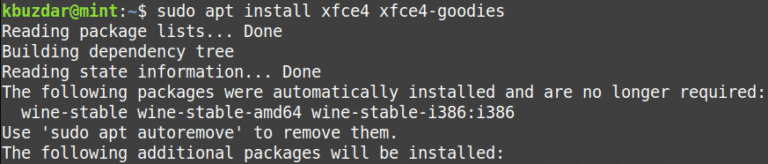
Sudo apt install tigervnc viewer On Arch Linux install it with sudo pacman S tigervnc Once your SSH tunnel is running connect to localhost 5901 using VNC client When prompted for password enter the password created during the VNC server configuration Once connected you ll see the default Xfce Desktop environment Step 1 Installing the Desktop Environment If you ve installed a minimal version of the operating system which gives only a command line interface not GUI Therefore you need to install a GUI Graphical User Interface called GNOME or XFCE desktop which works very well on remote VNC access
It is available for almost every major platform including macOS Linux Windows iOS Android etc Download VNC Viewer by RealVNC After downloading the VNC client install it on your system and launch the application This guide uses the macOS installation of VNC Connect but the process would be similar for other operating systems as well