Install Ubuntu On Usb Install Ubuntu On Your Computer Using A USB Flash Drive How To Install Ubuntu From Usb Complete Howto Wikies How To Install Ubuntu On To A USB Stick YouTube How To Install Ubuntu On USB Create A Portable Ubuntu USB Windows 7 How To Install Ubuntu On Usb Mainjay How to Create a Bootable USB Drive on Ubuntu A bootable USB drive is the best way to install or try Linux But most Linux distributions like Ubuntu only offer an ISO disc image file for download You ll need a third party tool to turn that ISO file into a bootable USB drive
Download Ubuntu and then use the following dd command syntax to copy the contents over to USB 1 sudo dd bs 4M if path to ubuntu iso of dev sdX status progress oflag sync Of course replace path to ubuntu iso with the path to your ISO file and replace dev sdX with the name of your device Next plug in both flash drives and reboot your PC uBg KV i e2 r v k B G j Z H D m
Windows 7 How To Install Ubuntu On Usb Mainjay How To Install Ubuntu 19 From USB Dual Boot Alongside Windows 10 How To Install Ubuntu On USB Stick Linux Tutorials Learn Linux How To Install Ubuntu On Windows Using USB YouTube How To Install And Run Ubuntu OS On An USB Flash Drive Digitional Install Ubuntu 16 04 LTS Ubuntu How To Install Ubuntu On USB Create A Portable Ubuntu USB How To Install Ubuntu Via USB Flash Drive On Your Computer Laptop How To Install Ubuntu On USB Create A Portable Ubuntu USB
Install Ubuntu On Usb
 Install Ubuntu On Usb
https://static2.makeuseofimages.com/wp-content/uploads/2015/05/ubuntu-usb-install.jpg
From this screen select your Ubuntu USB stick Once your computer knows to boot from the USB drive you can begin the Ubuntu installation 5 Follow the Ubuntu Setup After the Ubuntu installer has loaded you have a choice to make Clicking Install Ubuntu will begin the installation
Templates are pre-designed files or files that can be used for various purposes. They can save time and effort by supplying a ready-made format and design for developing different kinds of content. Templates can be used for individual or expert jobs, such as resumes, invitations, leaflets, newsletters, reports, discussions, and more.
Install Ubuntu On Usb
How To Make A Ubuntu Bootable Usb Drive Gairobo

How To Install Ubuntu 19 From USB Dual Boot Alongside Windows 10

How To Install Ubuntu On USB Stick Linux Tutorials Learn Linux

How To Install Ubuntu On Windows Using USB YouTube
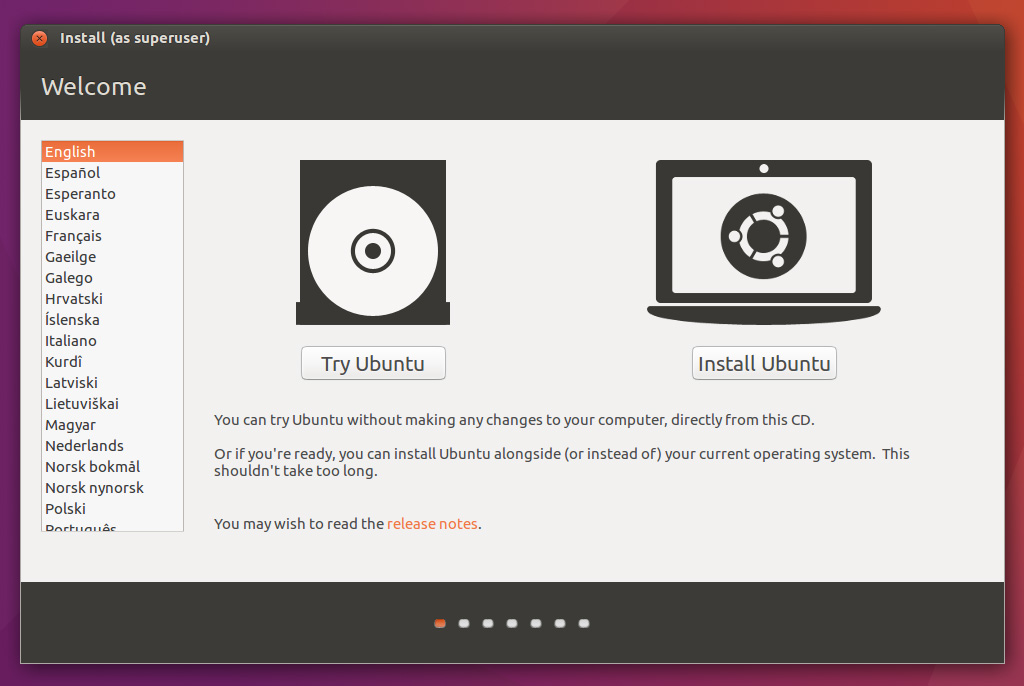
Install Ubuntu 16 04 LTS Ubuntu
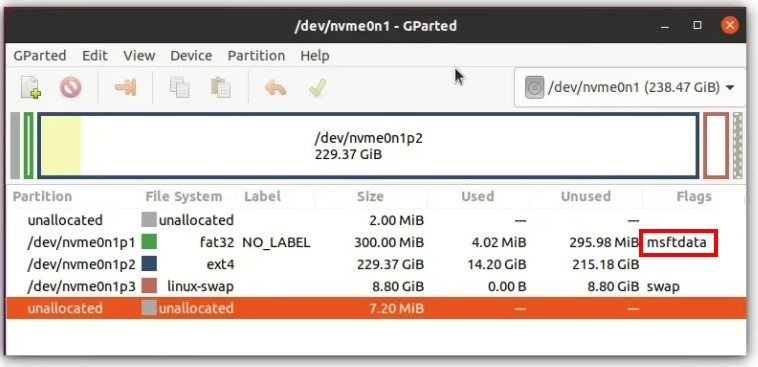
How To Install Ubuntu On USB Create A Portable Ubuntu USB

You can install Ubuntu on a USB stick on Windows using tools like balenaEtcher Rufus or Ventoy To install Ubuntu on a USB drive using balenaEtcher select the ISO file then the destination drive and click Flash

The general procedure to install Ubuntu or Ubuntu flavour Kubuntu Lubuntu Xubuntu from a USB flash drive is Get the correct Ubuntu installation file the iso file via this link or Ubuntu flavour via this link

It should recognise the installation media automatically during startup but you may need to hold down a specific key usually F12 to bring up the boot menu and choose to boot from USB For a full walkthrough of installing Ubuntu take a look at our install Ubuntu desktop tutorial Finding help If you get stuck help is always at hand Ask Ubuntu

Step 1 Creating an Ubuntu Installation Media Using Rufus Before installing Ubuntu on a pen drive you must download Rufus and the Ubuntu ISO image Download Rufus Download Ubuntu Connect USB Drive 1 to your system and follow these steps to create a bootable Ubuntu USB Launch Rufus by double clicking the downloaded executable

First open Disks and select your USB left click Filesystem 3 click the triangle button click the link lower right sdx3 will open paste Boot and EFI Click Filesystem 4 Click the link open boot open grub copy grub cfg open grub on sdx3 and overwrite grub cfg with the copy from sdx4
Step 1 Create Live USB on USB First let s create a live USB USB 1 in our case using a USB creator Download Ubuntu from the official site Choose whether you want to download the desktop version or the server version of Ubuntu Download a USB creator Here I am using Rufus Once in BIOS look for the boot menu and set the order to make the USB drive the first one on the list It should look like this Now save and close BIOS Give it a few minutes and the Ubuntu installer should start Once it begins proceed to the next section about the Ubuntu installer
What needs to prepare for the installation Here we will explain these questions orderly for you Can You Install Ubuntu on USB Can you install Ubuntu on USB drive Of course the answer is Positive If you have a new portable computer without DVD drivers you can use a USB flash drive to create a portable operating system