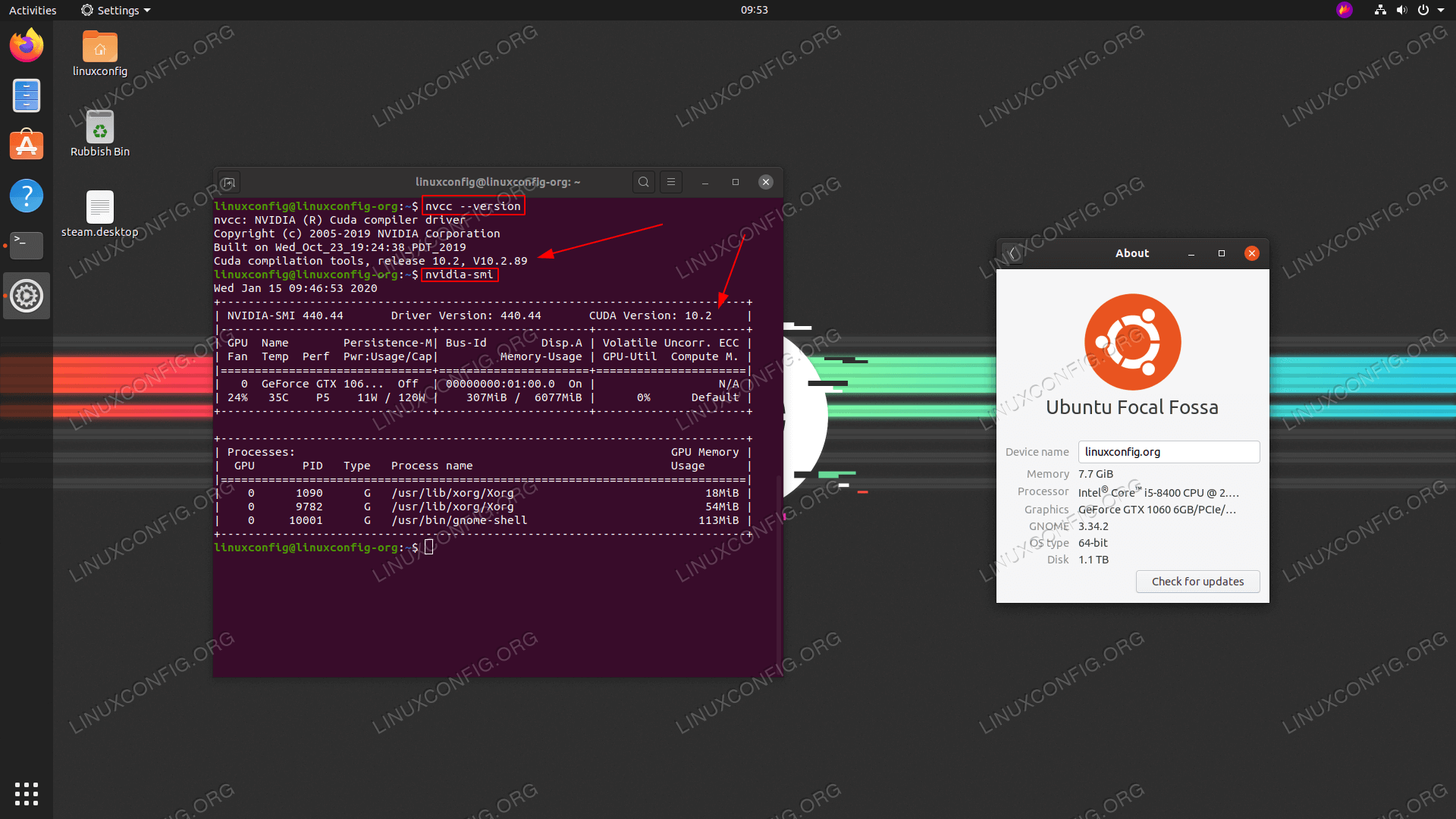
Install Specific Cuda Version Ubuntu Install Cuda Toolkit Ubuntu Pilotscoop Nvidia Installation Of Cuda 11 02 Driver Component On Ubuntu 20 04 Install Cuda Toolkit Ubuntu 18 04 With Out Driver Pilotgirls Ubuntu Changes Provide Better Performance On The Raspberry Pi Ubuntu 18 04 CUDA CuDNN Web Jan 8 2024 nbsp 0183 32 Although you might not end up witht he latest CUDA toolkit version the easiest way to install CUDA on Ubuntu 20 04 is to perform the installation from Ubuntu s standard repositories To install CUDA execute the following commands sudo apt update sudo apt install nvidia cuda toolkit All should be ready now Check your CUDA version
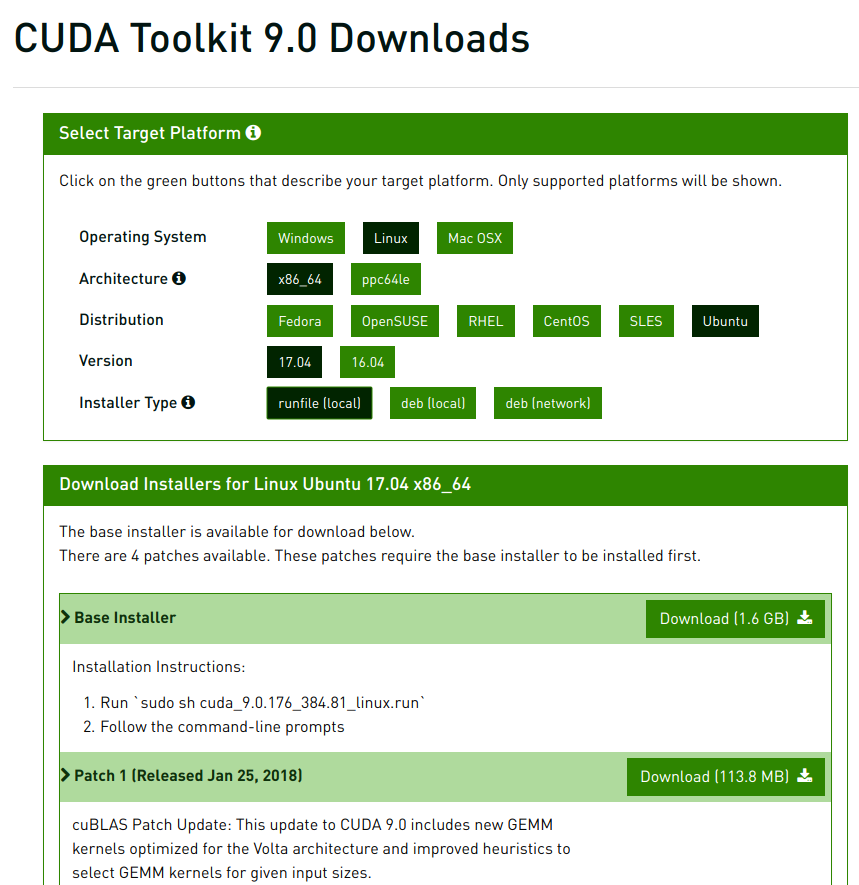
Web Apr 3 2023 nbsp 0183 32 Steps to install CUDA on Ubuntu 1 Update and Upgrade Ubuntu 2 Install NVIDIA Driver 3 Verify NVIDIA Driver Installation 4 Install CUDA Toolkit 5 Set Environment Variables 6 Verify CUDA Installation Compiling and Running a Sample CUDA Program Summary Web 6 days ago nbsp 0183 32 Click on the green buttons that describe your target platform and choose Deb local as the installer type For Ubuntu users the following commands are specific to the SBSA arm64 sbsa and ARMv8 aarch64 jetson platforms Navigate to your downloads directory containing the cuDNN Debian local installer file
Ubuntu 18 04 CUDA CuDNN Install Cuda And CuDNN On Ubuntu 18 04 Cuda Install and Setup How To Install Cuda Linux Tapdas Linux Server Torch cuda is available Returns False Programmer Sought Failed To Compile From The Source With Cuda On Windows 10 The CMAKE Ubuntu User 2015 Digital Issues Archive How To Install CUDA 9 2 On Ubuntu 18 04 Installation Cuda Linux Linux Ubuntu MySQL Ubuntu 18 04 Configuration Opencv3 4 5 contrib cuda10 0
Install Specific Cuda Version Ubuntu
 Install Specific Cuda Version Ubuntu
https://varhowto.com/wp-content/uploads/2020/07/How-to-Install-PyTorch-on-Ubuntu-20.04-pip-conda.png
Web Mar 14 2024 nbsp 0183 32 Installing and Testing CUDA on Ubuntu Baeldung on Linux Last updated March 14 2024 Written by Marcin Buczkowski Installation GPU Hardware Ubuntu 1 Overview The advent of powerful GPUs Graphic Processing Unit brought new capabilities to various computational areas
Pre-crafted templates provide a time-saving solution for producing a varied series of documents and files. These pre-designed formats and layouts can be made use of for numerous personal and expert tasks, consisting of resumes, invitations, leaflets, newsletters, reports, discussions, and more, simplifying the content development process.
Install Specific Cuda Version Ubuntu

Upgrading Ubuntu To Use The Latest Git Version Ubuntu Manual
Install Cuda And CuDNN On Ubuntu 18 04 Cuda Install and Setup
How To Install Cuda Linux Tapdas

Linux Server Torch cuda is available Returns False Programmer Sought

Ubuntu User 2015 Digital Issues Archive

How To Install CUDA 9 2 On Ubuntu 18 04 Installation Cuda Linux

Web May 16 2023 nbsp 0183 32 With a clear understanding of the NVIDIA CUDA Toolkit s advantages the following sections will guide you through the installation process on Ubuntu 22 04 Jammy Jellyfish or Ubuntu 20 04 Focal Fossa equipping your system with the latest Nvidia drivers and CUDA tools Remove Existing CUDA and NVIDIA Installations on Ubuntu 22 04 or

Web Nov 1 2020 nbsp 0183 32 download cuda and install wget https developer download nvidia compute cuda 11 3 1 local installers cuda 11 3 1 465 19 01 linux run sudo sh cuda 11 3 1 465 19 01 linux run Follow the post installation instructions found on the CUDA Toolkit Installation Guide for Linux

Web Aug 3 2017 nbsp 0183 32 This solution explains how you can have multiple different cuda versions installed i e 10 2 11 3 and 11 6 and switch between them It s an extension of w t and makes use of update alternatives Afaik after cuda 11 x the installations on Ubuntu 20 04 cuda installations will be added to the update alternatives maintenance automatically

Web Dec 25 2021 nbsp 0183 32 To install recommended sudo ubuntu drivers autoinstall OR To install specific distro sudo apt install nvidia driver version number Once the driver installation finished reboot your system and run this command to check

Web Oct 22 2020 nbsp 0183 32 1 Prerequisite instructions 1 1 Verify that you have CUDA capable GPU using lspci grep i nvidia It lists the Nvidia GPU you have on your system Check that on
Web Aug 19 2019 nbsp 0183 32 reboot sudo dpkg i cuda repo ubuntu1804 10 1 168 1 amd64 deb sudo apt key adv fetch keys https developer download nvidia compute cuda repos ubuntu1804 x86 64 7fa2af80 pub sudo apt get install cuda 10 1 10 1 168 1 Is there something else I have to do to make Web Oct 18 2023 nbsp 0183 32 Step 1 Upgrade your Ubuntu We will start by upgrading our Ubuntu to ensure we have all the latest software Use the following command to upgrade your system sudo apt update sudo apt upgrade Step 2 List the recommended NVIDIA drivers
Web Mar 14 2022 nbsp 0183 32 Download the NVIDIA CUDA Toolkit Go to https developer nvidia cuda downloads and select Linux gt x86 64 gt Ubuntu gt 20 04 gt runfile local The resulting suggested command