Install Rds Role Server 2019 Powershell Buscar Si Hay Una GPO Creada En Un Servidor Windows Server 2019 Windows Server 2019 PowerShell All in One For Dummies Pricepulse Windows Server 2019 PowerShell All in One For Dummies 9781119560715 How To Install The IIS Role With PowerShell On Windows Server 2019 Create Failover Cluster In Windows Server 2019 IT Blog To do this follow these steps p n ol dir auto n li Open Server Manager li n li Click Manage and select Add Roles and Features li n li Select Role based or Feature based installation li n li Select the computer as the destination server li n li On the strong Select server ro
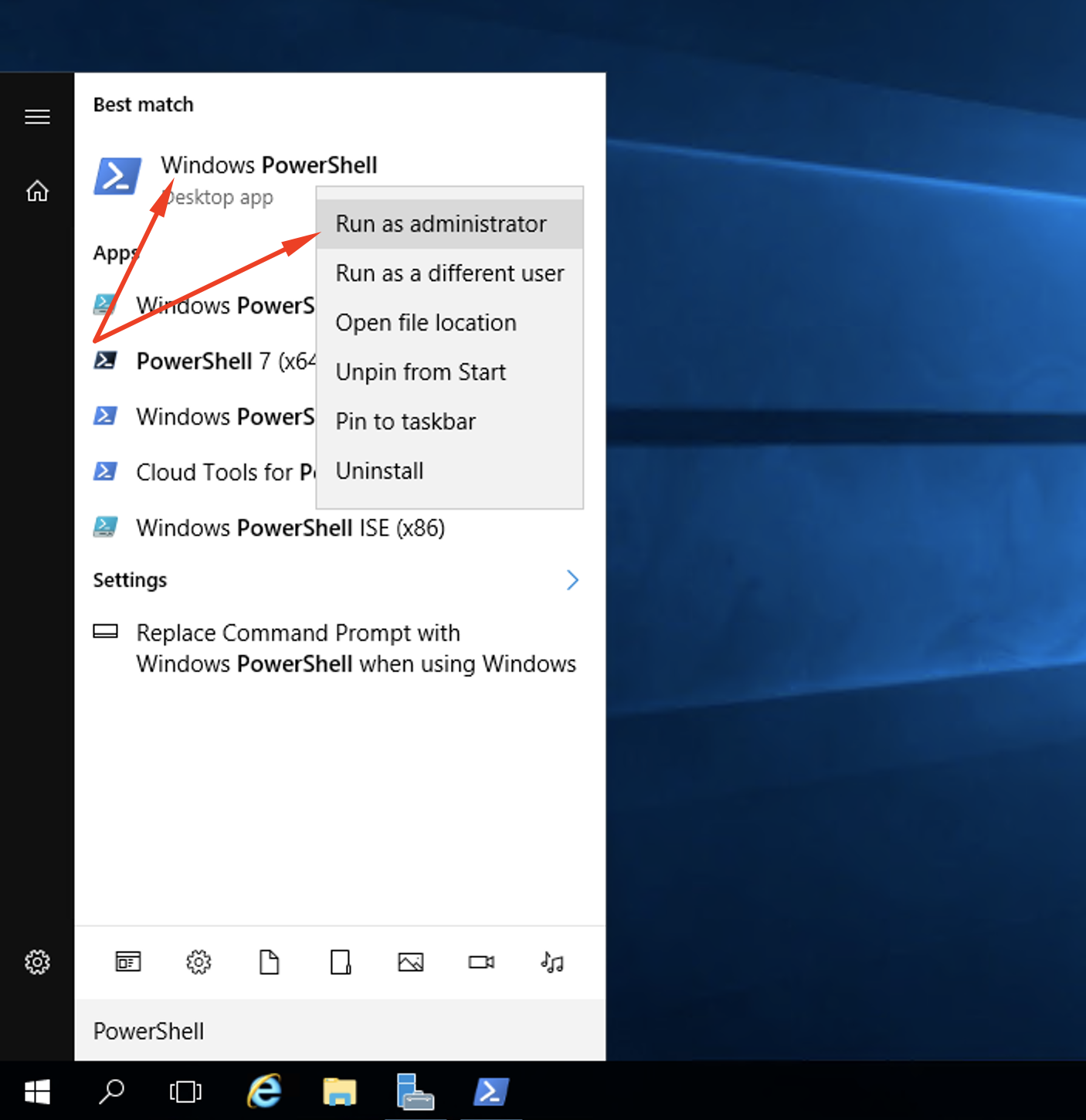
09 29 2022 2 contributors Feedback In this article Install the RD Gateway role Configure the RD Gateway role Next steps This article will tell you how to use the Remote Desktop Gateway RD Gateway role to deploy Remote Desktop Gateway servers in your Remote Desktop environment By default Windows Server 2019 RDS Server comes with the PowerShell module installed To get started I will start PowerShell using the Run as Administrator options The name of the RDS PowerShell module is remotedesktop To view all the RDS cmdlets I use the command below Get Command Module remotedesktop
Create Failover Cluster In Windows Server 2019 IT Blog Windows Serveur 2019 Installer Le R le Hyper V En PowerShell RDR IT Create RDS Role Kaizen Continuous Improvement Windows Server 2019 PowerShell Configuration YouTube Installation Remote Desktop Services Unter Windows Server 2016 Medic Windows Server 2019 Installer Un Serveur RDS Avec PowerShell IT Connect Installing Remote Desktop Services RDS In Windows Server 2012 R2 Installing Remote Desktop Services RDS In Windows Server 2012 R2 Installing Remote Desktop Services RDS In Windows Server 2012 R2
Install Rds Role Server 2019 Powershell
 Install Rds Role Server 2019 Powershell
https://i.pinimg.com/736x/19/ab/40/19ab404f2970b2710ddbbc3eb20ef445.jpg
In Server Manager click Remote Desktop Services Overview RD Licensing Select the virtual machine where the RD license server will be installed for example Contoso Cb1 Click Next and then click Add Activate the RD License Server and add it to the License Servers group In Server Manager click Remote Desktop Services Servers
Pre-crafted templates provide a time-saving option for creating a diverse variety of files and files. These pre-designed formats and layouts can be used for various individual and expert jobs, consisting of resumes, invitations, leaflets, newsletters, reports, presentations, and more, simplifying the content creation procedure.
Install Rds Role Server 2019 Powershell

Comment Installer Le R le RDS Et Les CAL Sur Windows Server 2019

Windows Serveur 2019 Installer Le R le Hyper V En PowerShell RDR IT

Create RDS Role Kaizen Continuous Improvement

Windows Server 2019 PowerShell Configuration YouTube

Windows Server 2019 Installer Un Serveur RDS Avec PowerShell IT Connect

Installing Remote Desktop Services RDS In Windows Server 2012 R2

Check Best Answer JitenSh mace Mar 5th 2020 at 4 05 AM it should be Powershell Add WindowsFeature rds rd server if you want multiple users to be able to login you need to install RDS licensing role as well to set per user mode Powershell Set RDLicenseConfiguration LicenseServer server1 Mode PerUser View Best Answer in replies below 4 Replies
Install roles role services and features by using Windows PowerShell cmdlets Remove roles role services and features by using the remove Roles and Features Wizard Remove roles role services and features by using Windows PowerShell cmdlets Install roles and features on multiple servers by running a Windows PowerShell script

1 I m pretty new to Powershell and wanted to create a script that install the Remote Desktop Service which is a prerequisite of my application I m on R2012 btw I already found that it s possible to do so with a domain account on a remote server due to the restart needed during installation I used
First let s add the second RD Session Host server to our deployment We will use the Add RDServer cmdlet and run it on the Connection Broker this time Add RDServer Server RDSH01 spike Role RDS RD SERVER ConnectionBroker RDCBWA spike When you run the above command you will see the following progress RDSH01 spike is now rebooted

To install the RDS using Server Manager select Remote Desktop Session Host and Remote Desktop Licensing in Role based or Feature based installation Server roles Remote Desktop Services in RDS components agree to the installation of RSAT features to manage the roles
To install the RDS Licensing Service and RD Licensing Diagnoser just run one command Install WindowsFeature RDS Licensing IncludeAllSubFeature IncludeManagementTools To list the RDS services installed on the host use the command Get WindowsFeature Name RDS Where installed Activating the RDS License Server on Windows Server Veeam Blog Technical How to deploy Remote Desktop Services RDS 2019 Technical How to deploy Remote Desktop Services RDS 2019 Adam Bertram Installing Remote Desktop Services RDS on Windows Server 2019 appears to take many steps but in reality is quite easy
Remote Desktop Install RDS Session based GUI 5 Click Next button 6 Select Remote Desktop Services installation 7 On this example select Standard deployment to proceed 8 On this example select Session based desktop deployment 9 Click Next button 10 Specify Remote Desktop connection Broker server