Install Python Packages Windows Command Line windows Command Line M M t File B t K Trong CMD Xem N i Dung File How To Kill A Process On The Windows Command Line PDF Command Line Windows Command line Tooling Totally Tooling Tips S2 Ep4 YouTube Command Line Commands CLI Tutorial Windows Command Line Guida Pratica By William R Stanek Goodreads Web Open a terminal command prompt cd to the folder containing the get pip py file and run Linux python get pip py MacOS Windows More details about this script can be found in pypa get pip s README Standalone zip application Note The zip application is currently experimental
Web To install Python packages in Windows Command Prompt follow these steps Step 1 Open Command Prompt by searching for cmd in the Start menu Step 2 Navigate to the directory where you want to install the package using the cd command Web Jul 23 2019 nbsp 0183 32 C Users My User Anaconda3 The thing is I ve been trying to install some packages using either pip or conda without luck For instance pip install seaborn Return the following Error output Does somebody know how can I enable package installation either through pip or conda
Windows Command Line Guida Pratica By William R Stanek Goodreads Windows Command Line MS DOS Batch Scripting Networking PDF Command Line Installation And Upgrade Of VMware VMware Inc Solved Run Python Scripts From Windows Command Line 9to5Answer Useful Windows Command Line Tricks R sysadmin Solved What Does Ipconfig Return In Windows Command 9to5Answer Solved Windows Command Line Changing A File Modified 9to5Answer Windows Terminal Preview V0 9 Release Windows Command Line Cheat Sheets Windows Techlogist
Install Python Packages Windows Command Line
 Install Python Packages Windows Command Line
https://i.ytimg.com/vi/r5_qz08HA7c/maxresdefault.jpg
Web python m pip install options lt requirement specifier gt package index options python m pip install options r lt requirements file gt package index options python m pip install options e lt vcs project url gt python m pip install options e lt local project path gt python m pip install options lt archive url path gt Windows
Pre-crafted templates offer a time-saving solution for developing a varied range of files and files. These pre-designed formats and layouts can be utilized for various personal and professional projects, including resumes, invites, flyers, newsletters, reports, discussions, and more, streamlining the content creation procedure.
Install Python Packages Windows Command Line
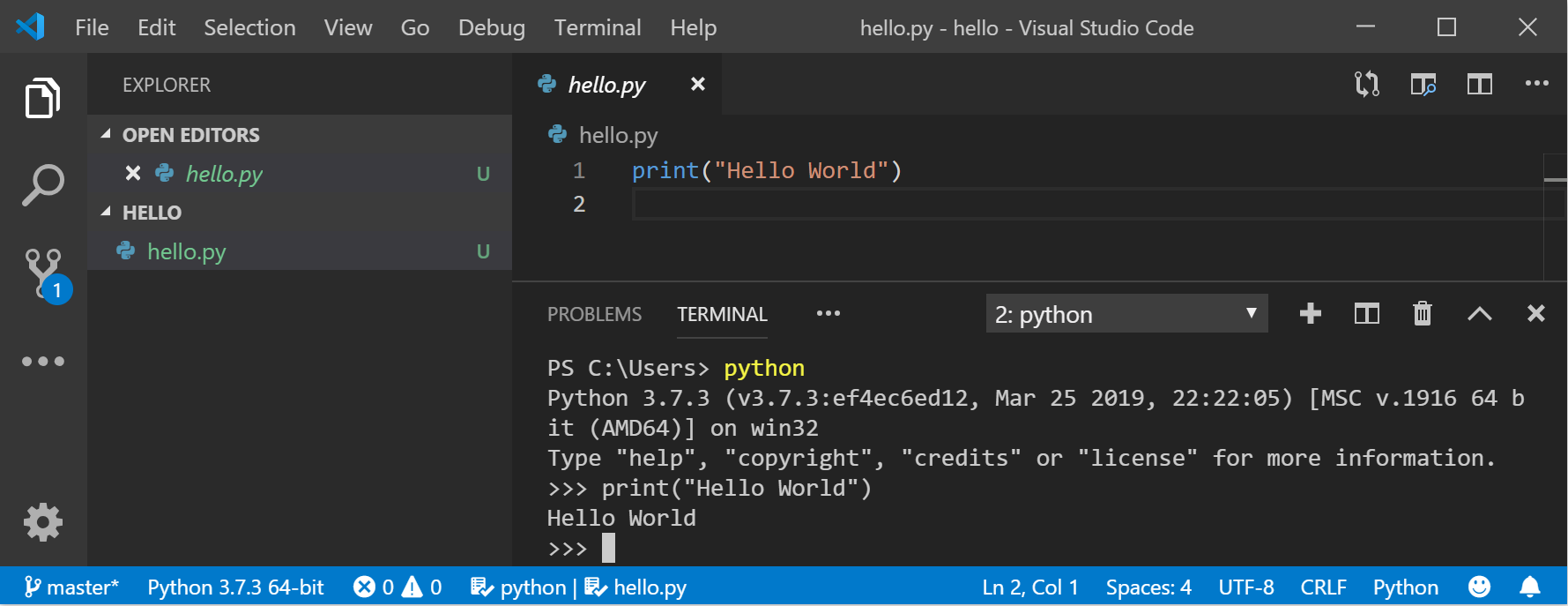
Coding Python In Windows 10

Windows Command Line MS DOS Batch Scripting Networking

PDF Command Line Installation And Upgrade Of VMware VMware Inc

Solved Run Python Scripts From Windows Command Line 9to5Answer

Solved What Does Ipconfig Return In Windows Command 9to5Answer

Solved Windows Command Line Changing A File Modified 9to5Answer
Web Apr 18 2024 nbsp 0183 32 Ensure you can run pip from the command line Additionally you ll need to make sure you have pip available You can check this by running Unix macOS python3 m pip version Windows If you installed Python from source with an installer from python or via Homebrew you should already have pip

Web 2 days ago nbsp 0183 32 The standard packaging tools are all designed to be used from the command line The following command will install the latest version of a module and its dependencies from the Python Package Index python m pip install SomePackage Note
Web Mar 8 2024 nbsp 0183 32 Open a terminal Linux MacOS or a Windows shell and type in the following command pip help If the pip command gives an error try pip3 instead Python 2 and 3 can be installed next to each other on some systems On those systems pip is often installed under the name pip3 pip3 help

Web Feb 8 2019 nbsp 0183 32 Open CMD and change Your directory to the path where you have python exe Past this code in your Command prompt make sure to change the name with your file version In the below code e g python 3 8 5 exe python 3 6 0 exe quiet InstallAllUsers 1 PrependPath 1 Include test 0 It will also set the path Variables
Web 2 days ago nbsp 0183 32 Installation steps 182 Four Python 3 12 installers are available for download two each for the 32 bit and 64 bit versions of the interpreter The web installer is a small initial download and it will automatically download the required components as necessary
Web Nov 30 2023 nbsp 0183 32 1 Launch the command prompt window by pressing Windows Key X and clicking Run 2 Type in cmd exe and hit enter Alternatively type cmd in the Windows search bar and click the quot Command Prompt quot icon 3 Type the following command in the command prompt pip help Web Dec 31 2019 nbsp 0183 32 The pip command has options for installing upgrading and deleting packages and can be run from the Windows command line By default pip installs packages located in the Python Package Index PyPI but can also install from other indexes For more information on how to use pip see the Pip Package Installation
Web Apr 18 2024 nbsp 0183 32 Installing stand alone command line tools Many packages provide command line applications Examples of such packages are mypy flake8 black and Pipenv