Install Psql Mac Brew C mo Instalar Python 3 En Mac Tutorial De Actualizaci n De La PostgreSQL PostgreSQL Install Pip Mac Brew Brew Install Opencv Not Working Sunmokasin The following is a collection of information on installation of a PostgreSQL application on MacOS from installation using Homebrew run the server and use psql commands 1 Installing PostgreSQL though Homebrew This part is rather easy just run brew install postgresql 15 I chose version 15 but you can just substitute the number after
Step 2 Brew Install Postgres PostgreSQL server brew install postgresql Homebrew will always search for the latest version of a formula as of Nov 2022 mine is Postgres 14 5 After a few seconds you should see a success message Step 2 1 Turn on the Postgres server automatically brew services start postgresql Every time you restart your The advantage of using Homebrew is that we can use the brew command to manage the service as opposed of the more traditional lanchctl command that Mac OS uses So to start the service just type brew services start postgresql And to stop it brew services stop postgresql Common errors This are a couple of solutions to common errors
Brew Install Opencv Not Working Sunmokasin PostgreSQL postgresqlif Mac Brew Install Docker Vividpor PostgreSQL Interactive Terminal Commands Cheat Sheet By Squixy Http Install Python On Mac Brew Or Webside Gerasend PostgreSQL Macos Brew Update Brew Cask Install Xquartz Discountsdase Mac Brew Install Opencv Duckdelta
Install Psql Mac Brew
 Install Psql Mac Brew
https://www.freecodecamp.org/espanol/news/content/images/size/w2000/2022/03/606ba4e1d5756f080ba94d0c.jpg
How to install PostgreSQL on a Mac with Homebrew Updated Dec 20 2022 rails ruby postgres homebrew mac This is a quick guide for installing PostgreSQL Postgres for short on a Mac with Homebrew and starting and stopping it with Homebrew Services
Pre-crafted templates provide a time-saving solution for producing a diverse series of documents and files. These pre-designed formats and layouts can be made use of for various individual and professional jobs, including resumes, invites, leaflets, newsletters, reports, discussions, and more, streamlining the content creation process.
Install Psql Mac Brew

Databases How Can I Use psql Without Installing Via Brew YouTube

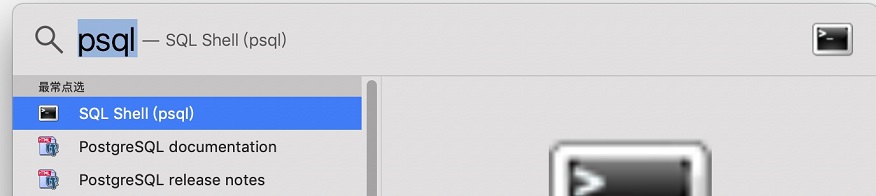
PostgreSQL postgresqlif

Mac Brew Install Docker Vividpor

PostgreSQL Interactive Terminal Commands Cheat Sheet By Squixy Http
PostgreSQL
Macos Brew Update

PostgreSQL can also be installed on macOS using Homebrew For example to install PostgreSQL 15 you can use the following command brew install postgresql 15 You can use Homebrew Formulae to search for PostgreSQL and other packages To find a specific major version of PostgreSQL search for postgresql NN where NN represents the major version

Install PostgreSQL on Mac OS X via Brew Brew Install Postgresql on OS X Lion Resolving conflicts with the built in PostgreSQL libraries shipping with OS X 10 7 Lion Discussion comparing Homebrew and EDB OS X installers petere postgresql tap for installing multiple PostgreSQL versions in parallel
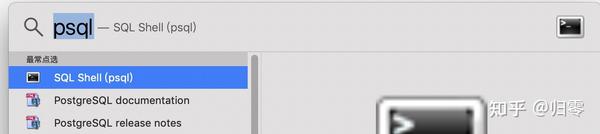
8 Answers Sorted by 843 You could also use homebrew to install libpq brew install libpq This would give you psql pg dump and a whole bunch of other client utilities without installing Postgres

Installing PostgreSQL on macOS with Homebrew Step 1 Update Homebrew Ensure Homebrew is up to date by running brew update This command updates the package list and ensures you have the latest version of Homebrew Step 2 Install PostgreSQL To install PostgreSQL with Homebrew run the following command brew install postgresql
Installing PostgreSQL on a Mac can be done using the Terminal and using something called homebrew In this article you ll see step by step instructions on how to install PostgreSQL using Homebrew Table of Contents Open Terminal Install Homebrew Install PostgreSQL Start the PostgreSQL Service Error Starting Postgres
Install on MacOS Using Homebrew First install the Brew Package Manager Second update brew From your command line run the following commands brew doctor brew update brew install libpq Finally symlink psql and other libpq tools into usr local bin brew link force libpq Once Homebrew is installed you can install PostgreSQL by issuing the following commands in your terminal brew update brew doctor brew install postgres The first two commands are used to update Homebrew and report any potential issues if necessary Then of course brew install postgres is the one line command for installing PostgreSQL
Install PostgreSQL on macOS using Homebrew and the free installer Installing PostgreSQL on macOS A Step by Step Guide There are two ways to install PostgreSQL on macOS using the conventional installer and via Homebrew package manager Below is your guide to both of them