Install Pip Windows Vscode How To Install Pip In Windows WindowsTect How To Install PIP On Windows In 4 Quick Steps ServerGuy How To Install PIP Windows Pandas Python Download Keeperhor Windows vscode pytorch pip anaconda F CSDN Oct 10 2023 nbsp 0183 32 This article shows you how to install Pip the preferred package manager in Python for tools and projects on Windows as well as how to uninstall pip
To create local environments in VS Code using virtual environments or Anaconda you can follow these steps open the Command Palette P Windows Linux Ctrl Shift P search for the Nov 17 2023 nbsp 0183 32 Learn how to install pip on Visual Studio Code VSCode to easily manage Python packages This step by step guide provides detailed instructions and troubleshooting tips
Windows vscode pytorch pip anaconda F CSDN How To Download With Pip On Windows Sanchez Difing Brew Install Pip Phillymertq How To Install PIP On Windows 10 Install Pandas On Windows Step by Step Spark By Examples How To Install PIP For Python On Windows How To Install Python How To Install PIP For Python On Windows PhoenixNAP KB Tensorflow Install Pip Windows How To Install Pip On Windows 10 YouTube
Install Pip Windows Vscode
 Install Pip Windows Vscode
https://windowstect.com/wp-content/uploads/2022/02/image-19-768x543.png
Nov 30 2023 nbsp 0183 32 This tutorial will show how to install PIP on Windows using two methods We will also show you how to check upgrade and configure PIP Note The latest versions of Python
Templates are pre-designed files or files that can be utilized for different functions. They can conserve effort and time by supplying a ready-made format and design for creating various type of content. Templates can be used for individual or expert tasks, such as resumes, invites, flyers, newsletters, reports, discussions, and more.
Install Pip Windows Vscode
Pip Install Python 2 7 Windows 7 Intellipaat
How To Download With Pip On Windows Sanchez Difing
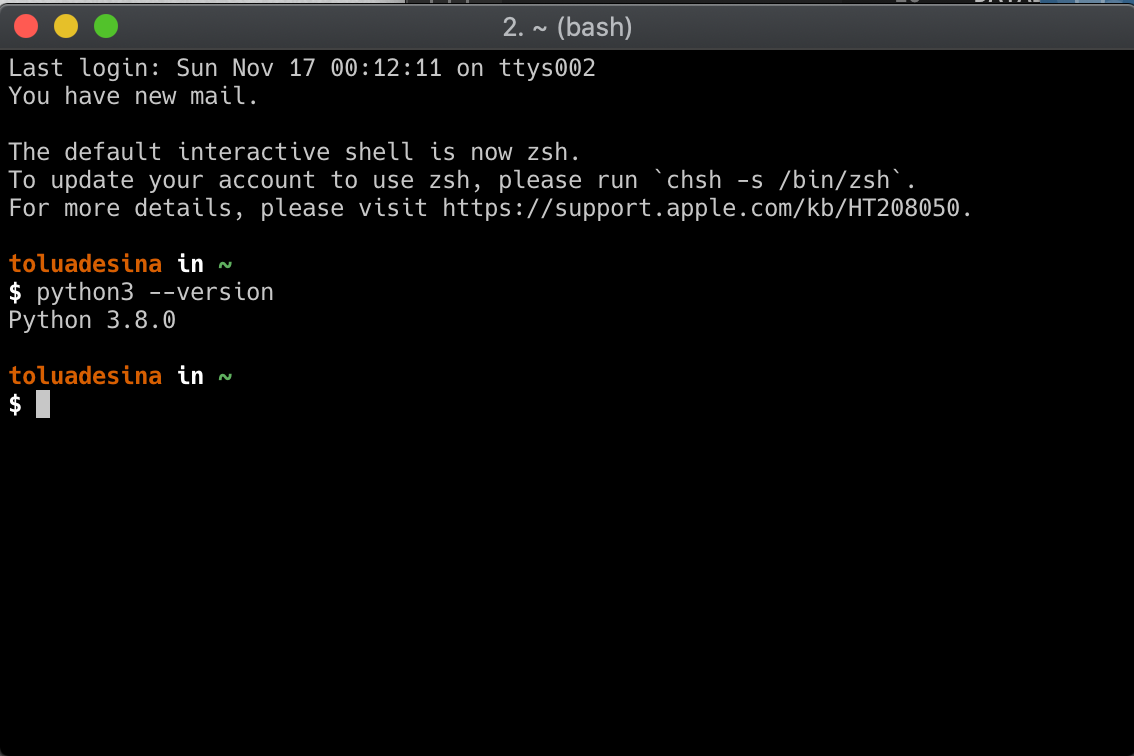
Brew Install Pip Phillymertq

How To Install PIP On Windows 10
How To Install PIP For Python On Windows How To Install Python
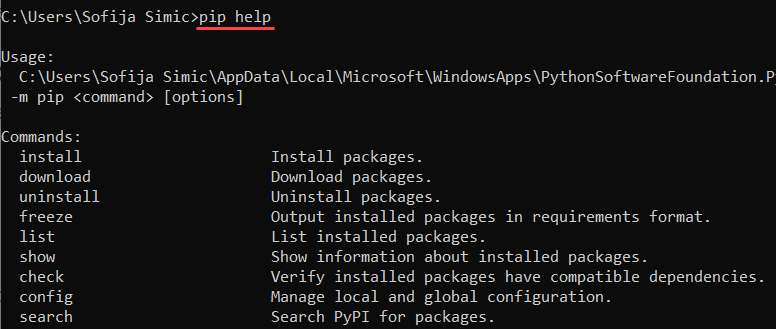
How To Install PIP For Python On Windows PhoenixNAP KB

Install Python from python Use the Download Python button that appears first on the page to download the latest version Note If you don t have admin

Apr 4 2023 nbsp 0183 32 By installing Pip in Visual Studio Code you can easily install and manage Python packages and dependencies without leaving the editor This saves you time and effort and allows you to focus on your coding tasks
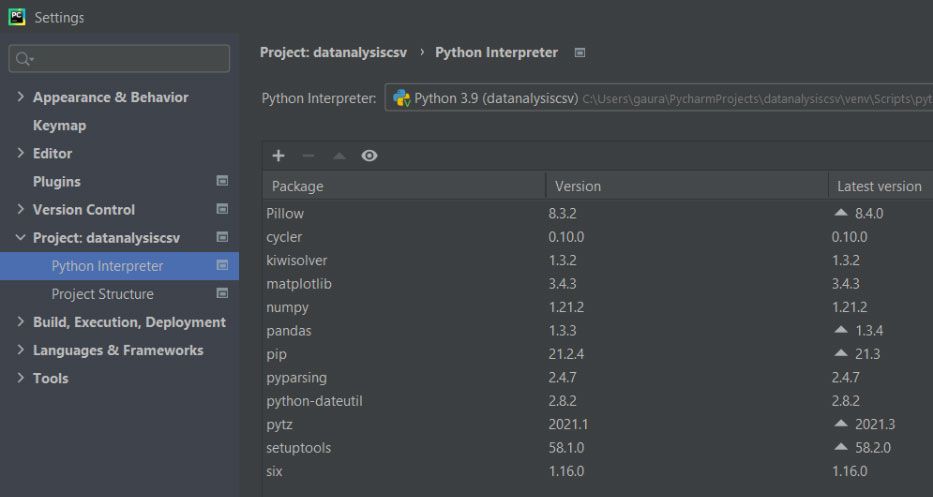
Installation 182 Usually pip is automatically installed if you are working in a virtual environment using Python downloaded from python using Python that has not been modified by a
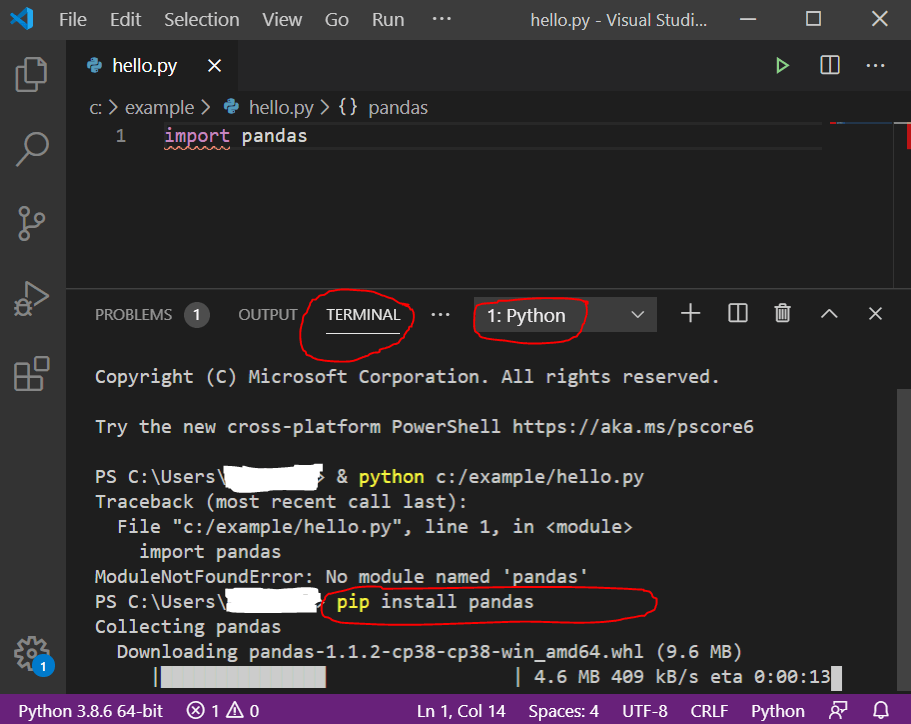
May 30 2024 nbsp 0183 32 A terminal window will pop up right inside VS Code Installing Libraries with pip Once your terminal is open we ll use pip Python s package installer It s like your personal shopping cart for Python libraries Let s take a

Install Python and the Python extension The tutorial guides you through installing Python and using the extension You must install a Python interpreter yourself separately from the
Mar 8 2024 nbsp 0183 32 Use Python pip to install packages manually or by using a requirements txt file We ll also look at how to install and upgrade pip itself Oct 10 2020 nbsp 0183 32 Since Visual Studio Code can use whichever version of Python in your system you need to install modules for that specific version used Once you realize this solution is
Aug 9 2024 nbsp 0183 32 Although PIP comes pre packaged with the newest versions of Python if you re using an older version you will have to install PIP on Windows yourself Here is everything