Install Pdf Printer For Windows 7 Install Pdf Printer Windows 7 Newinabox Pdf Printer For Windows 7 Full Version Australia Examples Cognitive Pdf Printer Software For Windows 7 Australia Tutorials User Tutorials Foxit Reader Pdf Printer Driver Resume Examples Pdf Printer For Windows 7 Free Download With Crack Canada Tutorials On behalf of Adobe The free Adobe Reader never repeat never repeat yet again never provided the support to create PDF in any way whatsoever including the Adobe PDF PostScript printer driver That particular feature has only been available as part of Acrobat Standard or Acrobat Pro The only other method by which this feature is installed is via an installation of Adobe FrameMaker which
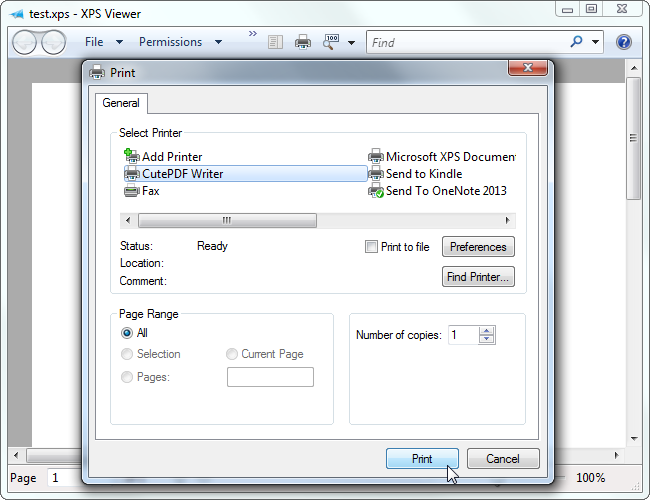
Open a file in a Windows application Choose the hamburger Menu Print Choose Adobe PDF as the printer in the Print dialog box To customize the Adobe PDF printer setting select the Properties or Preferences button Click the Start menu and go to Control Panel From the Control Panel select Devices and Printers Choose the option to Add a printer From the Add a device window choose the option to Add a
Pdf Printer For Windows 7 Free Download With Crack Canada Tutorials PDF Printer For Windows 10 Download And Install Windows Install Pdf Printer Windows 10 Australian Manuals Cognitive Tutorials 10 Best PDF Printer Software For Windows 11 10 Top Picks Pdf Windows 7 Sieprofinmab s Blog Free Pdf Printer For Windows Vista Canada Manuals Cognitive Tutorials Foxit Pdf Printer Settings Resume Examples How To Install PDF Printer In Windows 7 10 Create PDF Files Full Free Pdf Printer For Windows 8 Educentre s Weblog
Install Pdf Printer For Windows 7
 Install Pdf Printer For Windows 7
https://newinabox.weebly.com/uploads/1/2/4/9/124901565/453164743.jpg
How to add microsoft print to pdf printer windows 7 or how to add print to pdf in printer list options this is the solution if microsoft print to pdf windo
Templates are pre-designed documents or files that can be used for different purposes. They can save time and effort by offering a ready-made format and design for developing different type of material. Templates can be used for individual or expert tasks, such as resumes, invites, flyers, newsletters, reports, discussions, and more.
Install Pdf Printer For Windows 7
Download Free Pdf Printer For Windows 7

PDF Printer For Windows 10 Download And Install Windows

Install Pdf Printer Windows 10 Australian Manuals Cognitive Tutorials

10 Best PDF Printer Software For Windows 11 10 Top Picks

Free Pdf Printer For Windows Vista Canada Manuals Cognitive Tutorials

Foxit Pdf Printer Settings Resume Examples

Click Start then type devices and printers Hit Enter Click Add Printer on the command bar Click The printer that I want isn t listed Click Add a local printer or network printer with manual settings then click Next Select Use an existing port then click in the list box then select PDF Local Port

The Bullzip PDF Printer works as a Microsoft Windows printer and allows you to write PDF documents from virtually any Microsoft Windows application This program is FREEWARE with limitations which means that there is a FREE version for personal and commercial use up to 10 users It does not contain any advertising or popups

1 Answer Sorted by 2 According to the sentence you provided So I used this tutorial to add it back https www digitaltrends computing print pdf windows we can see But don t worry Microsoft did eventually add the feature to Windows 10 and now it should be activated by default

Free This is the new version of PDFCreator It converts all printable documents to PDF 100 free Download Setup Read more about the different editions Professional The Professional version is ad free admin friendly and includes priority e mail support Download Setup or get MSI Setup Read more about Professional Terminal Server

PDF Printer for Windows 7 By CoolPDF Software Free to try Download Now Developer s Description By CoolPDF Software To an application the PDF Printer looks like a printer and allows the
Re add it manually Hit the Windows key and click on Settings Navigate to Bluetooth devices then click on Printers scanners Click on Add a printer or scanner Hit Add manually A new prompt will pop up Click on Add a local printer or network printer with the manual settings option then click Next Hi all Is it possible to install the Microsoft Windows PDF Printer from Windows 10 on a Windows 7 or Server 2008 R2 Thanks in advance local offer Tagged Items Microsoft Windows 7 Pro star 4 8
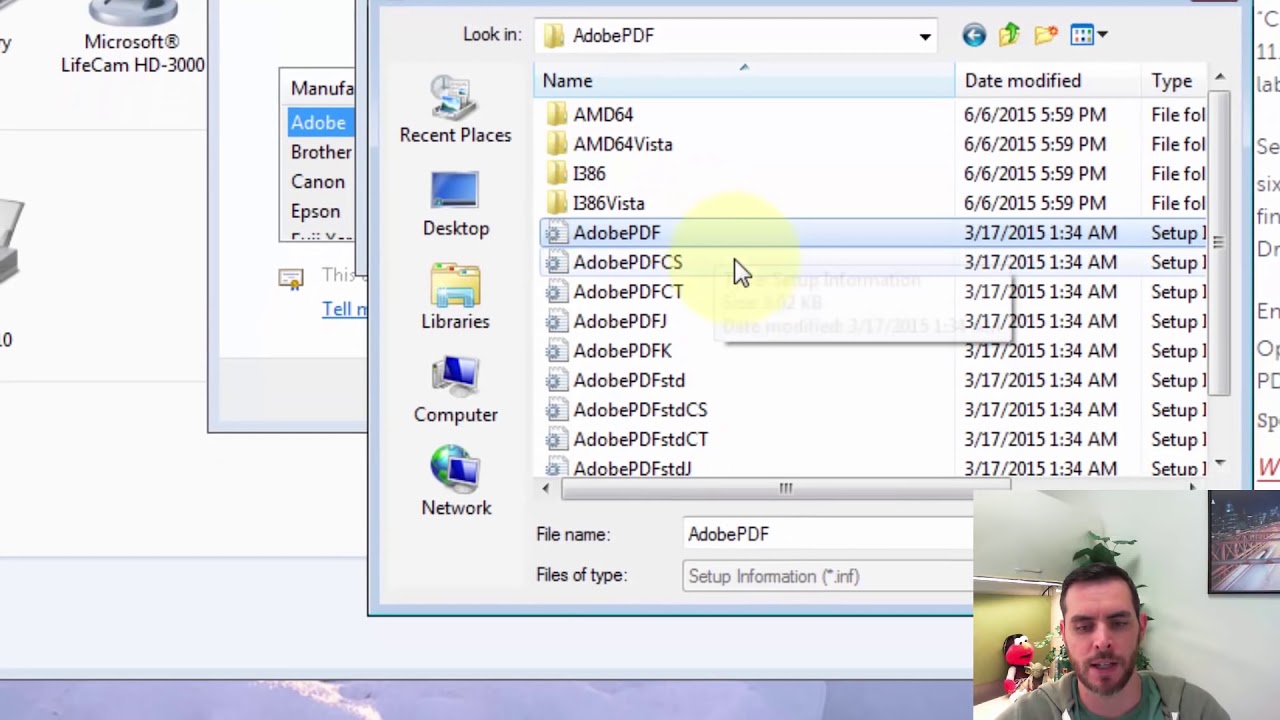
Click on add a printer and then from the options shown select local printer For the source check Use an existing port In the dropdown menu select Documents pdf Adobe PDF Now click on the button named have disk and click browse Go to C Program Files x86 AdobeAcrobat 10 0AcrobatXtrasAdobePDF A list will be displayed