Install Package For Ubuntu How To Upgrade From Ubuntu 21 04 To Ubuntu 21 10 Impish Indri How Do I See What Packages Are Installed On Ubuntu Linux NixCraft Introduction To Ubuntu TechPiezo How To Install Gdm3setup Ubuntu Vitalasopa How Ubuntu 16 04 s New Package Format Makes Installing Software A Snap Web Jul 5 2021 nbsp 0183 32 Installation commands apt get install lt package name gt This command installs a new package apt get build dep lt package name gt This command searches the repositories and installs the build dependencies for lt package name gt If the package is not in the repositories it will return an error aptitude install lt package name gt
Web Jun 12 2013 nbsp 0183 32 Mitch s answer is the best way to go Although if you d like you could skip the first part of using the terminal for the quot wget quot command by going to google intl en chrome browser and clicking quot Download chrome quot You could then select 32 bit or 64 bit Save it where you d like and double click it just like an installer in Web May 25 2023 nbsp 0183 32 To install a deb package with the Software Center Ubuntu Software follow the simple steps below 1 Locate the downloaded deb package By default the system stores downloaded files in the Downloads directory 2 Right click the deb file and choose Open with Another Application 3 Select Software Install from the program list
How Ubuntu 16 04 s New Package Format Makes Installing Software A Snap Simples Backup F r Ubuntu LinuxCommunity How To Install Restricted Extras In Ubuntu Matt Komarnicki Command To Check Version Of Installed Packages In Ubuntu Apt Pierwsze Kroki M4txblog How To Install Maltego On Ubuntu Desktop Gostrio UBUNTU Research Evaluation Windows Customs Ubuntu How To Install Java On Ubuntu 20 04 Cloudbooklet Riset
Install Package For Ubuntu
 Install Package For Ubuntu
https://ubuntuhandbook.org/wp-content/uploads/2021/09/ubuntu-icon-feature.png
Web Ubuntu features a comprehensive package management system for installing upgrading configuring and removing software It provides access to an organised base of over 60 000 software packages for your Ubuntu computer and includes the ability to resolve dependencies and check for software updates
Pre-crafted templates provide a time-saving service for producing a diverse series of documents and files. These pre-designed formats and layouts can be made use of for various individual and expert jobs, including resumes, invitations, flyers, newsletters, reports, discussions, and more, improving the material development procedure.
Install Package For Ubuntu

Contact Ubuntu Counseling Wellness

Simples Backup F r Ubuntu LinuxCommunity
How To Install Restricted Extras In Ubuntu Matt Komarnicki
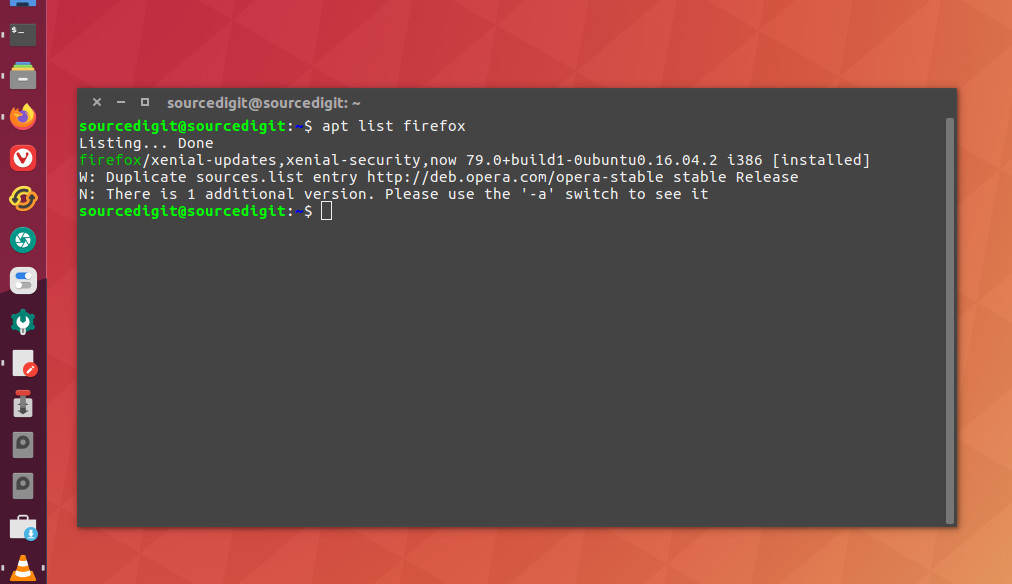
Command To Check Version Of Installed Packages In Ubuntu Apt

How To Install Maltego On Ubuntu Desktop Gostrio

UBUNTU Research Evaluation

Web Ubuntu features a comprehensive package management system for installing upgrading configuring and removing software It provides access to an organised base of over 60 000 software packages for your Ubuntu computer and includes the ability to resolve dependencies and check for software updates

Web Oct 19 2016 nbsp 0183 32 Home Linux amp macOS Terminal How to Use Apt Get to Install Programs in Ubuntu from the Command Line By Yatri Trivedi Published Oct 19 2016 Ubuntu has a lot of GUI based methods for installing applications but they take some time to search and find Quick Links APT Searching for Packages Adding Repositories Updating Sources

Web Installation To obtain the latest R 4 4 packages add an entry like deb https cloud r project bin linux ubuntu noble cran40 or deb https cloud r project bin linux ubuntu jammy cran40 or deb https cloud r project bin linux ubuntu focal cran40 or deb https cloud r

Web Dec 29 2022 nbsp 0183 32 How to Install Ubuntu Packages Download Article methods 1 Using the Ubuntu Software Center 2 Using Synaptic 3 Using Terminal Other Sections Related Articles References Article Summary Written by Darlene Antonelli MA Last Updated December 29 2022

Web Oct 15 2021 nbsp 0183 32 Introduction Main page Ubuntu Documentation Installing applications Note The Main page is available in multiple languages Installing software in Ubuntu is easy and this guide will show you how to do it By default many useful programs are already installed when you put Ubuntu onto your computer
Web Packages for Ubuntu Ubuntu About Ubuntu Ubuntu packages Software for Ubuntu is delivered using a range of packaging technologies each is optimal for specific scenarios Deb packages are the heart of Ubuntu Web Jan 31 2021 nbsp 0183 32 2 Answers Sorted by 10 Just add the d or download option to any apt get command This approach is simple and effective Don t worry about dependencies they re downloaded as well Security is maintained all integrity checks are still done just like a regular installation E g sudo apt get dist upgrade d Reading package lists Done
Web Feb 26 2024 nbsp 0183 32 Replace package name with the name of the software you wish to install This command downloads and installs the package along with its dependencies Installing New Software Upgrading Installed Packages Keep your system secure and up to date by upgrading all installed packages sudo apt upgrade