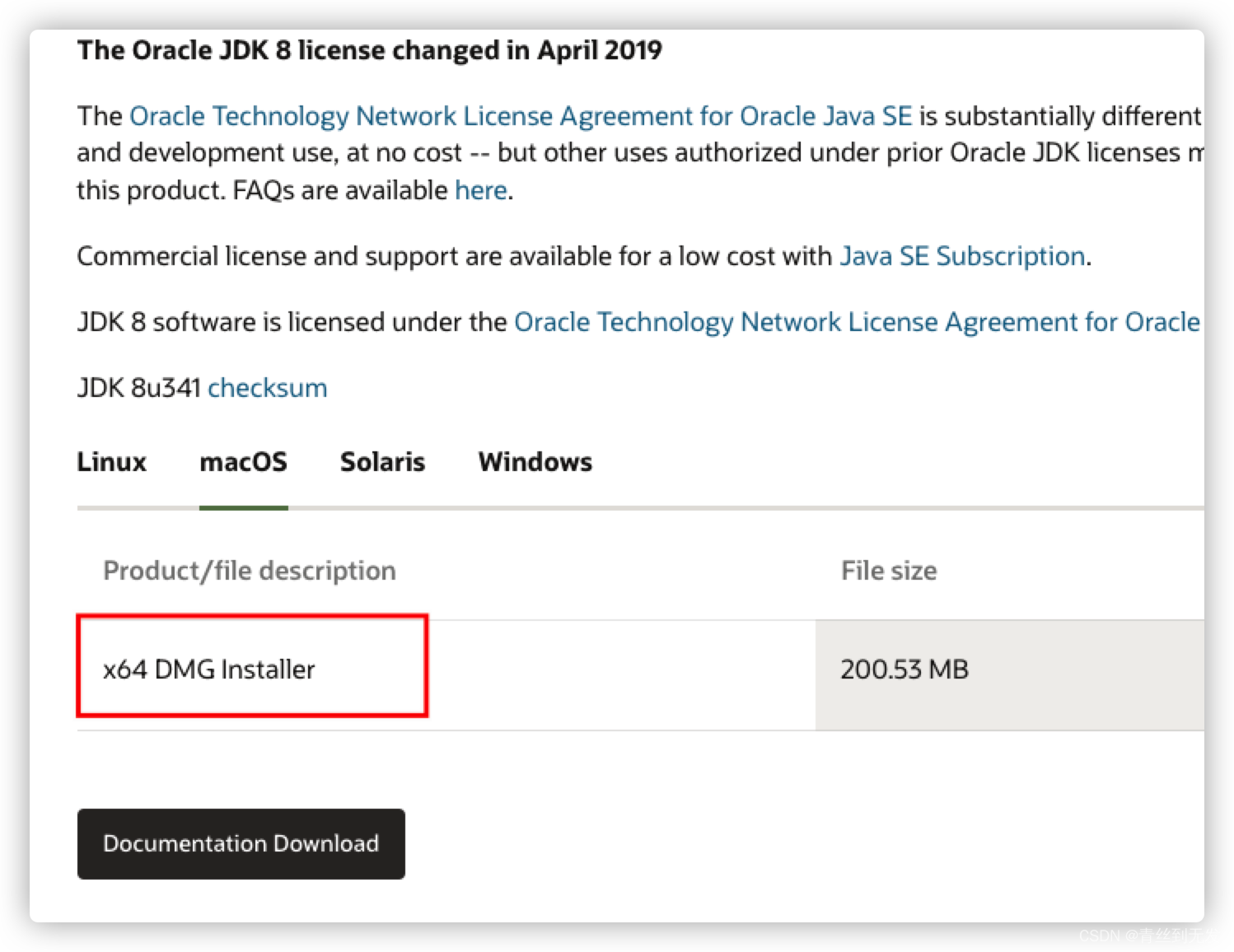
Install Oracle Java 8 Macos M1 Install Oracle Java 7 In Ubuntu Or Linux Mint Via PPA Repository Web How To Download And Install Java SE JDK 8 On Windows 10 Install How To Install Oracle Java 8 Jdk On Ubuntu 18 04 YouTube M1 Mac jdk8 oracle jdk m1 Mac jdk8 hello world Q CSDN How To Install Java 17 On Mac Tutorials24x7 Option 1 Install Oracle JDK Oracle JDK is available for download on Oracle s website Follow the steps below to download and install it on Mac 1 Browse to Oracle s Java Downloads page 2 Select the macOS tab and download the DMG installer for your processor architecture If you have an M1 or M2 Mac choose the Arm 64 installer
The first step is to download the Java 8 JDK from Oracle s website Installing Java 8 on Mac M1 Installing Java 8 on Mac M1 is a straightforward process you can either select a Windows Why installing Java 8 on an M1 Mac is a little weird I needed to install Java 1 8 a k a OpenJDK v8 on my MacBook Pro and it was more annoying than it should be I believe this to be because OpenJDK v8 is fairly old and I m using an M1 mac Anyway Eclipse took over AdoptOpenJDK my normal provider of Java and renamed the organization Adoptium
How To Install Java 17 On Mac Tutorials24x7 Java 8 Macos Download Nelofactor MacOS M1 Oracle JDK 11 Arm arm oracle CSDN How To Install Oracle Java 8 64 bit Ubuntu 22 04 20 04 LTS Linux Shout How To Install Oracle Java 8 In Arch Linux OSTechNix How To Install Oracle Java 8 On Ubuntu Via PPA How To Install Oracle Java 8 On Ubuntu 16 04 Via PPA Java Download Oracle Keenloced How To Install Oracle Java 8 On Ubuntu Via PPA
Install Oracle Java 8 Macos M1
 Install Oracle Java 8 Macos M1
https://2.bp.blogspot.com/-0g37IcljoGw/UuegvNH8rCI/AAAAAAAAROI/9cMSc3YtFEI/w1200-h630-p-k-no-nu/java-oracle.png
Download the dmg file here https www azul downloads version java 8 lts os macos architecture arm 64 bit package jdk Install the dmg file Set JAVA HOME environment variable Now you need to set the JAVA HOME environment variable to point at our new JDK 8 install This is the environment variable that Maven looks for
Templates are pre-designed files or files that can be used for various functions. They can save time and effort by providing a ready-made format and layout for creating different kinds of material. Templates can be utilized for individual or expert tasks, such as resumes, invites, flyers, newsletters, reports, presentations, and more.
Install Oracle Java 8 Macos M1

Macos M1 Virtualbox Verfan
Java 8 Macos Download Nelofactor
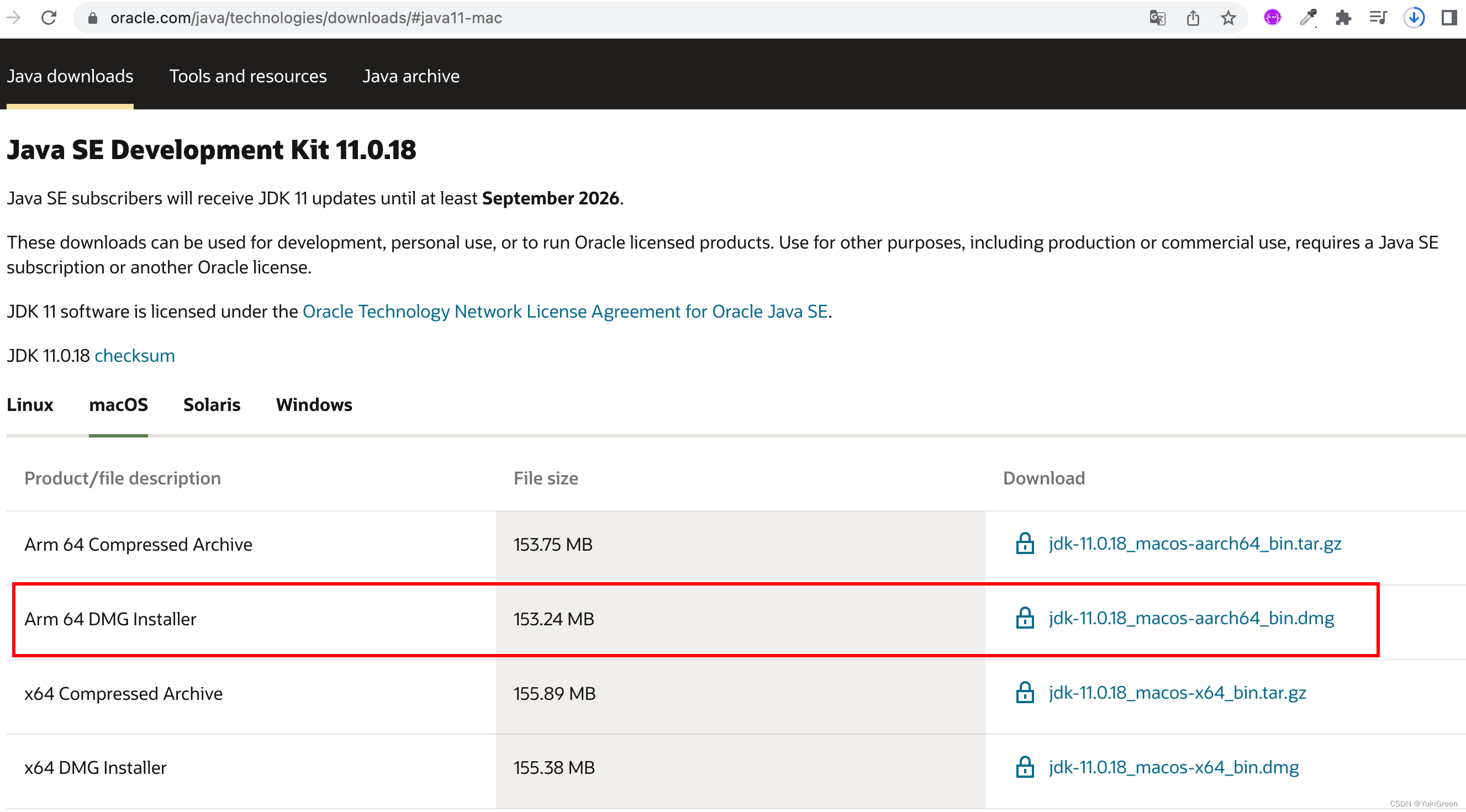
MacOS M1 Oracle JDK 11 Arm arm oracle CSDN
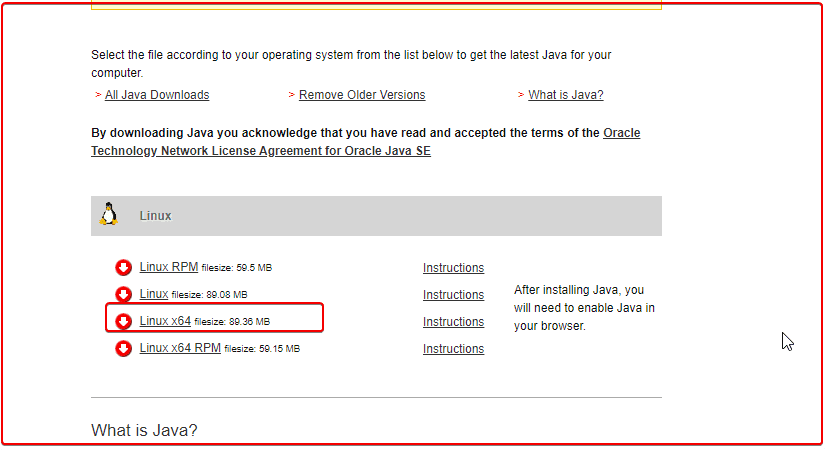
How To Install Oracle Java 8 64 bit Ubuntu 22 04 20 04 LTS Linux Shout

How To Install Oracle Java 8 On Ubuntu Via PPA
How To Install Oracle Java 8 On Ubuntu 16 04 Via PPA
17 Answers Sorted by 194 A command line approach thanks to the Homebrew team and the hard work of vladimir kempik and other openjdk contributors on the JEP 391 branch Install Homebrew bin bash c curl fsSL https raw githubusercontent Homebrew install HEAD install sh Install OpenJDK brew install openjdk

1 min read Jul 5 2022 4 Macs are awesome For developers there is no better alternative on my opinion right now So I got a new Mac Book Pro with a M1 chip Despite it s beauty there are
This is a step by step walkthrough on how to install Java JDK on the new Apple M1Java download URL https www oracle java technologies javase download
Install Java 8 on MacBook with Apple Silicon M1 M2 Oracle Java JDK Code With Arjun 19 8K subscribers Subscribe Subscribed 1 2 3 4 5 6 7 8 9 0 1 2 3 4 5 6 7 8 9 0 1 2 3 4 5 6

Added on Jan 10 2021 developer java servers workstations general discussion 5 comments 24 283 views HI Is Oracle JDK 8 available for New Apple MacBook M1 If no then how soon can we expect for it to be available
43 Homebrew does not support OpenJDK 8 on Apple Silicon M1 M2 but Zulu Community 8 is present as a cask You just have to enable cask versions repository and install zulu8 cask brew tap homebrew cask versions brew install cask zulu8 It will install the JDK in Library Java JavaVirtualMachines zulu 8 jdk Contents Home Apple announced its plan to switch Mac computers from Intel processors to Apple silicon at WWDC 2020 Apple silicon is a system on a chip SoC and system in a package SiP processor designed by Apple Inc mainly using the ARM architecture Apple s custom chips are Arm based and are similar to the A series chips used in iPhones and iPads making them markedly different from the Intel chips
To install OpenJDK on Mac running on Intel or M1 M2 ARM Apple Silicon chip you can make use of the brew install openjdk command but if you use it without any version of the lasted Java JDK will get installed which is JDK 18 as of September 2022 Installing Specific Version of OpenJDK using Brew Installing Java JDK 8 ONLY WORKS FOR Intel x86 64