Install Openvpn On Debian 9 How To Install OpenVPN On Debian 9 LinuxCloudVPS Blog Debian OpenVPN Ai Openvpn On Debian Manjaro Dot Site Install OpenVPN On Debian Jessie Vsefer How To Install Setup OpenVPN On Windows 10 YouTube Configure openvpn on a Debian server and client These notes cover the installation of OpenVPN on a Debian server and client Once setup all internet traffic including browser traffic from the client will travel via the VPN to the server We do a quick client baseline then the server config then the client config then testing
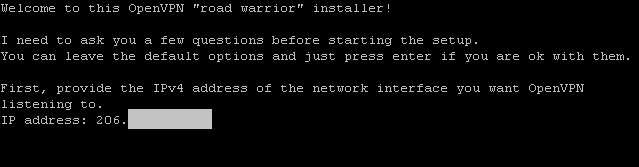
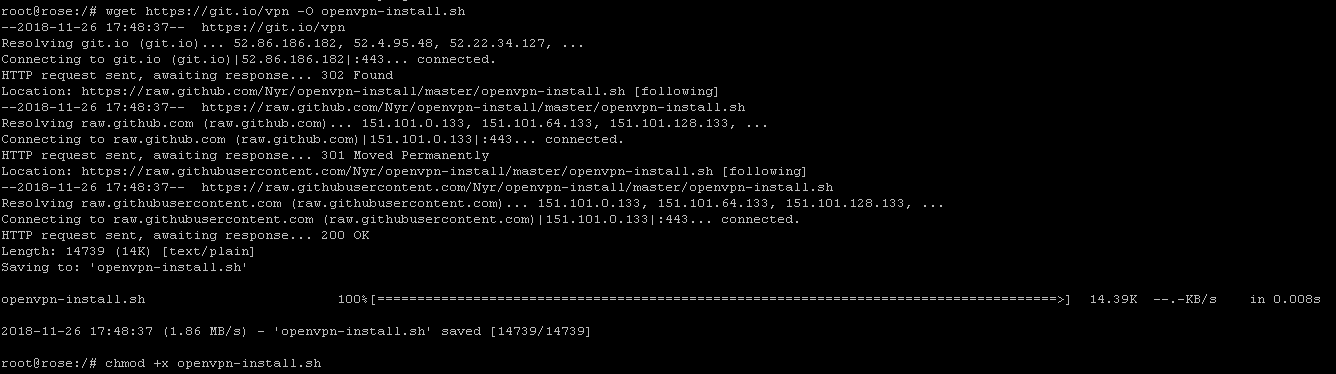
Add the following line ADVERTISEMENT net ipv4 ip forward 1 Save the file when you are finished Then run the following command to apply the changes sysctl p Step 2 Install OpenVPN Server By default the OpenVPN package is available in the Debian 10 default repository You can install it with the following command apt get install openvpn y Step 2 Installing OpenVPN on Debian 9 Note We will use the IP address in this tutorial For example your public IP is 216 58 197 67 First download the OpenVPN road warrior installer for Debian wget https git io vpn O openvpn install sh Once downloaded run OpenVPN install sh script to install and configure the OpenVPN server bash
How To Install Setup OpenVPN On Windows 10 YouTube How To Install OpenVPN On Debian 9 LinuxCloudVPS Blog How To Install OpenVPN On Debian 9 LinuxCloudVPS Blog How To Install OpenVPN Client On Debian 11 Bullseye Linux Shout How To Install And Configure OpenVPN Server On Debian 10 OpenVPN How To Set Up A OpenVPN Server On Debian 9 Stretch How To Install OpenVPN Client On Debian 11 Bullseye Linux Shout How To Install And Configure OpenVPN On Debian 9 SYS HINT COM Script Auto Install SSH Dan OpenVPN Untuk VPS Debian 9 64 Bit Acak
Install Openvpn On Debian 9
 Install Openvpn On Debian 9
https://www.linuxcloudvps.com/blog/wp-content/uploads/2020/04/openvpn_script.png
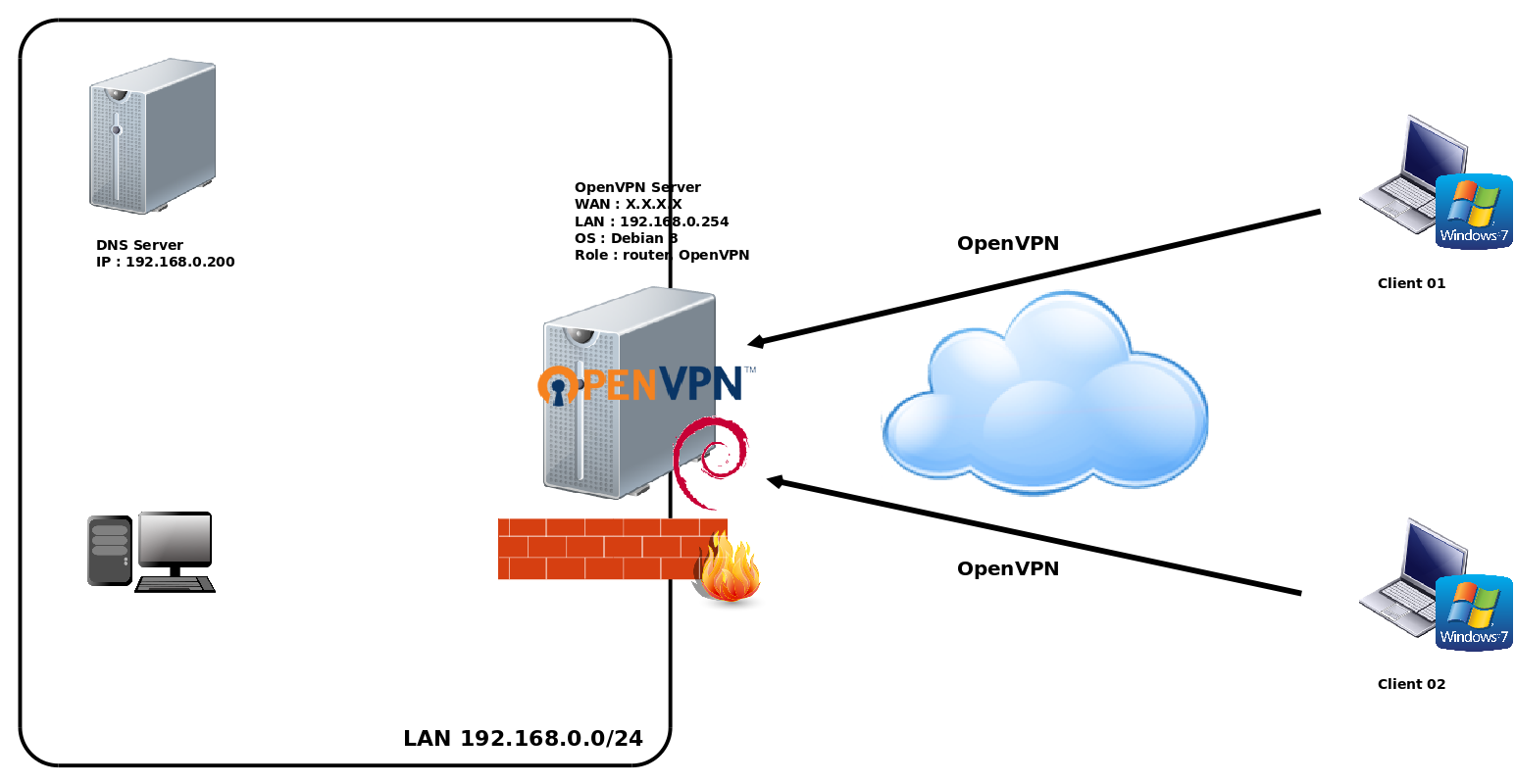
OpenVPN is a tool for creating network tunnels between groups of computers that are not on the same local network This is useful to remotely access services on a network or computer without making those services publicly accessible When integrated with OpenSSL OpenVPN encrypts all VPN traffic providing a secure connection between machines
Templates are pre-designed documents or files that can be used for numerous purposes. They can save time and effort by providing a ready-made format and layout for producing various type of content. Templates can be used for personal or professional tasks, such as resumes, invitations, flyers, newsletters, reports, presentations, and more.
Install Openvpn On Debian 9

How To Install OpenVPN On Debian 10 Tutorial Serverwise

How To Install OpenVPN On Debian 9 LinuxCloudVPS Blog
How To Install OpenVPN On Debian 9 LinuxCloudVPS Blog

How To Install OpenVPN Client On Debian 11 Bullseye Linux Shout
OpenVPN How To Set Up A OpenVPN Server On Debian 9 Stretch
How To Install OpenVPN Client On Debian 11 Bullseye Linux Shout
Prerequisites To complete this tutorial you will need access to a Debian 9 server to host your OpenVPN service You will need to configure a non root user with sudo privileges before you start this guide You can follow our Debian 9 initial server setup guide to set up a user with appropriate permissions

Perform the following steps on your CA machine Start by downloading the latest release of EasyRSA from the project Github repository with the following wget command cd wget https github OpenVPN easy rsa releases download v3 6 EasyRSA unix v3 6 tgz Once the download is complete extract the archive tar xzf EasyRSA unix v3 6 tgz

9 June 2018 by Nick Congleton Distributions This guide is tested for Debian 9 Stretch Linux but it may work with other recent Debian versions Requirements This guide assumes that you re running Debian on a VPS or a remote server since that s the most likely scenario for a VPN A working install of Debian Stretch with root access Difficulty

Installation Prerequisites Configuration NetworkManager GNOME System Menu Raw unsecured VPN connection for test Server part Client part Static Key VPN connection Static Key VPN server configuration Static Key VPN client configuration TLS enabled VPN connection Init easy rsa Generate CA CERTIFICATE KEY Generate DIFFIE HELLMAN PARAMETERS

This article provides instructions on how to install and configure OpenVPN on Debian 9 Stretch Installing and Configuring OpenVPN To update the APT package repository cache of your Debian 9 machine use the following command sudo apt update
Download components apt get update apt get upgrade apt get install curl openvpn unzip Total infrastructure ownership All the hardware used to operate OVPN is owned by us All VPN servers operate without hard drives as the operating system only resides in RAM Learn more 3 Download the configuration you want Add on service None standard Follow Steps 1 2 of this guide on your VPN server and follow Steps 1 3 on your CA server While it s technically possible to run your CA from your OpenVPN server or your local machine it is more secure to keep the CA namely its private key on a separate server that is not continuously connected to the internet
Step 1 1 Visit your CyberGhost VPN online account and login with your CyberGhost Username and Password 2 Click on section VPN from the left side menu scroll down the page and click Configure Device 3 Each server has a configuration file that you will need to create in order to connect to the VPN server