Install Network Manager Centos 8 What Is Network Manager And How To Install Network Manager On Centos 7 MigrationForCentOS7 Dash Men o Honrosa No Gartner Magic Quadrant 2022 Bacula Brasil E Am rica C mo Deshabilitar NetworkManager En CentOS RHEL 8 How To Manage Networking With NetworkManager In RHEL CentOS 8 Como instalar o Chrome Importante antes de baixar confira se o Chrome 233 compat 237 vel com seu sistema operacional e outros requisitos do sistema
You can download and install the Chrome web browser at no charge and use it to browse the web When you install Drive for desktop on your computer it creates a drive in My Computer or a location in Finder named Google Drive All of your Drive files appear here Any new files or folders you create in Drive or Drive for desktop sync and appear on all your devices Click Drive for desktop click your name Open Google Drive
How To Manage Networking With NetworkManager In RHEL CentOS 8 Desactivar Network Manager Centos 7 Actualizado Abril 2023 CentOS 7 Run Script When Network Interface Is Up Learn How To Start A CentOS Linux 6 8 Officially Released Based On Red Hat Enterprise Linux 6 8 How To Disable NetworkManager In CentOS RHEL 8 How To Disable NetworkManager On CentOS VIKHOST CentOS 7 2 Netinstall Guide Network Installation Screenshots If Not Manage Networking With NetworkManager In RHEL CentOS 8 1 Using Virt Manager CentOS 7 Guest VM Install BENISNOUS
Install Network Manager Centos 8
 Install Network Manager Centos 8
https://techdailyupdates.com/wp-content/uploads/2023/01/What-is-Network-Manager-_-And-How-to-install-Network-Manager-on-Centos-7-_-768x461.jpg
Install and set up Drive for desktop Install amp set up Drive for desktop for Windows Important Before you start check that your operating system is compatible with Drive for desktop Tip If you use a work or school account you might not be able to use Drive for desktop or your organization might have to install it for you
Pre-crafted templates use a time-saving option for producing a diverse variety of files and files. These pre-designed formats and layouts can be used for various personal and expert tasks, including resumes, invites, leaflets, newsletters, reports, presentations, and more, streamlining the content production procedure.
Install Network Manager Centos 8

1 netcore Netcore2 1 1 Osc b4qlyocq OSCHINA

Desactivar Network Manager Centos 7 Actualizado Abril 2023

CentOS 7 Run Script When Network Interface Is Up Learn How To Start A

CentOS Linux 6 8 Officially Released Based On Red Hat Enterprise Linux 6 8

How To Disable NetworkManager On CentOS VIKHOST
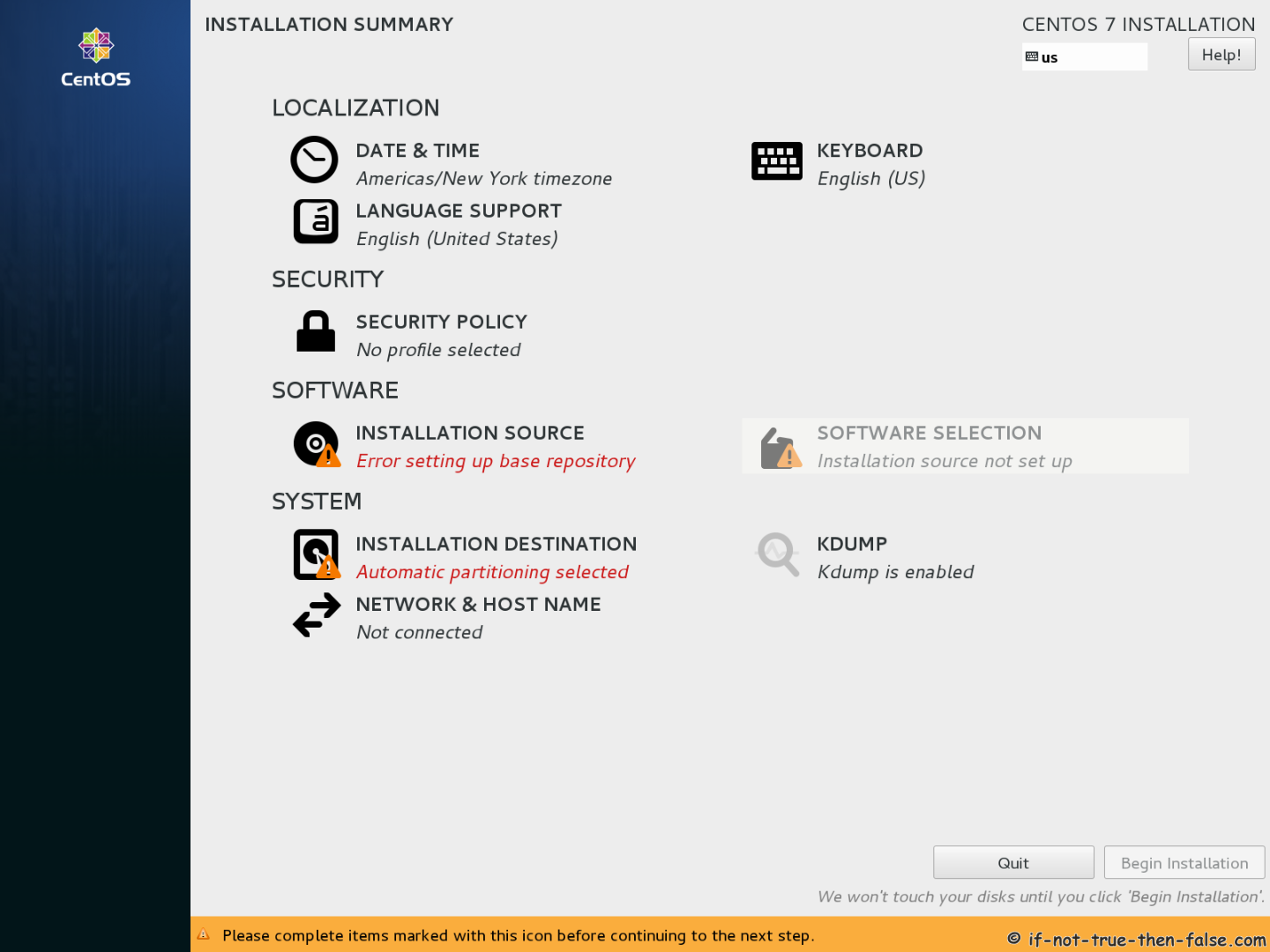
CentOS 7 2 Netinstall Guide Network Installation Screenshots If Not

Puedes descargar e instalar el navegador web Chrome sin coste econ 243 mico y usarlo para navegar por la Web C 243 mo instalar Chrome Importante Antes de descargarlo puedes comprobar
Installer Chrome Important Avant de t 233 l 233 charger Chrome vous pouvez v 233 rifier s il est compatible avec votre syst 232 me d exploitation et les autres configurations syst 232 me requises

Official Google Chrome Help Center where you can find tips and tutorials on using Google Chrome and other answers to frequently asked questions

On your iPhone or iPad open App Store In the search bar enter Chrome Tap Get To install follow the on screen instructions If prompted enter your Apple ID password To start browsing tap Open To open Chrome from your Home screen tap Chrome
On your device go to the Apps section Tap Google Play Store The app will open and you can search and browse for content to download
[desc-11] [desc-12]
[desc-13]