Install Mysql Ubuntu Command Line How To Install MySQL On Ubuntu 22 04 YouTube How To Install MySQL Server On Ubuntu 22 04 LTS YouTube How To Install MySQL Server On Ubuntu 22 04 LTS Linux NixCraft How To Install MySQL On Ubuntu Linux TechOwns How To Install MySQL WorkBench On Ubuntu 22 04 ARRASYIDI Web To install and configure MySQL on Ubuntu 20 04 follow these steps Step 1 Update package sources and upgrade existing packages sudo apt update sudo apt upgrade Step 2 Install MySQL server sudo apt install mysql server Step 3 During the installation process you will be prompted to set a password for the MySQL root user Choose a
Web Mar 24 2022 nbsp 0183 32 Step 2 MySQL Server Installation Before installing MySQL make sure the Ubuntu server is properly installed and configured The Ubuntu 18 04 server by default contains the latest MySQL version 5 7 in the repositories Use the apt command to update the system packages from the repository as follows Web INSTALL MYSQL SERVER IF NOT INSTALLED lt p gt n lt div class quot highlight highlight source shell notranslate position relative overflow auto quot dir quot auto quot data snippet clipboard copy content quot sudo apt list installed grep i mysql server nsudo apt list grep i mysql server nsudo apt install mysql server 8 0 quot gt lt pre gt sudo apt list installed lt span
How To Install MySQL WorkBench On Ubuntu 22 04 ARRASYIDI MYSQL How To Install MYSQL On Ubuntu YouTube How To Manually Install A Deb Package Using Command Line In Ubuntu Change MySQL User Password Using Command Line Using Ubuntu Connect To A Mysql Database Command Line Mobile Legends Mysql Command Line Database Backup And Restore In Windows Youtube Riset How To Install MySQL On Ubuntu 20 04 Create Database Ubuntu 22 04 Network Setup Linux Tutorials Learn Linux Configuration How To Install MySQL 8 In Ubuntu 22 04 LTS Step by Step
Install Mysql Ubuntu Command Line
 Install Mysql Ubuntu Command Line
https://i.ytimg.com/vi/2nLcJKnuAwI/maxresdefault.jpg
Web Oct 4 2021 nbsp 0183 32 So you wanna install MySQL server on your Ubuntu Linux 20 04 box right No problem another super duper easy install apt install mysql server That will install the latest version in the Ubuntu repositories that being 8 0 2 IIRC the version numbering has changed and went from 5 7 to the new 8 x x version numbering
Templates are pre-designed documents or files that can be utilized for numerous purposes. They can conserve effort and time by offering a ready-made format and layout for producing different kinds of content. Templates can be used for individual or expert projects, such as resumes, invitations, flyers, newsletters, reports, presentations, and more.
Install Mysql Ubuntu Command Line
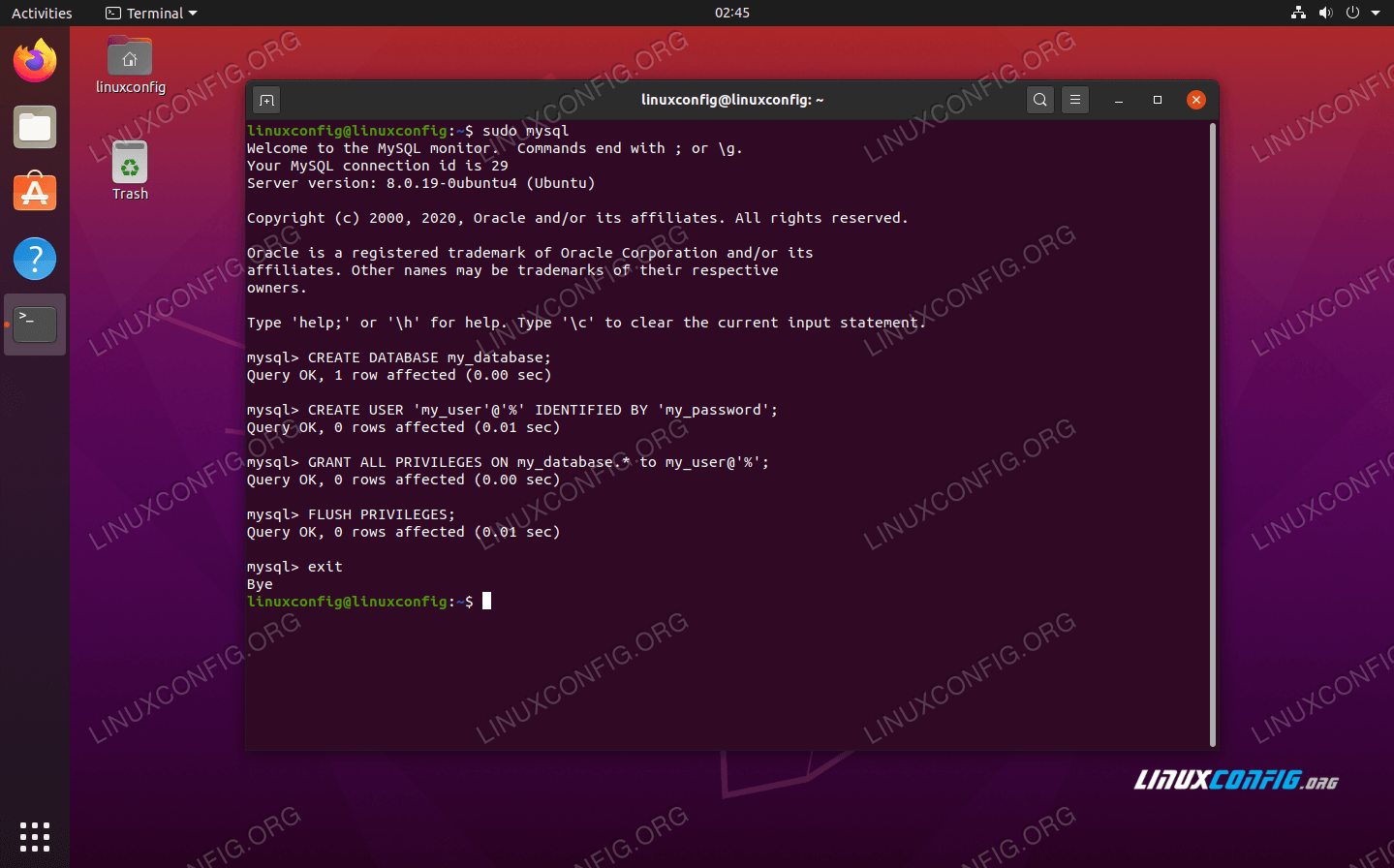
Download Mysql Command Line Tool Windows 10 Gagasvietnam

MYSQL How To Install MYSQL On Ubuntu YouTube
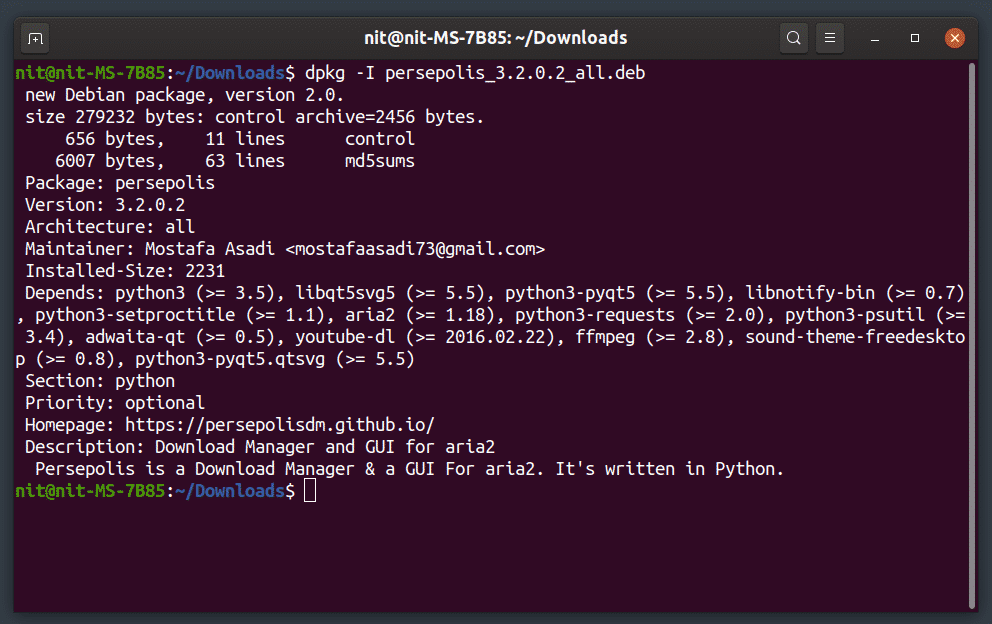
How To Manually Install A Deb Package Using Command Line In Ubuntu
Change MySQL User Password Using Command Line Using Ubuntu

Mysql Command Line Database Backup And Restore In Windows Youtube Riset

How To Install MySQL On Ubuntu 20 04 Create Database

Web Sep 19 2023 nbsp 0183 32 If you have the MySQL client installed you can also restart MySQL from within the MySQL shell Start by logging into the MySQL shell as a user with administrative privileges MySQL u root p Once you re in the MySQL shell issue the following command to restart the MySQL server FLUSH TABLES FLUSH PRIVILEGES q

Web Sep 18 2023 nbsp 0183 32 How to Install MySQL 8 in Ubuntu 22 04 Terminal Step 1 Update Package Lists Step 2 Install MySQL Server You can install MySQL Server directly from the Ubuntu repositories During the Step 3 Configure MySQL Once MySQL is installed you should run the configuration script to enhance

Web Apr 26 2022 nbsp 0183 32 Open the web browser on your computer and navigate to the MySQL APT Repository page 2 Once on the download page click the Download button as you can see below Clicking the download link 3 On the next page right click the No thanks just start my download link and click Copy link address
Web Sep 17 2023 nbsp 0183 32 Learn how to install MySQL 8 0 on Ubuntu 22 04 LTS using Ubuntu s default APT or by importing the MySQL 8 0 Community for the latest version The post How to Install MySQL 8 0 on Ubuntu 22 04 LTS appeared first on Linux Today Source Linux Today Developer Linux tutorial MySQL 8 tutorial Ubuntu 22 04 LTS

Web Sep 17 2023 nbsp 0183 32 Next article Learn how to install MySQL 8 0 on Ubuntu 22 04 LTS using Ubuntu s default APT or by importing the MySQL 8 0 Community for the latest version
[desc-11] [desc-12]
[desc-13]