Install Macos From Usb Terminal How To Install Macos From Usb Choicesmaz How To Install Macos From Usb Polsurvey Clean Install Macos From Usb Choicever How To Install Macos From Usb Flash Drive Lujesx How Install Macos From Usb Perposters Web Sep 4 2021 nbsp 0183 32 First right click the USB drive in Disk Utility and click quot Erase quot Format your USB drive as quot Mac OS Extended Journaled quot and choose the GUID Partition Map scheme If you can t find the option to set the partition table make sure you re selecting the quot View gt Show All Devices quot option Right click on the USB drive click Erase and select the
Web Apr 27 2023 nbsp 0183 32 Insert your USB Drive into the USB port Click on Finder on the desktop or home page Under Finder click on Applications gt Utilities gt Disk Utility Web Oct 9 2019 nbsp 0183 32 Open Terminal within the Utilities folder within the Applications folder and enter in the following command by copying and pasting it directly into the window Make sure to change the element
How Install Macos From Usb Perposters Clean Install Macos From Usb Mflio How To Install MacOS From USB Clean Install Macos From Usb Choicever How Install Macos From Usb Fercd Install Mac Os X From Usb Dmg File Install Macos From Usb In Windows Scubarewa Create Macos Catalina Bootable Usb On Windows Interactivesadeba Install Macos From Usb Cssatila
Install Macos From Usb Terminal
 Install Macos From Usb Terminal
https://9to5mac.com/wp-content/uploads/sites/6/2020/09/macOS-Big-Sur-USB-Installer-secure-boot-settings.jpg
Web Jul 5 2017 nbsp 0183 32 Open System Settings and go to the General section Select Software Update 3 macOS will search for updates If there s a new version of macOS click Upgrade Now 4 As well as updating macOS your Mac will download an installer file to your Applications folder which you can use to create your bootable USB drive
Pre-crafted templates offer a time-saving service for producing a diverse variety of files and files. These pre-designed formats and layouts can be used for various personal and professional projects, including resumes, invites, leaflets, newsletters, reports, discussions, and more, streamlining the material development procedure.
Install Macos From Usb Terminal

How To Install Macos From Usb Flash Drive Pediapase
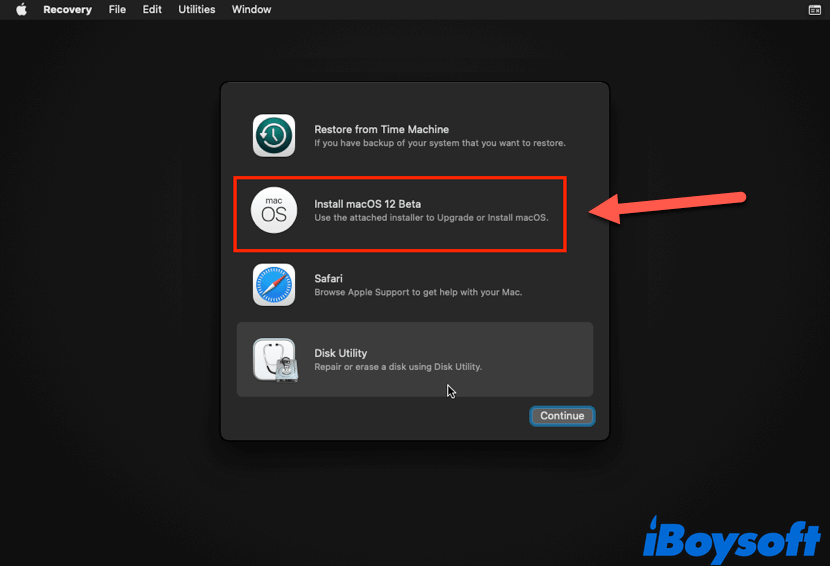
Clean Install Macos From Usb Mflio

How To Install MacOS From USB
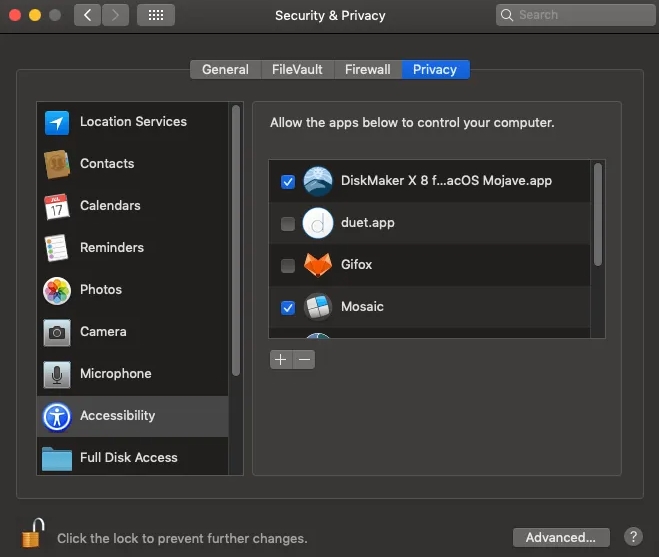
Clean Install Macos From Usb Choicever

Install Mac Os X From Usb Dmg File

Install Macos From Usb In Windows Scubarewa
Web Apr 20 2023 nbsp 0183 32 For information about the createinstallmedia command and the arguments you can use with it make sure that the macOS installer is in your Applications folder then enter the appropriate path in Terminal Applications Install macOS Sonoma app Contents Resources createinstallmedia

Web Jul 19 2022 nbsp 0183 32 Step 2 Format Your USB Flash Drive You can only create a bootable installer for macOS on a Mac If you re using a flash drive that already has data on it make sure to back up any important files now as you re going to erase everything in a moment

Web Apr 13 2020 nbsp 0183 32 With this particular trick you can download complete Install MacOS application packages directly from the Terminal application and it works to get full installers of macOS Monterey macOS Big Sur Catalina Mojave and High Sierra too

Web Get the macOS installer files Create a bootable installer for macOS Choose the correct createinstallmedia command If you want to run macOS on an external drive which is slightly

Web Dec 1 2022 nbsp 0183 32 Select your main drive to install the macOS from your USB Once the process ends your Mac will reboot and your new OS will be operating Install macOS From USB Without Internet
Web Nov 13 2021 nbsp 0183 32 Right click on Install macOS Monterey Show Package Contents Step 5 Open Contents Resources Step 6 Open a new Terminal window by navigating to Applications Utilities Terminal Web Sep 18 2023 nbsp 0183 32 Here are the steps to install macOS using Etcher Step 1 Download and install Etcher from the official website Step 2 Connect the USB drive to your MacBook Pro Step 3 Open Etcher and click on the quot Select image quot button Choose the macOS installer file you downloaded from the Apple App Store
Web I ve been trying to find a way to install macOS High Sierra using terminal to install it on various computers quickly It can be done with macOS Sierra and OS X El Capitan after mounting the InstallESD dmg file in the directory Install macOS Sierra app Contents SharedSupport using the following code in terminal