Install Kubernetes On Centos 7 Kubernetes Installation And Configuration On Centos 7 Cloud Tutorial prevail Everywhere How To Install Kubernetes On CentOS How To Install Kubernetes On CentOS 7 Step By Step Install Kubernetes On Centos 7 With Kubespray Clouds Baba How To Install Kubernetes Cluster On CentOS 8 UpCloud Web Feb 2 2017 nbsp 0183 32 My advice play kubeadm in your development environment first so that you see how kubeadm deploys a Kubernetes cluster many components can be deployed by Kubernetes itself Then you decide whether use it in your production
Web Oct 20 2021 nbsp 0183 32 Setting Up Pod Network Use Kubernetes with your Dedicated Hosting server and set up a Kubernetes cluster today Installing Kubernetes Packages and Docker First you will need to set the hostname for your node In this example we are setting up the master node referred to as master node Web Dec 13 2019 nbsp 0183 32 1 MinKube A single node Kubernetes cluster for development and testing 2 Kubeadm dind Kuberadm A multi node Kubernetes cluster You can read all the methods here Here we will deploy a multi node Kubernetes cluster using the kubeadm In this multi node setup we will have one master node and multiple worker nodes minions
How To Install Kubernetes Cluster On CentOS 8 UpCloud How To Install A Kubernetes Docker Cluster On CentOS 7 Install Minikube Kubernetes On CentOS 8 7 With KVM Thetodaypost Single Node Kubernetes On CentOS Are You Looking For Setting Up A Installing Kubernetes On CentOS 7 What To Do How To Install Kubernetes 1 21 On CentOS 7 RHEL 7 Devopszones Setting Up A Kubernetes Cluster Using Docker In Docker Callista How To Install A Kubernetes Docker Cluster On CentOS 7 How To Install Kubernetes On Windows 10 11 K3s IT Sharing Phuong
Install Kubernetes On Centos 7
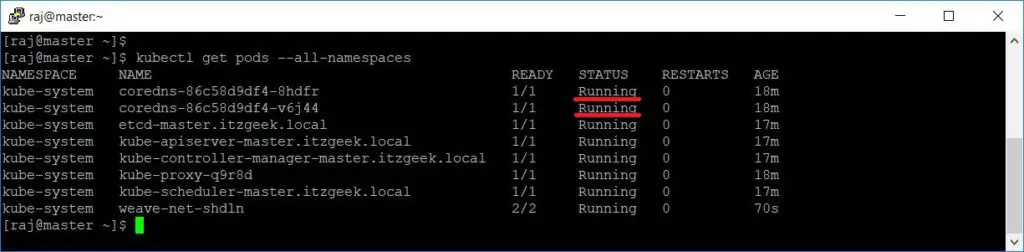 Install Kubernetes On Centos 7
https://www.itzgeek.com/wp-content/uploads/2018/12/Install-Kubernetes-on-CentOS-7-Cluster-Status-post-installing-Network-Add-on-1024x252.jpg
Web How to Install a Kubernetes Docker Cluster on CentOS 7 Step 1 Kubernetes Installation In this first step we will prepare those 3 servers for Kubernetes installation so Step 2 Kubernetes Cluster Initialization In this step we will initialize the kubernetes master cluster configuration
Pre-crafted templates offer a time-saving solution for producing a diverse variety of documents and files. These pre-designed formats and designs can be utilized for numerous individual and professional projects, consisting of resumes, invites, flyers, newsletters, reports, presentations, and more, enhancing the content production process.
Install Kubernetes On Centos 7

Install Kubernetes On Centos 7 With Kubespray Clouds Baba
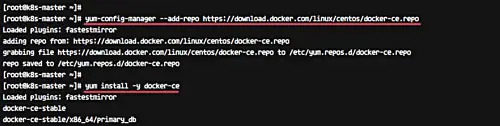
How To Install A Kubernetes Docker Cluster On CentOS 7

Install Minikube Kubernetes On CentOS 8 7 With KVM Thetodaypost
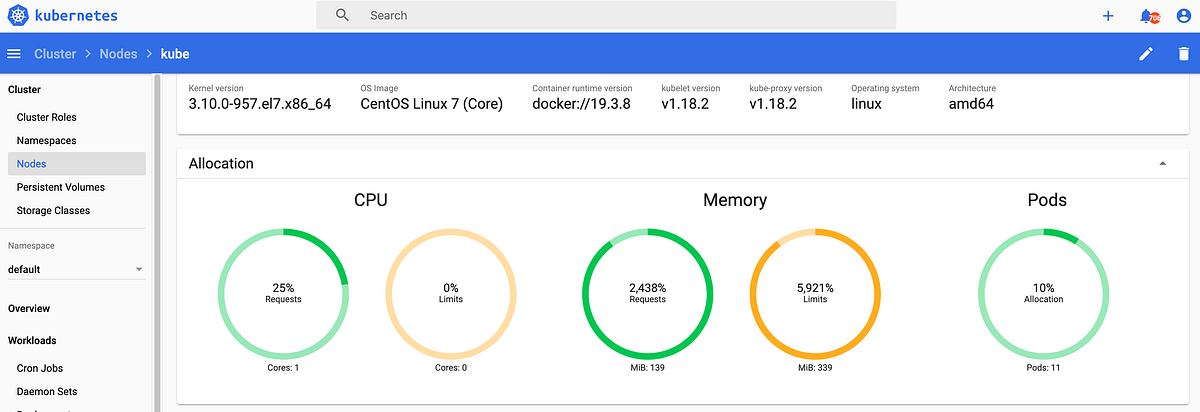
Single Node Kubernetes On CentOS Are You Looking For Setting Up A
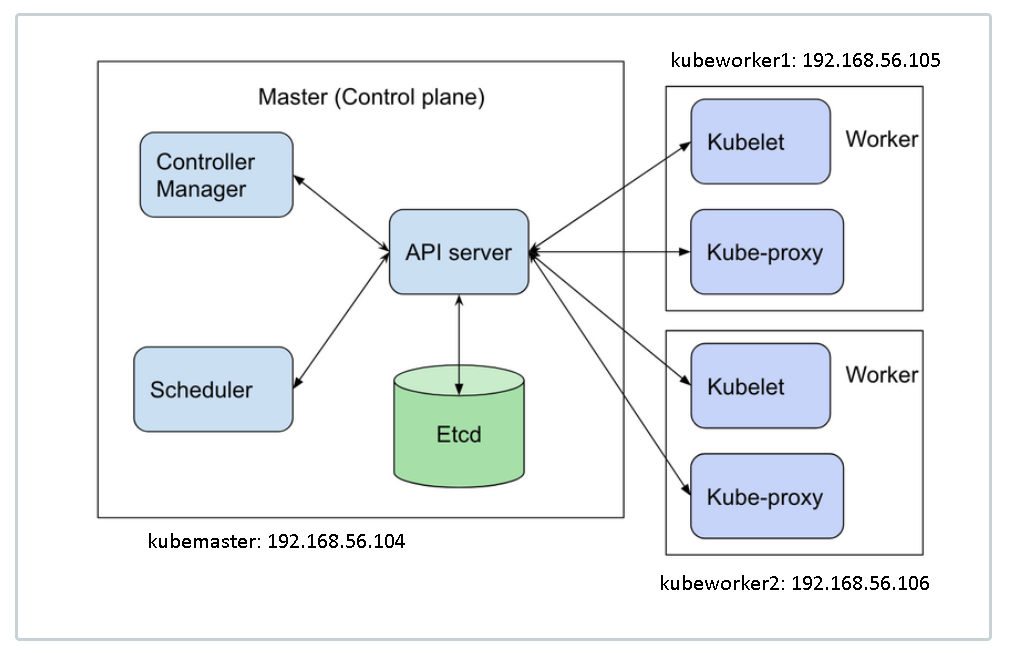
How To Install Kubernetes 1 21 On CentOS 7 RHEL 7 Devopszones
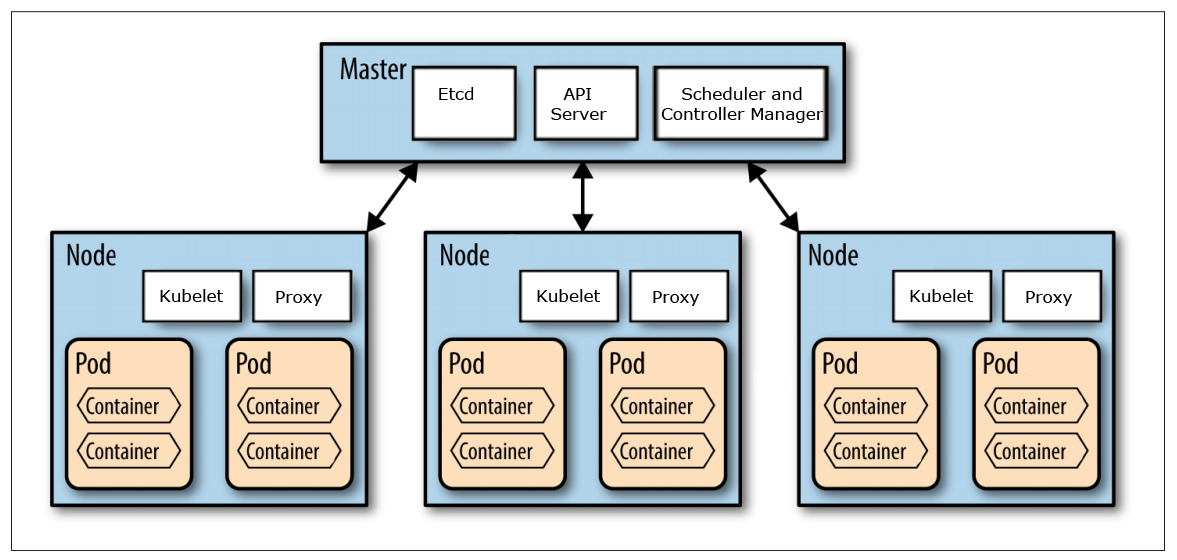
Setting Up A Kubernetes Cluster Using Docker In Docker Callista
Web Feb 7 2020 nbsp 0183 32 Installation of Kubernetes Cluster on Master Node Step 1 Prepare Hostname Firewall and SELinux On your master node set the hostname and if you don t have a DNS server then also update your Step 2 Setup the Kubernetes Repo Step 3 Install Kubeadm and Docker Step 4 Initialize Kubernetes

Web Jun 23 2018 nbsp 0183 32 Prerequisites An SSH key pair on your local Linux macOS BSD machine
Web Jun 12 2020 nbsp 0183 32 Install Kubernetes Cluster on CentOS 7 with kubeadm Step 1 Prepare Kubernetes Servers At least 2 CPUs on the machine that you use as a control plane node Login to all Step 2 Install kubelet kubeadm and kubectl Once the servers are rebooted add Kubernetes repository for CentOS 7 to Step

Web Jun 5 2018 nbsp 0183 32 What you ll need I ll be demonstrating with three CentOS 7 servers at the following IP addresses kubemaster 192 168 1 99 kube2 192 168 1 109 kube3 192 168 1 167 Make sure to change the IP

Web Aug 21 2023 nbsp 0183 32 Install using native package management Update the apt package index and install packages needed to use the Kubernetes apt repository sudo apt get update Download the public signing key for the Kubernetes package repositories The same signing key is used for all Add the appropriate
[desc-11] [desc-12]
[desc-13]