Install Gui On Debian 10 C mo Habilitar La GUI De Ubuntu WSL2 Y Usar RDP En Remoto TecnoTraffic How To Install XRDP GUI On Centos How To Install GUI On Debian VPSie Tutorials How To Install GUI On Debian VPSie Tutorials Install Ubuntu On Wsl2 Windows 11 With Gui Support Web Result Jul 17 2019 nbsp 0183 32 If you re running Debian 10 in Cloud or a hypervisor without GUI or doesn t want to have GUI this installation is not for you Install KDE Desktop Environment on Debian 10 Buster Install KDE Desktop on Debian 10 Buster from official upstream repositories added during installation sudo apt y install
Web Result Many useful GUI applications are available on Debian now Installing software packages such as scribus KDE on GNOME desktop environment are quite acceptable since corresponding functionality is Web Result Jul 17 2022 nbsp 0183 32 Method 1 Install GNOME Desktop When Installing Debian 11 Method 2 Install GNOME Desktop With Tasksel Method 3 Install GNOME Desktop Using Apt Login into GNOME Desktop Uninstall the GNOME Desktop Environment Uninstall GNOME Using Tasksel Uninstall GNOME Using APT Conclusion
Install Ubuntu On Wsl2 Windows 11 With Gui Support How To Install LEMP On Debian 10 AtulHost How To Install Fwknop gui On Debian Ubuntu Kali Fedora And Raspbian How To Install GUI On Debian VPSie Tutorials How To Install A Full Desktop GUI On Ubuntu Server 20 04 LTS v 28 07 How To Install LXDE GUI In Debian 9 Linux RootUsers How To Install Steam On Debian 11 Bullseye Or Buster 10 Linux Linux Shout How To Install MATE GUI In CentOS 7 Linux How To Install Docker On Debian 10 Debian ITzGeek
Install Gui On Debian 10
 Install Gui On Debian 10
https://tecnotraffic.net/wp-content/uploads/2021/08/2020-09-30-22_13_44-1-1.png
Web Result Jul 31 2019 nbsp 0183 32 a Plug your USB stick in the USB port b Identify where your USB drive is mounted c Download Debian 10 Buster ISO file d Copy the image to your USB drive e Boot on the USB drive II Follow the Debian 10 graphical installation steps III Configure your Debian 10 Buster a Enable unofficial
Templates are pre-designed documents or files that can be utilized for numerous functions. They can conserve effort and time by providing a ready-made format and design for creating various sort of material. Templates can be utilized for personal or expert projects, such as resumes, invites, flyers, newsletters, reports, presentations, and more.
Install Gui On Debian 10

How To Install And Use Docker On Debian 10 TecNStuff

How To Install LEMP On Debian 10 AtulHost

How To Install Fwknop gui On Debian Ubuntu Kali Fedora And Raspbian

How To Install GUI On Debian VPSie Tutorials
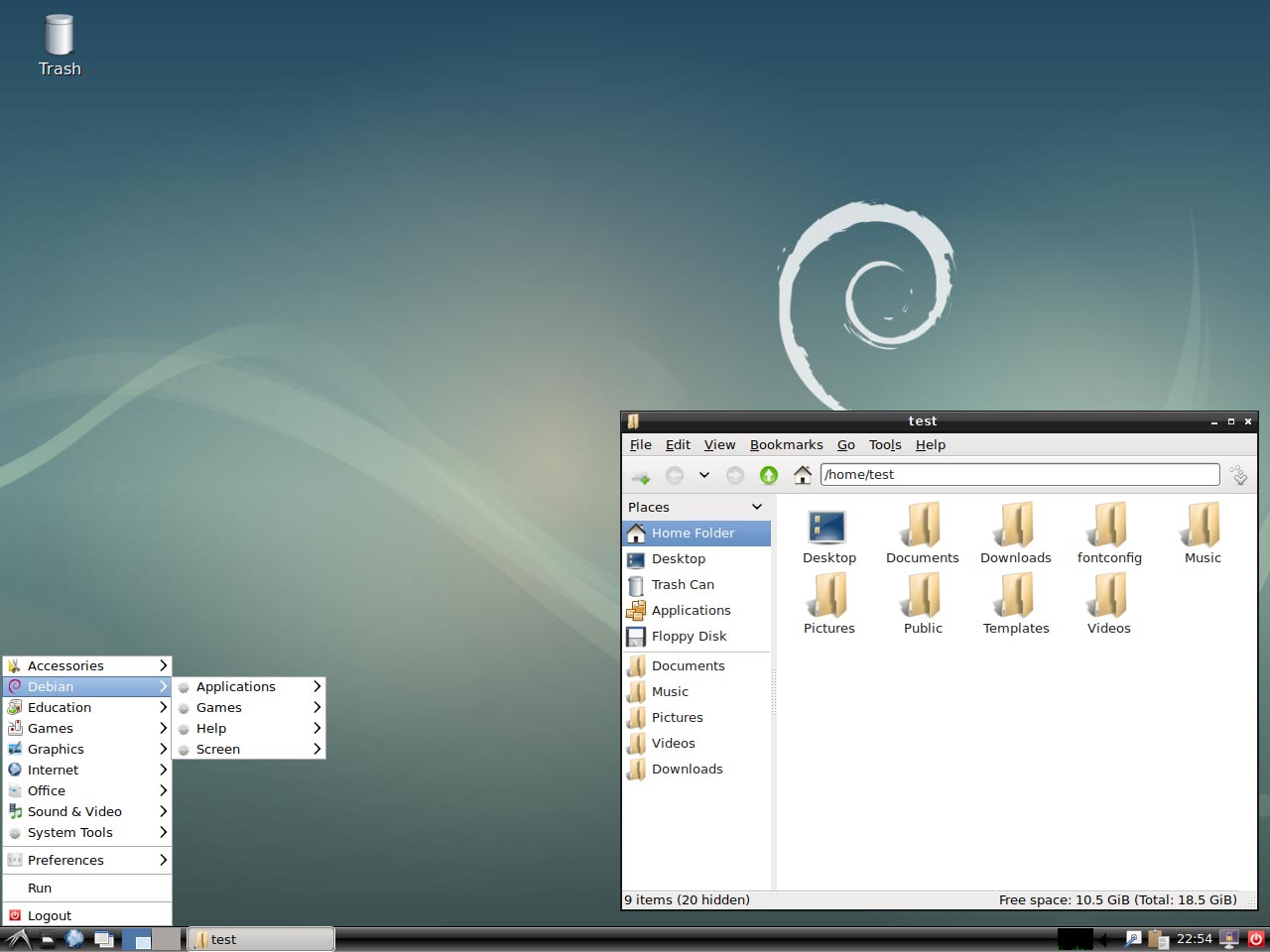
How To Install LXDE GUI In Debian 9 Linux RootUsers

How To Install Steam On Debian 11 Bullseye Or Buster 10 Linux Linux Shout

Web Result Nov 18 2012 nbsp 0183 32 To install GUI Graphical User Interface for debian Gnome apt get install aptitude tasksel tasksel install gnome desktop new install KDE apt get install kde standard XFCE apt get install xfce4 xfce4 goodies thunar archive plugin There are more options to choose from this page

Web Result Aug 2 2021 nbsp 0183 32 How to install Graphical User Interface GUI for Debian 11 Cloud Servers Watch on Execute the below commands to update the Debian system sudo apt update sudo apt y upgrade Install GNOME desktop environment using the below command The installation process will require some time to get
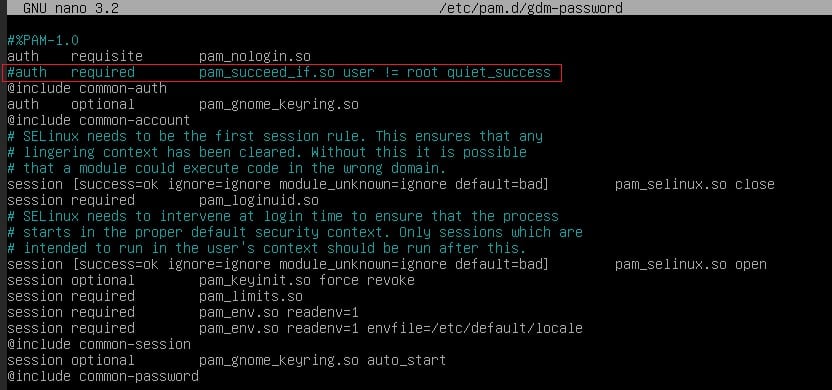
Web Result Feb 25 2020 nbsp 0183 32 2 Answers Sorted by 21 To disable the GUI sudo systemctl set default multi user target sudo reboot To re enable the GUI sudo systemctl set default graphical target sudo reboot Share
Web Result Installing GNOME Desktop on the Debian system is fairly straightforward Most Debian servers are run on CLI Command Line Interface mode But in some cases one may need to have a desktop to install some applications with GUI Graphic User Interface mode

Web Result Apr 13 2022 nbsp 0183 32 To install a GUI on Debian you ll need to first update and upgrade the system packages then install a desktop environment or a window manager Some popular desktop environments include GNOME KDE and XFCE while window managers like Openbox and Fluxbox are lighter and faster alternatives
Web Result May 7 2019 nbsp 0183 32 Installing a GUI on Debian Ubuntu The Debian and Ubuntu options in our VPSes don t come with any graphical user interface by default There are many options for the loo Web Result Feb 16 2020 nbsp 0183 32 Install Apache web server on Debian 10 By default the service is enabled and started with the installation However remember to enable ports 80 and 443 in the firewall Then complement the Apache installation with a programming language such as PHP and its modules
Web Result Nov 26 2023 nbsp 0183 32 How to Install Software in Debian Linux Download Article A quick and easy guide to use Debian Linux for downloading software packages methods 1 Using a Graphical Package Manager 2 Using Apt 3 Using Dpkg Other Sections Questions amp Answers Related Articles References Article Summary Written by