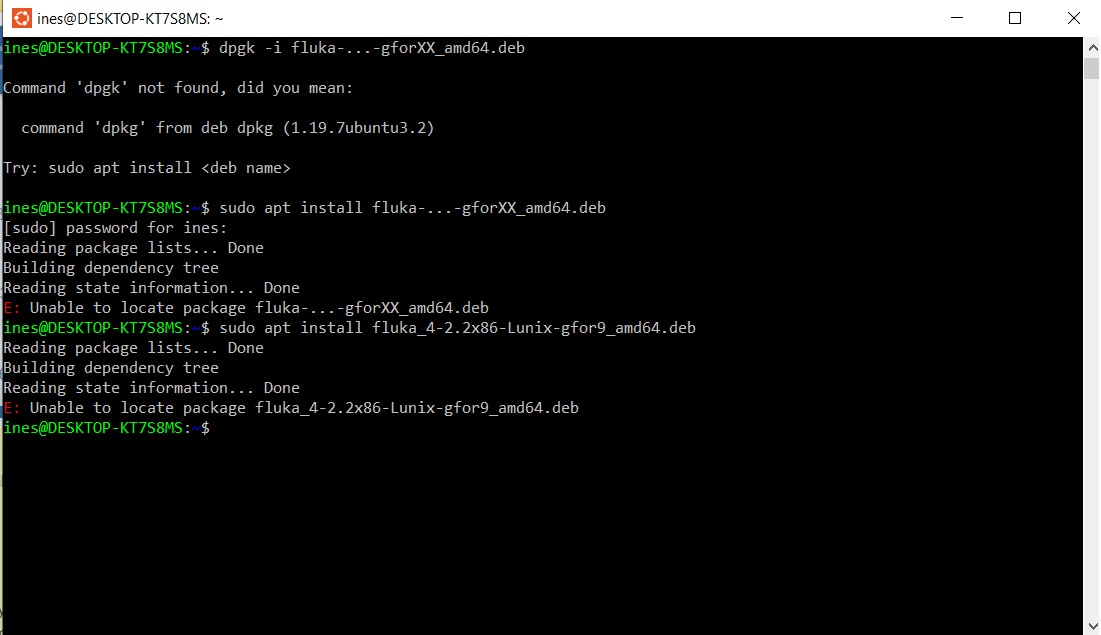
Install Deb Ubuntu Terminal Can t Install Deb File On Ubuntu 22 04 Here s The Fix Installation Error With deb Package Installation FLUKA User Forum Ubuntu 20 04 Ubuntu 22 04 How To Install DEB Files In Ubuntu Explained In Examples How To Manually Install A Deb Package Using Command Line In Ubuntu WEB Apr 24 2020 nbsp 0183 32 In this article we ll go over the steps to install a DEB file on Ubuntu 20 04 Focal Fossa and talk about some best practices along the way In this tutorial you will learn DEB file security and searching Ubuntu s package repository How to intall DEB files with dpkg How to install DEB files with gdebi How to install DEB files via GUI
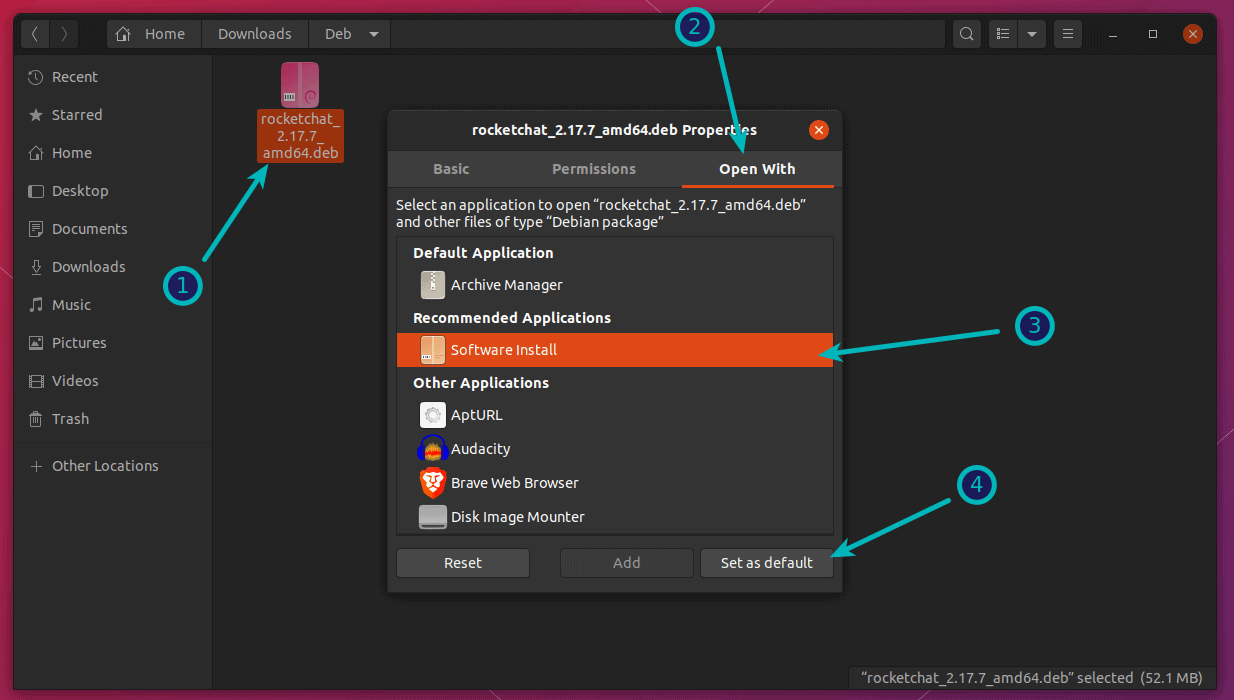
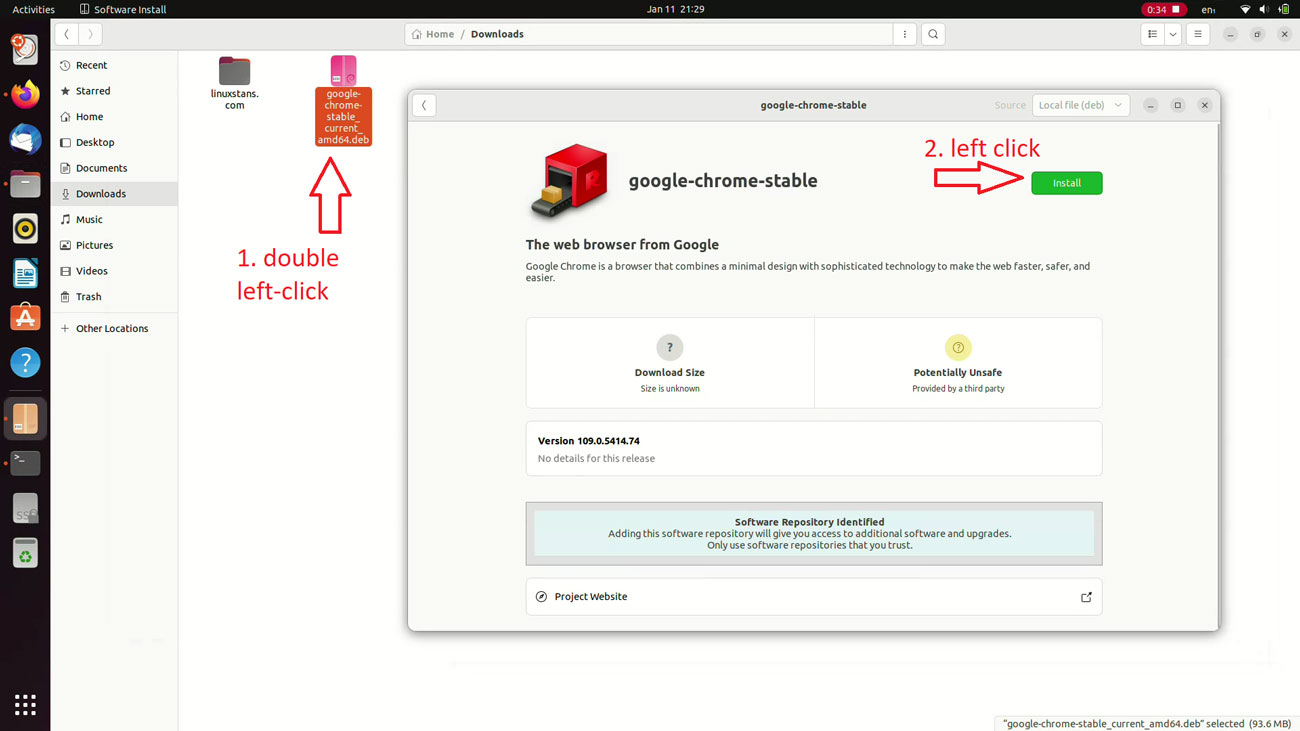
WEB Nov 23 2022 nbsp 0183 32 Here is how you can install deb files on Ubuntu Linux through the Software Center and Terminal You can also use GDebi to install Deb files WEB Dec 11 2021 nbsp 0183 32 So let s see how we can take a single DEB package and install it properly on Ubuntu You must direct the apt command to the file s location to perform the installation For example to install the google chrome stable current amd64 deb file open the terminal and type the following
How To Manually Install A Deb Package Using Command Line In Ubuntu How To Install DEB Files In Ubuntu 20 04 YouTube Install DEB File On Ubuntu 20 04 Focal Fossa Linux LinuxConfig Updated Windows Terminal And Now Ubuntu Won t Load Process Exited With How To Install DEB Files In Ubuntu Explained In Examples Ubuntu How To Install deb Files How To Install deb In Ubuntu Family YouTube How To Install Debian deb Package Bopqehollywood How To Set Up Linux And Linux Apps On A Windows PC Canada Today
Install Deb Ubuntu Terminal
 Install Deb Ubuntu Terminal
https://itsfoss.com/content/images/2023/09/deb-file-install-fix-ubuntu.webp
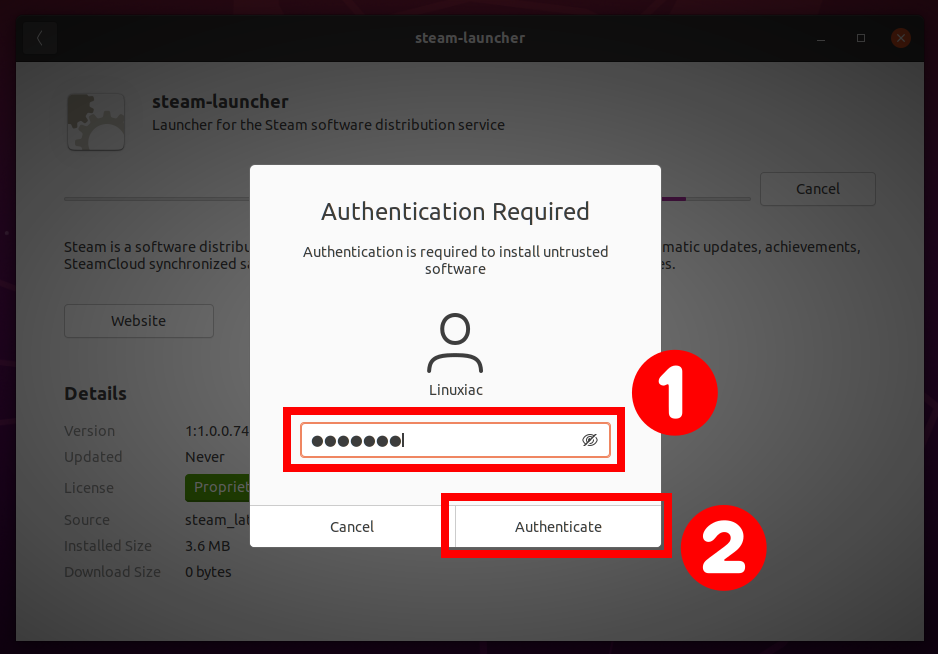
WEB Jan 19 2024 nbsp 0183 32 If you prefer a graphical install method you can use the Ubuntu Software tool to quickly install DEB files you downloaded from the web Or if you want to make sure you can easily install all dependencies for the program try Gdebi which has both graphical and command line options
Pre-crafted templates offer a time-saving option for producing a varied variety of files and files. These pre-designed formats and layouts can be used for various personal and professional tasks, consisting of resumes, invitations, leaflets, newsletters, reports, discussions, and more, enhancing the content development procedure.
Install Deb Ubuntu Terminal
C mo Instalar Archivos Deb En Ubuntu CompuHoy

How To Install DEB Files In Ubuntu 20 04 YouTube

Install DEB File On Ubuntu 20 04 Focal Fossa Linux LinuxConfig

Updated Windows Terminal And Now Ubuntu Won t Load Process Exited With
Ubuntu How To Install deb Files

How To Install deb In Ubuntu Family YouTube
WEB Feb 24 2020 nbsp 0183 32 Be extra careful when installing deb packages from unofficial sources In this tutorial we will explain how to install deb files on Ubuntu 18 04 The same instructions apply for Ubuntu 16 04 and any Debian based distribution including Debian Linux Mint and Elementary OS
WEB May 25 2023 nbsp 0183 32 Deb packages allow installing local software on an Ubuntu system This article shows several ways to install and remove deb packages on Ubuntu Prerequisites A system running Ubuntu Access to terminal window command line User with root sudo privileges Install deb Files Using GUI

WEB Feb 8 2019 nbsp 0183 32 In this tutorial I ll share how to install deb files in Ubuntu and how to remove the applications installed this way Installing deb files on Ubuntu and Debian based Linux Distributions You can choose a GUI or command line tool for installing a deb package
WEB Mar 17 2024 nbsp 0183 32 Explains how to install deb Packages on an Ubuntu Linux based system using the apt apt get dpkg terminal bash command line
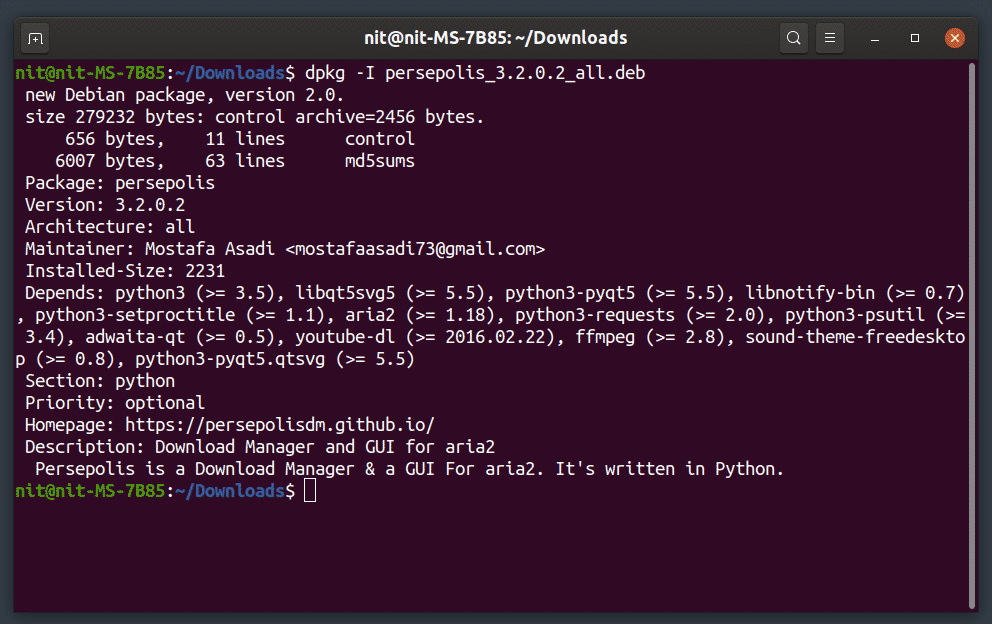
WEB Oct 9 2023 nbsp 0183 32 Install DEB Files in the Terminal If you re comfortable using the terminal the dpkg Debian Package command can install DEB files for you Here s how to use it Open the terminal Then cd into the directory where the downloaded DEB file resides In our case the file is in the Downloads directory
WEB Dec 19 2022 nbsp 0183 32 If you download the deb file and want to install it using command line you can do that easily as well You can use the apt command to install deb packages in the terminal like this sudo apt install path to deb file WEB Jun 13 2024 nbsp 0183 32 To install deb Ubuntu using CLI first open the Terminal by pressing Navigate to the directory containing the deb file with the cd command Use sudo dpkg i filename deb replace filename deb with your file name to install the file
WEB Either you can install using terminal as previous answers say sudo dpkg i google chrome stable current i386 deb Or else You can double click the downloaded deb file and it will be opened in Ubuntu Software Center If you are using ubuntu Then you can install it clicking on install button