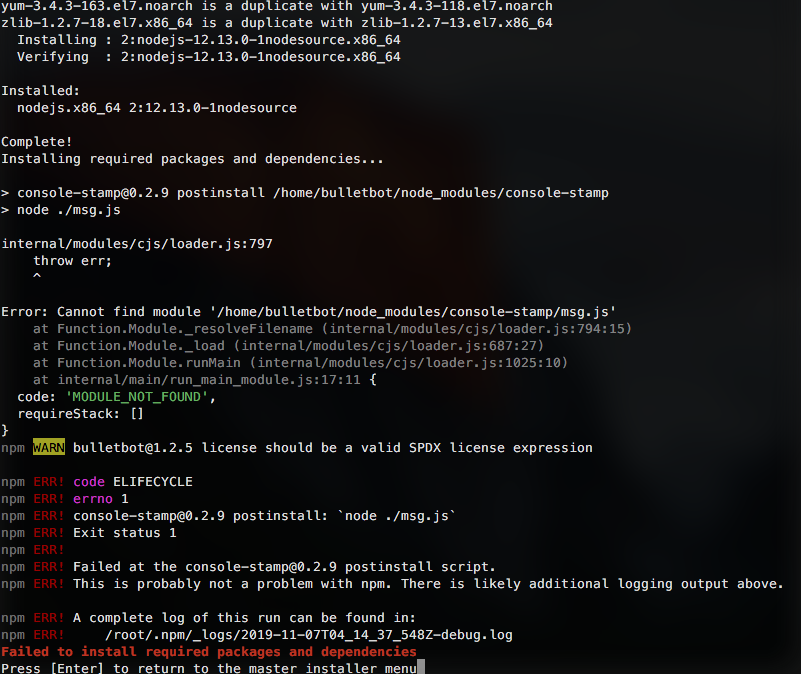
Install Certbot Rhel 7 Installation Guide RHEL FIDO Device Onboard CentOS 8 RHEL 8 Ansible Installer Error When Installing Required Packages And Dependencies C i t SSL Let s Encrypt V i Certbot Tr n Nginx VINASTAR Cloudflare Certbot Fails To Create Certs Help Let s Encrypt Feb 23 2025 nbsp 0183 32 When I try to re install Chrome I get quot Service error update client ServiceError UPDATE DISABLED quot I uninstalled Chrome using Revo Uninstaller to make sure it was completely removed I re downloaded Chrome amp tried all the other suggestions I found I m on Windows 11
Select Install for no charge items or the item s price Tips To check that an app is reliable find out what other people say about it Under the app s title check the star ratings and the number of downloads To read individual reviews scroll to the quot Ratings and reviews quot section If you can t find an app you want to install there are Before you install Google Play Games Beta on your PC CPU virtualization must be turned on in your computer s BIOS settings Tip If you installed other emulators on your computer they might not work when Windows Hypervisor Platform is turned on
Cloudflare Certbot Fails To Create Certs Help Let s Encrypt Install Let s Encrypt SSL On Ubuntu With Certbot InMotion Hosting How To Install Certbot Let s Encrypt On Rocky Linux 9 GoLinuxCloud HTTPS Certbot SSL Leaface RHEL 7 Install Problem Issue 5109 Certbot certbot GitHub How To Install Certbot On Ubuntu 20 04 Easily Let s Encrypt Free SSL Certificate On Contabo Digital Freshman How To Enable HTTPS Using A Free SSL Certificate From Certbot YouTube
Install Certbot Rhel 7
 Install Certbot Rhel 7
https://fido-device-onboard.github.io/docs-fidoiot/latest/images/securedeviceonboard-icon-color.png
To download and install the tool click the following link Download Microsoft Support and Recovery Assistant for Office 365 Once installed the application will start automatically
Templates are pre-designed documents or files that can be utilized for various purposes. They can save effort and time by supplying a ready-made format and design for producing various sort of material. Templates can be utilized for personal or expert jobs, such as resumes, invites, flyers, newsletters, reports, discussions, and more.
Install Certbot Rhel 7

RHEL Makes Changes To Source Code Availability Alma RockyLinux
Install Let s Encrypt SSL On Ubuntu With Certbot InMotion Hosting

How To Install Certbot Let s Encrypt On Rocky Linux 9 GoLinuxCloud

HTTPS
RHEL 7 Install Problem Issue 5109 Certbot certbot GitHub
How To Install Certbot On Ubuntu 20 04 Easily
Installer Chrome Important Avant de t 233 l 233 charger Chrome vous pouvez v 233 rifier s il est compatible avec votre syst 232 me d exploitation et les autres configurations syst 232 me requises

Puedes descargar e instalar el navegador web Chrome sin coste econ 243 mico y usarlo para navegar por la Web C 243 mo instalar Chrome Importante Antes de descargarlo puedes comprobar
Como instalar o Chrome Importante antes de baixar confira se o Chrome 233 compat 237 vel com seu sistema operacional e outros requisitos do sistema
Official Google Chrome Help Center where you can find tips and tutorials on using Google Chrome and other answers to frequently asked questions
On your iPhone or iPad open App Store In the search bar enter Chrome Tap Get To install follow the on screen instructions If prompted enter your Apple ID password To start browsing tap Open To open Chrome from your Home screen tap Chrome
[desc-11] [desc-12]
[desc-13]