Install Centos 8 Server Without Gui Install CentOS 8 Server on VMware vSphere Hypervisor ESXi 6.5 - Only Command Line Interface - YouTube How to Install CentOS 8 Server How to Install CentOS 8 Server Software Selection :: CentOS Docs Site How to Install a CentOS 8 Minimal Server 8 October 2022 by Korbin Brown A GUI is only a supplemental component of a Linux system and is not essential Many System Administrators will elect to keep their servers as command line only as a GUI is completely unnecessary for running a plethora of different services
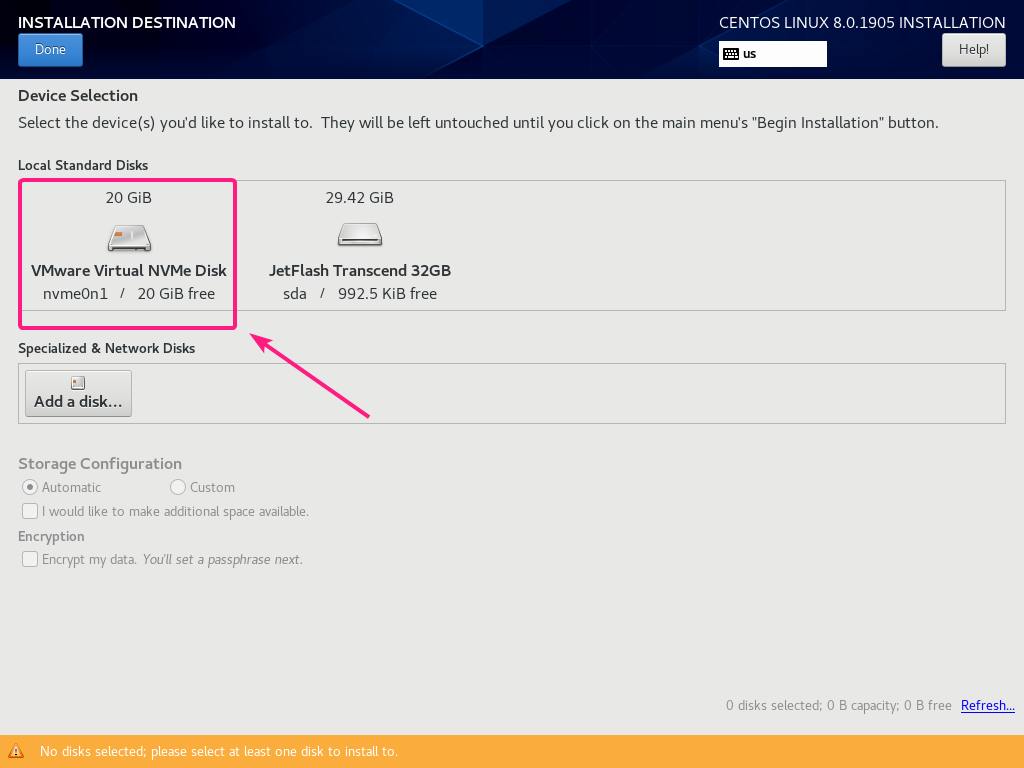
Select Date Time Set your region and the nearest city in your time zone Click Done to return to the Installation Summary Select Keyboard Layout Use the and buttons to add and remove keyboard layouts If you enable multiple keyboard layouts move your preferred layout to the top of the list using the button to set it as default Complete the following steps to install CentOS using the graphical user interface Steps Configure language and location settings See Configuring language and location settings for more information Configure localization settings See Configuring localization options for more information
How to Install a CentOS 8 Minimal Server How to Install CentOS 8 Server How To Install CentOS 8 Linux - Step by Step with Screenshots | ComputingForGeeks How to Install CentOS 8 Stream How To Install CentOS 8 Linux - Step by Step with Screenshots | ComputingForGeeks Using Linux without GUI - Linux Tutorials - Learn Linux Configuration CentOS Linux on Hyper-V - A Complete Guide 2. Installation — Clusters from Scratch CentOS Linux on Hyper-V - A Complete Guide
Install Centos 8 Server Without Gui
 Install Centos 8 Server Without Gui
https://i.ytimg.com/vi/X12EC_NgLZQ/maxresdefault.jpg
Here are the steps to install and configure CentOS 8 Create a Bootable CentOS 8 stick on Linux Plug the USB stick in the USB port Download CentOS 8 ISO file Copy the image to your USB drive Boot on the USB drive Install CentOS8 from your USB drive Changing the keyboard layout
Pre-crafted templates use a time-saving option for developing a diverse series of files and files. These pre-designed formats and designs can be made use of for various personal and professional projects, including resumes, invitations, leaflets, newsletters, reports, discussions, and more, simplifying the material production process.
Install Centos 8 Server Without Gui
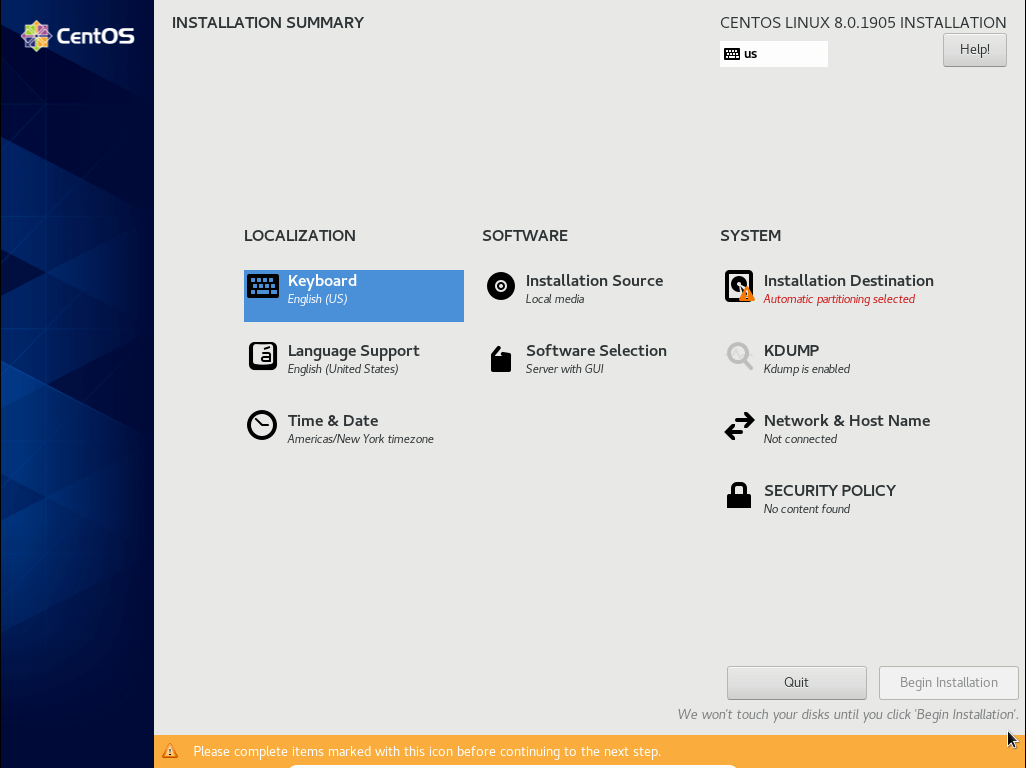
Installation of “CentOS 8.0″ with Screenshots
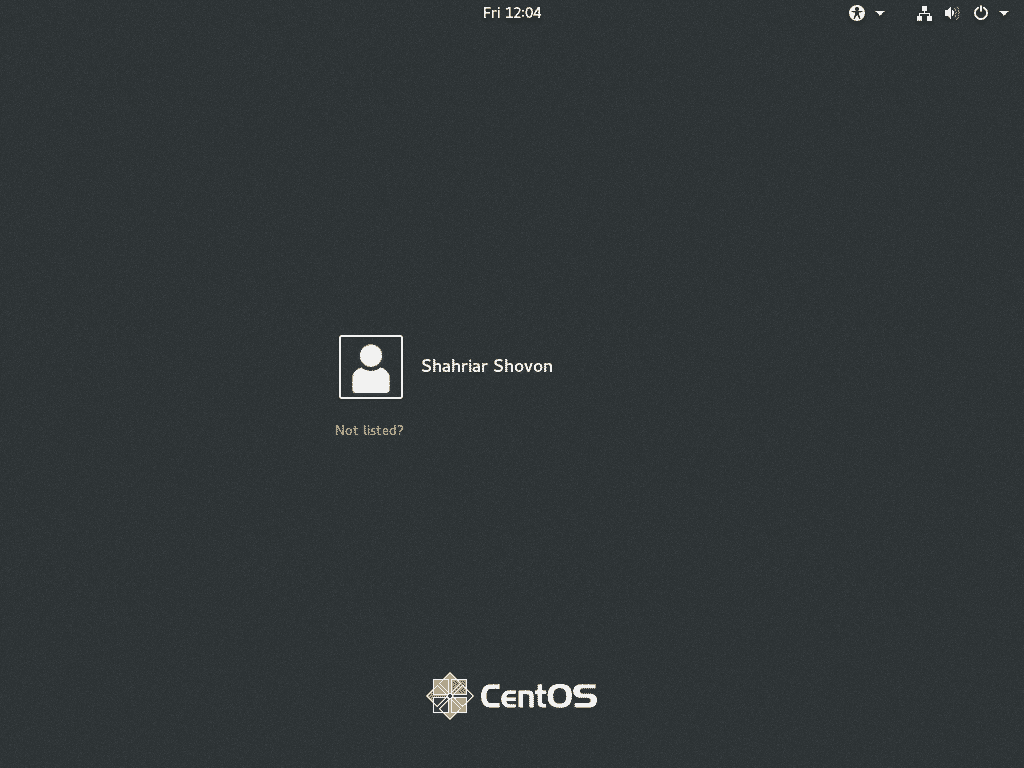
How to Install CentOS 8 Server

How To Install CentOS 8 Linux - Step by Step with Screenshots | ComputingForGeeks
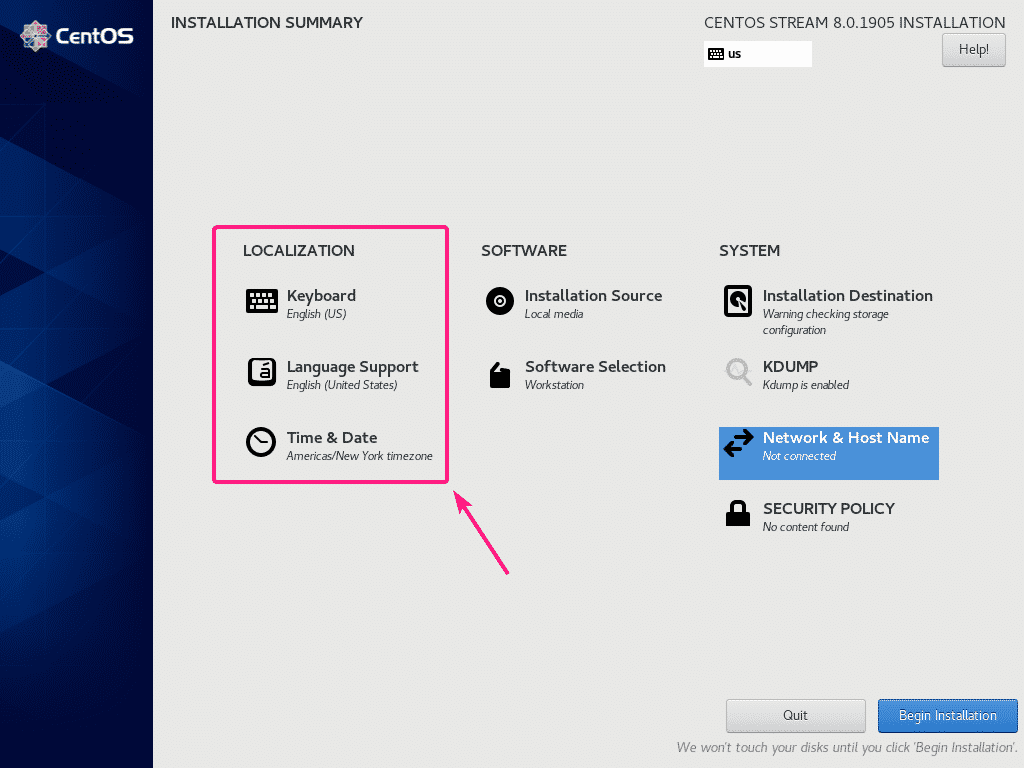
How to Install CentOS 8 Stream

Using Linux without GUI - Linux Tutorials - Learn Linux Configuration
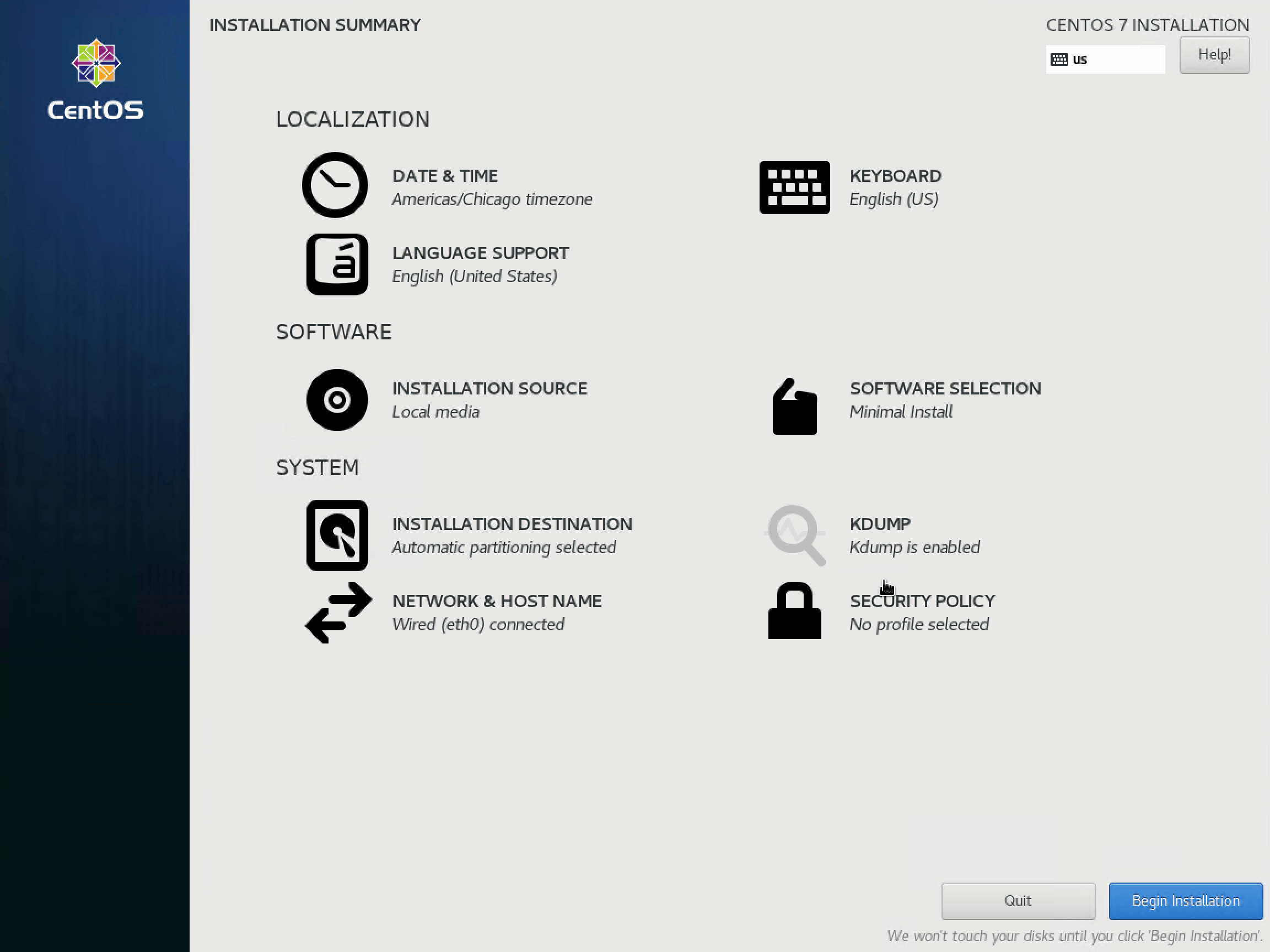
CentOS Linux on Hyper-V - A Complete Guide

Requirements To get started with the CentOS 8 installation we will need the installer ISO file This can either be the CentOS minimal ISO or the DVD ISO file If you plan to install just this one server then choose the minimal ISO as it is smaller the installer will download the required packages during installation later
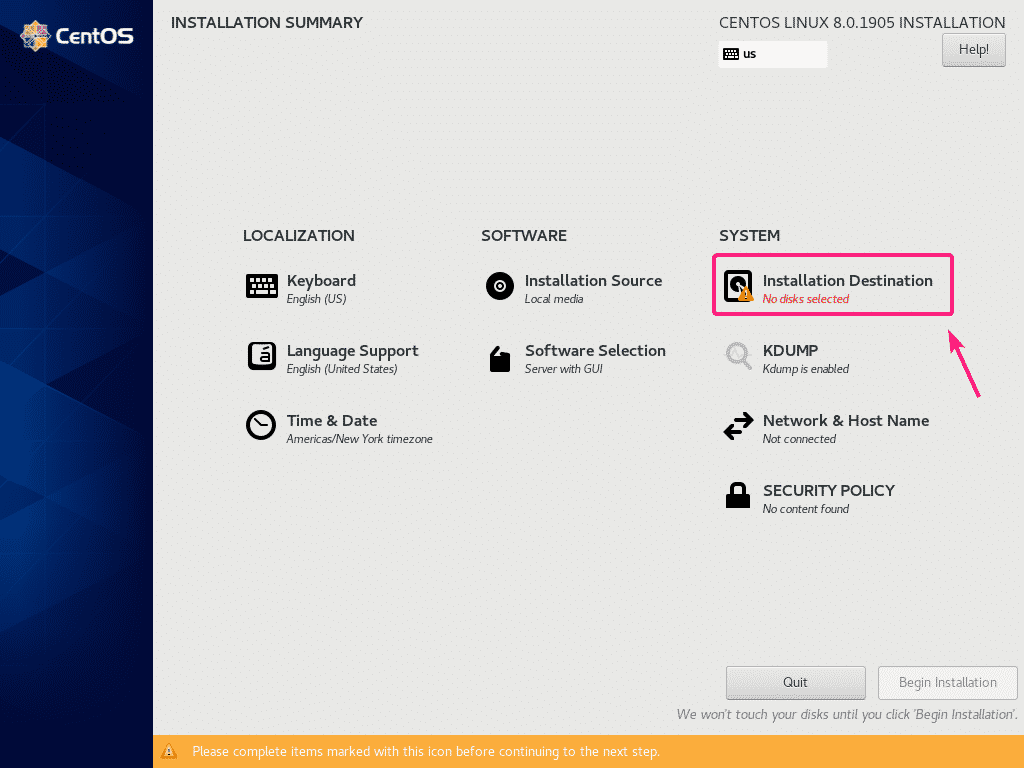
Where CentOS Stream 8 x86 64 latest boot iso is the path to ISO file dev sdX is your usb device location Alternative tools for creating CentOS 8 bootable device are Etcher PowerISO WoeUSB and Win32DiskImager Install CentOS 8 Linux on VirtualBox
Start GUI on RHEL 8 CentOS 8 without the need for reboot by using the systemctl command systemctl isolate graphical RHEL 8 CentOS 8comes in two main flavors namely Red Hat Enterprise Linux 8 server and RHEL 8 CentOS 8 Workstation The Workstation version comes with graphical user interface GUI pre installed as default

Step 1 Download CentOS 8 The first step is to download the CentOS 8 ISO file located on the official CentOS website There you will find two available ISO packages CentOS Linux DVD ISO the non enterprise environment that includes the GUI and CentOS Stream DVD ISO the rolling release distro

33 Update for RedHat CentOS 7 that has switched from sysvinit to systemd To switch from GUI to CLI systemctl isolate multi user target To switch from CLI to GUI systemctl isolate graphical target To set the CLI as a default runlevel target in systemd terminology systemctl set default multi user target
To do a server install choose the minimal or normal CD DVD from the Centos site To do the installation using a text installer when you see the boot menu for the normal CD you ll see install or upgrade existing system Press TAB and go to the end of the command line containing vmlinuz at the end add the word text In this example you will work with a CentOS virtualization server without a GUI The ISO is an Ubuntu server install also without a GUI Run commands as the root user Cockpit is the means used to install the VM While there are other methods it comes installed on CentOS 8
Get CentOS 7 or CentOS 8 on your Cloudzy CentOS VPS and run an efficient Linux based server with minimal resource consumption Get a CentOS VPS How to Install GUI on CentOS 7 Now we are going to tell you how to install GUI on centos7 using 3 different GUIs in the following lines So you can choose any of them based on your needs Installing GNOME