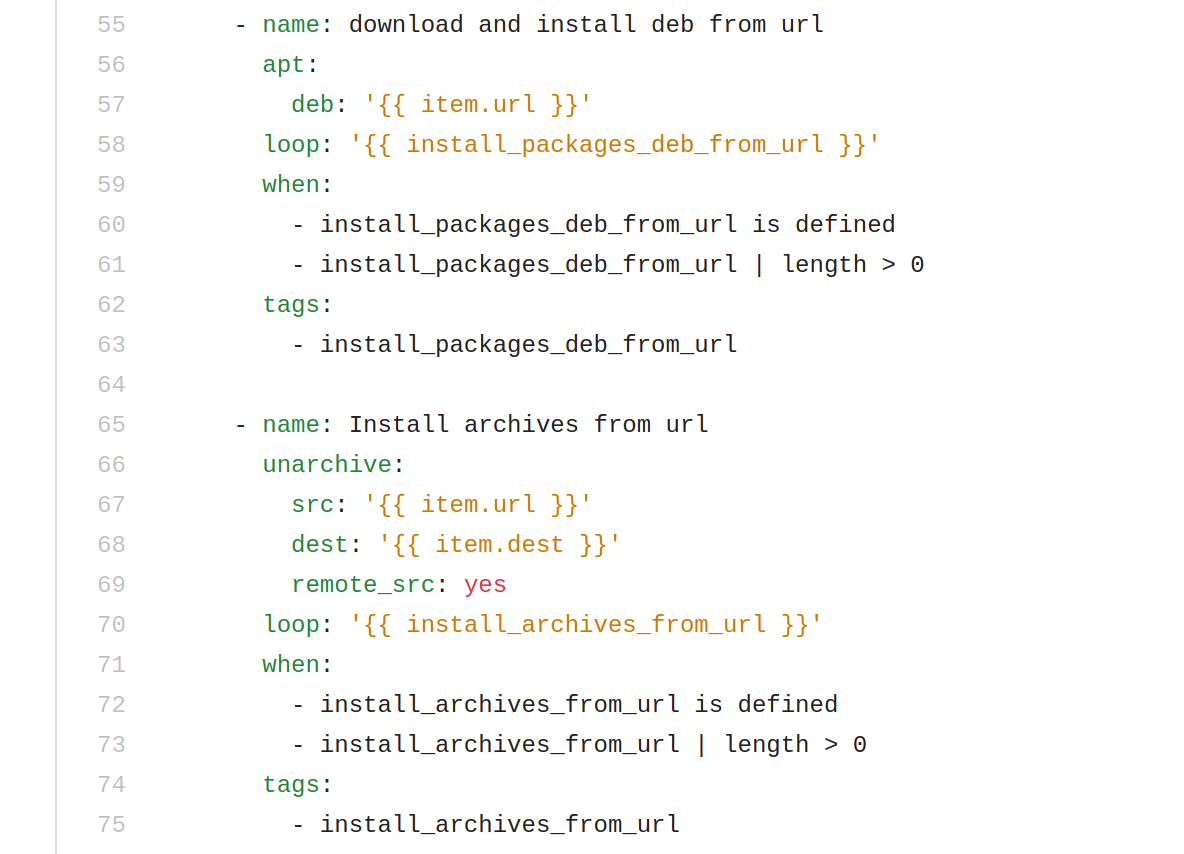
Install Ansible Playbook Linux Install Ansible AWX On CentOS 8 Ansible AWX Ansible Web EXecutable General Purpose Ansible Playbook For Installing Various Software On Arch Ansible An Ansible Playbook To Install Arch Linux Arch Ansible How To Install An Application On Windows By Using Ansible Playbook The Linux Guide How To Install And Configure Apache Using Ansible Automating the installation of required system packages is a common operational task in Ansible playbooks since a typical application stack requires software from different sources The apt module manages system packages on Debian based operating systems such as Ubuntu the distribution we re using on remote nodes throughout this guide
Create a file named playbook yaml in your ansible quickstart directory that you created earlier with the following content name My first play hosts myhosts tasks name Ping my hosts ansible builtin ping name Print message ansible builtin debug msg Hello world Run your playbook ansible playbook i inventory ini playbook yaml You can install Ansible on any machine with Python 2 version 2 7 or Python 3 versions 3 5 and higher With RHEL 7 we have Python 2 7 installed by default and with RHEL 8 we have Python 3 6 by default To use all Ansible modules you need to install Python on the managed nodes as well
The Linux Guide How To Install And Configure Apache Using Ansible Install Apache With Ansible Playbook On A Linux Host Learn IT And How To Install Ansible In Amazon Linux 2 AWS EC2 Ansible Install How To Write Ansible Playbook To Check CPU Usage For Linux Server How To Install Ansible AWX On Ubuntu 20 04 LTS How To Speed up An Ansible Playbook Kirelos Blog Arch Ansible An Ansible Playbook To Install Arch Linux Arch Ansible Using Ansible Through Windows 10 s Subsystem For Linux Jeff Geerling Ansible playbook Nginx Linux Linux
Install Ansible Playbook Linux
 Install Ansible Playbook Linux
https://miro.medium.com/max/3206/1*3LL7pdPtRgp37-bJdWU7mQ.png
Running playbooks in check mode Ansible Pull Verifying playbooks ansible lint Playbook syntax Playbooks are expressed in YAML format with a minimum of syntax
Templates are pre-designed files or files that can be used for various functions. They can save time and effort by providing a ready-made format and layout for developing various sort of material. Templates can be used for personal or expert tasks, such as resumes, invites, flyers, newsletters, reports, discussions, and more.
Install Ansible Playbook Linux

Arch Ansible An Ansible Playbook To Install Arch Linux Arch Ansible
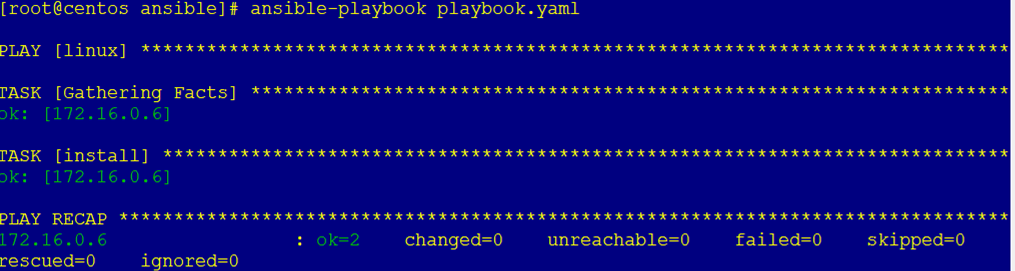
Install Apache With Ansible Playbook On A Linux Host Learn IT And

How To Install Ansible In Amazon Linux 2 AWS EC2 Ansible Install

How To Write Ansible Playbook To Check CPU Usage For Linux Server
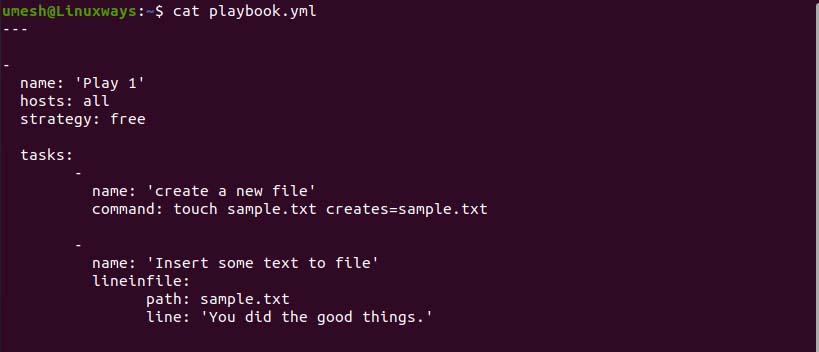
How To Speed up An Ansible Playbook Kirelos Blog
Arch Ansible An Ansible Playbook To Install Arch Linux Arch Ansible
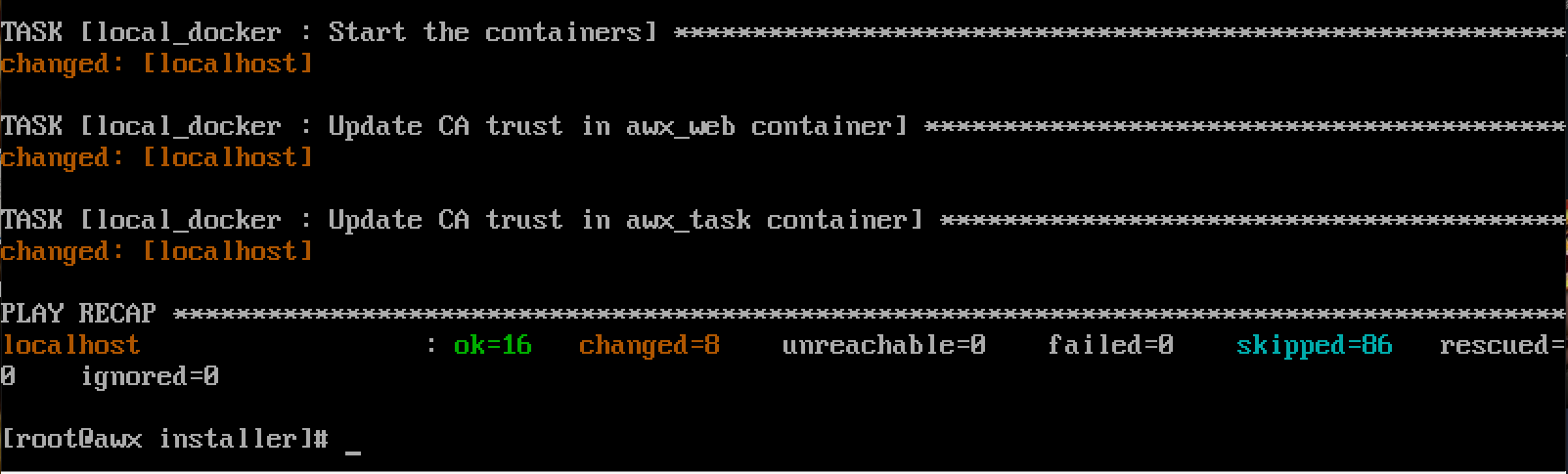
The ansible package can always be installed from PyPI using pip on most systems but it is also packaged and maintained by the community for a variety of Linux distributions This document guides you through installing Ansible from different distribution s package repositories
Installation Guide Welcome to the Ansible Installation Guide Installing Ansible Control node requirements Managed node requirements Node requirement summary Selecting an Ansible package and version to install Installing and upgrading Ansible with pipx Installing and upgrading Ansible with pip Installing Ansible to containers

How To Install and Configure Ansible on Ubuntu 20 04 DigitalOcean Configuration management systems are designed to streamline the process of controlling large numbers of servers for administrators and operations teams The

Ansible playbook Edit on GitHub Discuss Ansible in the new Ansible Forum This is the latest stable community version of the Ansible documentation For Red Hat customers see the difference between Ansible community projects and Red Hat supported products or Ansible Automation Platform Life Cycle for subscriptions
Install Ansible execute a network configuration command manually execute the same command with Ansible then create a playbook so you can execute the command any time on multiple network devices Prerequisites Install Ansible Establish a manual connection to a managed node Run your first network Ansible command
Installation On the control machine master install the ansible core package Additionally you can install the ansible package which provides a range of community curated collections On the managed machines nodes where you want to automate deployment or configuration tasks python is required and it may be necessary to indicate the specific Python binary location in some circumstances Step 1 Installing Ansible To begin exploring Ansible as a means of managing our various servers we need to install the Ansible software on at least one machine To get Ansible for CentOS 7 first ensure that the CentOS 7 EPEL repository is installed sudo yum install epel release
Install aptitude which is preferred by Ansible as an alternative to the apt package manager Install the required LAMP packages Create a new Apache VirtualHost and set up a dedicated document root for that Enable the new VirtualHost Disable the default Apache website when the disable default variable is set to true