Install Ansible On Linux Mint How To Install Ansible On Linux Ubuntu OS Https crunchify how How To Install Linux Mint Step By Step Guide How To Install And Setup Ansible On Ubuntu 20 04 Cloudbooklet AI What Is Ansible A Tool To Automate Parts Of Your Job Easy Way To Install Ansible On Linux Web Step 2 Installing Ansible on Linux Mint 20 By default Ansible is available on the Linux Mint base repository Now we will install Ansible on Linux Mint 20 by executing the command below sudo apt install ansible You can verify Ansible installation by checking the installed version ansible version Step 3 Setup SSH keys
Web Oct 14 2015 nbsp 0183 32 On Ubuntu Debian Linux Mint Here we are going to use official Ansible PPA repository on the system just run the below commands to add the repository sudo apt add repository ppa ansible ansible y sudo apt get update amp amp sudo apt get install ansible y Add Ansible PPA Install Ansible in Ubuntu On RHEL CentOS Fedora Web Apr 27 2021 nbsp 0183 32 1 Connect to your soon to be Ansible controller on an Ubuntu host with your favorite SSH client 2 Ansible is stored as a package that can be downloaded and installed via the apt package manager To ensure apt can find the proper source and download any dependent packages run apt update sudo apt update
Easy Way To Install Ansible On Linux How To Install Ansible In RedHat Enterprise Linux RHEL 9 Beta How To Install Ansible On CentOS Rhel And Ubuntu UseOfLinux How To Install And Configure Ansible On Ubuntu 16 04 Digital Varys How To Install Ansible On RHEL 9 Step By Step Ansible Tutorial Installing Ansible On Linux Linux Mint 20 1 Linux How To Install Ansible AWX On Ubuntu YouTube Cara Install Ansible Pada Linux Mint 20
Install Ansible On Linux Mint
 Install Ansible On Linux Mint
https://i.pinimg.com/originals/3f/54/e9/3f54e9a0874d41b559037055147a49e0.png
Web Linux Mint Community ansible Configuration management deployment and task execution system https www ansible 2 1 review Install Ansible is a radically simple model driven configuration management multi node deployment and remote task execution system
Templates are pre-designed files or files that can be used for different functions. They can save time and effort by providing a ready-made format and design for producing various type of content. Templates can be utilized for personal or professional tasks, such as resumes, invitations, leaflets, newsletters, reports, discussions, and more.
Install Ansible On Linux Mint
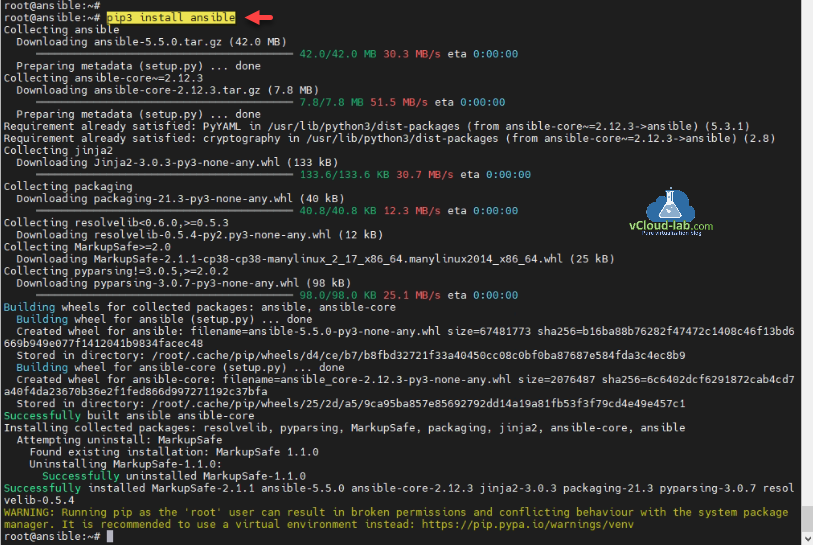
How To Install And Configure Ansible On Ubuntu VGeek Tales From

How To Install Ansible In RedHat Enterprise Linux RHEL 9 Beta

How To Install Ansible On CentOS Rhel And Ubuntu UseOfLinux

How To Install And Configure Ansible On Ubuntu 16 04 Digital Varys
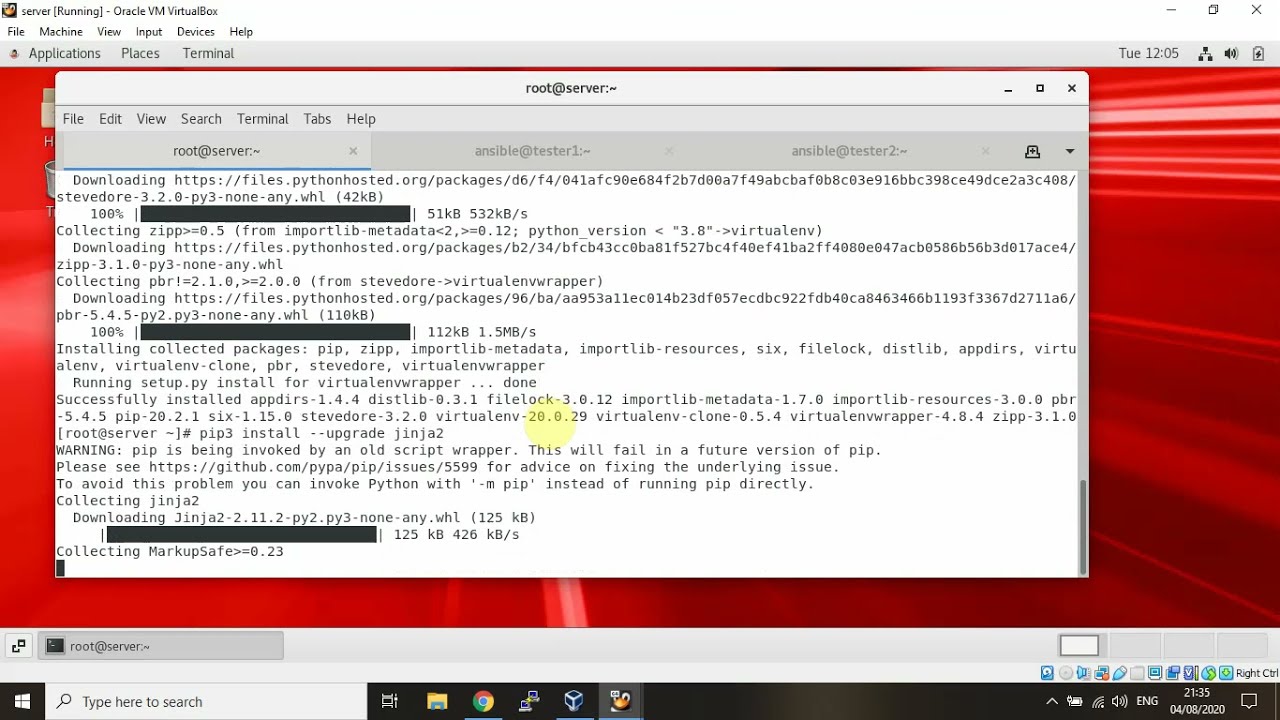
Ansible Tutorial Installing Ansible On Linux

Linux Mint 20 1 Linux

Web Mar 23 2023 nbsp 0183 32 Step 1 To run Ansible successfully on Linux its imperative to install all of its required dependencies and for that just execute sudo apt install software properties common y Step 2 Once the necessary dependencies are installed use the Linux default package manager that is Apt to install this tool sudo apt install ansible y

Web Jul 9 2020 nbsp 0183 32 Installing Ansible on Linux Mint To give non root users passwordless sudo access sudo visudo Add the line as below replacing user1 with your user then save user1 ALL ALL NOPASSWD ALL Ansible can easily be installed from the official package repository Login to your Ansible controller and open the terminal

Web Feb 5 2021 nbsp 0183 32 For installing Ansible on Linux Mint 20 you have to proceed as described in the steps below Step 1 Update your Linux Mint 20 Machine Before installing Ansible on any Linux distribution it is highly recommended to update your system with the following command sudo apt get update

Web Mar 7 2024 nbsp 0183 32 The ansible package can always be installed from PyPI using pip on most systems but it is also packaged and maintained by the community for a variety of Linux distributions This document guides you through installing Ansible from different distribution s package repositories

Web Mar 7 2024 nbsp 0183 32 Installing and upgrading Ansible with pip Installing Ansible to containers Installing for development Confirming your installation Adding Ansible command shell completion Installing Ansible on specific operating systems Installing Ansible on Fedora Linux Installing Ansible from EPEL Installing Ansible on OpenSUSE
Web Sep 25 2023 nbsp 0183 32 Checking the version python3 version Python 3 8 10 Install Ansible sudo apt install ansible ansible version ansible 2 9 6 You can install Ansible and Python on rpm based Linux distros CentOS Rocky Linux RHEL Oracle Linux as follows dnf install epel release dnf makecache dnf install python3 dnf install ansible Web Jan 28 2021 nbsp 0183 32 Install Ansible from the Ansible repo Ansible Install dependencies sshpass Python3 markupsafe Python3 jinja2 Python3 babel Install weak dependency Python3 jmespath After the installation run the ansible version command to check the version of Ansible installed ansible version ansible 2 9 6
Web Jul 14 2021 nbsp 0183 32 You can install ansible in Linux in two ways Using operating system package manager Using PIP Python package manager 3 1 1 Install Ansible using system package manager First will see how to use your distribution s package manager to install ansible Based upon your Linux distribution run the following commands