Insert Line Break In Excel Formula Mac How To Insert A Line Break In Excel Excel Mine Excel Mac Os Insert Line Break Safaswith How To Insert Line Break In SQL Server String Interview Question Of The Week 139 SQL How To Insert Line Break In Google Sheets Create New Line In Same Cell Google Sheets Tips Insert Line Break In Excel Add More Line In Cell Excel Unlocked For Mac Control Option Enter Here are the steps to start a new line in Excel Cell using the shortcut ALT ENTER Double click on the cell where you want to insert the line break or press F2 key to get into the edit mode Place the cursor where you want to insert the line break Hold the ALT key and press the Enter key for Windows
In Excel on Mac you can create a line break within a cell by pressing Control Option Enter It s important to be aware of these differences when working with line breaks in Excel on a Mac as the shortcuts may vary from the Windows version Using the Wrap Text Feature To add a line break taking into account the current OS Mac or Windows you can use the INFO function to test the system and then return the correct break character ASCII 10 for Windows and ASCII 13 on a Mac In the worksheet shown the formula in cell C3 is IF INFO system mac CHAR 13 CHAR 10
Insert Line Break In Excel Add More Line In Cell Excel Unlocked How To Print Multiple White Spaces And Insert Line Break In JavaScript JavaScript Tutorial 02 Line Break In Excel Cell YouTube How To Insert A Page Break In Excel Daniels Gaince Excel For Mac How To Do Line Return Within A Cell Lernelo Add And Remove Line Breaks In Excel Video Tutorial How Do You Insert Line Break In Excel SoftwareKeep How Do You Insert A Line Break In JSON Rankiing Wiki Facts Films S ries Animes Streaming How To Insert A Line Break In A Cell After A Specific Character
Insert Line Break In Excel Formula Mac
 Insert Line Break In Excel Formula Mac
https://excelmine.com/wp-content/uploads/2022/03/excel-linebreak-7.png
Press Alt Enter on the keyboard if you re using Excel on a Windows PC If you re using a Mac press Control Option Return instead You can repeat these steps to add additional line breaks
Templates are pre-designed documents or files that can be utilized for numerous purposes. They can save time and effort by providing a ready-made format and layout for developing various type of content. Templates can be utilized for individual or professional tasks, such as resumes, invites, leaflets, newsletters, reports, discussions, and more.
Insert Line Break In Excel Formula Mac

How To Line Break In Excel Easy Tutorial

How To Print Multiple White Spaces And Insert Line Break In JavaScript JavaScript Tutorial 02
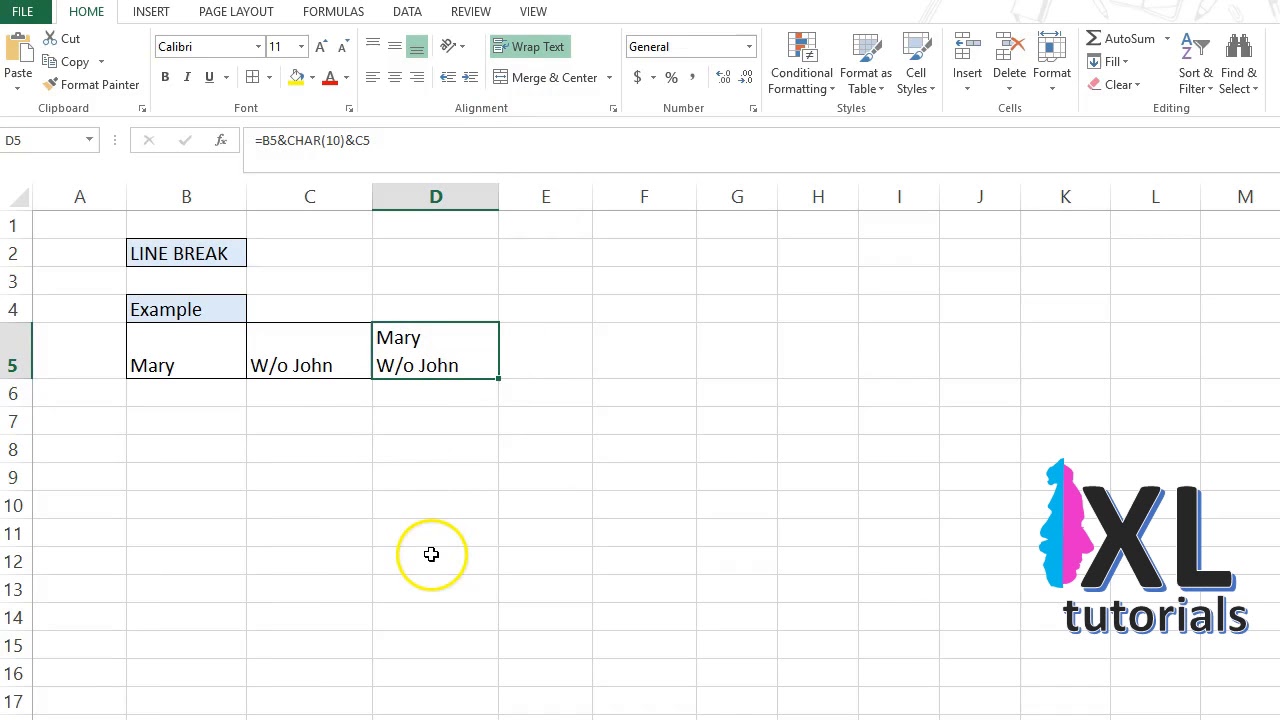
Line Break In Excel Cell YouTube
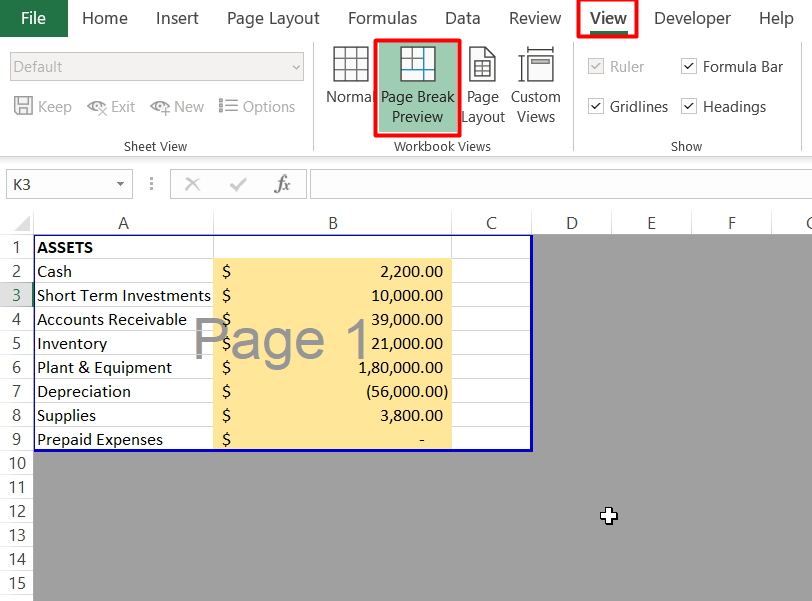
How To Insert A Page Break In Excel Daniels Gaince

Add And Remove Line Breaks In Excel Video Tutorial

How Do You Insert Line Break In Excel SoftwareKeep

The answer is to use Control Option Enter which will create a line break in the cell As an alternative Control Command Enter can also be used to achieve the same These combinations work both in Excel for Mac 2011 and the new Excel for Mac 2015

On your Mac use the Control Option Return combination to enter a new line within a cell Alternatively you can use the Control Command Return combination to perform the same function mentioned above By using this feature you can easily enter any type of data you want in a cell

To add space between lines of text in a cell double click the cell click where you want to break the line and then press ALT ENTER as many times as you need

2 Answers Sorted by 13 Use this formula UPPER B 8 PROPER C 8 CHAR 10 UPPER B 9 PROPER C 9 and enable text wrapping in the cell with the formula or EDIT 1 There are four things at issue here Text wrapping must be enabled in the formula cell
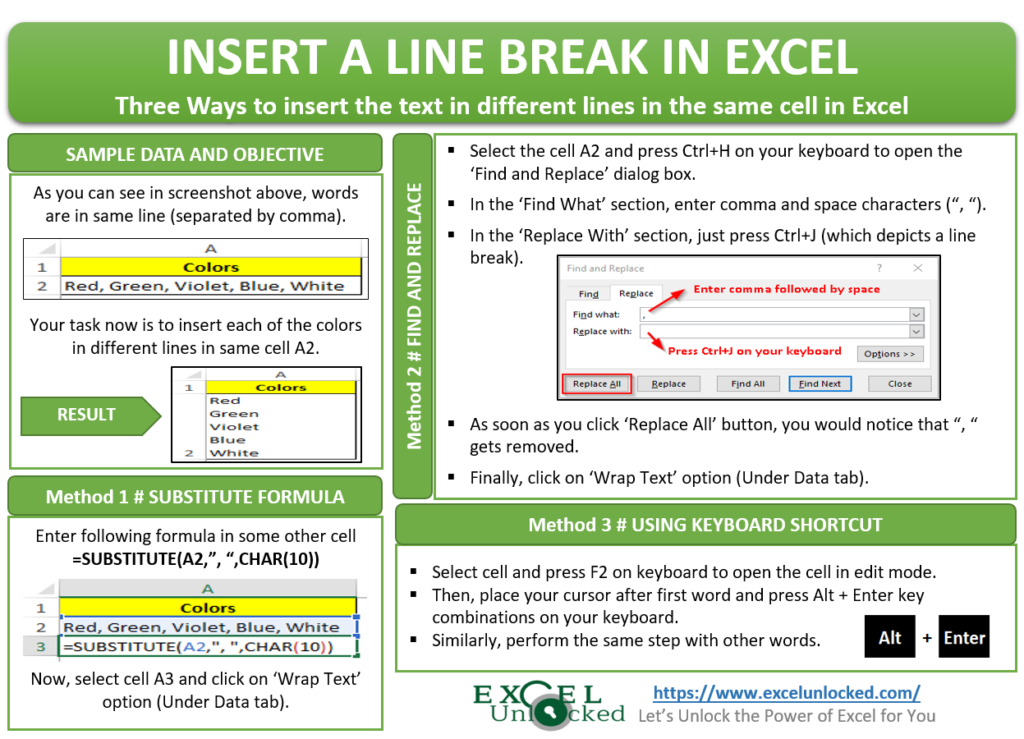
Windows shortcut for line break Alt Enter Mac shortcut for line feed Control Option Return or Control Command Return In Excel 365 for Mac you can also use Option Return Option is the equivalent of the Alt key on Windows so it seems the original Windows shortcut Alt Enter now works for Mac too
How do we insert line break in excel using formula Let s find out Generic Formula to Insert Excel Line Break text formula CHAR 10 text formula Important note The cell should be wrapped Here text formula can be any text or formula CHAR 10 this is equivalent to ALT ENTER is concatenation operator in excel On the keyboard press Alt Enter to add a line break Press Enter to complete the formula The cell will automatically be formatted with Wrap Text and you might need to widen the column Remove Line Breaks To create a line break in a cell you simply use the keyboard shortcut Alt Enter as described in the previous section
Inserting a line break in Excel is quite easy Just press Alt Enter to add a line break inside a cell This keyboard shortcut works the same way on Windows and the Office 2016 for Mac Insert line breaks with a formula Let s say you want to add a line break within the CONCATENATE formula or the when you combine two text cells