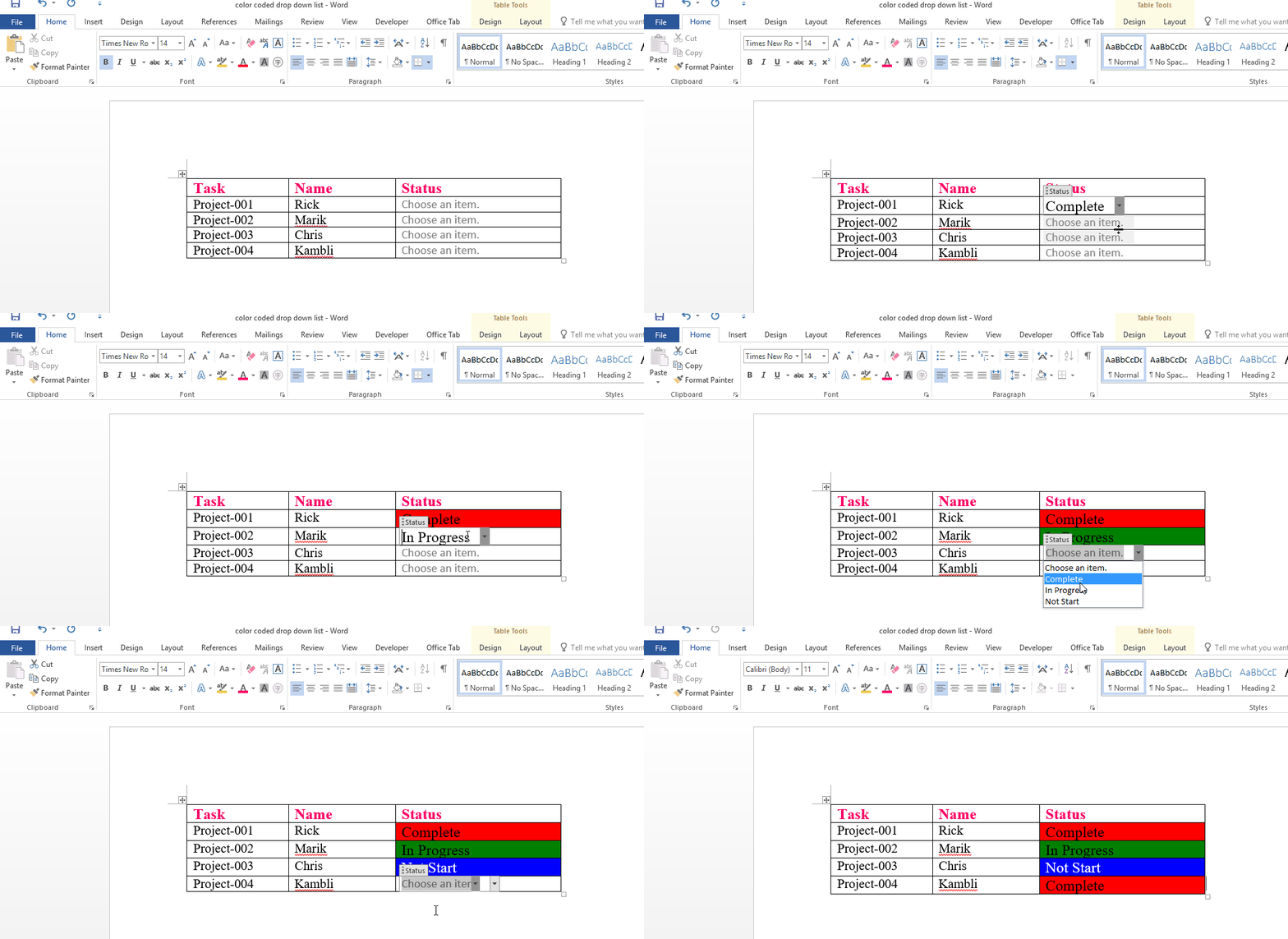
Insert Drop Down List In Word Table Steps To Create Word Drop Down List In 2020 How To Create A Drop Down List In Word YouTube How To Insert Color Coded Drop Down List In Word Table How To Insert A Drop Down List In Word YouTube The Difference Between A Drop Down List And A Combo Box Drop Down List In Word 365 YouTube Web Dec 2 2019 nbsp 0183 32 Is it possible to use values from a column in a table in a word document to populate a drop down Example In a table with the column quot Version quot there are the
Web May 28 2022 nbsp 0183 32 You can follow the below steps in order to insert a drop down menu list in a Word document Step 1 Open Microsoft Word and go to the menu and click on Step 2 Click on the Customize Web Jul 4 2019 nbsp 0183 32 Place your cursor at where you want to add a drop down list Then go to Developer tab and find Drop down List Content Control in Controls section 4 Now the list has been added to the where your
The Difference Between A Drop Down List And A Combo Box Drop Down List In Word 365 YouTube How To Insert A Drop down List In Word MS Word Know How 0 Result Images Of Edit Drop Down List In Word PNG Image Collection How To Insert Drop Down List In Google Sheets Daxmilliondollar How To Insert A Drop Down List In Word Steps To Create Word Drop Down List In 2020 Insert A Drop down List In Word Create Dependent Drop Down List In Word Fillable Forms Microsoft Word YouTube Drop Down List In Word 2007 YouTube
Insert Drop Down List In Word Table
 Insert Drop Down List In Word Table
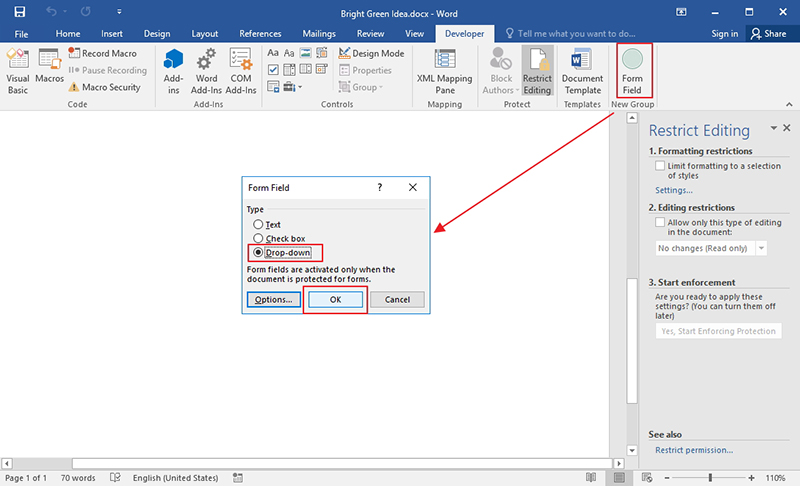
https://pdfimages.wondershare.com/word/word-add-drop-down-list-02.jpg
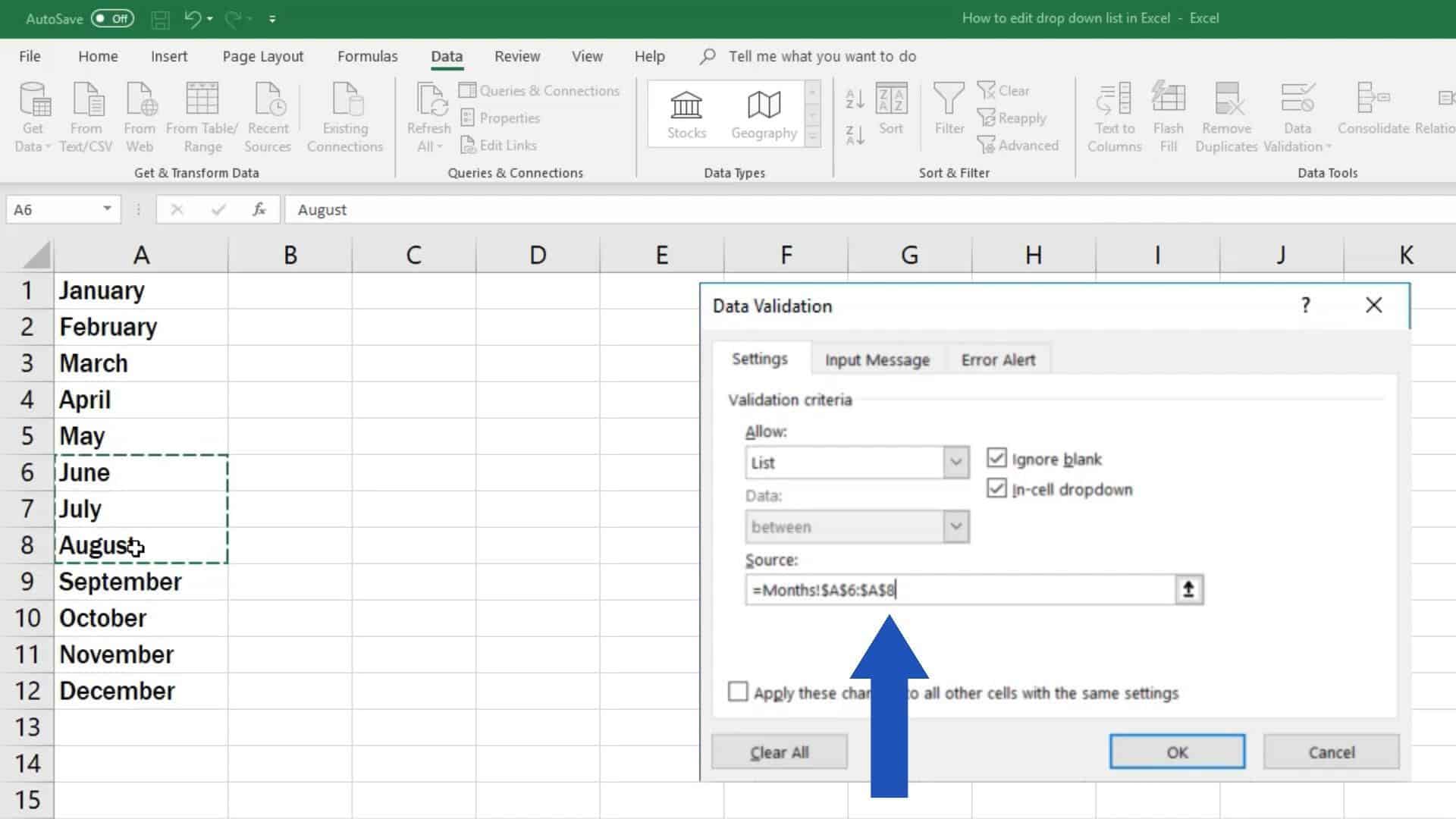
Web If you already made a table with the drop down entries select in the Source box and then select and drag the cells that contain those entries However do not include the header cell Just include the cells that
Templates are pre-designed files or files that can be used for various purposes. They can conserve effort and time by providing a ready-made format and design for creating different sort of content. Templates can be utilized for personal or professional projects, such as resumes, invitations, leaflets, newsletters, reports, presentations, and more.
Insert Drop Down List In Word Table

Drop Down List In Word How To Insert YouTube

How To Insert A Drop down List In Word MS Word Know How
0 Result Images Of Edit Drop Down List In Word PNG Image Collection
How To Insert Drop Down List In Google Sheets Daxmilliondollar
Steps To Create Word Drop Down List In 2020
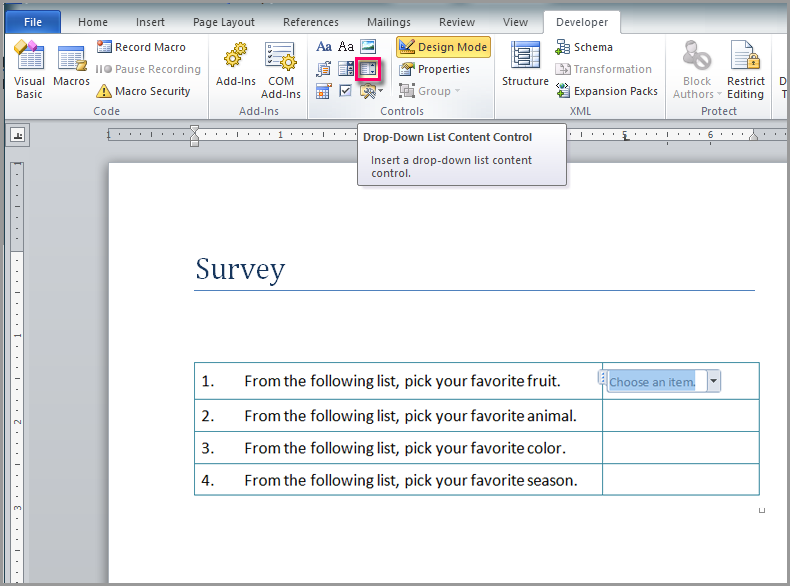
Insert A Drop down List In Word
Web Jun 15 2022 nbsp 0183 32 To add a drop down list to your Microsoft Word document click the Developer tab at the top and then select Drop Down List Content Control This drop
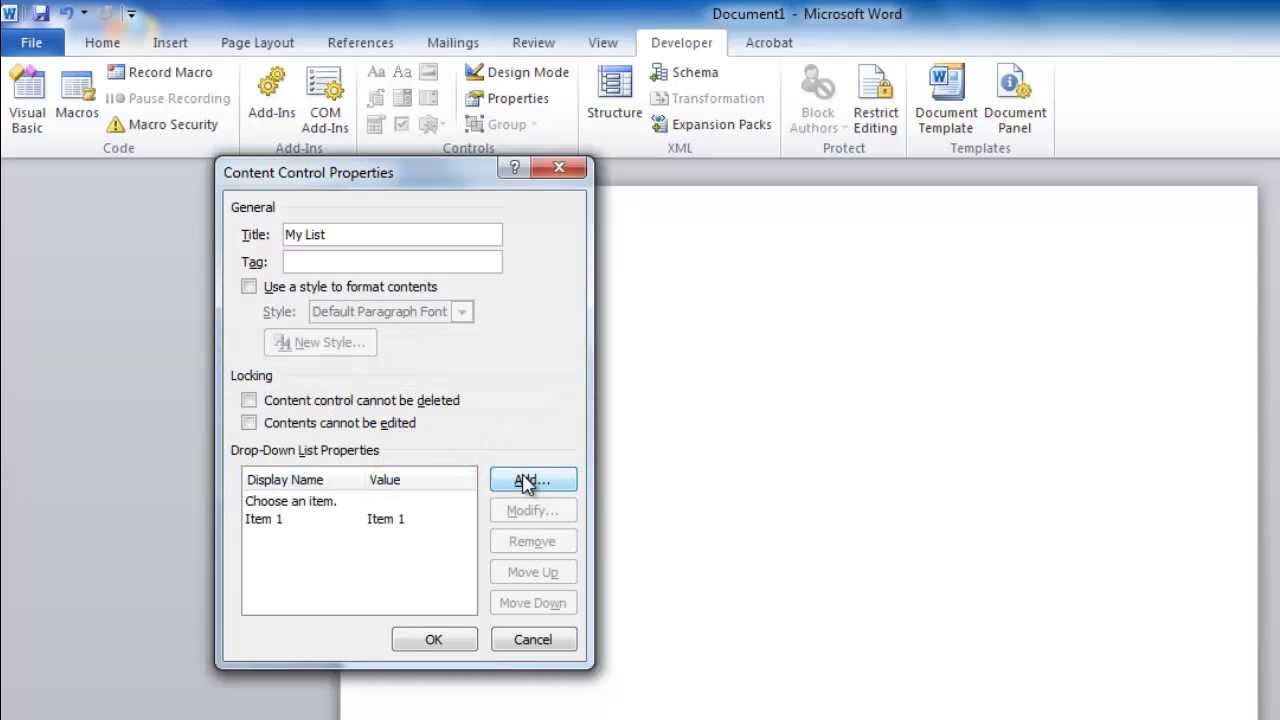
Web Aug 13 2020 nbsp 0183 32 Adding a new row in a table with a Drop Down list in Word Hi I have created a table which has one column that should be filled by selecting from a drop down list I have added the drop down list in
Web To insert a drop down list in a Word document please do as follows 1 Click File gt Options 2 In the opening Word Options dialog box please 1 click Customize Ribbon in left bar 2 check Developer in the right box

Web Nov 18 2022 nbsp 0183 32 Place your cursor in the document where you want to add the drop down list Go to the Developer tab and click the Drop Down List Content Control button You ll see the control pop
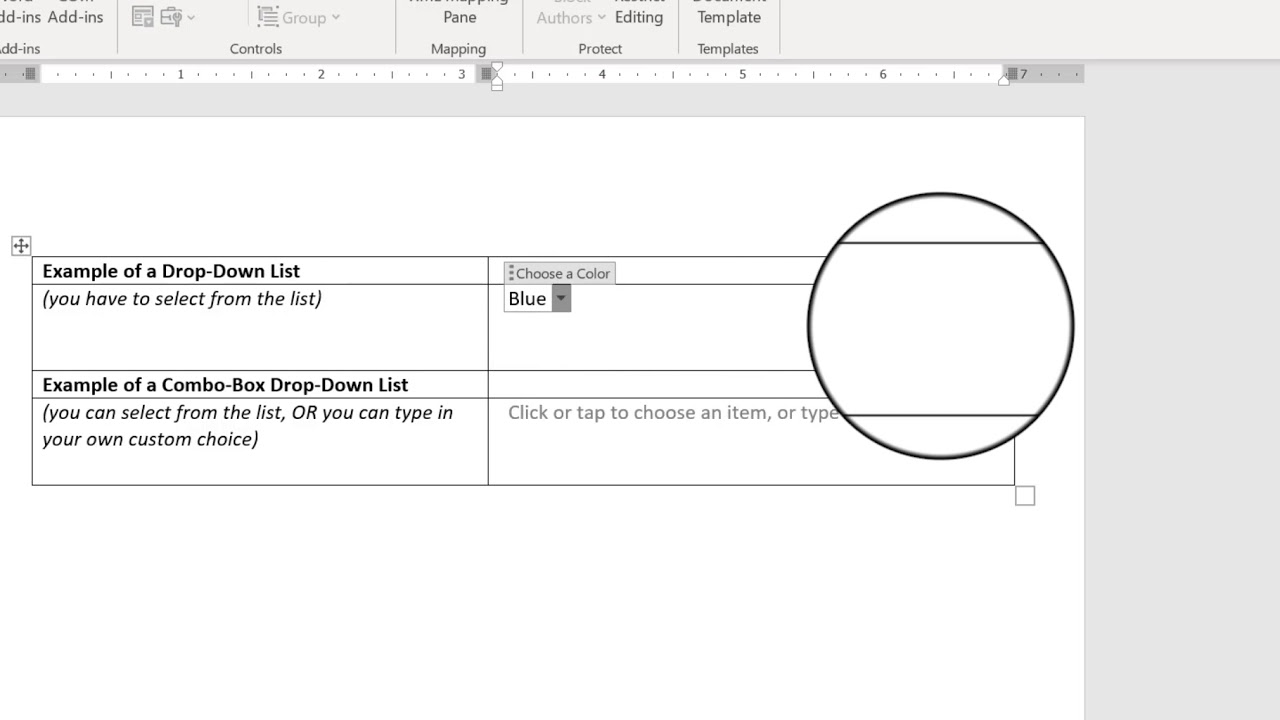
Web Drop down list box Like any other list a drop down list box offers users a list of choices However with drop down list boxes the list entries are hidden until the user clicks the control Users can select only one item
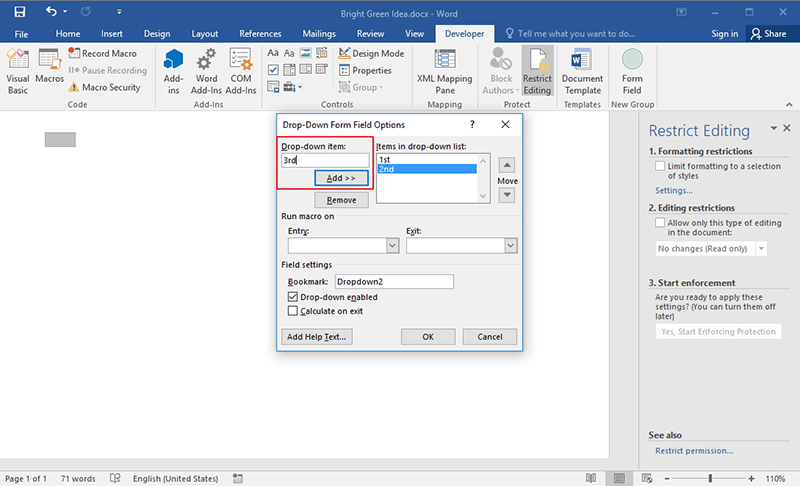
Web Aug 17 2016 nbsp 0183 32 Choose Drop down under Type and then click OK to save it Return to the Word page you will find the inserted filed and then double click to edit it In the Web Oct 20 2015 nbsp 0183 32 Drop down lists in Word How to insert a drop down list box modify a drop down list s items and use a format to style its contents to match surrounding text
Web Sep 18 2023 nbsp 0183 32 Step 1 Prepare Your Data Organize your data e g countries and cities in a table format in Word or Excel Step 2 Insert Combo Box Open your Word document