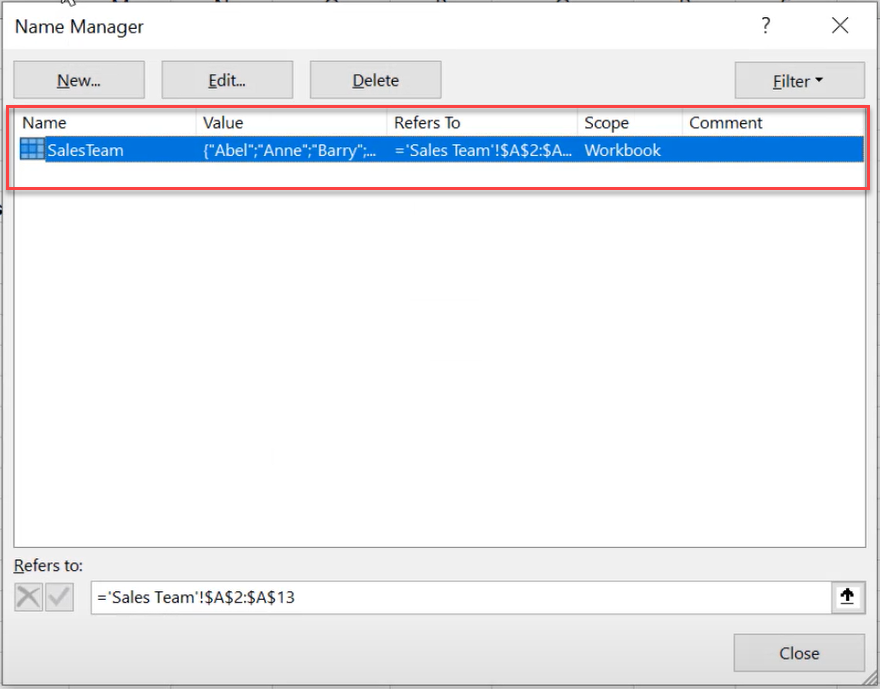
Insert Drop Down List In Word Mac Word 2016 For Mac Dropdown Box Lindaguy How To Insert Drop Down List In Google Sheets Daxmilliondollar Hong Kong Sopprimere Dizionario Drop Down List Content Control Word 0 Result Images Of Edit Drop Down List In Word PNG Image Collection Steps To Create Word Drop Down List In 2020 Windows macOS Web In a new worksheet type the entries you want to appear in your drop down list Ideally you ll have your list items in an Excel table If you don t then you can quickly convert your list to a table
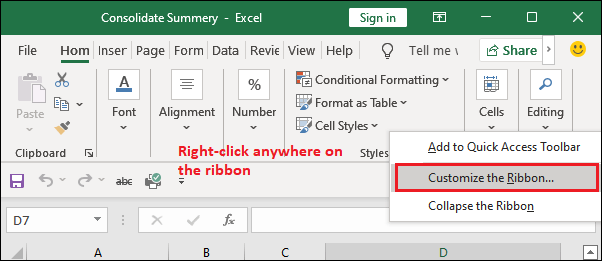
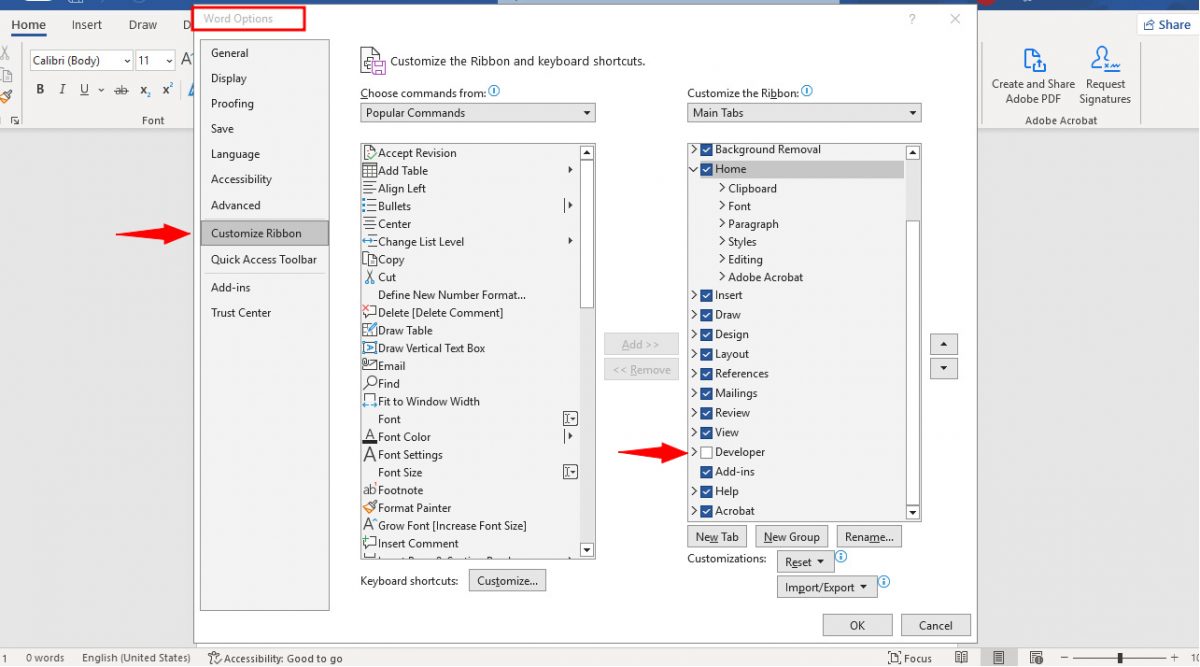
How to Add a Drop down List in Word 1 First have a check that if you can find Developer tab in your Word If not click File Options and switch to 2 Check How to add a Drop Down List in Word Annabelle Almer Microsoft 365 Microsoft Office Microsoft Office for Mac Microsoft Word Office 2013 Office 2016 Office 2019 Office 2021 Office LTSC Office
Steps To Create Word Drop Down List In 2020 Steps To Create Word Drop Down List In 2020 0 Result Images Of Edit Drop Down List In Microsoft Word PNG Image Microsoft Word Add Drop down List GHacks Tech News Drop Down List In Word How To Insert YouTube 0 Result Images Of Edit Drop Down List In Microsoft Word PNG Image Ms Word Combo Box Content Control Saverjza Steps To Create Word Drop Down List In 2020 How To Edit A Drop Down List In Microsoft Excel Vrogue
Insert Drop Down List In Word Mac
 Insert Drop Down List In Word Mac
https://wordknowhow.files.wordpress.com/2013/06/untitled9.jpg
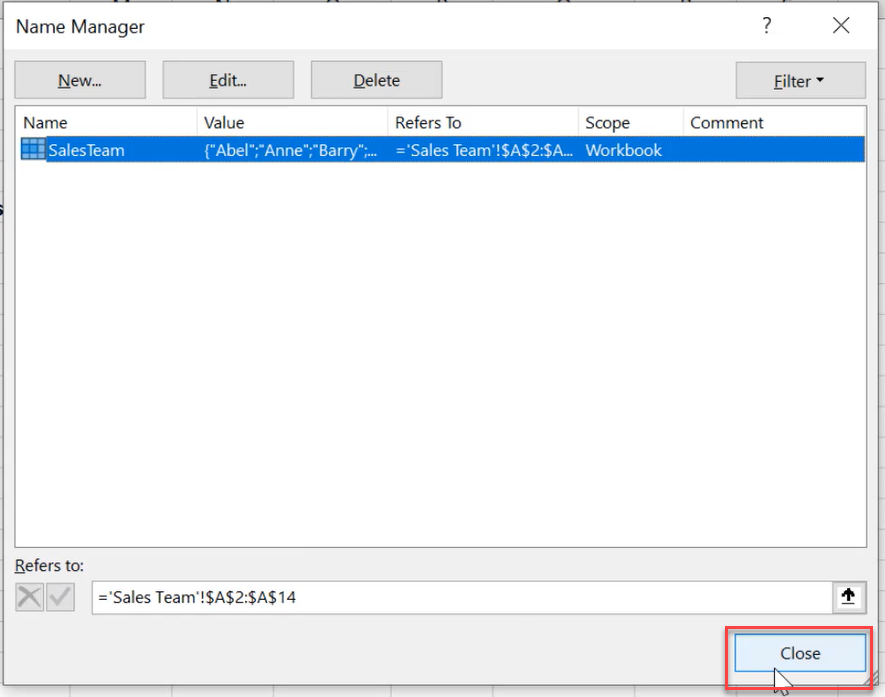
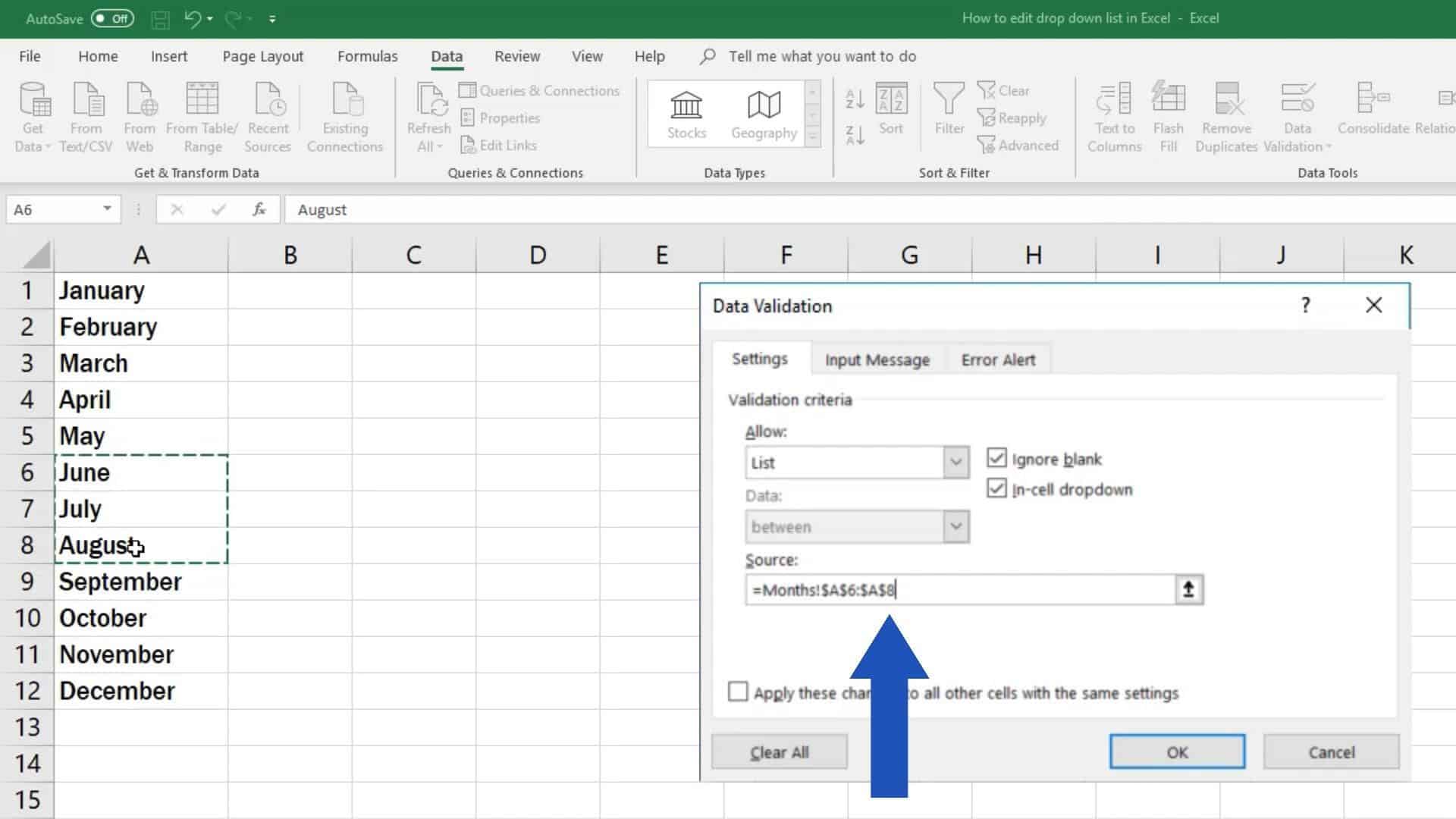
On the worksheet where you applied the drop down list select a cell that has the drop down list Go to Data Data Validation On the Settings tab click in the Source box
Pre-crafted templates offer a time-saving solution for producing a diverse range of files and files. These pre-designed formats and designs can be used for various personal and expert jobs, including resumes, invites, flyers, newsletters, reports, discussions, and more, improving the material development procedure.
Insert Drop Down List In Word Mac
Insert Drop Down Calendar In Excel Signpag
Steps To Create Word Drop Down List In 2020
0 Result Images Of Edit Drop Down List In Microsoft Word PNG Image
Microsoft Word Add Drop down List GHacks Tech News
0 Result Images Of Edit Drop Down List In Microsoft Word PNG Image

Ms Word Combo Box Content Control Saverjza

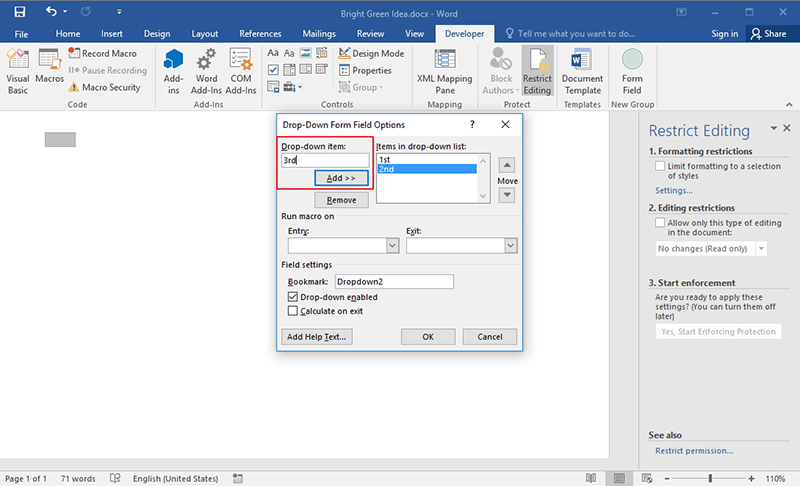
To add a drop down list to your Microsoft Word document click the Developer tab at the top and then select Drop Down List Content Control This drop
50 subscribers 2 9K views 11 months ago more more How to create dropdown list drop down menu in Word Mac versionPlease like share and

Add the Drop Down Form Control Place your cursor in the document where you want to add the drop down list Go to the Developer tab and click the Drop Down List Content Control button You ll see the
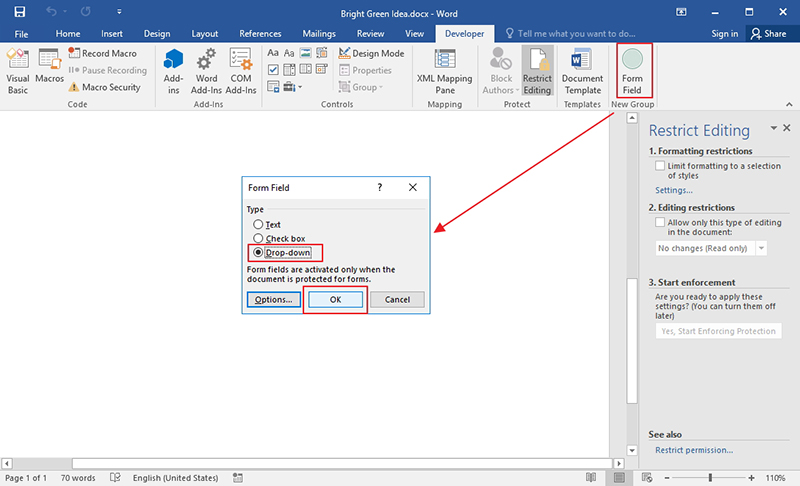
Add protection to a form Open the form that you want to lock or protect Select Developer Restrict Editing After selecting restrictions select Yes Start Enforcing Protection
2012 03 23 04 20 00 thanks super helpful Dan Scharf 2011 09 13 21 08 00 Will this port to Word 2010 on PC JFistere 2012 01 03 22 42 00 This procedure
Layout tips When to use a drop down list box Use a drop down list box when you want to Enable users to choose a single selection in a list of predefined items Hide the list Step 1 Open the Word document where you want to add the drop down list Step 2 Click the Developer tab If you don t see this tab go to File Options
Step 1 Open Microsoft Word and go to the File menu and click onOptions Step 2 Click on the Customize Ribbonoption and then from the Customize the