Insert Current Month And Year In Excel How To Insert Current Date And Time In Excel Lesson 6 YouTube Excel Solved Sort Month And Year In Chronological Order Microsoft Fabric How To Use Excel Formulas To Convert Month Names To Numbers Tech Guide Finding Month And Year Of The Maximum And Minimum Values In A Excel Use Excel s DATE function when you need to take three separate values and combine them to form a date Technical details Change the date format Calculate a date based on another date Convert text strings and numbers into dates Increase or decrease a date by a certain number of days See Also Add or subtract dates
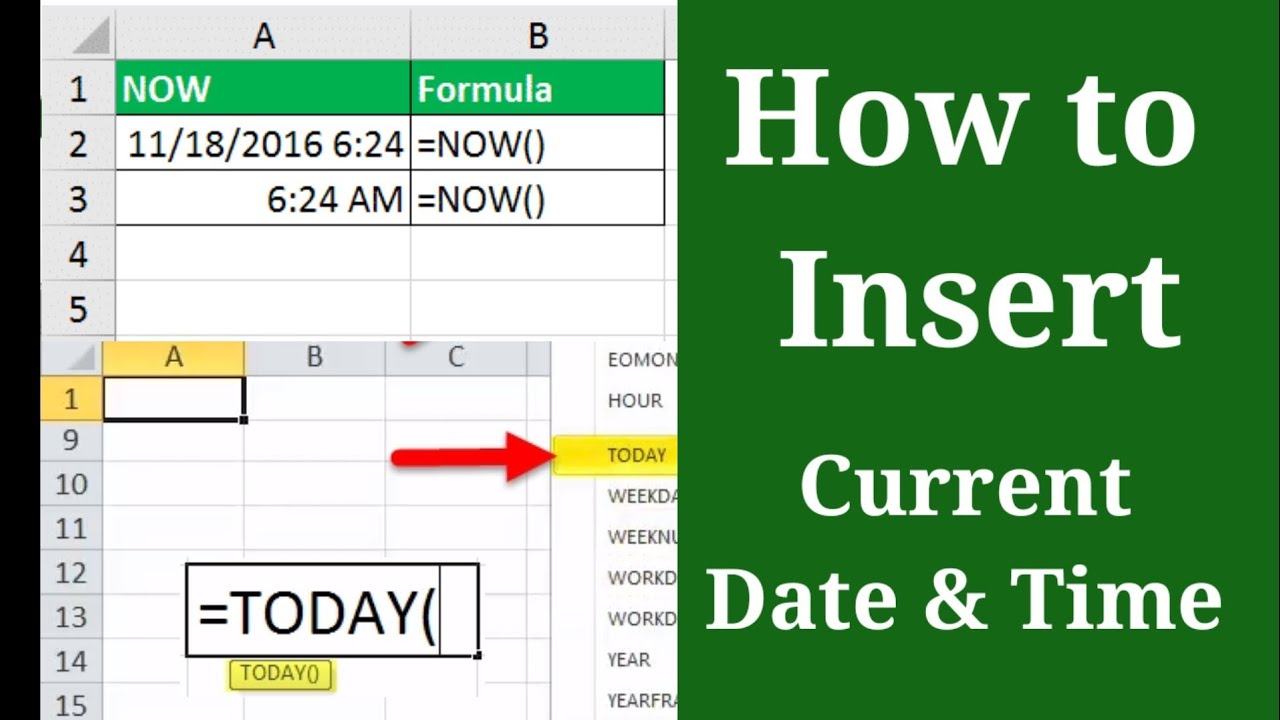
To add the current time press Ctrl Shift on Windows or Command on Mac That s it Add Today s Date as a Dynamic Date in Excel To add today s date in such a way that it updates when you recalculate or reopen your spreadsheet use the Excel formula for today s date TODAY To use it open your spreadsheet with Microsoft Excel Select the cell where you want to insert the date Go to the Home tab on the Excel ribbon and click on the Number Format dropdown menu located in the Number group Select Date from the list of options Click on the small arrow next to the date format dropdown Select the desired date format Click on the Date Picker
Finding Month And Year Of The Maximum And Minimum Values In A Excel This Excel Spreadsheet Helps To Plan Your Daily Schedule For The Week IOS 14 How To Use The Redesigned Date And Time Picker Mid Atlantic How To Make Chart Display The Correct Value On First Page Load Have Excel Chart Only Show Current Month And YTD Stack Overflow Days In Month Vba Excel How To Insert The Current Month And Year In A Word Document That Find Year Month And Day Excel AfSomali YouTube Excel Date Day Month Year Function YouTube
Insert Current Month And Year In Excel
 Insert Current Month And Year In Excel
https://i.ytimg.com/vi/Ho8ZhoE9QgA/maxresdefault.jpg
For example we will insert the current date which at the time of writing this article is 27 12 2022 in cell A1 of our Excel worksheet Select cell A1 On your keyboard press Ctrl hold the Control key and then press the semi colon key Press Enter and the current date will be inserted as shown
Templates are pre-designed documents or files that can be used for numerous functions. They can conserve time and effort by providing a ready-made format and design for creating various type of material. Templates can be used for personal or expert tasks, such as resumes, invites, flyers, newsletters, reports, discussions, and more.
Insert Current Month And Year In Excel
Text Formula In Excel For Month And Year

This Excel Spreadsheet Helps To Plan Your Daily Schedule For The Week
IOS 14 How To Use The Redesigned Date And Time Picker Mid Atlantic

How To Make Chart Display The Correct Value On First Page Load

Days In Month Vba Excel

How To Insert The Current Month And Year In A Word Document That
2 In the Insert Date dialog check the Using format option and then double click a date formatting in the right pane See screenshot above Now current date is inserted into active cell with the specified date formatting Note By default current date is selected in the calendar in the Insert Date dialog box If you need to insert other date you need to select the date in the calendar firstly

There are several ways to insert the current date and time in a cell Windows macOS Web Insert a static date or time into an Excel cell A static value in a worksheet is one that doesn t change when the worksheet is recalculated or opened

1 Answer Sorted by 1 It is possible to do it using VBA First Enter the below formula into CELL A1 this can be changed to any cell you want just ensure you change the reference point in the macro part DAY TODAY MID CELL filename A1 FIND CELL filename A1 1 255 YEAR TODAY

There are several ways to add dates in Excel depending on what exactly you want to do For example do you want to enter a today s date in some report or invoice Or perhaps you want to insert a date in Excel that will update automatically and always display the current date and time

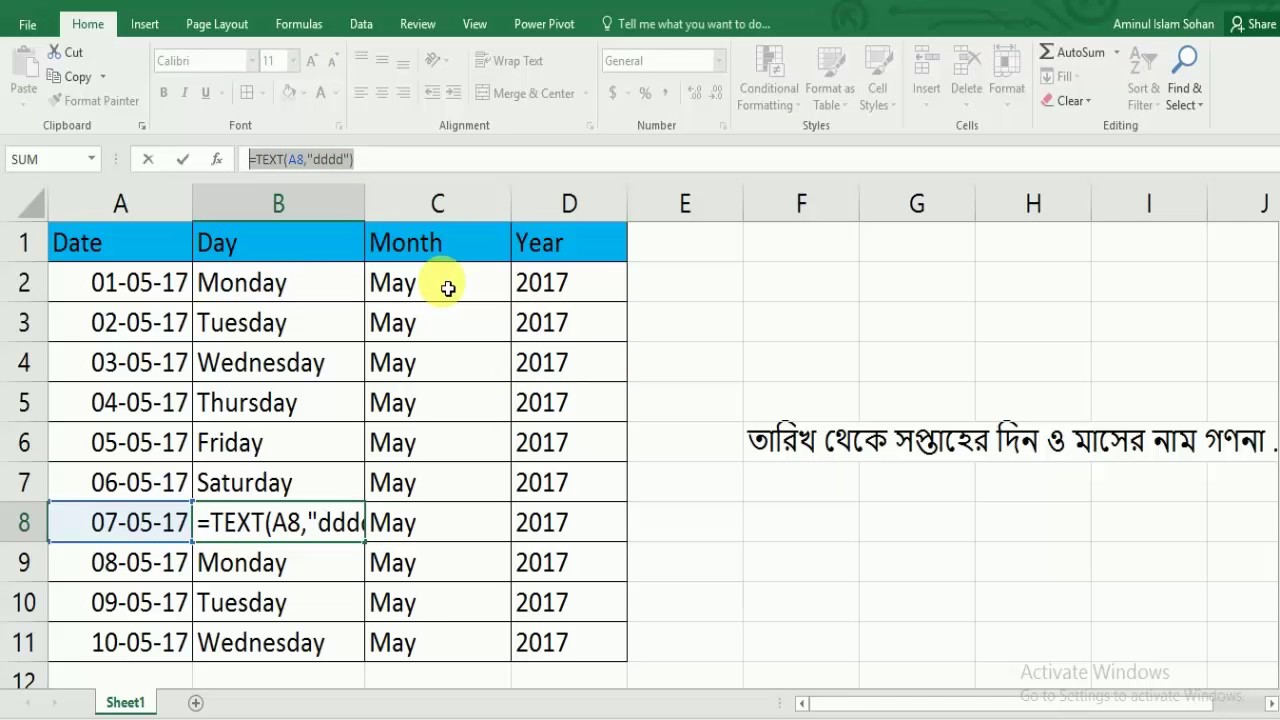
When you want to quickly insert the current month or current date in Excel how can you insert The following method will help you quickly insert current month or date into a
Returns the number of days between the current date and 1 1 2030 Note that cell A4 must be formatted as General or Number for the result to display correctly 1 31 1918 DAY TODAY Returns the current day of the month 1 31 1 MONTH TODAY Returns the current month of the year 1 12 For example if the current month is May Let s take stock of where we stand TIME 6 0 0 A2 1 We know the MOD function will return a 6 and we know the INT function will return a 1 Essentially we have now asked Excel to pick up the DateTime in cell A2 add 1 day to it via the INT function and add 6 hours via the TIME and MOD function
In order to write down any date with this function rather than manually follow the steps below Steps First select the cell and insert the formula DATE Year Month Day Then click Enter You will find Excel turns it into a date automatically Here I select C5 and write the following formula