Indirect Function In Excel Data Validation Excel Indirect Function Under Data Validation Microsoft Community Ntroduire 83 Imagen Formule Excel Indirect Fr thptnganamst edu vn INDIRECT Function In Excel Formula Examples How To Use Excel Data Validation Drop Down Lists With Vlookup Function Tutorial Excel INDIRECT Function Example Sample File In the Data Validation list source box for the primary dropdown you would use this INDIRECT tbl reps Headers This tells data validation to convert the text string tbl reps Headers into the corresponding table reference to the header row
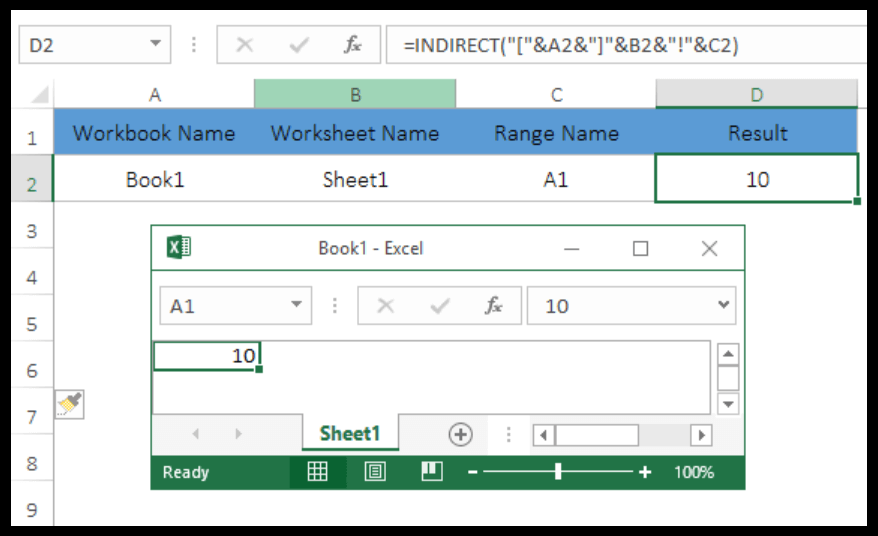
Apply Excel Data Validation with the INDIRECT SUBSTITUTE formula that concatenates the names of the entries in the first two columns and removes the spaces from the names For example in cell C2 the data validation formula would be INDIRECT SUBSTITUTE A2 B2 Where A2 and B2 contain the first and second Excel INDIRECT Function Overview The INDIRECT function in Excel can be used when you have the reference of a cell or a range as a text string and you want to get the values from those references In short you can use the indirect formula to return the reference specified by the text string
Excel INDIRECT Function Example Sample File How To Use INDIRECT Function In Excel How To Use INDIRECT Function In Excel Indirect Function Tutorial Column Sum Average Dependent Drop Down INDIRECT Function In Excel Excel Help Indirect Excel Indirect Function In Excel YouTube Excel INDIRECT Function How To Use Excel INDIRECT Function Earn Excel
Indirect Function In Excel Data Validation
https://filestore.community.support.microsoft.com/api/images/26fc2456-3295-4aed-978b-ca9797f182ec
With the INDIRECT function and the Table tool in Excel your data validation drop down menu can expand and contract as entries are added and removed Learn to use Tables for Dynamic Named Ranges
Pre-crafted templates offer a time-saving option for developing a varied range of documents and files. These pre-designed formats and layouts can be made use of for various individual and professional tasks, consisting of resumes, invitations, flyers, newsletters, reports, discussions, and more, improving the content development process.
Indirect Function In Excel Data Validation
INDIRECT Function In Excel Formula Examples How To Use INDIRECT
How To Use INDIRECT Function In Excel
How To Use INDIRECT Function In Excel
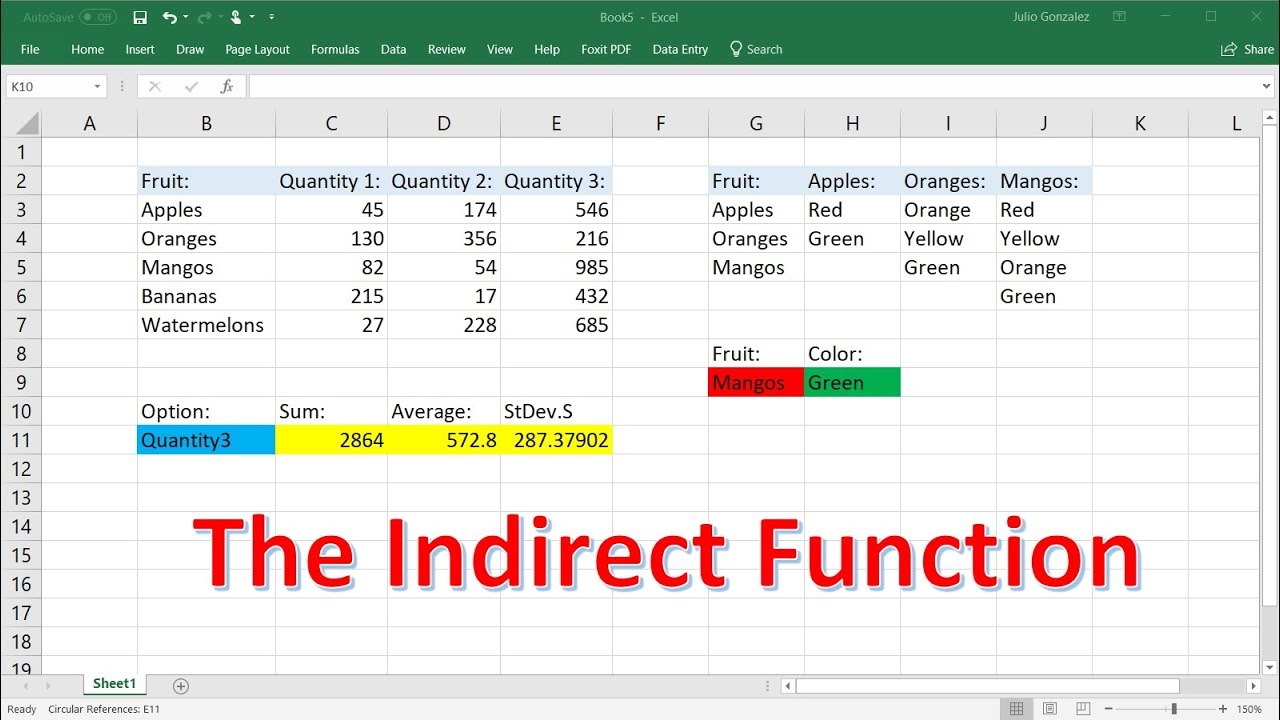
Indirect Function Tutorial Column Sum Average Dependent Drop Down

Indirect Excel
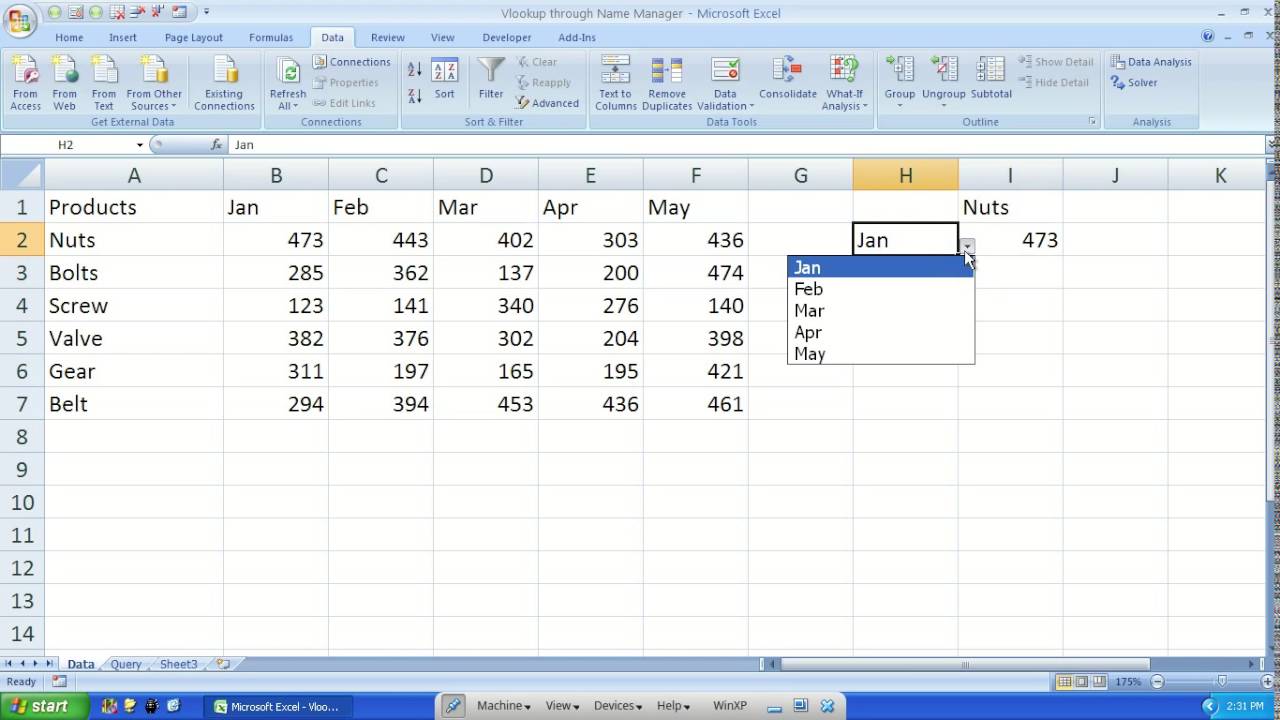
Indirect Function In Excel YouTube

Data Validation Basics INDIRECT Function Excel Tables Create Dependent Lists Dependent Dropdowns from Sorted List Dependent Lists INDEX Dependent Lists Tables Sample Files Roger Govier
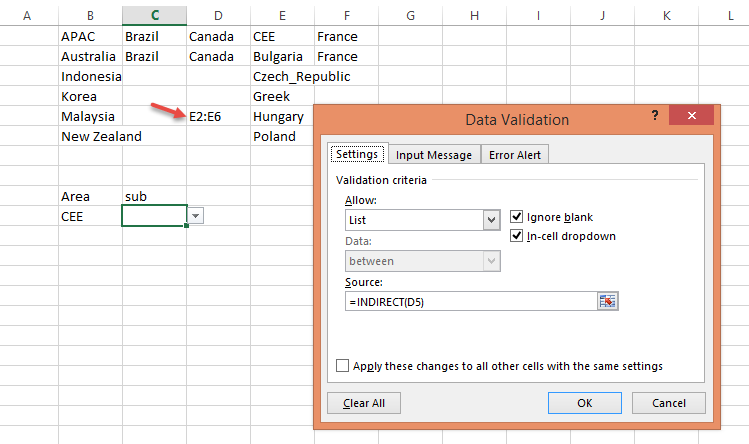
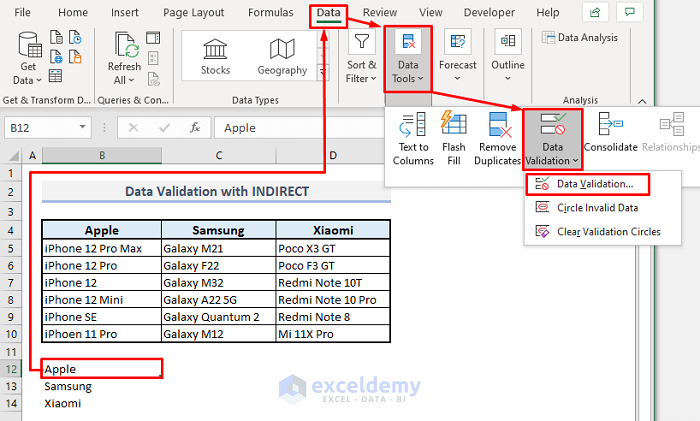
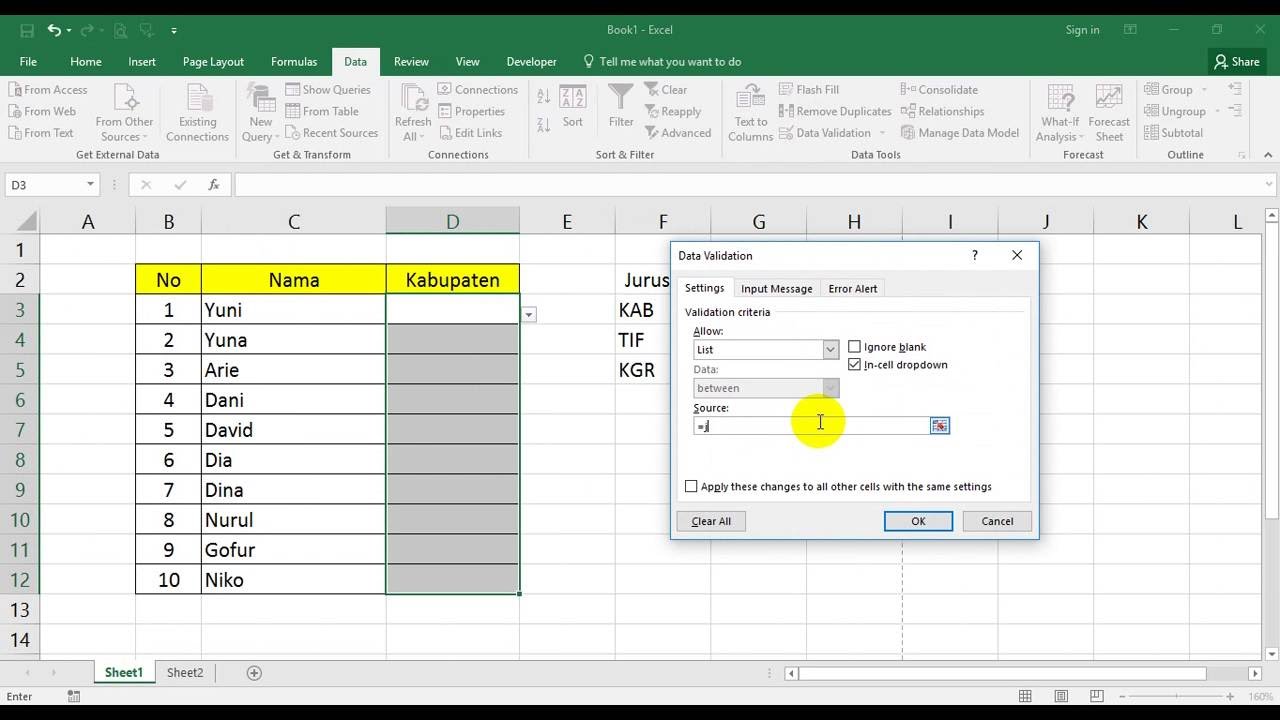
Using INDIRECT with Data Validation in Excel You can use the Excel INDIRECT function with Data Validation to create cascading drop down lists that display different choices depending on what value the user selected in the first dropdown A simple dependent drop down list is really easy to make

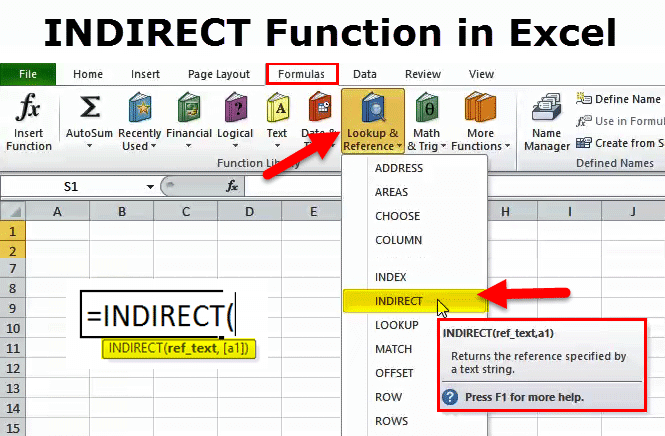
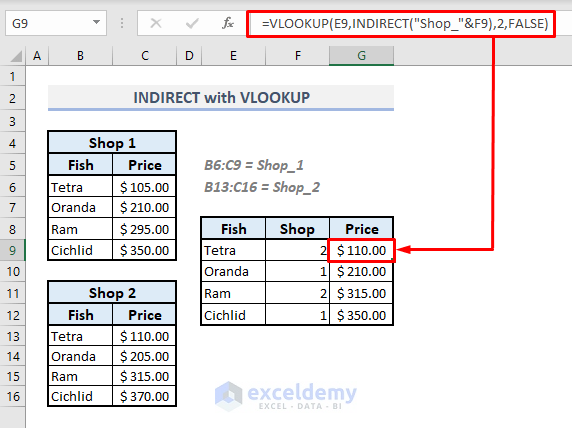
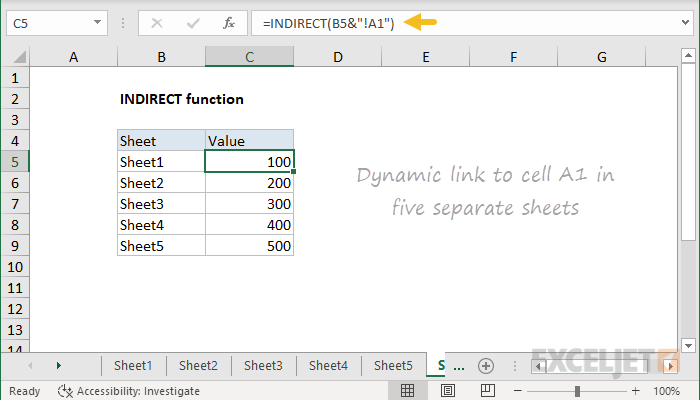
The Excel INDIRECT function returns a valid cell reference from a given text string INDIRECT is useful when you want to assemble a text value that can be used as a valid reference Purpose Create a reference from text Return value A valid worksheet reference Syntax INDIRECT ref text a1 ref text A reference supplied as text
This article describes the formula syntax and usage of the INDIRECT function in Microsoft Excel Description Returns the reference specified by a text string References are immediately evaluated to display their contents Use INDIRECT when you want to change the reference to a cell within a formula without changing the formula itself Syntax
How To Use The INDIRECT Function With Data Validation And Tables In Excel Excel Bytes 7 78K subscribers 17K views 5 years ago In this tutorial we will take a look at how to use a column
Excel Data Validation with the INDIRECT Function Excel Advanced YouTube 2023 Google LLC Data Validation is a great way to make certain only certain information gets entered This video explains how to create a conditional data validation list with the Indirect function in Excel The tutorial explains how to create a data validati
What Is a Dependent Drop Down List In a Microsoft Excel dependent drop down list the list of items changes depending on the value in another cell For example Fruit was selected as Produce Type in cell B3 and the drop down showed the Fruit list in cell D3 Next in cell B4 Vegetable was selected as Produce Type