Indesign Pdf Export Options Indesign Export Pdf YouTube InDesign PDF Export YouTube Adobe Indesign Tagged Text Export Options Indesign Erogonlove PDF Export Mit Adobe Indesign DRUCKTERMINAL PDF Export Options In InDesign Best Book Templates By Looseleaf WEB Jan 6 2024 nbsp 0183 32 An InDesign file can be saved as an editable PDF by ensuring that the Create Tagged PDF and Preserve Editing Capabilities options are checked in the PDF export options
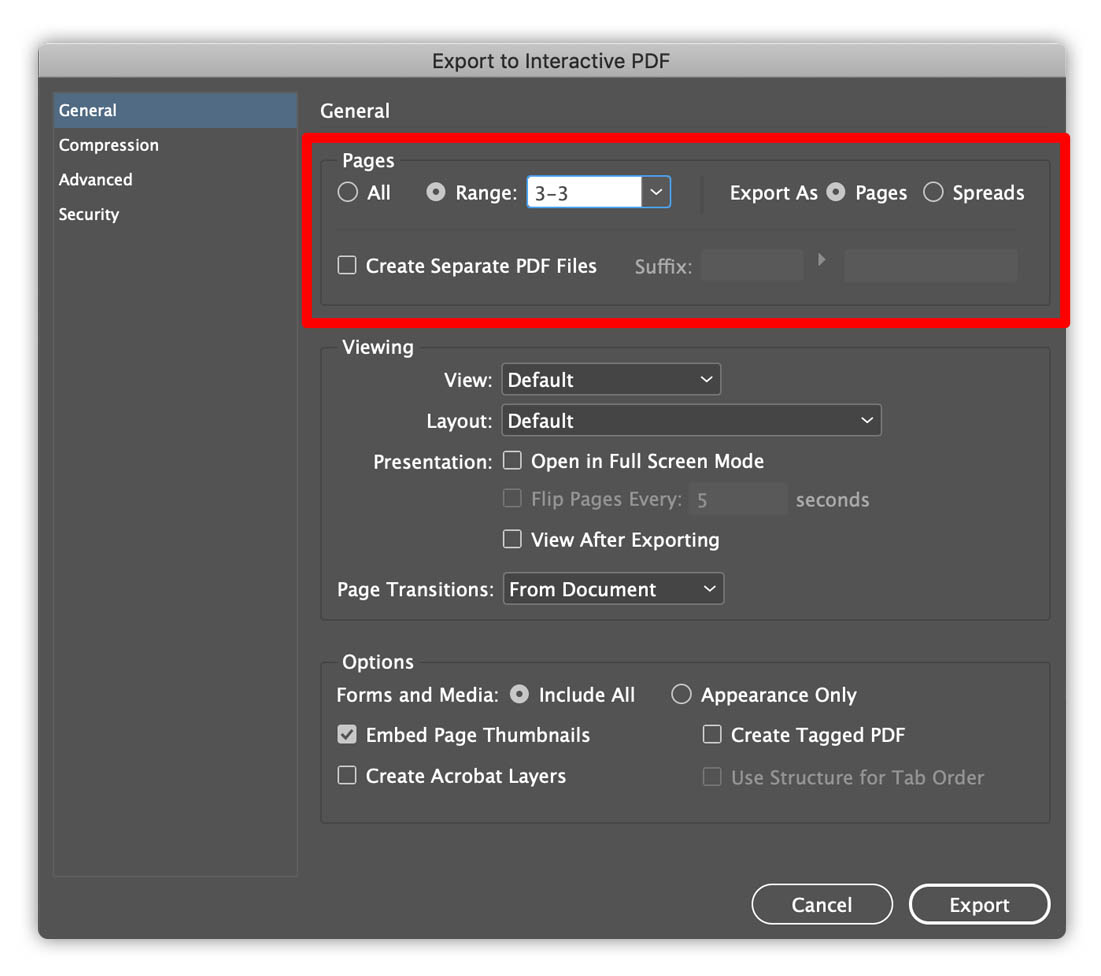
WEB If you ve ever tried to export an InDesign document to PDF you ve no doubt discovered that Adobe offers two methods of output Adobe PDF Interactive and Adobe PDF Print Why two methods What s the difference When should you use Interactive and when should you use Print WEB Dec 18 2023 nbsp 0183 32 To save your InDesign PDF with facing pages visible navigate to the General section of the Export Adobe PDF window Locate the section labeled Pages and toggle the Export As setting to use the Spreads option instead of Pages
PDF Export Options In InDesign Best Book Templates By Looseleaf Creative Curio InDesign Project Lists Tabs And Final Details InDesign CS5 5 Figures And Accessible PDFs PDF Export Options In InDesign Best Book Templates By Looseleaf Solved PDF Export Options forcing Indesign To Export Fir Adobe How To Export A Single Page In Adobe InDesign Imagy Exporting PDF From Adobe InDesign For Printing Adobe Reader For Android Updated To Version 11 1 Now Has New PDF Solved PDF Export Options forcing Indesign To Export Fir Adobe
Indesign Pdf Export Options
 Indesign Pdf Export Options
https://i.ytimg.com/vi/6OKTwRAG_6w/maxresdefault.jpg
WEB Feb 1 2023 nbsp 0183 32 Instead of printing an InDesign booklet with correct imposition is it possible to instead export it as a PDF
Templates are pre-designed files or files that can be used for different purposes. They can conserve effort and time by offering a ready-made format and layout for developing various sort of material. Templates can be utilized for individual or expert jobs, such as resumes, invites, flyers, newsletters, reports, presentations, and more.
Indesign Pdf Export Options
PDF Export Options In InDesign Best Book Templates By Looseleaf

Creative Curio InDesign Project Lists Tabs And Final Details

InDesign CS5 5 Figures And Accessible PDFs
PDF Export Options In InDesign Best Book Templates By Looseleaf
How To Export A Single Page In Adobe InDesign Imagy

Exporting PDF From Adobe InDesign For Printing

WEB Mar 22 2024 nbsp 0183 32 Learn how to export a document a book or selected documents as a single PDF file You can also copy content from an InDesign layout to the Clipboard and create a PDF

WEB Dec 24 2016 nbsp 0183 32 I would like to export my Indesign document to PDF however I would like this kind of effect that the exported PDF when opened it the first page be shown as a single page and the next pages be shown as double pages

WEB May 24 2023 nbsp 0183 32 Export a document to Adobe PDF and post the PDF on the web The PDF can include interactive elements such as movies sound clips buttons and page transitions
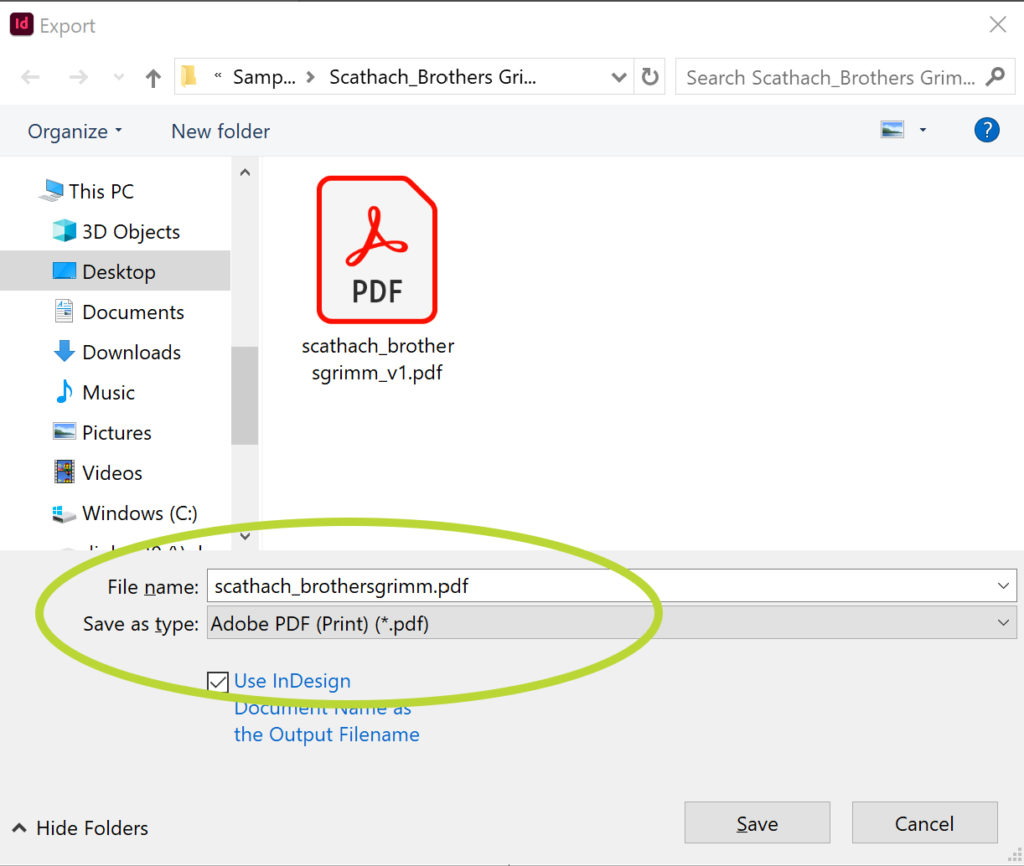
WEB How to Export Your InDesign Document as a PDF for Print Whether you re sending your artwork to a professional printer local printshop or online to a POD print on demand site it s likely they will ask for your work to be submitted in PDF format Here s how to do it

WEB Jan 21 2017 nbsp 0183 32 1 Choose export options that downsample images to lower resolutions For example the predefined print oriented export options i e joboptions downsample images to 300 dpi for images over 450 dpi
WEB Jul 14 2015 nbsp 0183 32 The PDF Export dialog now includes Acrobat view setting options for PDFs exported from InDesign You can specify the default view and layout of a PDF and whether it opens in full screen mode WEB May 24 2023 nbsp 0183 32 If you can print from another application e g WordPad TextEdit or export save as a PDF from another application e g Illustrator Photoshop and
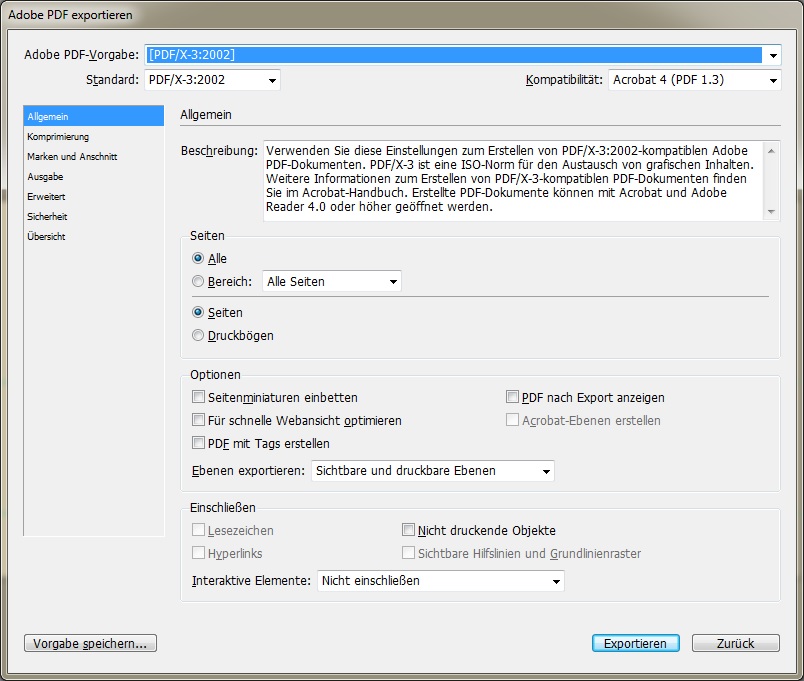
WEB Apr 25 2022 nbsp 0183 32 Adobe InDesign lets you export your InDesign file as a PDF Depending on what kind of document you created you may want to use different PDF presets You can choose one of InDesign s PDF presets or just create your own