Import Data From Excel To Sharepoint List Import Data From Excel To Sharepoint List Using Power Automate Import Data From Excel To Sharepoint List Using Power Automate Power Automate Get Data From Excel On SharePoint EnjoySharePoint Office 365 Excel Import Add in Import Data From Excel Spreadsheet To How To Add Item To SharePoint List Using Power Automate Add Item To Web Import a SharePoint list Link to a SharePoint list Move data to SharePoint Advantages of linking data between Access and SharePoint Publish a database by using Access Services Import a SharePoint list When you import data Access creates a table and copies the columns and items from the source list or view into that table as fields and
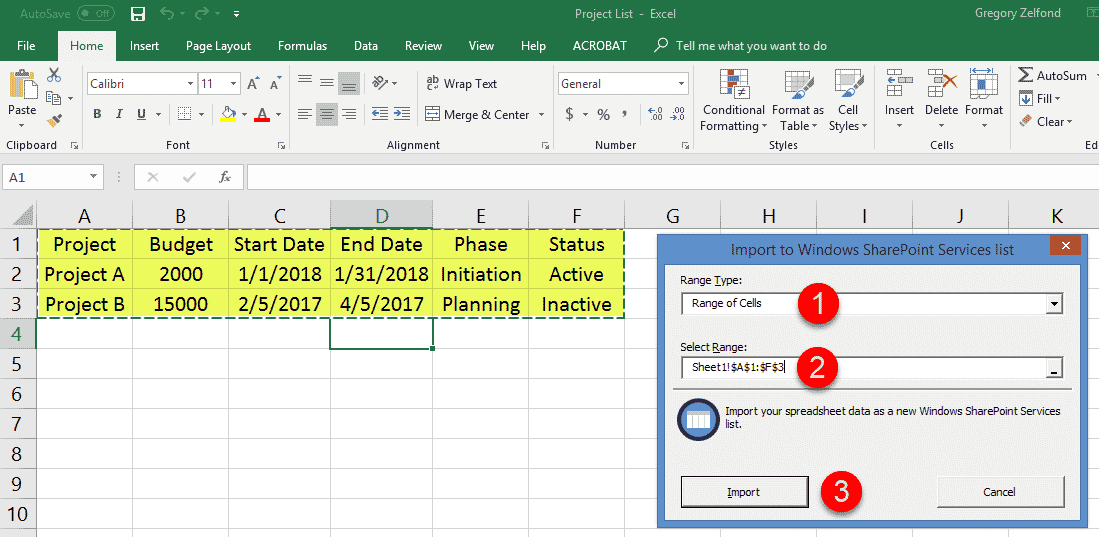
Web Jul 14 2020 nbsp 0183 32 Step 1 Make sure your Excel list is formatted as a table This is super important for this process to work You can t just take any Excel list and import it has to be formatted as a Table Below is an example of a Project List I maintain in Excel What you need to do is define the list above as a Table Web May 25 2022 nbsp 0183 32 In this post you ll understand what a SharePoint list is how to import data from Excel into a SharePoint list and how to export from SharePoint to Excel If you want to import data into Google Sheets you can do that easily using Layer
How To Add Item To SharePoint List Using Power Automate Add Item To Office 365 Excel Import App Import Data From Excel Spreadsheet To Solved Format Date From Excel To SharePoint List Power Platform How To Import Data From An Excel File Into An Existing SharePoint List Download Add Update Excel Data To SharePoint List Using P How To Import Excel To SharePoint List 3 Ways To Import Excel To SharePoint SharePoint Maven Convert Excel Data To SharePoint List YouTube Exporting Data From Table To Excel Riset
Import Data From Excel To Sharepoint List
 Import Data From Excel To Sharepoint List
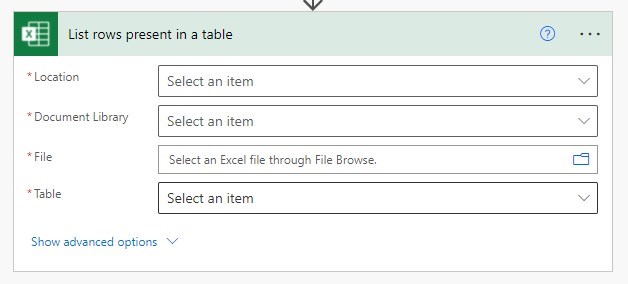
https://office365atwork.com/wp-content/uploads/2021/11/ListRows.jpg
Web Jun 1 2023 nbsp 0183 32 Method 1 How to Export Data from Excel to SharePoint Lists Manually The idea of the first method is that you should create an empty list that contains the same columns as in the Excel table The data format of columns must be the same to preserve data consistency
Pre-crafted templates offer a time-saving solution for creating a diverse range of documents and files. These pre-designed formats and layouts can be made use of for different personal and professional tasks, consisting of resumes, invites, flyers, newsletters, reports, presentations, and more, simplifying the content creation procedure.
Import Data From Excel To Sharepoint List

Solved Importing Dates From Excel To Sharepoint List Power Platform
Office 365 Excel Import App Import Data From Excel Spreadsheet To

Solved Format Date From Excel To SharePoint List Power Platform

How To Import Data From An Excel File Into An Existing SharePoint List
How To Import Excel To SharePoint List
3 Ways To Import Excel To SharePoint SharePoint Maven

Web Steps Open your Microsoft Excel spreadsheet copy the cells that you wish to transfer to the desired SharePoint List Make sure the field type matches with the cells in the List For example the date fields much match with the List Field Type else it will throw an error
Web Dec 13 2021 nbsp 0183 32 Microsoft Excel supports the exporting of Tables from spreadsheets to new SharePoint lists With the source spreadsheet open Click Table Design Click Export and select Export Table to SharePoint List Enter the target Address provide a list name and click Next Review the list design and click Finish

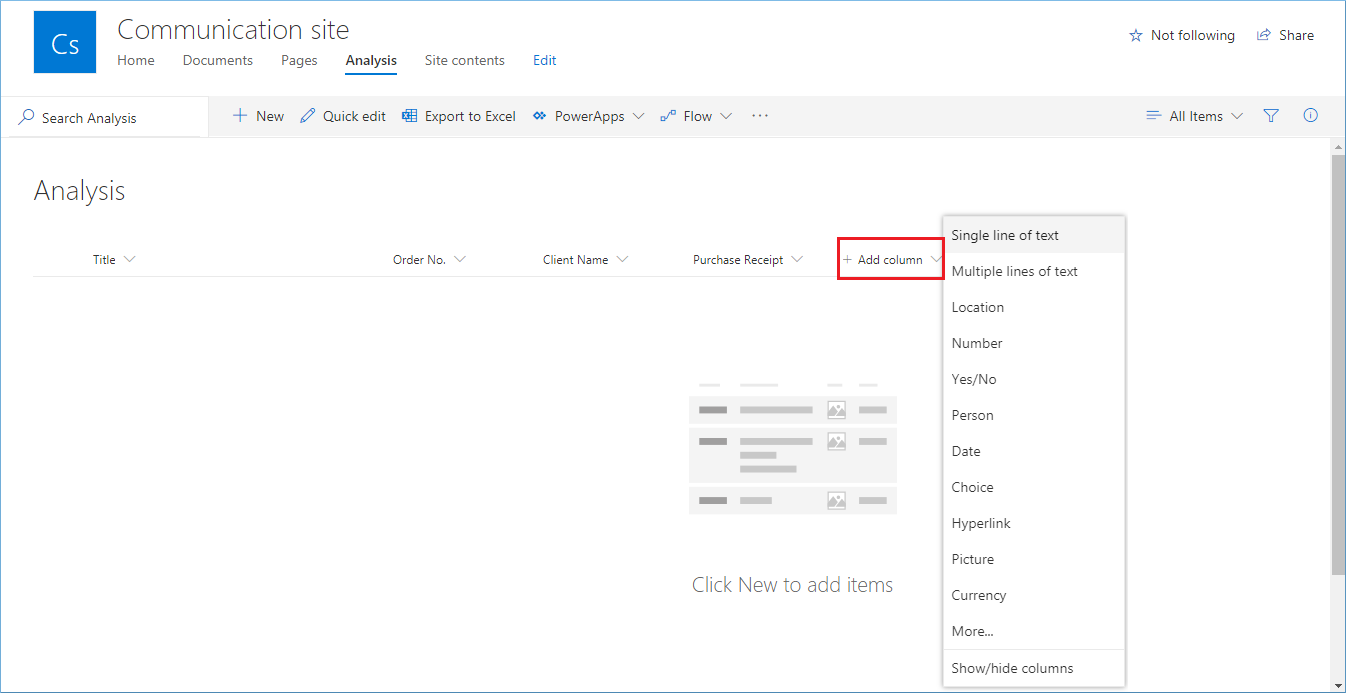
Web Jun 27 2018 nbsp 0183 32 Option 1 Import using Quick Edit The first option assumes that you already have a SharePoint list with all the corresponding columns and just need to copy paste the content from Excel to SharePoint Here is what you need to do to achieve this Build out all the columns exactly as they appear in Excel
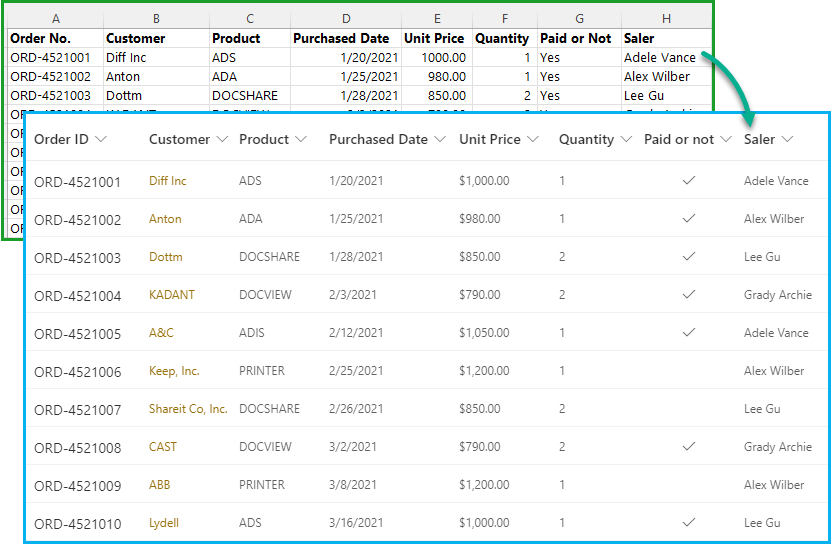
Web Importing a spreadsheet is also a way to create a list without the default Title column Important Creating a list from an Excel spreadsheet is not available in the GCC High and DoD environments Another method of moving data into SharePoint is to export a table directly from Excel

Web Jan 29 2022 nbsp 0183 32 As you can see importing an Excel list to SharePoint Online is easy just make sure the data is formatted as a table then import it to SharePoint You can then use the custom list as you wish Remember though that the custom list and the Excel file are not interlinked
[desc-11] [desc-12]
[desc-13]