Iis Service Status Command Line Restart IIS Command Prompt Hello Dynamics AX Restart IIS From Command Line ServerOK Configuring IIS On Windows Server 2016 Check Bitlocker Status From The Command Line IT Knowledgebase GitHub Mojihack tg Telegram Messenger CLI Build Status Command line The Get IISSite cmdlet gets information about Internet Information Services IIS web sites and their current status and other key information If you a request a specific site or a comma delimited list of sites only those whose names are passed as an argument are returned Otherwise all the websites are returned Examples
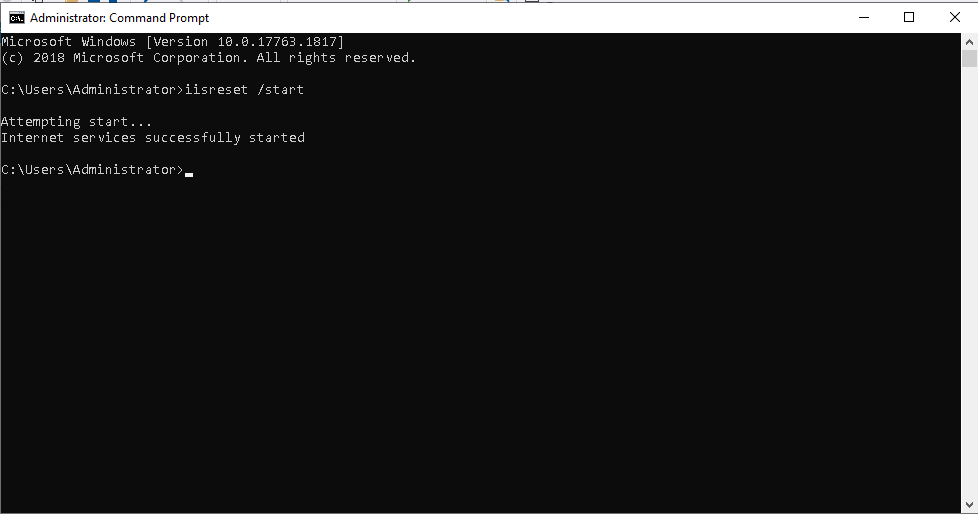
You can use the recycle command as mentioned in Recycle an Application Pool on Demand IIS 7 or use combination of Stop Start mentioned at Start or Stop an Application Pool IIS 7 Both have separate sections for command line Step 1 Open Command Prompt To access the command line interface you will need to open the Command Prompt To do this click the Windows Start button search for cmd and select the Command Prompt app from the search results Step 2 Stop IIS To stop IIS you will need to enter the following command in the Command Prompt iisreset stop
GitHub Mojihack tg Telegram Messenger CLI Build Status Command line How To Create A WebSite AppPool In IIS Using Command TecAdmin How To Install IIS On Windows 10 Using Powershell H2S Media Chfi 3 Flashcards Quizlet How To Install IIS On Windows 10 Using Powershell H2S Media Linux CentOS 7 Mysql How To Check VPN Connection Status Command Line H ng D n How Do I Know If Mysql Daemon Is Running L m C ch N o Configure IIS 7 From The Command Line Using Appcmd exe Part 1
Iis Service Status Command Line
 Iis Service Status Command Line
https://hellodax.files.wordpress.com/2015/05/capture19.png
Check IIS Status in PowerShell You can also check the IIS status using the Get WmiObject cmdlet that uses the Win32 Service class to get the information about W3SVC specified by the Name parameter on the local computer Get WmiObject Win32 Service Filter Name W3svc ComputerName localhost The output of the above PowerShell
Pre-crafted templates provide a time-saving service for creating a varied variety of files and files. These pre-designed formats and layouts can be used for different personal and expert jobs, consisting of resumes, invites, flyers, newsletters, reports, presentations, and more, improving the content development process.
Iis Service Status Command Line

2V0 621D Exam Free Actual Q As Page 14 ExamTopics

How To Create A WebSite AppPool In IIS Using Command TecAdmin
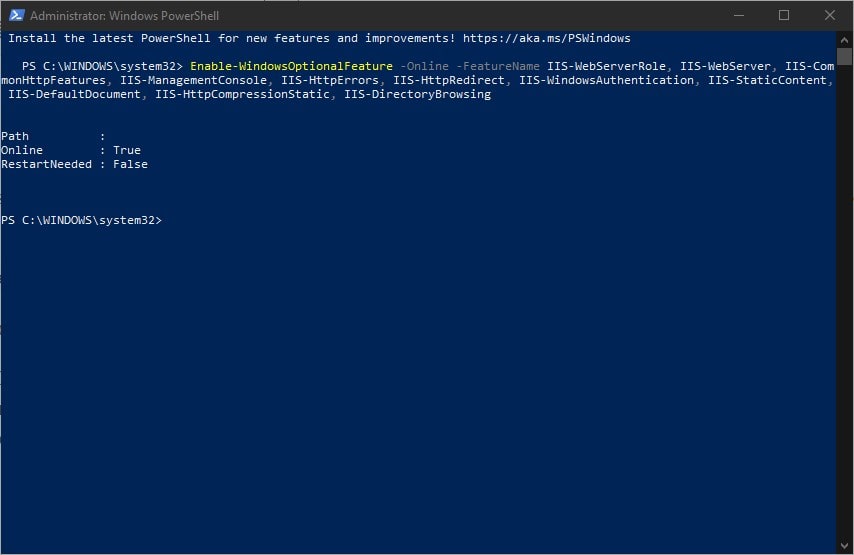
How To Install IIS On Windows 10 Using Powershell H2S Media

Chfi 3 Flashcards Quizlet
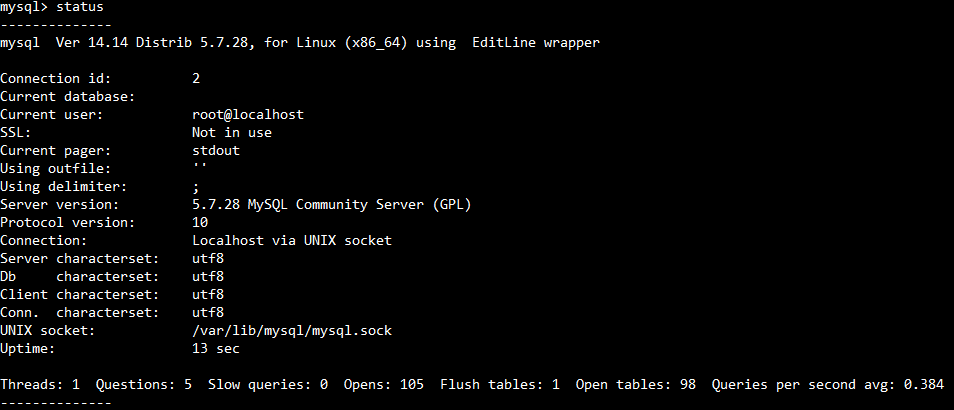
Linux CentOS 7 Mysql

How To Check VPN Connection Status Command Line

Open the Command prompt press Windows key R and type cmd the C ommand Prompt window opens displaying and waiting type the following commands To Stop IIS iisreset stop To Start IIS iisreset start To Restart IIS iisreset restart Check Status iisreset status
1 Answer Sorted by 5 You can do this on a per App Pool basis using Get Process and WMI Get Process w3wp thepid Id wmiProc Get WmiObject Win32 Process Filter ProcessID thepid New Object PSObject Property CommandLine wmiProc CommandLine StartTime StartTime
Sc query service name FIND C RUNNING ERRORLEVEL is either 0 of the service is running or 1 if it s not No need for 3rd party tools To catch the output of FIND you can use something like this sc query service name FIND C RUNNING NUL echo Service is running echo Service is stopped Share

Using a command line Open an elevated command line window At the command prompt type net stop WAS and press ENTER type Y and then press ENTER to stop W3SVC as well To start the web server type net start W3SVC and press ENTER to start both WAS and W3SVC Note
The AppCmd exe command line is built on top of a set of top level server management objects such as Site and Application These objects expose methods that can be used to perform various actions on those objects and object instances expose properties that can be inspected and manipulated
Answer Click Start Settings Control Panel Administrative Tools Open Services Right click on the IIS Admin Service and select Stop Start or Restart Note If you receive an error when manually stopping IIS reboot the machine and attempt to manually stop IIS again From a command prompt Type NET STOP IISADMIN and press Enter In this article Starting IIS Manager for IIS 7 0 Starting IIS Manager for IIS 5 0 and IIS 6 0 See Also IIS Manager enables you to configure Internet Information Services IIS How you open IIS Manager depends on the version of IIS and the operation system The following table shows which IIS version can be used with Windows operating systems
Since you can run command line programs in PowerShell the IISReset command can be used to start stop and restart IIS using the START STOP and RESTART switches If you want to start or stop a particular website rather than the entire IIS installation you need to use the Start WebSite and Stop WebSite cmdlets They both have a Name