How To Use Command Button In Access How To Add Command Button On Forms In MS Access Data Recovery Blog Access Command Button Color Properties Built in Color Picker The Ultimate A To Z List Of Windows Command Prompt Commands You Should Try 6 Astutos Trucos De L nea De Comandos De GNU Linux MasLinuX How To Use Notepad with Pictures WikiHow Overview The type of action buttons displayed on the Action Bar depend on the view that you are using The predefined actions automatically perform specific tasks If you hover over an action button its functionality is displayed
How to Create a Button in Microsoft Access Excel Word and PowerPoint Tutorials from Howtech 85 4K subscribers Subscribe Subscribed 122K views 11 years ago Microsoft Access Create dynamic 2 Ways to Create Command Buttons on MS Access Forms It s cable reimagined No DVR space limits No long term contract No hidden fees No cable box No problems This brief video walks you
How To Use Notepad with Pictures WikiHow Vba Ms Access 2016 Button That Creates A Multiple Of Buttons On A Microsoft Access How To Add Command Buttons To A Form YouTube Access Control Wizard Command Button YouTube Ms Access Command Button Wizard Doesn t Start Stack Overflow Basic Commands For Command Prompt How To Add Commands To The Quick Access Toolbar 11 Steps MS Access 2016 Command Button Wizard Won t Open 2 Solutions YouTube Advanced Microsoft Access 2013 Tutorial Creating Command Buttons For
How To Use Command Button In Access
 How To Use Command Button In Access
https://i1.wp.com/www.datanumen.com/blogs/wp-content/uploads/2017/11/steps-to-add-command-button-on-forms.jpg?fit=1008%2C751&ssl=1
Shop the Computer Learning Zone store In this Microsoft Access tutorial I m going to teach you how to push command buttons on your forms using the Default and Cancel properties I ll also
Pre-crafted templates offer a time-saving service for producing a diverse range of documents and files. These pre-designed formats and layouts can be made use of for numerous personal and professional projects, consisting of resumes, invitations, leaflets, newsletters, reports, discussions, and more, streamlining the content production procedure.
How To Use Command Button In Access
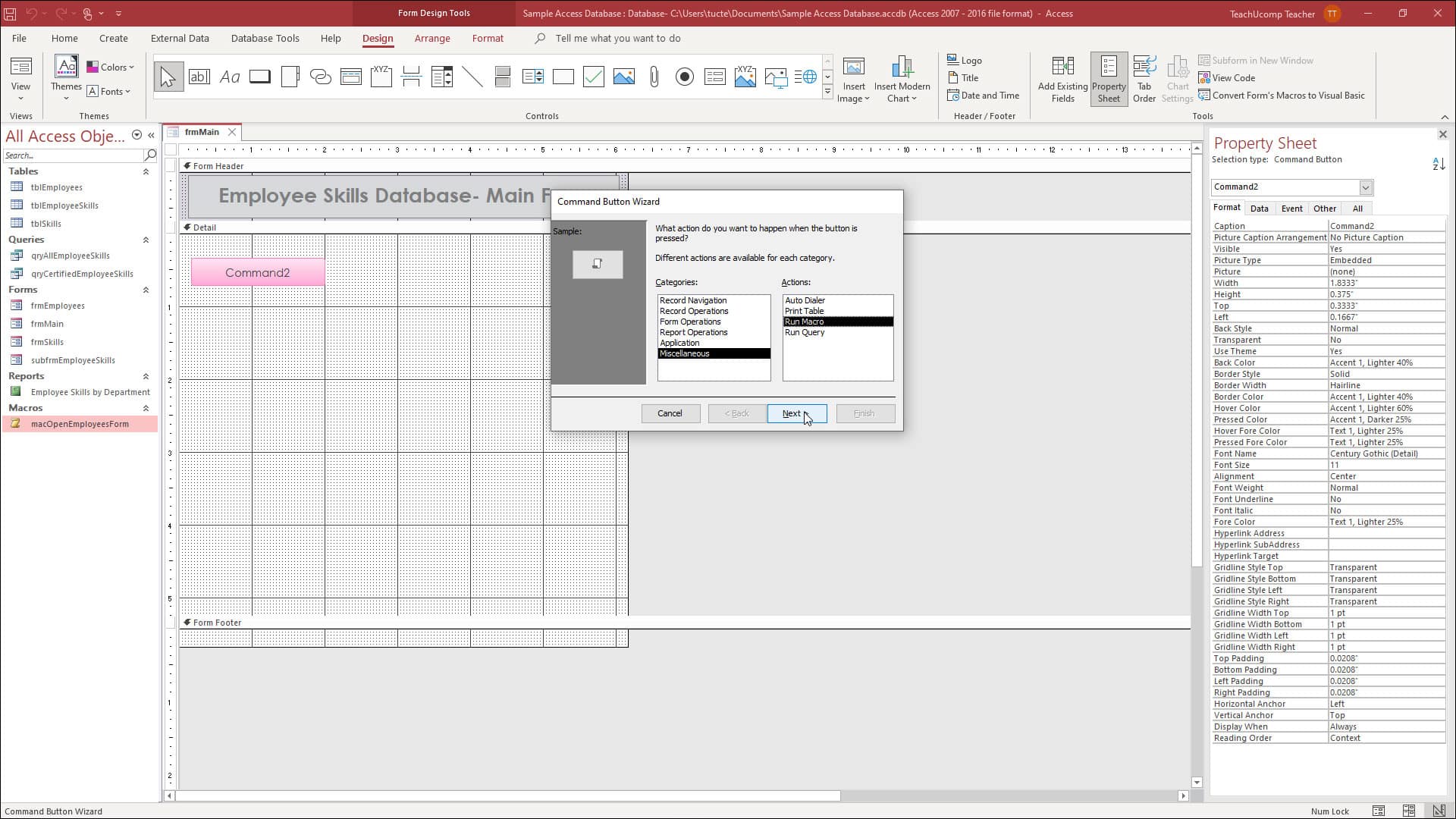
Add A Macro To A Button In Access Instructions And Video Lesson

Vba Ms Access 2016 Button That Creates A Multiple Of Buttons On A

Microsoft Access How To Add Command Buttons To A Form YouTube
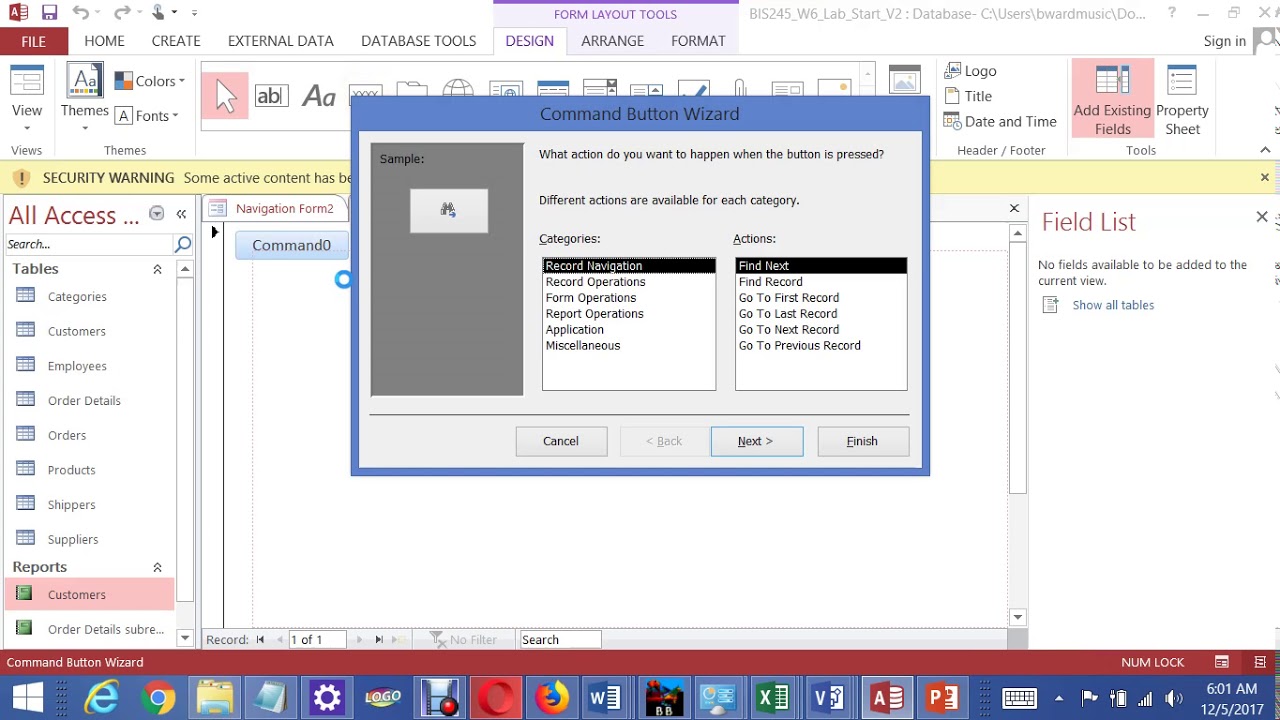
Access Control Wizard Command Button YouTube
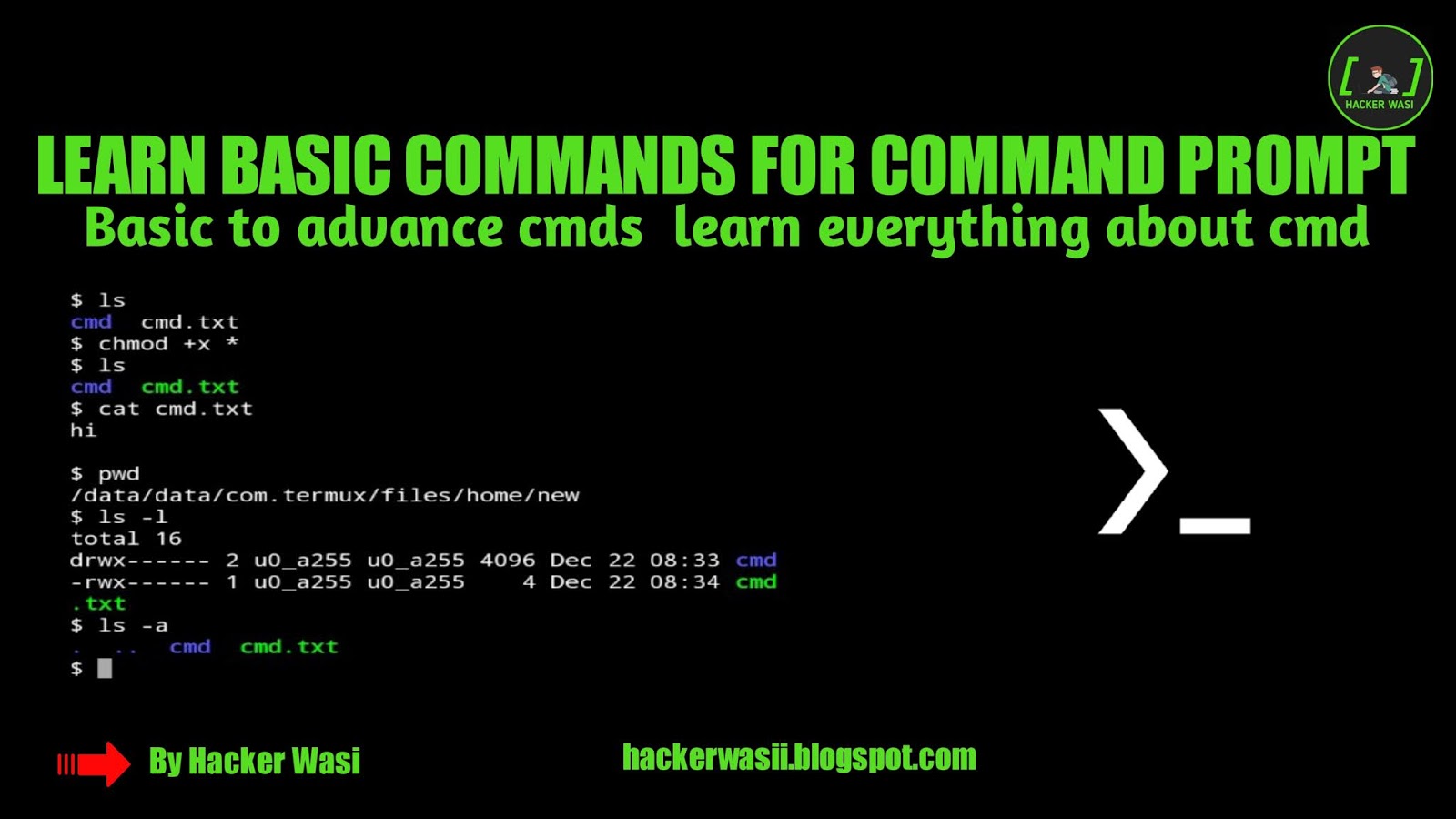
Basic Commands For Command Prompt

How To Add Commands To The Quick Access Toolbar 11 Steps

Methods Properties See also This object corresponds to a command button A command button on a form can start an action or a set of actions For example you could create a command button that opens another form To make a command button do something you write a macro or event procedure and attach it to the button s OnClick property Remarks

342 Share Save 46K views 2 years ago Microsoft Access TechHelp Q A In this video I m going to show you how to use Command Buttons to navigate through the records close a form or open

Use the Command Button Wizard to perform common programming tasks Understand macros Understand VBA code Convert macros to VBA code What is programming In Access programming is the process of adding functionality to your database by using Access macros or Visual Basic for Applications VBA code

In this video I m going to show you on how to Customize your Command Button and Text box in Microsoft access in order to make your database looks more profe

Using buttons on forms is one of the easiest and most efficient ways to give functionality to users for various purposes in a way that is easily understood
1 Go into the Design View of your form Press the ALT key and the F11 key simultaneously and you will see the VBA Code window Find your form and double click it which will bring up the code behind your form Find your button and put this piece of code in it DoCmd RunMacro YourMacroName To add a command button to a form In Form Layout view select the Design tab then locate the Controls group Click the Button command Choose the desired location for the command button then click the mouse The Command Button Wizard will appear In the Categories pane select the category of button you want to add
To set the command button s face select either the Text or Picture option button Then enter the button s text in the adjacent field or select the icon to include on the button s face using the adjacent options Then click the Next button to continue