How To Use Breakpoints In Visual Studio Code Data Breakpoints Visual Studio 2017 15 8 Update C Team Blog Freak Conditional Breakpoints In Visual Studio Conditional Breakpoints In Visual Studio How To Use Conditional Breakpoints In The Visual Studio 2022 Debugger How To Use CSS Breakpoints For Responsive Design Tips Web Function breakpoints enable you to break execution at the beginning of a function instead of on a particular line of code To set a function breakpoint on the Run view right click inside the Breakpoints section then choose Add Function Breakpoint and enter the name of the function on which you want to break execution Expression evaluation
Web Apr 11 2010 nbsp 0183 32 In Visual Studio open the source file of your referenced DLL that contains the desired method manually using menu File gt Open gt File Then set the breakpoint by clicking on the left border in the code editor This enables you to break at any code line and not just at function calls Web Oct 24 2016 nbsp 0183 32 I would like to export breakpoints set during a debug session by saving them into a text file and then import them during later debug sessions I have asked this question on the vscode github forum apparently it is feature that is still not supported in vscode Below is the link github Microsoft vscode issues 14314
How To Use CSS Breakpoints For Responsive Design Tips Skip Breakpoints In Visual Studio 2022 By Forcing VS To Run To Cursor How To Use Breakpoints In Visual Studio 2019 Breakpoint Guide How To Fix Missing Breakpoints View In Visual Studio Code Stack Overflow How To Use Breakpoints In Visual Studio 2019 Breakpoint Guide Framer Learn How To Use Breakpoints Visual Studio Windows Microsoft Learn Debugging With Breakpoints In ASP NET Use Breakpoints In The Debugger Visual Studio Windows Microsoft Learn
How To Use Breakpoints In Visual Studio Code
 How To Use Breakpoints In Visual Studio Code
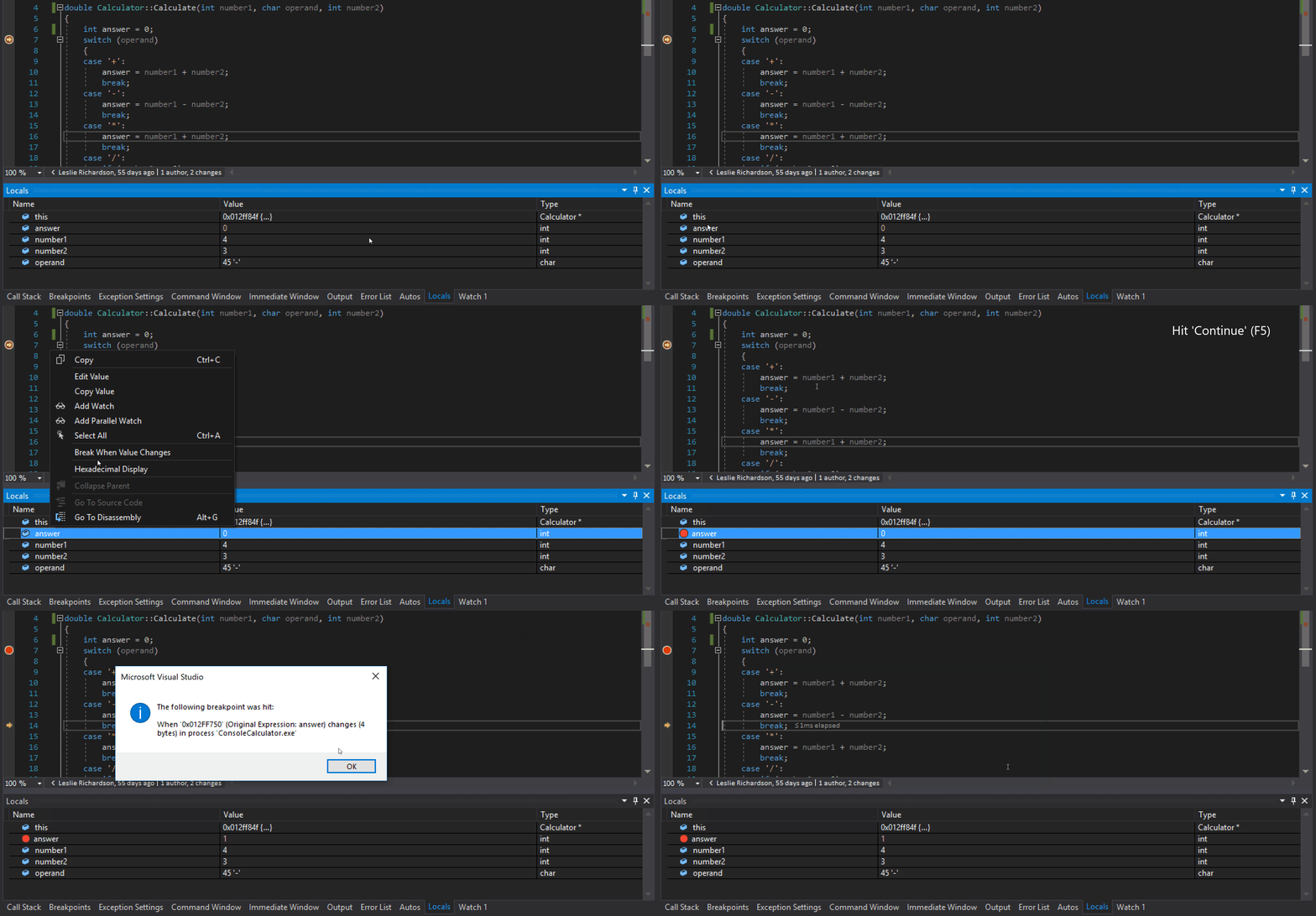
https://devblogs.microsoft.com/wp-content/uploads/sites/9/2019/02/EE_DataBreakpoints.gif
Web Oct 26 2023 nbsp 0183 32 Create an ASP NET Core application After installing the plugins please follow these steps to create a new ASP NET Core project in VS Code Create an empty directory in the local disk Open that empty directory in VS Code by selecting File gt Open Folder Open the terminal by using the shortcut Ctrl Shift or Terminal gt New
Templates are pre-designed files or files that can be utilized for different purposes. They can save effort and time by offering a ready-made format and design for producing different sort of content. Templates can be used for individual or expert jobs, such as resumes, invitations, leaflets, newsletters, reports, presentations, and more.
How To Use Breakpoints In Visual Studio Code

How To Debug C Code In Xamarin Forms Apps Debugging With Breakpoints

Skip Breakpoints In Visual Studio 2022 By Forcing VS To Run To Cursor
How To Use Breakpoints In Visual Studio 2019 Breakpoint Guide

How To Fix Missing Breakpoints View In Visual Studio Code Stack Overflow
Framer Learn How To Use Breakpoints
Visual Studio Windows Microsoft Learn

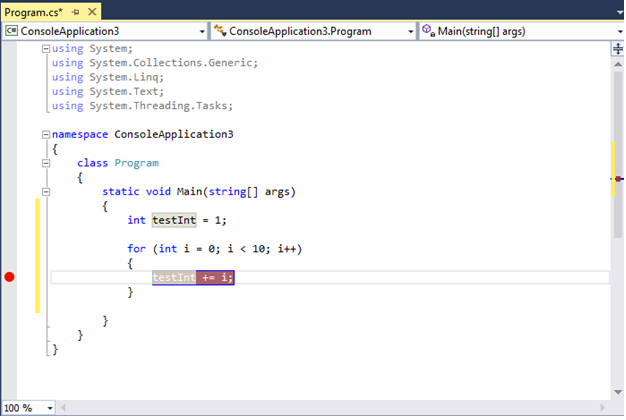
Web Breakpoints can be toggled by clicking on the editor margin or using F9 on the current line Finer breakpoint control enable disable reapply can be done in the Run and Debug view s BREAKPOINTS section Breakpoints in the editor margin are normally shown as red filled circles Disabled breakpoints have a filled gray circle

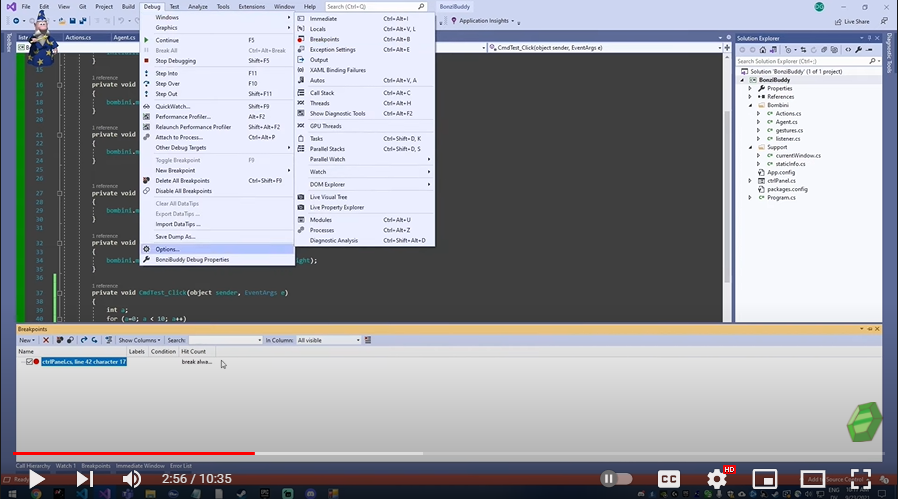
Web Dec 13 2022 nbsp 0183 32 In the Breakpoints window you can search sort filter enable disable or delete breakpoints You can also set conditions and actions or add a new function or data breakpoint To open the Breakpoints window select Debug gt Windows gt Breakpoints or press Ctrl Alt B
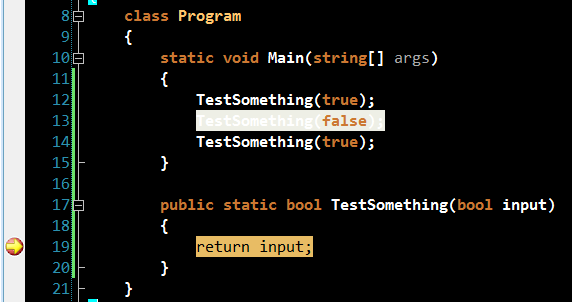
Web The following pops up when I right click on my code left clicking beside the line numbers didn t work either I ve read the documentation here https code visualstudio docs editor debugging breakpoints It states Breakpoints can be toggled by clicking on the editor margin

Web Aug 5 2022 nbsp 0183 32 How to use breakpoints in Vscode for debugging John Kealy 24 subscribers Subscribe 10K views 1 year ago In this video I run through the fundamentals of debugging within the Visual Studio
Web Jun 16 2023 nbsp 0183 32 The Visual Studio debugger can help you navigate through code to inspect the state of an app and show its execution flow which is also known as code stepping You can use keyboard shortcuts debug commands breakpoints and other features to quickly get to the code you want to examine
[desc-11] [desc-12]
[desc-13]