How To Undo An Undo Add The Undo Tool In Photoshop Gurudance How To Undo In Photoshop Photoshop Undo Settings Design Of The Times How To Change Undo Preferences In Adobe Photoshop CS6 Voice Tutorial How To UNDO On Notes IPhone IOS YouTube Excel Tutorial How To Undo And Redo Changes In Excel Web You can undo and redo up to 20 of your last typing or design actions in Access To undo an action press Ctrl Z To redo an undone action press Ctrl Y The Undo and Redo features let you remove or repeat single or multiple typing actions but all actions must be undone or redone in the order you did or undid them you can t skip actions
Web Jan 13 2023 nbsp 0183 32 The Redo shortcut is Ctrl Y or Ctrl Shift Z On Mac The Undo keyboard shortcut is Command Z The Redo command is Command Shift Z Learn how to create a Microsoft Edge desktop shortcut or keyboard shortcut The popular keyboard shortcuts in Microsoft Edge are also listed Web Nov 11 2022 nbsp 0183 32 In general look for a curved arrow pointing to the left for Undo You can also try right clicking in a text entry area and looking for an Undo option Or when all else fails try pressing Ctrl Z on your keyboard Good
Excel Tutorial How To Undo And Redo Changes In Excel How To Undo An Undo When There s No Redo Option Available Undo Did Not Remove All Changes Issue 1597 Photopea photopea GitHub How To Undo On Mac Redo On Mac Increase Undo Amount In Adobe Premiere Pro CC YouTube How To Undo An Update On IPhone 2 Simple Methods DeviceTests Microsoft Word 2007 Undo And Redo Buttons YouTube How To Set Up undo Send To Cancel Emails In Outlook Pureinfotech Undo Redo Shortcuts Key In Excel Top 5 Ways To Undo Last Action Quickly
How To Undo An Undo
 How To Undo An Undo
https://i.ytimg.com/vi/Rkcmug0u4Wc/maxresdefault.jpg
Web Jun 18 2020 nbsp 0183 32 In many applications including Adobe and Microsoft pressing Ctrl Z Cmd Z in MacOS undoes the last operation action you performed Conversely you can redo the last operation action performed by pressing Ctrl Y Cmd Y in MacOS Tags keyboard shortcut computer help
Pre-crafted templates offer a time-saving option for creating a varied variety of files and files. These pre-designed formats and layouts can be utilized for various individual and expert tasks, including resumes, invites, leaflets, newsletters, reports, presentations, and more, simplifying the material production process.
How To Undo An Undo

How To Use Undo Redo And Repeat In Excel

How To Undo An Undo When There s No Redo Option Available

Undo Did Not Remove All Changes Issue 1597 Photopea photopea GitHub
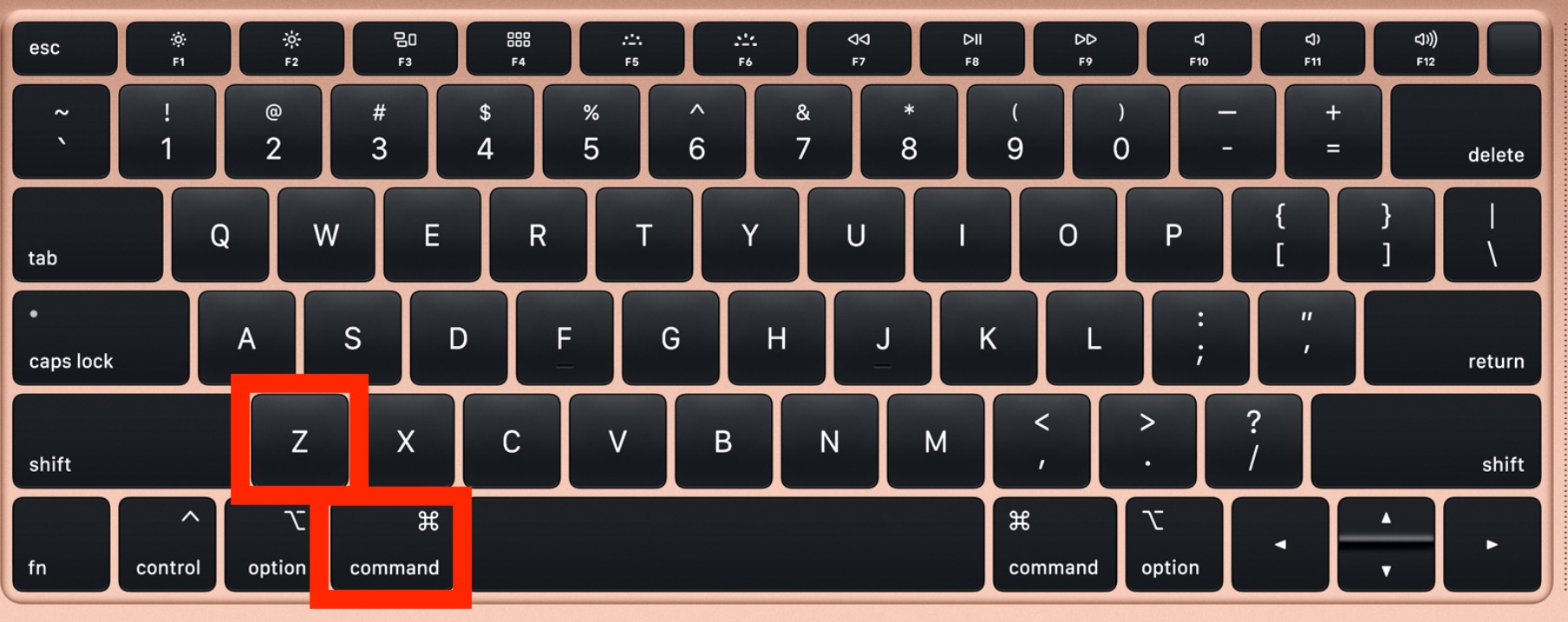
How To Undo On Mac Redo On Mac

How To Undo An Update On IPhone 2 Simple Methods DeviceTests
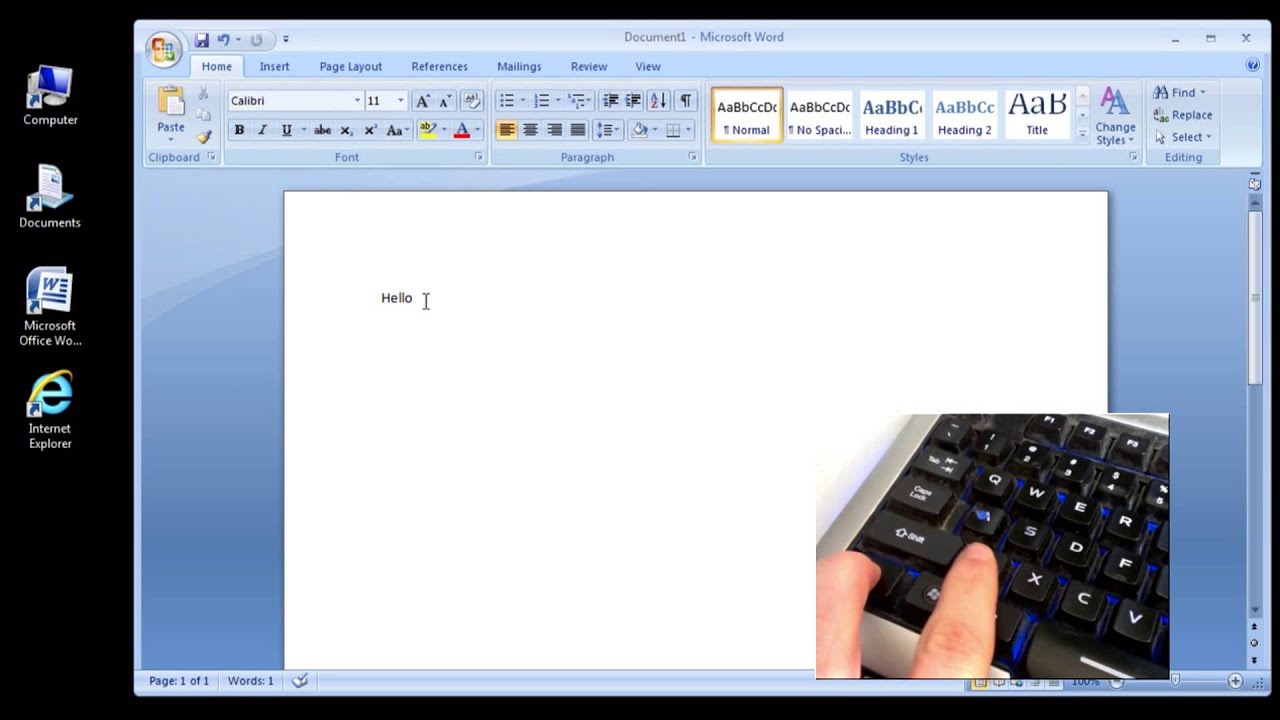
Microsoft Word 2007 Undo And Redo Buttons YouTube

Web To undo an action press Ctrl Z If you prefer your mouse click Undo on the Quick Access Toolbar You can press Undo or CTRL Z repeatedly if you want to undo multiple steps Note For more information about the Quick Access Toolbar see Customize the Quick Access Toolbar

Web You can undo an undo by pressing quot Ctrl Y quot or quot Ctrl Shift Z quot or by selecting quot Redo quot from the QAT Undo and Redo Each application in Windows maintains a buffer of recent operations that you can undo and therefore redo The size of the buffer depends on the application

Web Jul 7 2022 nbsp 0183 32 In Settings tap Accessibility On the next menu tap Touch On the Touch Settings screen scroll down until you see a switch labeled Shake To Undo Tap the switch to turn it off The next time you shake your iPhone or iPad while typing you won t see an Undo Typing popup

Web 1 Comment Undo PC Ctrl Z The Windows keyboard shortcut Ctrl Z will perform the Undo action Comments Undo Mac command Z The Mac keyboard shortcut command Z will perform the Undo action Comments Undo PC Ctrl Z Mac command Z Ah yes the famous UNDO Can you undo IT Of course you can Comments Undo PC Ctrl Z Mac
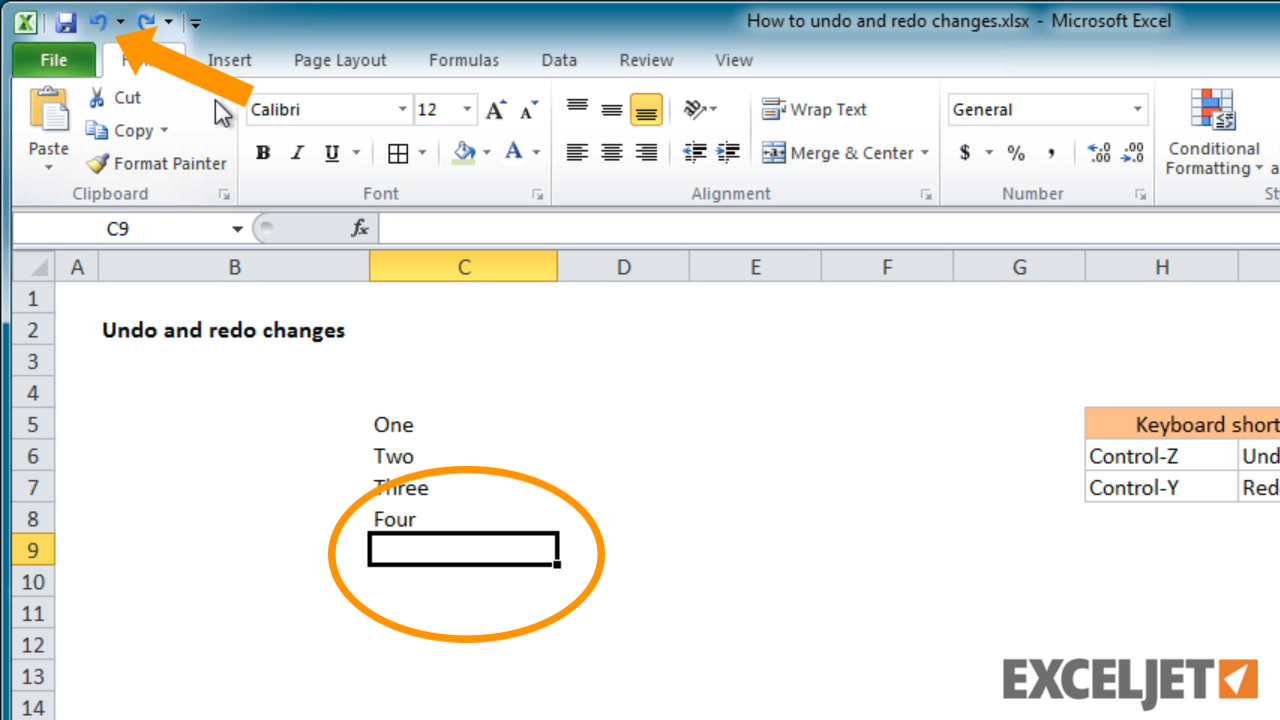
Web Dec 2 2020 nbsp 0183 32 If you re on a Windows based system and need to undo an action on your keyboard press Ctrl Z to undo it On Mac you ll need to press Z A single press of either command will undo the last action you performed If you want to undo more than the last command press the keyboard shortcut until you re satisfied with the results
Web Apr 17 2022 nbsp 0183 32 To undo an action via keyboard shortcut press quot Ctrl Z quot on Windows or quot Command Z quot on Mac If you re using Excel for Windows you can find the Undo button in the Home tab s Undo group in the top left corner of the window The Undo icon is a curved arrow pointing left Web Nov 3 2021 nbsp 0183 32 If you d like to use a keyboard shortcut to Undo the previous action you just performed press Command Z on your Mac keyboard This is equivalent to selecting Edit gt Undo in the menu bar It s also similar to pressing Ctrl Z on a Windows PC
Web Apr 7 2023 nbsp 0183 32 Step 1 The first step in using the quot Undo quot feature is to identify the mistake you want to reverse This can include anything from deleting text to applying the wrong formatting Once you ve identified the mistake you re ready to