How To Underline In Google Docs Comments How To Underline In Google Docs YouTube How To Underline In Google Sheets In Seconds How To Double Underline In Google Docs Technology Accent How To Underline In Google Docs YouTube Remove An Underline In Excel Architecturegera You may need to change font color to make text stand out comply with brand standards or add visual appeal Select the text you want to format Click the Text color or Highlight color button Select a color If you don t like any of the available theme colors select Custom to display the Colors dialog box
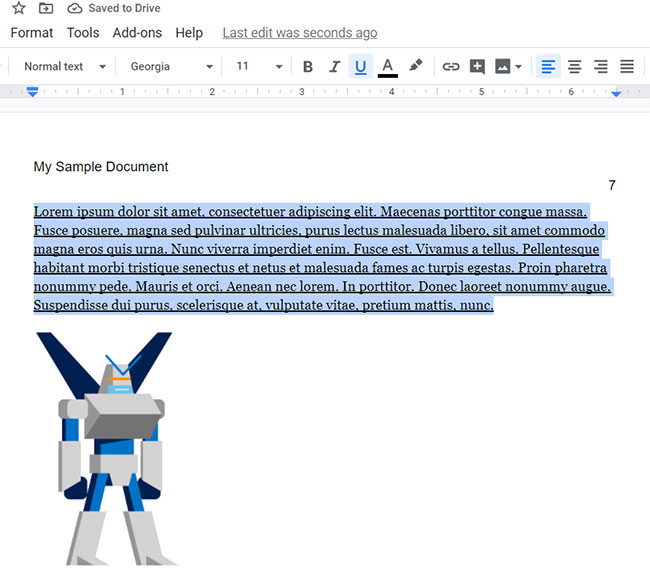
Step 1 Sign into Google Drive and open the document to which you wish to apply the underline formatting Step 2 Use your mouse to select the text to underline If you haven t added the text already then you can skip this step Step 3 Click the Underline button in the toolbar above the document [desc-8]
Remove An Underline In Excel Architecturegera How To Underline In Google Docs All Infomation How To Underline In Google Sheet How To Underline In Google Sheets In 3 Easy Steps How To Underline In Google Sheets In Seconds How To Underline In Google Sheets In 3 Easy Steps How To Underline In Google Docs YouTube How To Underline In Google Docs Guide Docs Stak How To Underline In Google Docs Easy Guide 2023
How To Underline In Google Docs Comments
 How To Underline In Google Docs Comments
https://i.ytimg.com/vi/y7jq1Hd0a_Y/maxresdefault.jpg
[desc-9]
Templates are pre-designed files or files that can be used for numerous functions. They can conserve effort and time by offering a ready-made format and layout for producing different sort of content. Templates can be utilized for personal or expert projects, such as resumes, invitations, leaflets, newsletters, reports, discussions, and more.
How To Underline In Google Docs Comments
How To Remove Underline In Google Docs SolveYourDocuments

How To Underline In Google Docs All Infomation

How To Underline In Google Sheet

How To Underline In Google Sheets In 3 Easy Steps

How To Underline In Google Sheets In 3 Easy Steps
How To Underline In Google Docs YouTube

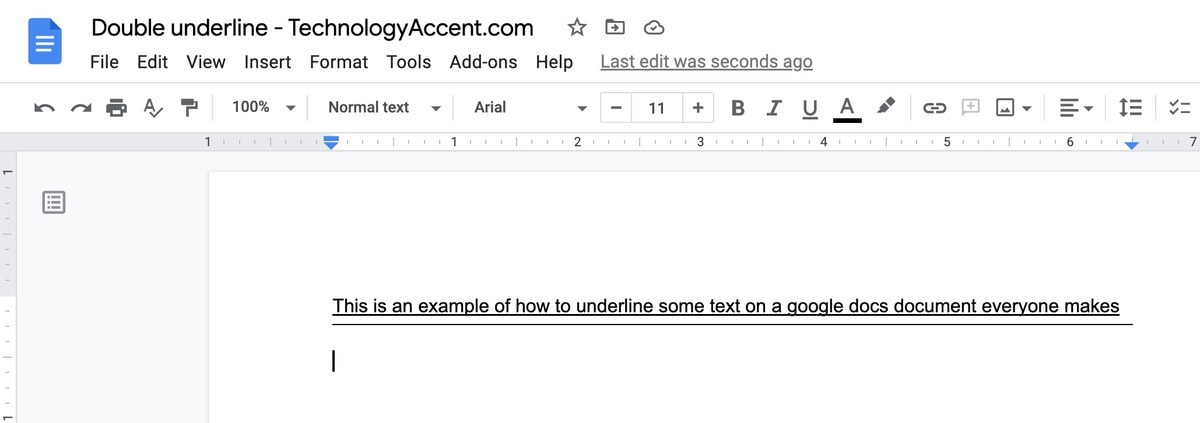
Google Docs provides various customization options for underlining your text Here are some ways to enhance the underline feature Custom line style To change the line style click on the Underline dropdown menu and select your preferred line style Options include dashed dotted and double

1 What is the shortcut for Underline in Google Docs In Google Docs use the keyboard shortcut Ctrl U or Cmd U to underline text 2 How do you underline without text in Google Docs Go to Format Paragraph styles Borders and shading Bottom border position Apply 3 How to remove underline in Google Docs
In this video I show how to underline in Google Docs Read through the full tutorial here https www modernschoolbus underline google docs
Open the Google Docs document on your computer Highlight the text that you want to underline From the formatting toolbar click on the Underline button It looks like a U with a line underneath it The text you highlighted will now be underlined Add underline in Google Docs using shortcut

How to Underline in Google Docs AppsThatDeliver 3 subscribers Subscribe Subscribed 0 Share 167 views 10 months ago Article Link https appsthatdeliver app tutor Underline is
[desc-11] [desc-12]
[desc-13]