How To Store Image In Local Storage In Javascript How To Use Local Storage In JavaScript How To Store Image In Outside Directory Oracle APEX YouTube SQLite How To Store Image In Android YouTube How To Store Image In SQLite Database In Android Studio SQLite Android Studio Tutorials 2021 Sql Php Code To Connect With Mysql Database Not Apply Stack Overflow How Test Connection Using Web Jun 9 2018 nbsp 0183 32 Using local storage to save image in javascript Ask Question Asked 5 years 4 months ago Modified 5 years 4 months ago Viewed 947 times 0 Check my JS Fiddle https jsfiddle oxfre6kj 1
Web Dec 14 2020 nbsp 0183 32 Methods of localStorage setItem key value Used to save data to localStorage removeItem key Used to remove data from localStorage getItem key It read data from localStorage clear It clears localStorage on the domain Web Oct 1 2013 nbsp 0183 32 66 I have an HTML5 javscript app which uses lt input type quot file quot accept quot image capture camera quot onchange quot gotPhoto this quot gt to capture a camera image Because my app wants to be runnable offline how do I save the File https developer mozilla en US docs Web API File object in local storage such
Sql Php Code To Connect With Mysql Database Not Apply Stack Overflow How Test Connection Using How To Store Image In MySql Database Using Java Program In Hindi YouTube How To Use Local Storage In JavaScript Javascript Web Design Web Application React Redux Save Data In Local Storage With Persist Tutorial JavaScript Local Storage Explained How To Store Data In Local Storage In JavaScript Fedingo JavaScript Dark Mode Toggle With Local Storage CodeHim Local Storage In Javascript Quick How To Store Images In A MySQL Database Using Python Rkimball
How To Store Image In Local Storage In Javascript
 How To Store Image In Local Storage In Javascript
https://www.gopikrishna.dev/_next/image?url=%2Fassets%2Flocalstorage-cover.jpg&w=3840&q=75
Web Oct 3 2013 nbsp 0183 32 Get the localStorage on the second page try something like this window onload function var picture localStorage getItem image var image document createElement img image src picture document body appendChild image Share Improve this answer Follow
Pre-crafted templates use a time-saving option for creating a diverse range of files and files. These pre-designed formats and layouts can be used for different individual and professional projects, including resumes, invites, flyers, newsletters, reports, presentations, and more, enhancing the material creation procedure.
How To Store Image In Local Storage In Javascript

45 Task List App 1 Local Storage In JavaScript Javascript Tutorial UiBrains NAVEEN

How To Store Image In MySql Database Using Java Program In Hindi YouTube

How To Use Local Storage In JavaScript Javascript Web Design Web Application

React Redux Save Data In Local Storage With Persist Tutorial
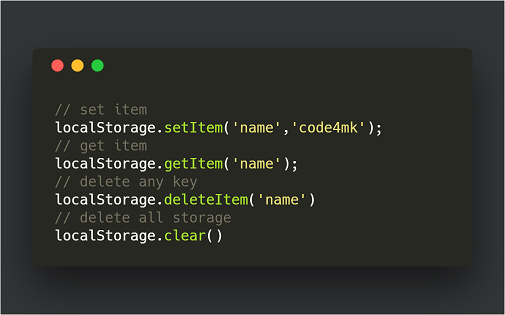
How To Store Data In Local Storage In JavaScript Fedingo
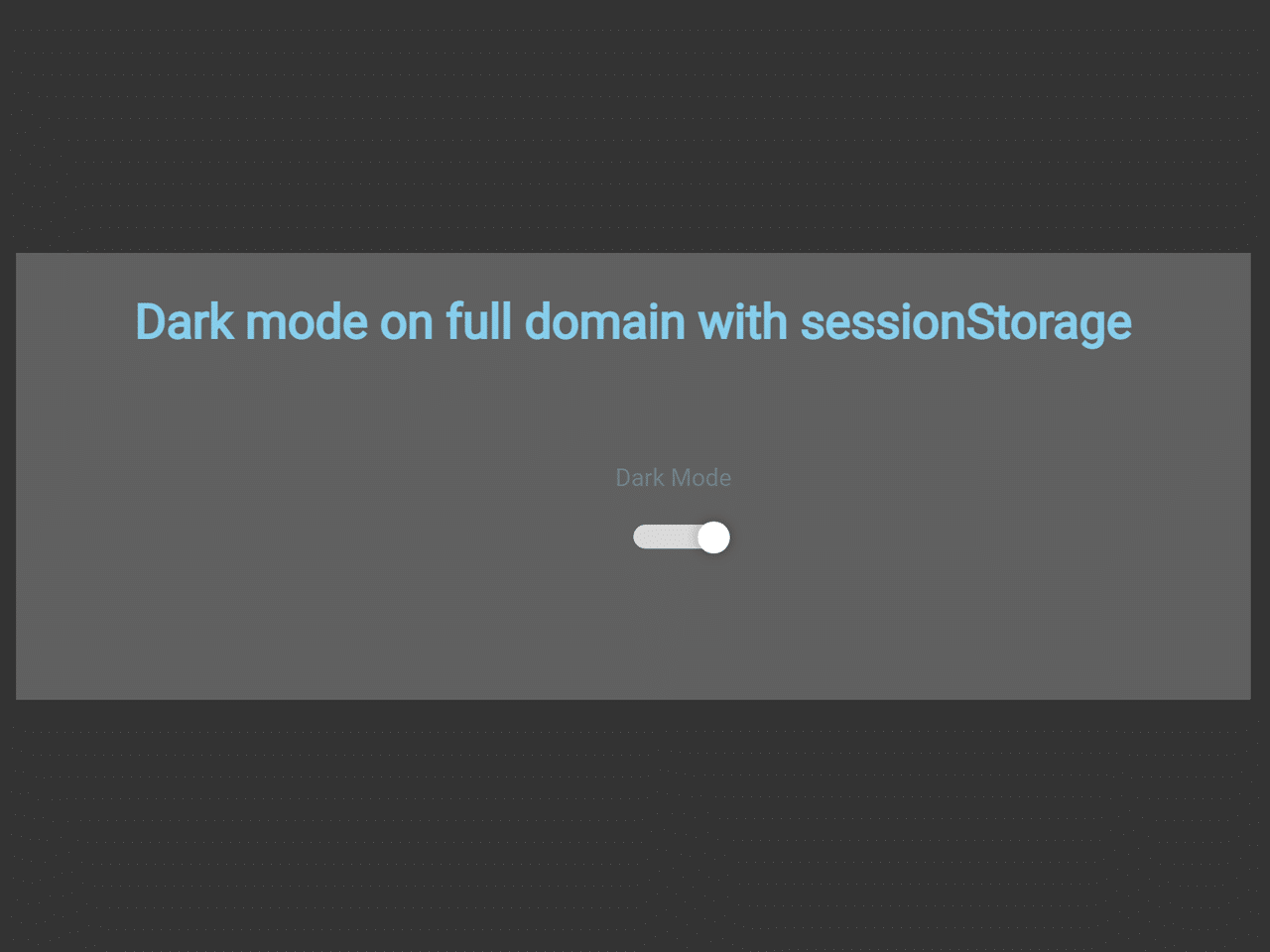
JavaScript Dark Mode Toggle With Local Storage CodeHim

Web Sep 26 2013 nbsp 0183 32 1 This is the only way you can convert an image into a string locally with the excpetion of files loaded with FileReader see below Optionally you need to use the server to do it 2 To get a JPEG image you need to use the argument like this var datauri imgCanvas toDataURL quot image jpeg quot 0 5 0 5 optional quality

Web Aug 6 2015 nbsp 0183 32 1 Because of the limited storage quota you ve got with localStorage you may need to check the size of the uploaded image Here is one way based on fuyushimoya s answer if you don t need to convert every type of image to png Otherwise you re kind of screwed since it s one of the heaviest image type

Web Nov 11 2022 nbsp 0183 32 There are 3 steps to store an image in the localStorage in JavaScript Step 1 Get the image file from the lt input gt element by listing to the change event Step 2 Use FileReader constructor function to convert the image file into a data URL Step 3 Save the data URL string to localStorage with

Web Nov 22 2013 nbsp 0183 32 You could try to download the imgage via a binary XMLHttpRequest then convert the raw binary data to base64 and store it Be aware of the same origin policy

Web Mar 28 2023 nbsp 0183 32 localStorage in JavaScript is a simple and efficient way to store and retrieve data without relying on cookies In this post you learned how and when to use localStorage We covered how to save retrieve and delete items in localStorage
Web Apr 24 2022 nbsp 0183 32 2 Answers Sorted by 1 Just change the logo based on the color I refactored your code a bit and added changeLogoBasedOn color I also changed Btn to themeBtn and added a default value if localStorage getItem data theme is null on the first row let theme localStorage getItem data theme blue const themeBtn document Web May 28 2023 nbsp 0183 32 A step by step illustrated guide on how to save an image or multiple images to localStorage using JavaScript
Web Oct 15 2017 nbsp 0183 32 2 Answers Sorted by 2 loadStorage Wierd selective use of jQuery container is already a jQuery object Just do container append elem no need to wrap it in jQuery again document getElementById key could be shortened to quot quot key 0 thisImg attr src source could just be thisImg src source