How To Split One Column Value Into Multiple Rows In Excel How To Split Cells In Excel How To Split One Column Into Multiple How To Split One Column Into Two In Excel On The Data Tab In The How To Divide A Cell In Excel Into Two Cells Images And Photos Finder How To Split Cells In Excel In 3 Easy Steps Split Cells In Multiple Split One Single Row Into Multiple Rows In Excel YouTube Web Result How to Split Cells in Excel In this tutorial you ll learn how to split cells in Excel using the following techniques Using the Text to Columns feature Using Excel Text Functions Using Flash Fill available in 2013 and 2016 Let s begin Split Cells in Excel Using Text to Column
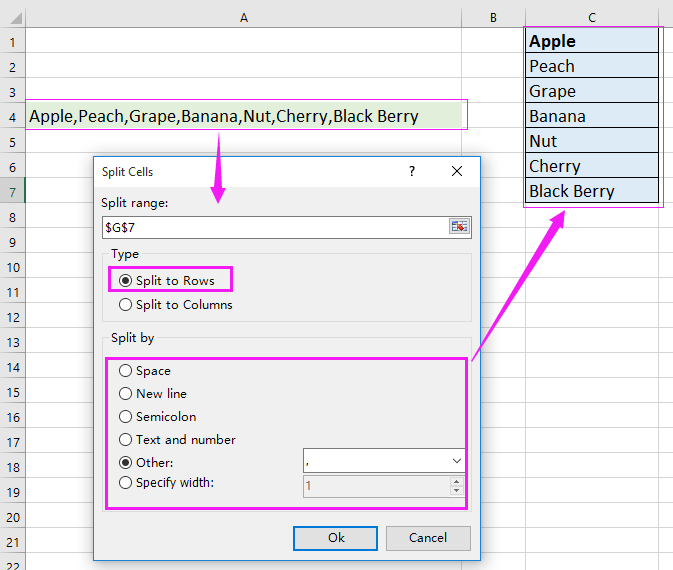
Web Result For the purpose of splitting one column into multiple rows select the quot Delimited quot option and click quot Next quot Selecting the delimiter to use for splitting the data In the second step of the Text to Columns wizard you will need to specify the delimiter that is used in the data to split the column into multiple rows Web Result Split data into multiple columns Sometimes data is consolidated into one column such as first name and last name But you might want separate columns for each So you can split the Sales Rep first name and last name into two columns Select the quot Sales Rep quot column and then select Home gt Transform gt Split Column
Split One Single Row Into Multiple Rows In Excel YouTube How To Split Text Into Multiple Columns Using Text To Column In Excel How To Split Excel Cells Into Columns YouTube How To Split One Column Into Multiple Columns In Excel How To Split One Single Row To Multiple Rows In Excel My XXX Hot Girl How To Stop Splitting Text To Columns When Paste Data In Excel Split Cell Content Into Multiple Separate Rows In Excel Super User How To Split Numbers Into Columns In Excel YouTube Better Method To Split Cell Values In Multiple Rows And Concatenate
How To Split One Column Value Into Multiple Rows In Excel
 How To Split One Column Value Into Multiple Rows In Excel
https://i.ytimg.com/vi/1HQlBq6AWUg/maxresdefault.jpg
Web Result Jan 23 2020 nbsp 0183 32 To improve it you should consider splitting up your column using the quot Text to Columns quot or quot Flash Fill quot features quot Text to Columns quot will replace your single column with multiple columns using the same data quot Flash Fill quot will replicate the data splitting it into new individual columns while leaving the original column
Pre-crafted templates offer a time-saving option for developing a diverse range of files and files. These pre-designed formats and layouts can be used for numerous individual and expert projects, including resumes, invites, leaflets, newsletters, reports, discussions, and more, streamlining the content development process.
How To Split One Column Value Into Multiple Rows In Excel
How To Split One Column Into Multiple Columns In Excel
How To Split Text Into Multiple Columns Using Text To Column In Excel
How To Split Excel Cells Into Columns YouTube
How To Split One Column Into Multiple Columns In Excel
How To Stop Splitting Text To Columns When Paste Data In Excel

Split Cell Content Into Multiple Separate Rows In Excel Super User
Web Result Oct 3 2023 nbsp 0183 32 1 Apply Text to Columns Wizard to Split Data from One Cell into Multiple Rows I have placed 5 products names in Cell B5 Now I ll split them into multiple rows along cells B8 B12 using the Text to Columns Wizard Steps Select Cell B5 Then click as follows Data gt Text to Columns A 3 step dialog box will

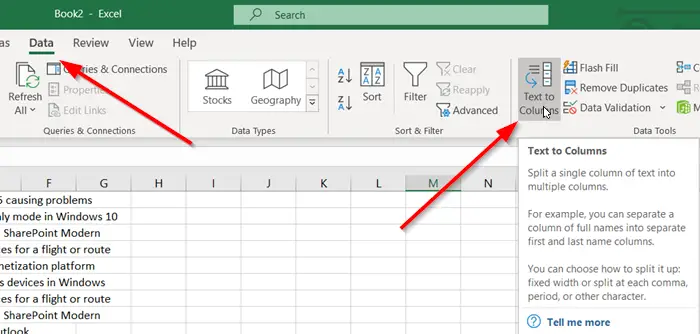
Web Result Dec 13 2023 nbsp 0183 32 Steps First select the cell that you want to split Here I selected cell C5 Then open the Data tab Now from Data Tools select the Text to Columns option As a result a dialog box named Convert Text to Columns Wizard will pop up From there select the file type Delimited and click Next
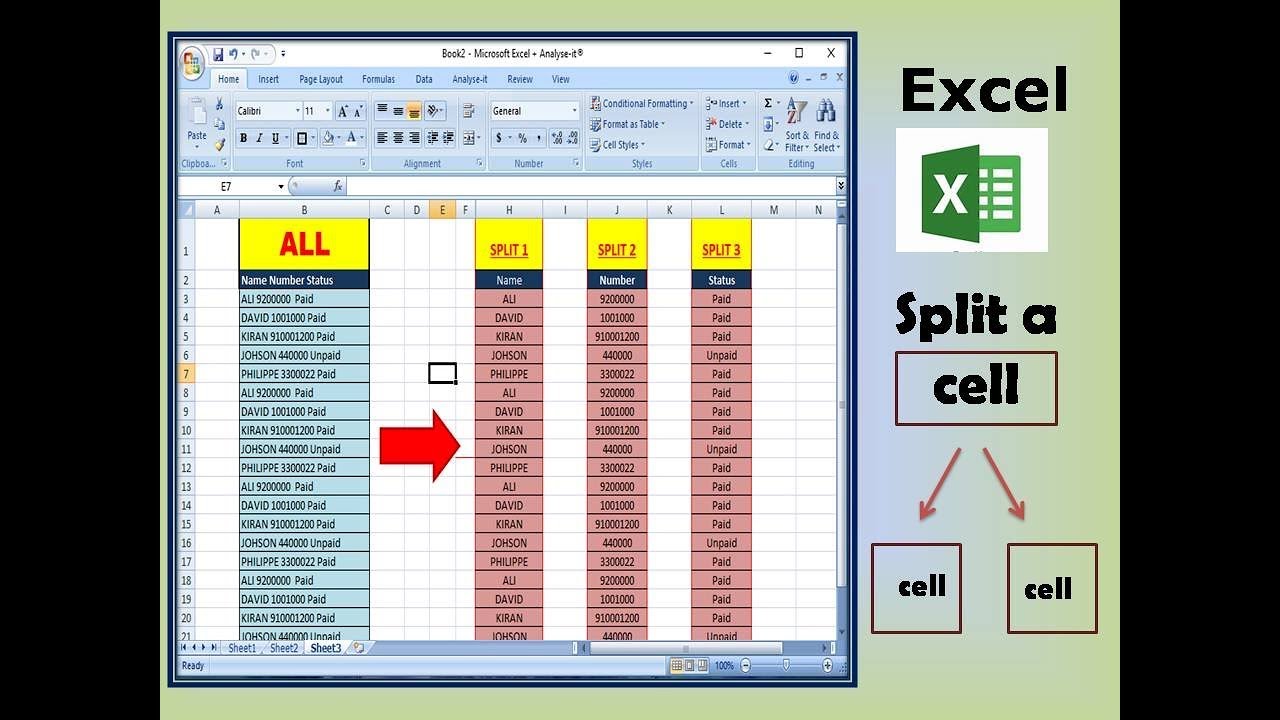
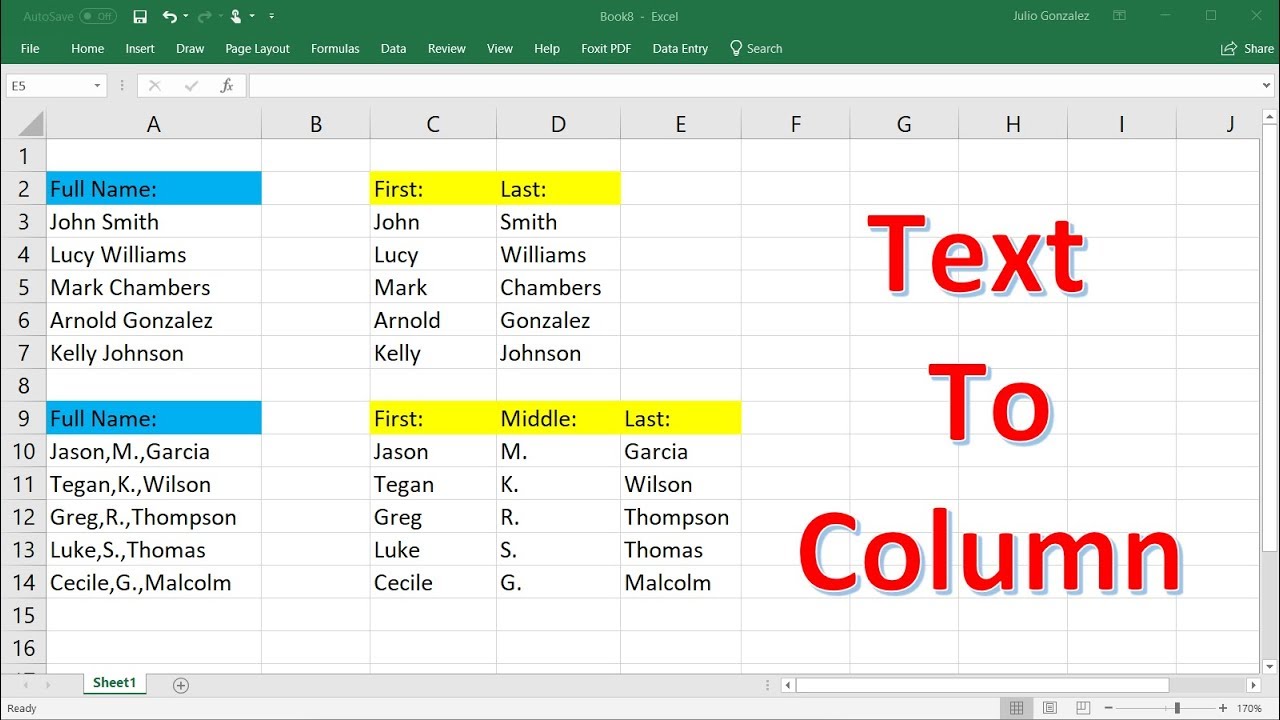
Web Result How to Split one Column into Multiple Columns Say you have a list of names that you want to split into columns Name and Surname Select the column that you want to split From the Data ribbon select Text to Columns in the Data Tools group This will open the Convert Text to Columns wizard

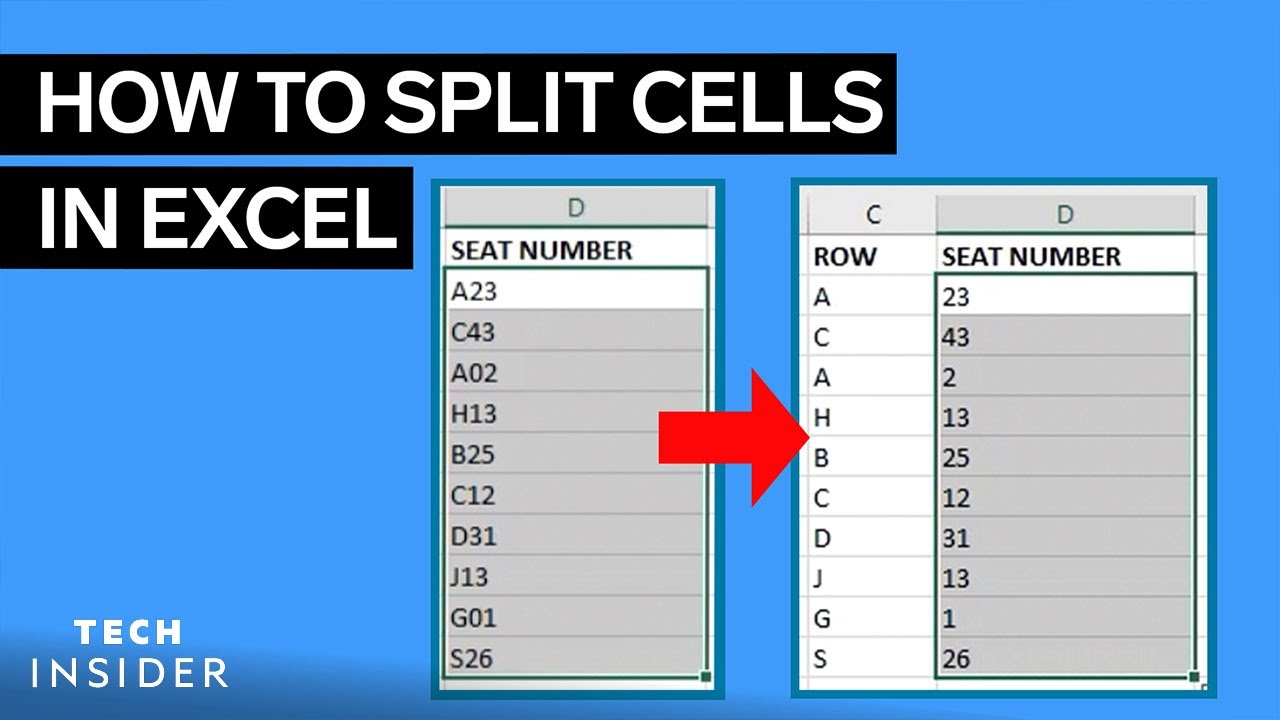
Web Result Feb 12 2021 nbsp 0183 32 Select the cells you want to split by clicking the first cell and dragging down to the last cell in the column In our example we ll split the first and last names listed in column A into two different columns column B last name and column C first name
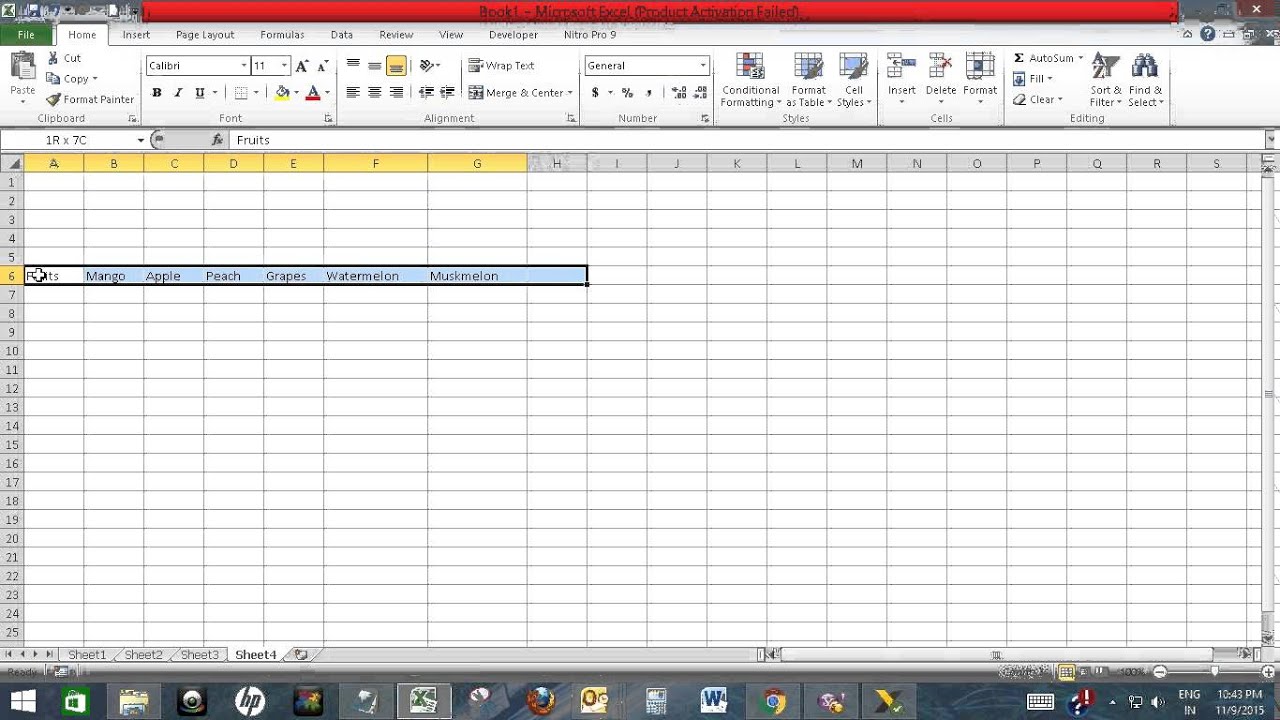
Web Result Aug 18 2021 nbsp 0183 32 1 1 How do I split this You can use formulas power query or VBA What version of Excel will you be using Please show what you have tried And is there an empty row between each group of three Ron Rosenfeld Aug 19 2021 at 0 13 Add a comment 2 Answers Sorted by 0 Select your data Copy it Go to
Web Result Method 1 Using the Transpose Feature Method 2 Using Paste Special Method 3 Using Keyboard Shortcuts To Change Columns to Rows Method 4 Using the TRANSPOSE Function Transpose Function Can Give SPILL Error Blank Cells in the Original Data Are Converted to 0 Can Not Change Any Cell in the Array Web Result Jan 17 2024 nbsp 0183 32 Using a native functionality Using a combination of Excel functions Power Query Visual Basic for Applications VBA For this article we have decided to group the use cases not by option but by the expected outcome So we ll cover two epic tasks split cells to columns and split cells to rows
Web Result Jan 9 2022 nbsp 0183 32 Method 1 Using Text to Columns Option Step 1 Choose the cells where the data needs to be split Go to the Data tab and choose the Text to Columns option from the Data Tools section Step 2 In Convert Text to Column Wizard window Choose the Delimited option and click on Next Step 3 In the