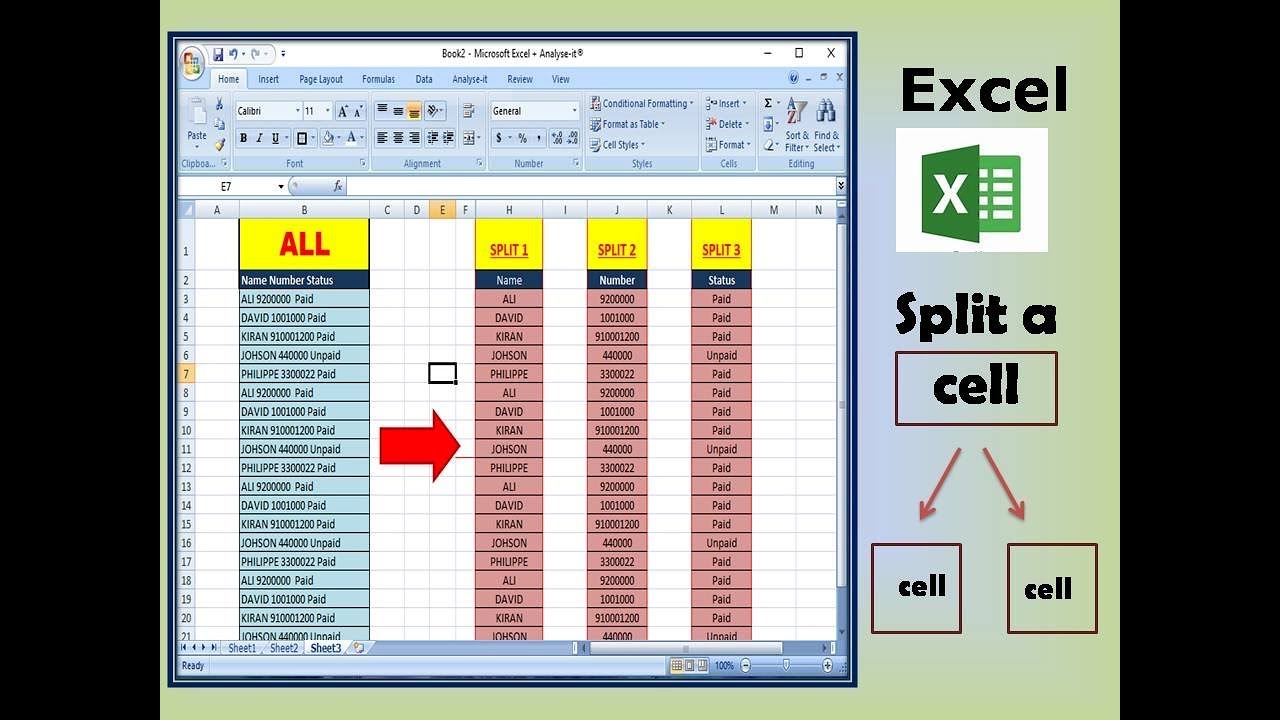
How To Split Numbers In Excel Cell How To Separate Numbers After A Symbol In Excel Excelbuddy Com Riset Split Text And Numbers Excel Formula Exceljet How To Split Phone Numbers In Excel With Example Download REAN Excel Split Cell Half Rows Cells Diagonally Split Text And Numbers In A Cell In Excel Verkko 22 elok 2020 nbsp 0183 32 One of the most common methods to split a cell in Excel is using the Text to Columns tool This lets you split an entire column of cells using whatever rules you like The feature also includes an easy
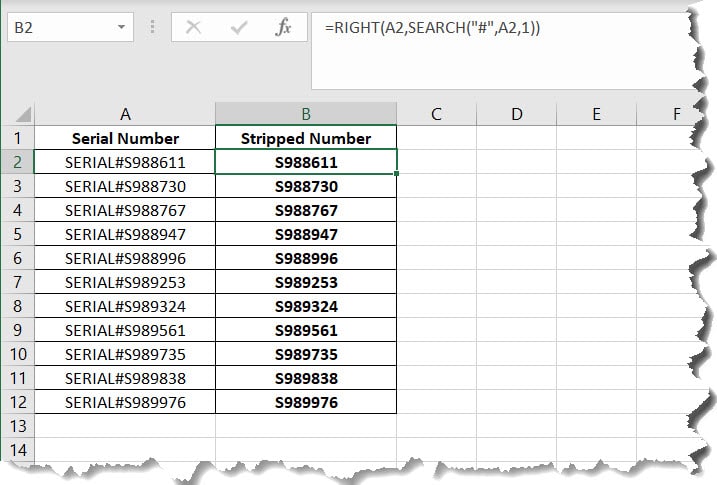
Verkko Syntax TEXTSPLIT text col delimiter row delimiter ignore empty match mode pad with The TEXTSPLIT function syntax has the following arguments text The text Verkko 21 maalisk 2023 nbsp 0183 32 To split string in Excel you generally use the LEFT RIGHT or MID function in combination with either FIND or SEARCH At first sight some of the
Split Text And Numbers In A Cell In Excel How To Divide A Cell In Excel Into Two Cells Images And Photos Finder How To Diagonally Split A Cell In Excel YouTube How To Split Excel Cells Into Columns YouTube Come Dividere Numeri E Testo Da Una Stringa In Excel Hot Sex Picture How To Separate Or Split Texts And Numbers From One Cell To Two Columns Split Text String By Line Break In Excel Free Excel Tutorial CLOUD Split Text And Numbers In A Cell In Excel Separate Text And Numbers In Excel 4 Easy Ways
How To Split Numbers In Excel Cell
 How To Split Numbers In Excel Cell
https://excelbuddy.com/wp-content/uploads/2019/11/separate-Text.jpg
Verkko 20 huhtik 2022 nbsp 0183 32 Replace quot A1 quot in the example here with the source cell you want to split Place the cursor into the next output cell and use Excel s RIGHT function to extract the right side of the source string
Pre-crafted templates offer a time-saving solution for developing a diverse variety of files and files. These pre-designed formats and layouts can be used for various personal and expert projects, consisting of resumes, invites, leaflets, newsletters, reports, discussions, and more, simplifying the material production procedure.
How To Split Numbers In Excel Cell
Excel Split Cells Into Two Filtervsera
How To Divide A Cell In Excel Into Two Cells Images And Photos Finder
How To Diagonally Split A Cell In Excel YouTube
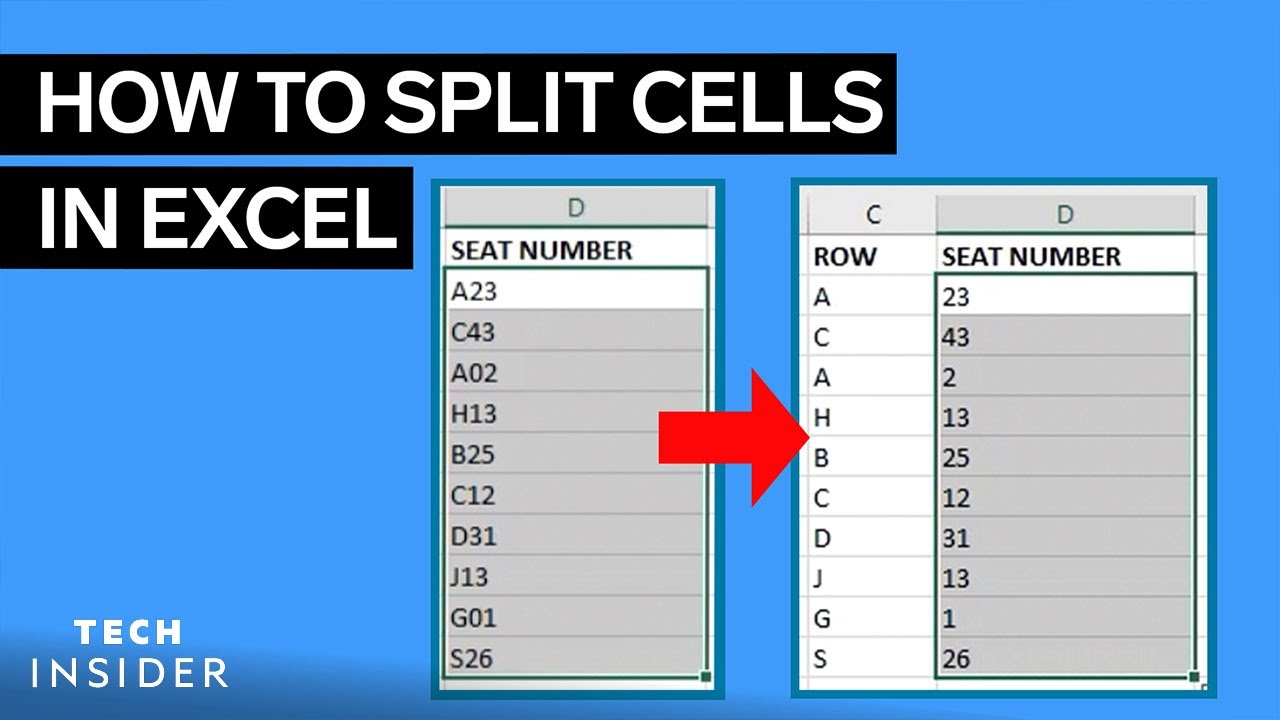
How To Split Excel Cells Into Columns YouTube
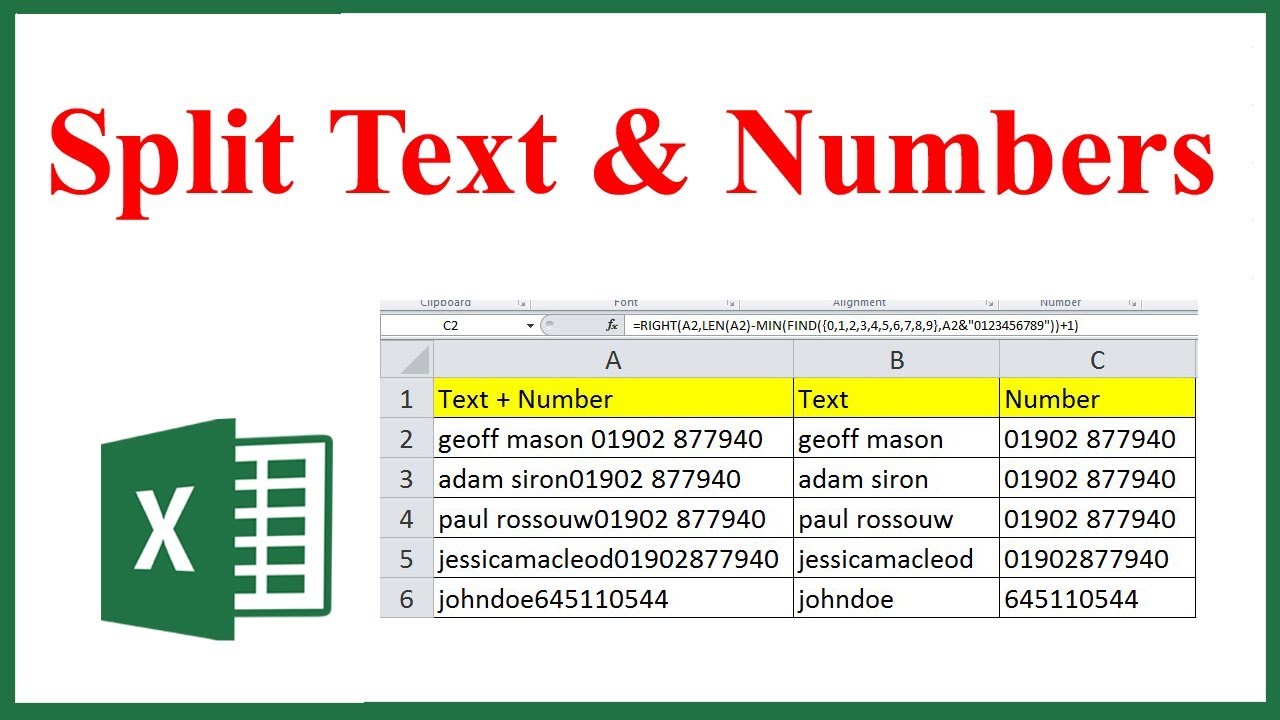
How To Separate Or Split Texts And Numbers From One Cell To Two Columns
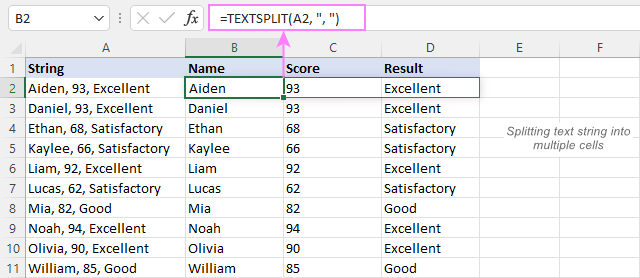
Split Text String By Line Break In Excel Free Excel Tutorial CLOUD

Verkko Here are the steps to do this Select any cell in the Excel Table Click the Data tab in the ribbon In the Get and Transform group click on the From Table Range In the
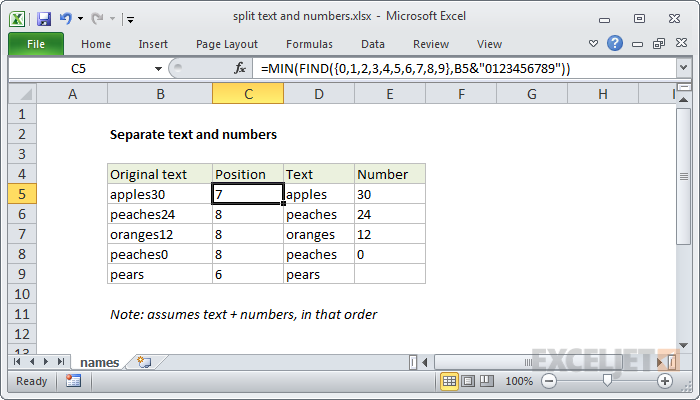
Verkko 16 maalisk 2023 nbsp 0183 32 Select the cells with phone numbers B2 B6 and in the Ribbon go to Home gt Text to Columns In Step 1 of the Text to Columns Wizard choose Fixed width and click Next Here you have
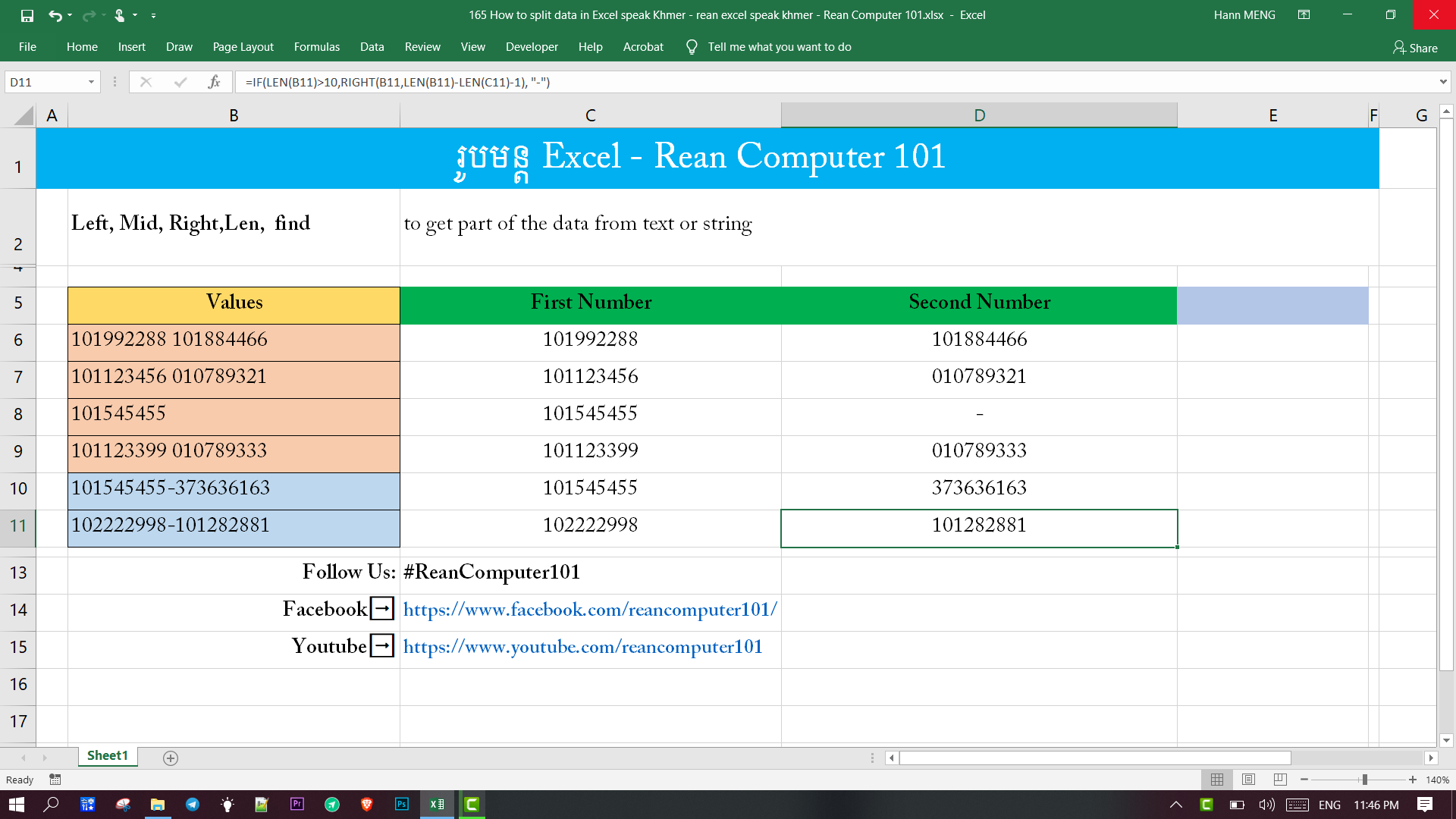
Verkko 8 jouluk 2021 nbsp 0183 32 A quick way to split the values in your cells into multiple cells is by using Excel s Flash Fill feature This automatically extracts the values from your cells and puts them into separate multiple cells To

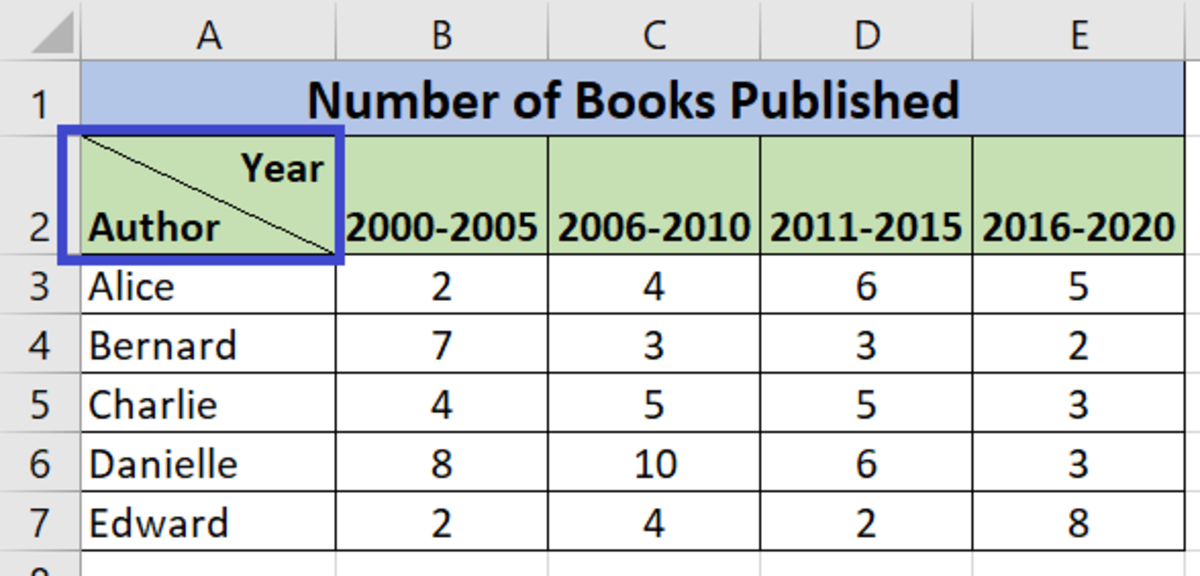
Verkko Split a cell You might want to split a cell into two smaller cells within a single column Unfortunately you can t do this in Excel Instead create a new column next to the column that has the cell you want to split and

Verkko 12 helmik 2021 nbsp 0183 32 Select the cells you want to split by clicking the first cell and dragging down to the last cell in the column In our example we ll split the first and last names listed in column A into two different
Verkko How to Split Cells in Excel In this tutorial you ll learn how to split cells in Excel using the following techniques Using the Text to Columns feature Using Excel Text Verkko 22 maalisk 2023 nbsp 0183 32 How do you split a cell in Excel By using the Text to Columns feature Flash Fill formulas or Split Text tool This tutorial outlines all the options to
Verkko 11 lokak 2022 nbsp 0183 32 Select the cell or cells containing the text to be split From the ribbon click Data gt Data Tools Group gt Text to Columns The Convert Text to Columns