How To Split Excel File Into Multiple Files How Can I Split A Large Excel File Into Multiple Smaller Files Any How To Split Excel File Into Multiple Files Based On Rows How To Split Excel File Into Multiple Files Based On Rows How To Split Excel File Into Multiple Files By Row TechCult How To Split Excel File Into Multiple Files By Row TechCult Web Excel Splitter can efficiently split a large workbook to separate Excel files based on each worksheet online from Mac OS Linux Android iOS and anywhere Split XLS XLSX XLSM XLSB ODS NUMBERS Save to desired format Xlsx Xls Xlsm Xlsb Ods Split an Excel spreadsheet by worksheet Split into multiple Excel spreadsheet files
Web 1 Create a new folder for the workbook that you want to split because the split Excel files will be stayed at the same folder as this master workbook 2 Hold down the ALT F11 keys in Excel and it opens the Microsoft Visual Basic for Applications window Web Click on the Split button to open the Split Workbook dialog box In this dialog box you can specify the criteria for splitting the sheet into multiple files You can choose to split the data based on the values in a specific column the number of
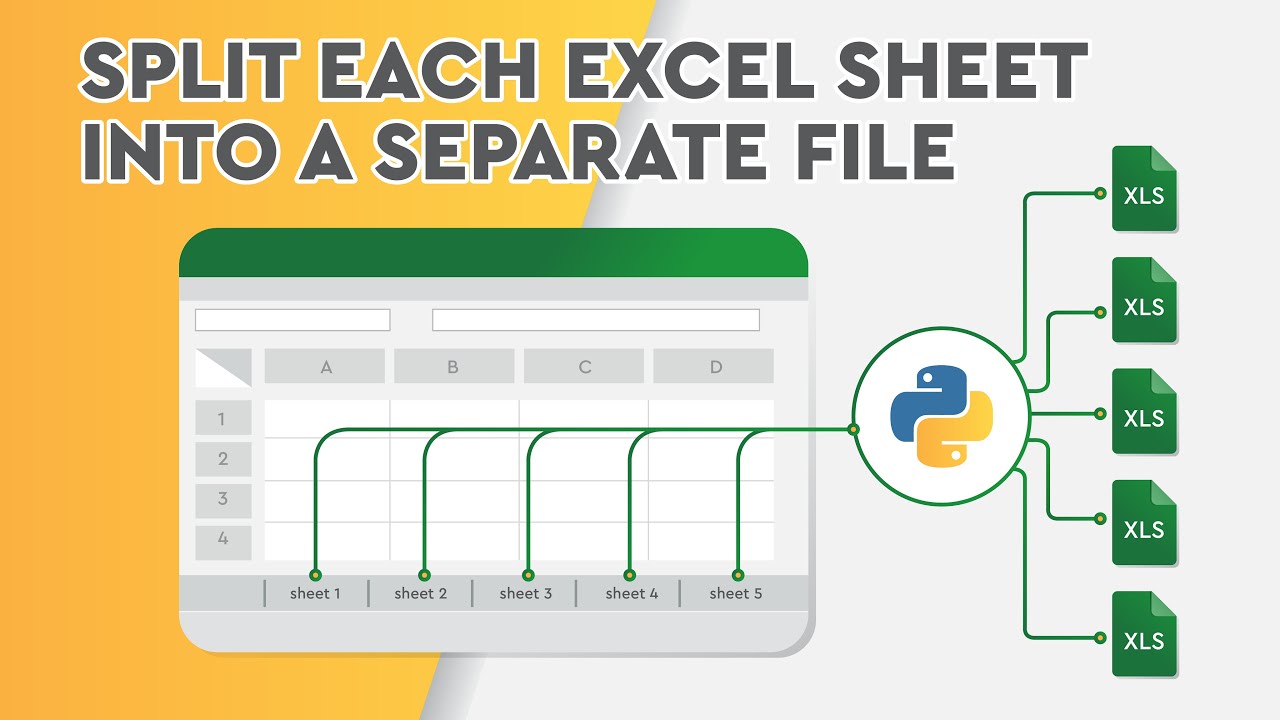
How To Split Excel File Into Multiple Files By Row TechCult Excel Tutorial How To Split Excel File Into Multiple Files Excel What Are Different Components Of Spreadsheet TechCult How To Split Each Excel Sheet Into A Separate File Using Python YouTube Split An Excel Sheet Into Multiple Based On A Column Value Help How To Split Excel Sheet Into Multiple Files 3 Quick Methods ExcelDemy Solved How To Split Excel File Alteryx Community How To Split Excel Files Sheets Into Separate Files YouTube How To Split Excel Sheet Into Multiple Files 3 Quick Methods ExcelDemy
How To Split Excel File Into Multiple Files
 How To Split Excel File Into Multiple Files
https://4.bp.blogspot.com/-GgBBvAVSIHI/Xkz-LhMXBBI/AAAAAAAADMc/jR67H3uU_AUT5H9JJcb8DfaM43d9eiSaQCK4BGAYYCw/s640/How%2Bcan%2BI%2Bsplit%2Ba%2Blarge%2Bexcel%2Bfile%2Binto%2Bmultiple%2Bsmaller%2Bfiles.png
Web Step 1 Specify how to split your workbook If you want to place only specific sheets in separate workbooks select the first option Place each selected sheet in a separate workbook Click Next to proceed to the next step Step 2
Templates are pre-designed documents or files that can be utilized for different purposes. They can save effort and time by supplying a ready-made format and design for creating various sort of content. Templates can be used for personal or professional tasks, such as resumes, invitations, flyers, newsletters, reports, presentations, and more.
How To Split Excel File Into Multiple Files

How To Split Excel File Into Multiple Files By Row TechCult

Excel Tutorial How To Split Excel File Into Multiple Files Excel

What Are Different Components Of Spreadsheet TechCult
How To Split Each Excel Sheet Into A Separate File Using Python YouTube

How To Split Excel Sheet Into Multiple Files 3 Quick Methods ExcelDemy

Solved How To Split Excel File Alteryx Community
Web Method 1 Using Cut and Paste Method 2 Use the Move or Copy Feature Method 3 VBA Code to Separate Excel Sheets into Separate Excel Files Method 4 VBA Code to Separate Excel Sheets Names with Particular Phrases into Separate Excel Files Method 5 VBA Code to Separate Excel Sheets into PDF Files

Web This macro will go through a specified column top down and split to a new file whenever a new value is encountered Blanks or repeated values are kept together as well as total rows but your column values must be sorted or unique I primarily designed it to work with PivotTables layout once converted to values

Web Split Each Worksheet Into a Separate Excel File Suppose you have a workbook as shown below where you have a worksheet for each month To split these sheets into a separate Excel file you can use the below VBA code Code Created by Sumit Bansal from trumpexcel Sub SplitEachWorksheet Dim FPath As String

Web There are a few ways to split Excel file into multiple files by row Here are the steps to split an Excel file into multiple files by row Method 1 By Copying and Pasting This process can also be considered as how to split Excel sheet into multiple worksheets without VBA 1 Open the desired Excel file you want to split

Web Here are the steps to do it A Open the large excel file in Microsoft Excel To begin open the large excel file that contains the data you want to split into smaller files Ensure that you have the necessary permissions to edit the file B Select the data that needs to be split into smaller files
Web Aug 19 2023 nbsp 0183 32 1 Break Up CSV Files Using a Program There are several useful CSV splitter programs out there Here are two of the best Fair warning though as these programs work they sometimes run into memory issues a common problem for CSV splitting programs Free Huge CSV Splitter The Free Huge CSV Splitter is a basic CSV Web 1 Select the column that you want to split 2 Go to the quot Data quot tab and click on quot Text to Columns quot 3 Choose the delimiter that separates your data e g comma space tab 4 Select where you want the split data to be placed e g in
Web Apr 25 2022 nbsp 0183 32 Sheetgo 11 1K subscribers Subscribed 15 Share 5 7K views 1 year ago How to solve with Sheetgo In this video I ll show you how to split Excel and distribute data to multiple other