How To Split A Cell Into Rows In Google Sheets Google Sheets Split A Cell Vertically YouTube Google Sheets Split Cells Tips And Tricks XMASuiteTips From Partner How To Split Cells In Google Sheets The Right Way Lido app Split A Cell In Google Sheets How To Split Cells In Google Sheets Coefficient How Do I Split Cells Into Rows Wrapping Up In Short How to Split Cells in Google Sheets Here s how to split a cell horizontally in Google Sheets Select the data Go to Data Choose Split text to columns Select the delimiter Up Your Skills First
1 In Google Docs you can insert a table right click a cell select Split cell specify into how many columns and or rows you want to subdivide the cell and click Split to subdivide a cell Is there a way to do the same thing in Google Sheets On your computer open a spreadsheet in Google Sheets If the data s already in the sheet select the cells you want to split If the data isn t in the sheet yet paste it At the top
How To Split Cells In Google Sheets Coefficient How To Split Cells In Google Sheets How To Split A Cell In Half In Excel Easy Learn Methods Split Cells In Google Sheets Iweky How To Divide A Cell In Excel Into Two Cells Images And Photos Finder Split In Google Sheets Iweky Excel Split Cells Into Two Filtervsera How To Split A Cell Into Two Rows In Excel 3 Ways To Split A Cell Into Multiple Cells Cell Row Column Table Hot Sex Picture
How To Split A Cell Into Rows In Google Sheets
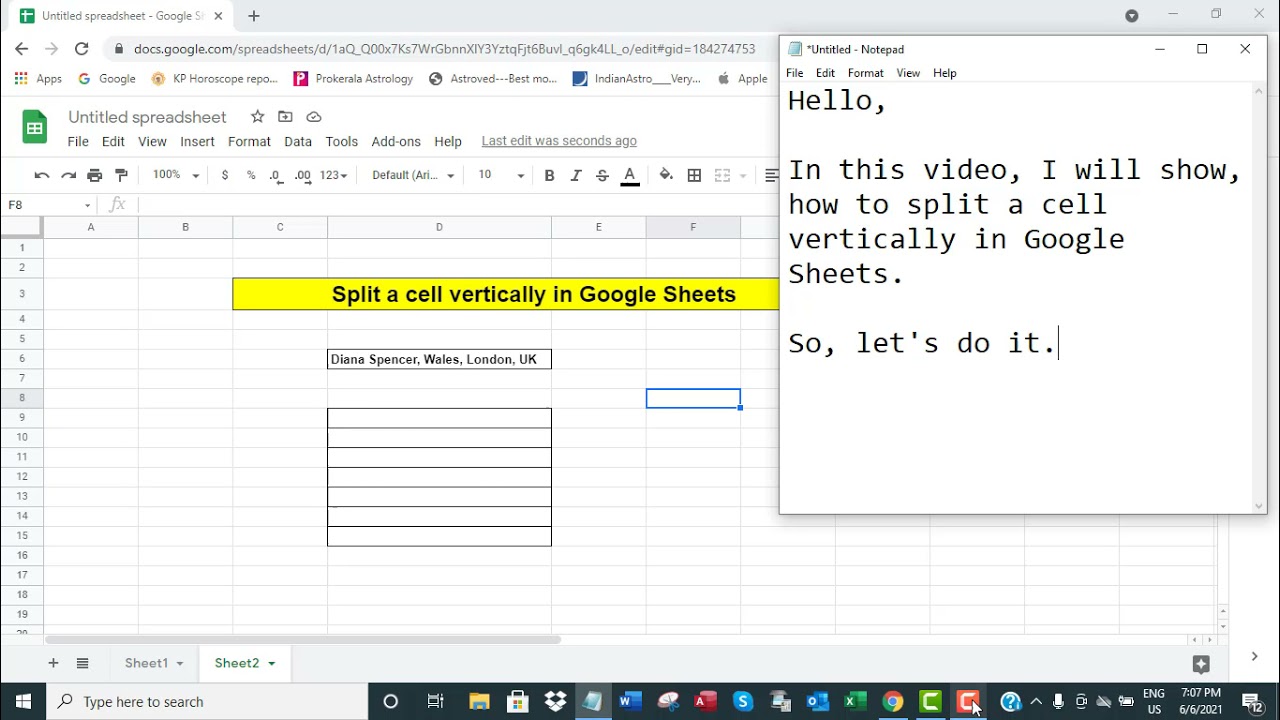 How To Split A Cell Into Rows In Google Sheets
https://i.ytimg.com/vi/McP3ggBH0LM/maxresdefault.jpg
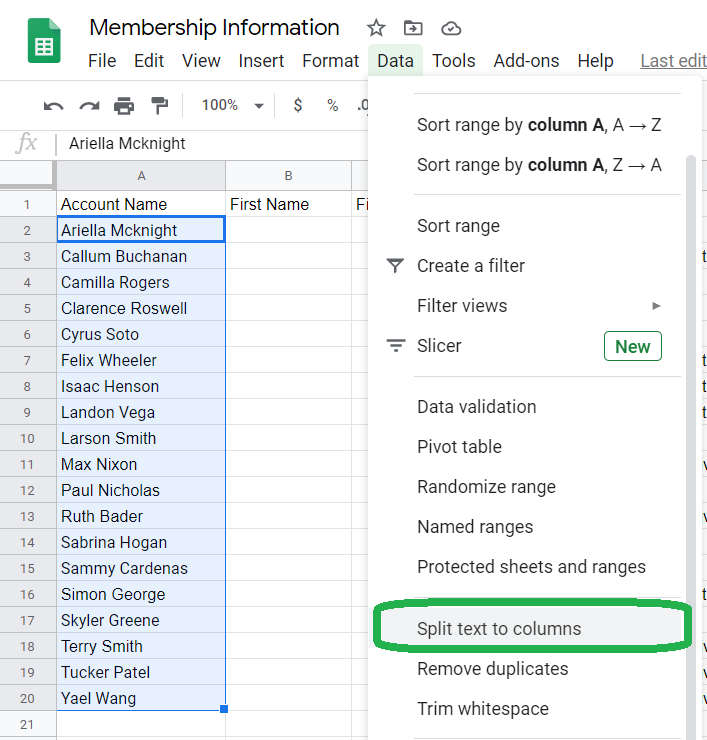
Fire up your browser open up a Google Sheets document and select all the cells you want to split up Warning Make sure the cells to the right don t already have data in them This feature overwrites those cells without any warning Next click Data Split Text Into Columns
Templates are pre-designed files or files that can be utilized for numerous functions. They can conserve effort and time by offering a ready-made format and design for producing different kinds of content. Templates can be utilized for personal or professional tasks, such as resumes, invites, leaflets, newsletters, reports, discussions, and more.
How To Split A Cell Into Rows In Google Sheets

How To Split Cells In Google Sheets In 2023 Examples
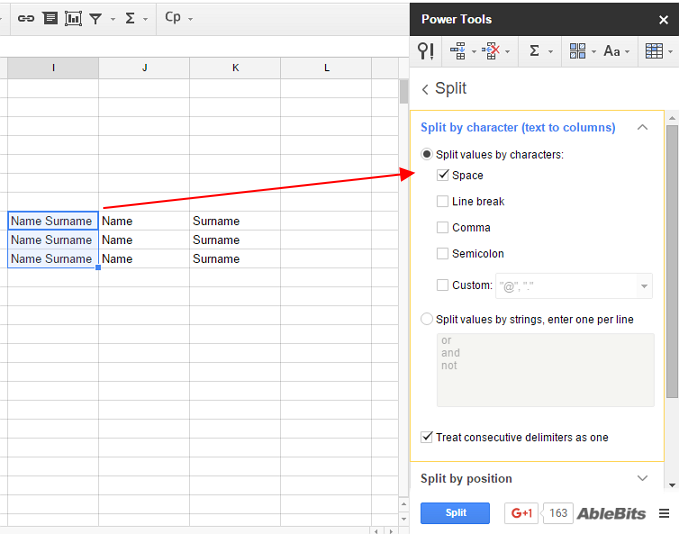
How To Split Cells In Google Sheets

How To Split A Cell In Half In Excel Easy Learn Methods

Split Cells In Google Sheets Iweky

Split In Google Sheets Iweky
Excel Split Cells Into Two Filtervsera
9 Quick Methods to Split a Cell in Google Sheets 1 Using Split Text to Columns Feature 1 1 Applying from Clipboard Menu 1 2 Implementing from Data Ribbon 2 Employing SPLIT Function 3 Joining ARRAYFORMULA and SPLIT Functions 4 Merging TRANSPOSE and SPLIT Functions 5 Combining INDEX and SPLIT Functions 6
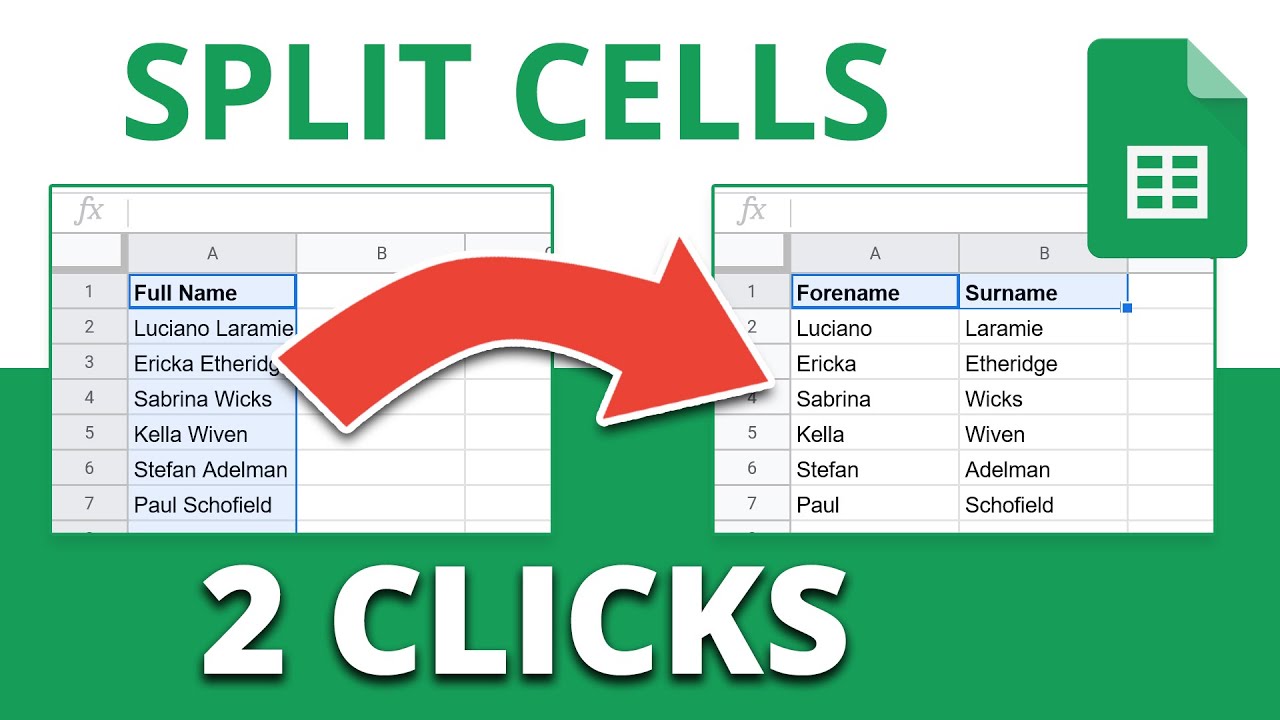
First of all we can use the Split Text to Columns and Transposed commands to split a cell into rows in Google Sheets The Split Text to Columns tool directly divides the values of a cell into different columns with respect to a delimiter The delimiter can be some space comma semi colon period or some custom sign
1 First separate values from cell B1 into columns based on a delimiter Select a text cell B1 and in the Ribbon go to Data Text to Columns 2 In Step 1 of the Text to Columns Wizard leave the default file type Delimited and click Next 3 In Step 2 check Semicolon under Delimiters and click Next

You can use the following formula in Google Sheets to split the text in a cell into rows TRANSPOSE SPLIT A2 This particular example will split the text in cell A2 into rows using a space as a delimiter If the text in your cell is separated by a different delimiter such as a comma you can use the following formula instead
Syntax SPLIT text delimiter split by each remove empty text Arguments text The text to split delimiter The character or characters in the text to be used to split split by each This is optional and TRUE by default
The fastest way to divide data in a cell or multiple cells is to press Alt a e It will work if Compatible keyboard shortcuts are enabled For more on this read Google Sheets Shortcuts in Action Select a cell or cells with the data to be split Go to the Data menu and select Split text to columns In this section we will look at how to split cells with the menu option Select the cell you want to split then go to the Data tab Choose Split Text to Columns in the dropdown menu Your data will be automatically split into columns It is important to remember that Google Sheets will look at the data and try to determine what character to
Below are the quick steps Select the cell or cells you want to split Click the Data option from the menu bar and select Split text to columns from the drop down list Choose a separator or delimiter to split the text in A1 A5 You can choose from Space Comma Period or Semicolon Alternatively allow Google Sheets to detect one for you