How To Sort Data In Excel Using Pivot Table Pivot Table Sort In Excel How To Sort Pivot Table Columns And Rows How To Summarize Data In Excel Using Pivot Table Brokeasshome Download Sort Pivot Table Column Gantt Chart Excel Template How To Create A Pivot Table How To Excel Data Source Reference Is Not Valid In Excel Pivot Table Solved Web Overview Transcript You can analyze PivotTable data in many ways including sorting to quickly see trends We ll also look at how to filter summarize and calculate your data Want more Create a PivotTable to analyze external data Create a PivotTable to analyze data in multiple tables Show different calculations in PivotTable value fields
Web Dec 31 2023 nbsp 0183 32 Sorting a pivot table in Excel option is available in the Data tab and as the name suggests we can sort the data in the PivotTables On the PivotTables right click on any data we want to sort and we will get an option to sort the data as we want The normal sort option does not apply to PivotTables and PivotTables are not the normal tables Web Last updated on May 19 2023 This tutorial demonstrates various ways to sort data in a pivot table in Excel and Google Sheets When you create a pivot table you may wish to arrange the data in alphabetical order for text fields or numerical order for value fields
Data Source Reference Is Not Valid In Excel Pivot Table Solved How To Sort Pivot Table Custom Sort Pivot Table A Z Z A Order Reformat Data In Excel Using Formulas Stack Overflow How To Sort Data In Excel 2023 Working With Pivot Tables In Excel 2010 Part 3 YouTube Excel Pivot Table Course At Rs 599 course Excel Pivot Table Not Sorting Largest To Smallest Brokeasshome Advanced Excel Creating Pivot Tables In Excel YouTube Pivot Data Source Professor Excel
How To Sort Data In Excel Using Pivot Table
 How To Sort Data In Excel Using Pivot Table
https://www.educba.com/academy/wp-content/uploads/2019/05/Pivot-Table-Sort-in-Excel-2.png
Web Excel allows us to sort data in a Pivot table in several ways This step by step tutorial will assist all levels of Excel users in sorting data in a Pivot Table using standard Excel sort or Pivot sort option Figure 1 Final result Setting up Our Data for
Templates are pre-designed documents or files that can be utilized for different functions. They can conserve effort and time by offering a ready-made format and layout for producing different sort of content. Templates can be utilized for personal or expert projects, such as resumes, invitations, leaflets, newsletters, reports, discussions, and more.
How To Sort Data In Excel Using Pivot Table

How To Sort Data In A Table Microsoft Excel EduTaxTuber
How To Sort Pivot Table Custom Sort Pivot Table A Z Z A Order

Reformat Data In Excel Using Formulas Stack Overflow

How To Sort Data In Excel 2023

Excel Pivot Table Course At Rs 599 course
Excel Pivot Table Not Sorting Largest To Smallest Brokeasshome
Web On the Data tab click Sort and then click the sort order that you want For additional sort options click Options Text entries will be sorted in alphabetical order numbers will be sorted from smallest to largest or vice versa and dates or times will be sorted from oldest to newest or vice versa
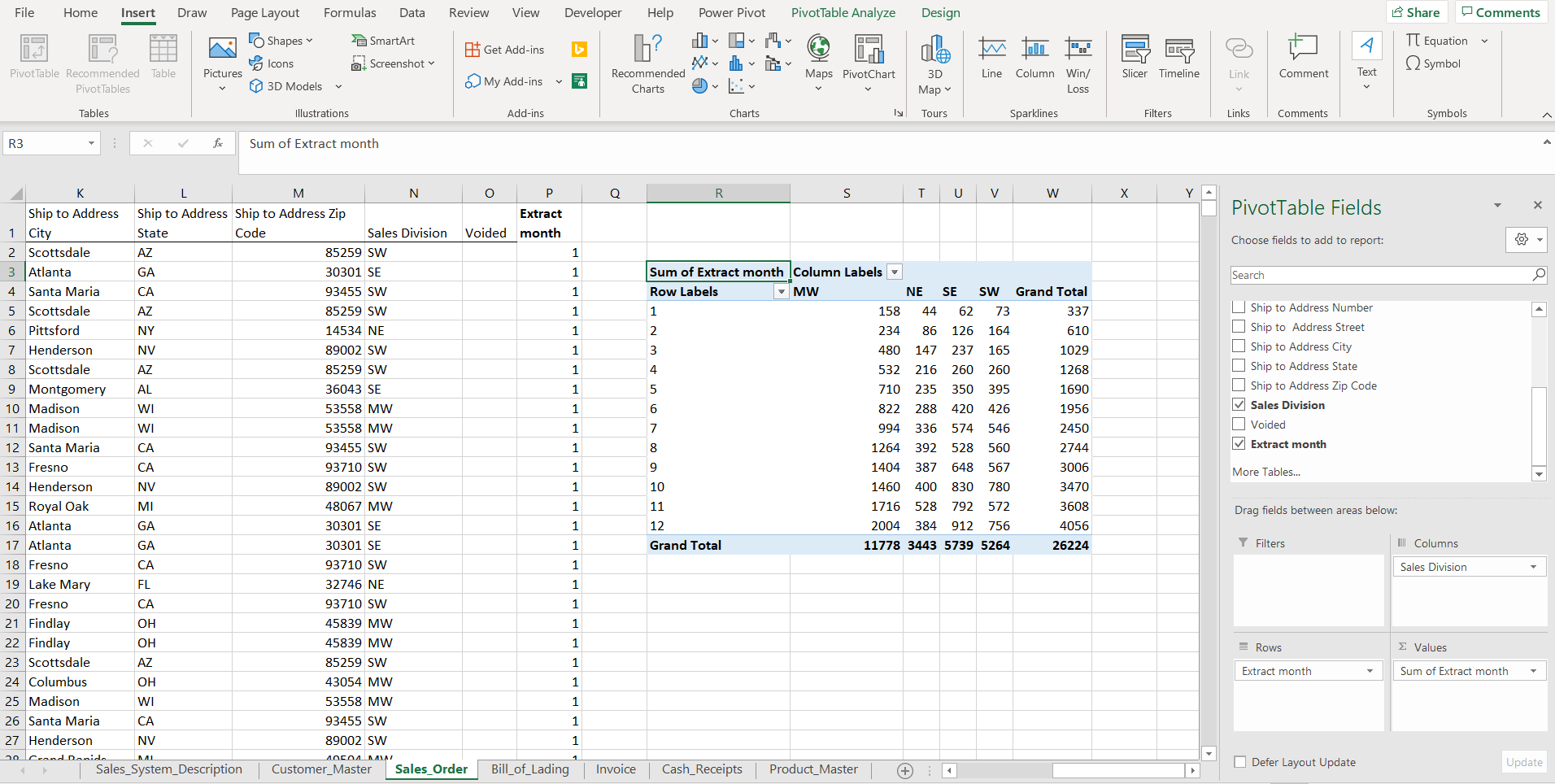
Web Excel offers you a lot of sorting options for you to easily sort data in your Pivot Tables And with a sorted pivot table you can find and analyze the presented data quickly In this lesson you will learn how to sort a pivot table by Pivot

Web To sort data in ascending or descending order click Sort Ascending or Sort Descending Text entries will sort in alphabetical order numbers will sort from smallest to largest or vice versa and dates or times will sort from oldest to newest or vice versa
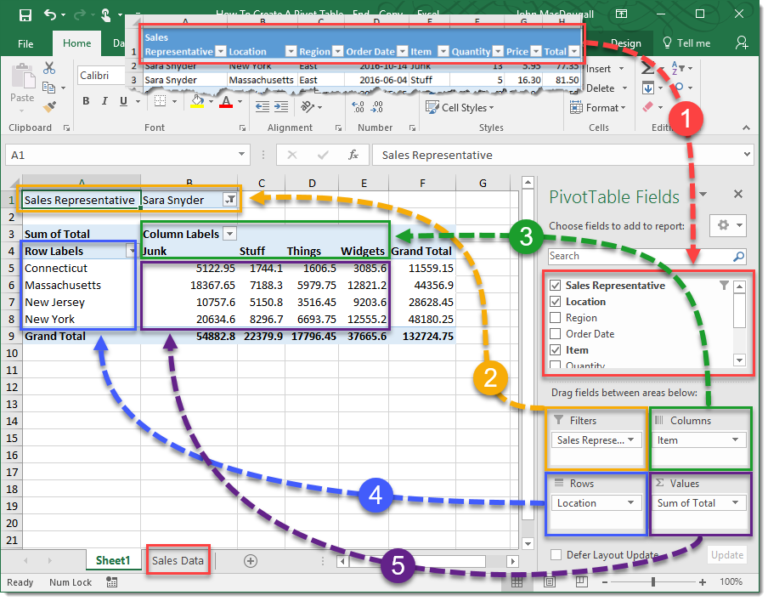
Web Dec 20 2023 nbsp 0183 32 1 Using Excel Pivot Table Sort Option to Sort Data by Values You can sort data from a pivot table by using the pivot table s sort option Let s say you want the sales amount of January sales to be sorted in ascending order Go through the steps below to accomplish this Steps
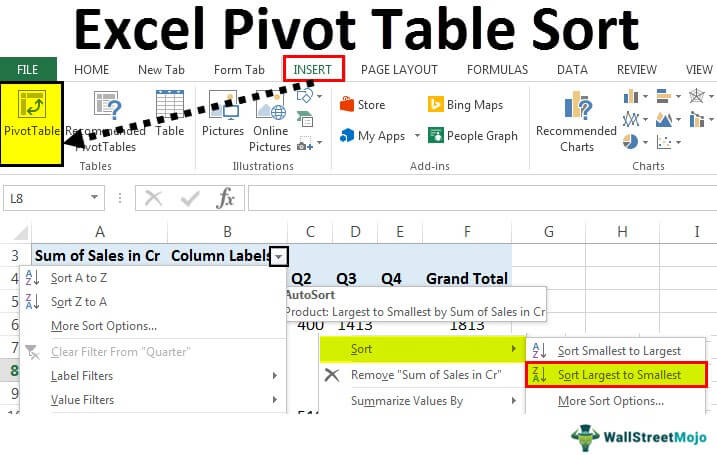
Web Sort Pivot Table Using Cell Values Method 1 Sort Pivot Table Using AutoSort Feature Let s first look at how to sort a pivot table using the autosort option that can be accessed right from the Pivot Table headers Sort Pivot Table Using Row Column Labels You can alphabetically sort Pivot Table based on the Row Column Label
Web Feb 15 2021 nbsp 0183 32 Pivot Tables are both incredibly simple and increasingly complex as you learn to master them They re great at sorting data and making it easier to understand and even a complete Excel novice can find value in using them We ll walk you through getting started with Pivot Tables in a Microsoft Excel spreadsheet Web Mar 22 2023 nbsp 0183 32 If you are working with large data sets in Excel Pivot Table comes in really handy as a quick way to make an interactive summary from many records Among other things it can automatically sort and filter different subsets of data count totals calculate average as well as create cross tabulations
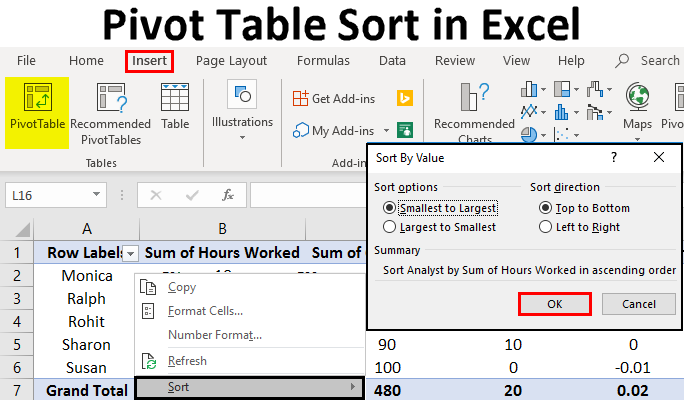
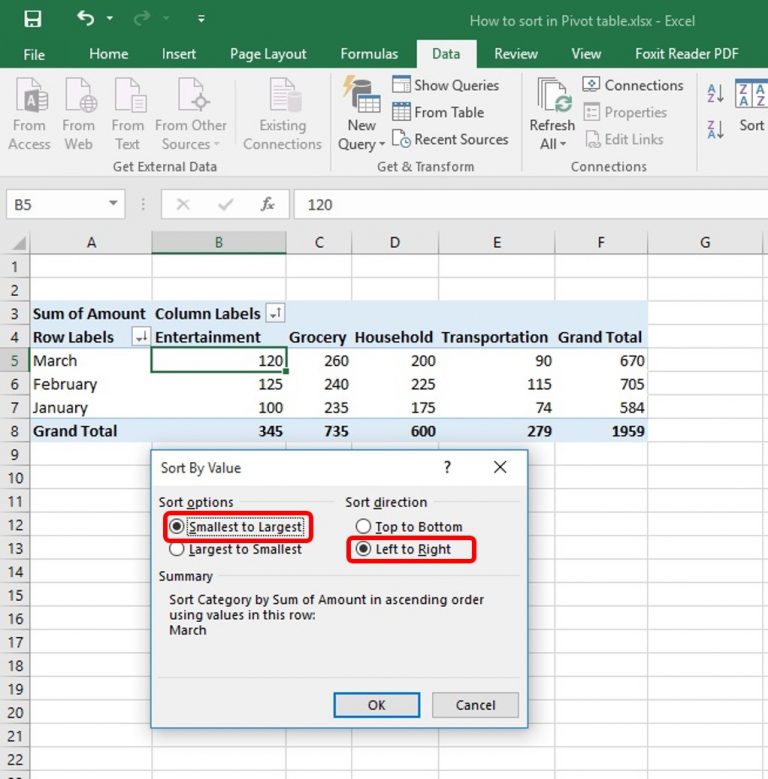
Web Dec 6 2023 nbsp 0183 32 To sort by value in the Pivot Table in Excel go through the instructions below Click on a cell containing a value to sort inside the Pivot Table Right click on that to access the Context Menu Now choose the Sort option Then select between Sort Smallest to Largest Sort Largest to Smallest Or choose More Sort Options