How To Simplify 12 40 How To Simplify Equations How 2 Become How To Simplify Surds With Examples YouTube How To Simplify The Fraction 12 4 YouTube How To Simplify Your Language YouTube What Is Simplify Definition Example Facts Want advanced Google WoTo edit a document On your computer open a document in Google Docs To select a word double click it or use your cursor to select the text you want to change
To find any of these features tap your profile picture or initial Location Sharing Choose who can find your location and whose location you can find on Google Maps Settings Manage your Wi You can use Google Forms to create online surveys quizzes and forms send them to others to fill in and then analyse their responses in real time To edit forms and analyse responses with
What Is Simplify Definition Example Facts How To Simplify A Shape In Illustrator Adobe Tutorials Simplifying Radicals YouTube How To Simplify Your Brand How To Simplify Fractions BBC Bitesize Simplifying Algebraic Fractions Worksheet 3 Easy Ways To Simplify A Square Root with Pictures Free Printable Math Worksheets Reducing Fractions Sheryl Jewell s Simplify 8 4 1 2 2 1 4 Brainly in
How To Simplify 12 40
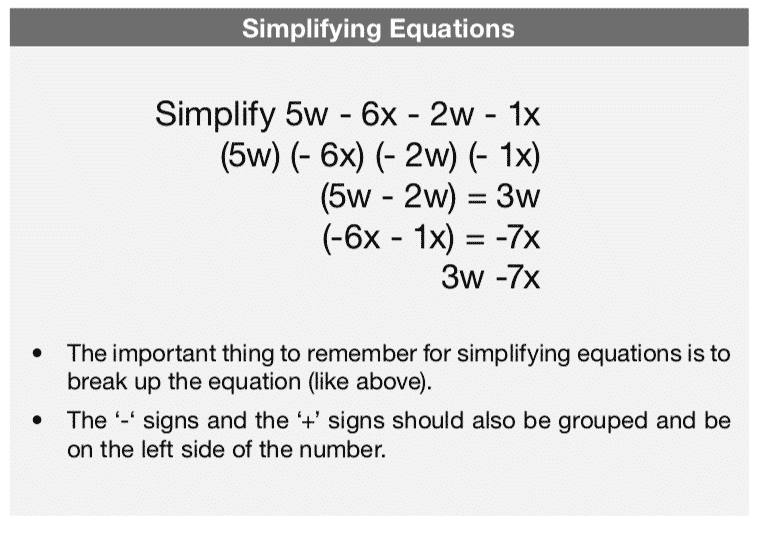 How To Simplify 12 40
https://www.how2become.com/wp-content/uploads/2018/02/How-to-simplify-equations.png
Official Gmail Help Center where you can find tips and tutorials on using Gmail and other answers to frequently asked questions
Templates are pre-designed files or files that can be used for numerous purposes. They can conserve effort and time by providing a ready-made format and layout for creating various type of content. Templates can be utilized for individual or expert tasks, such as resumes, invitations, flyers, newsletters, reports, discussions, and more.
How To Simplify 12 40
How To Simplify The Equation YouTube

How To Simplify A Shape In Illustrator Adobe Tutorials

Simplifying Radicals YouTube

How To Simplify Your Brand
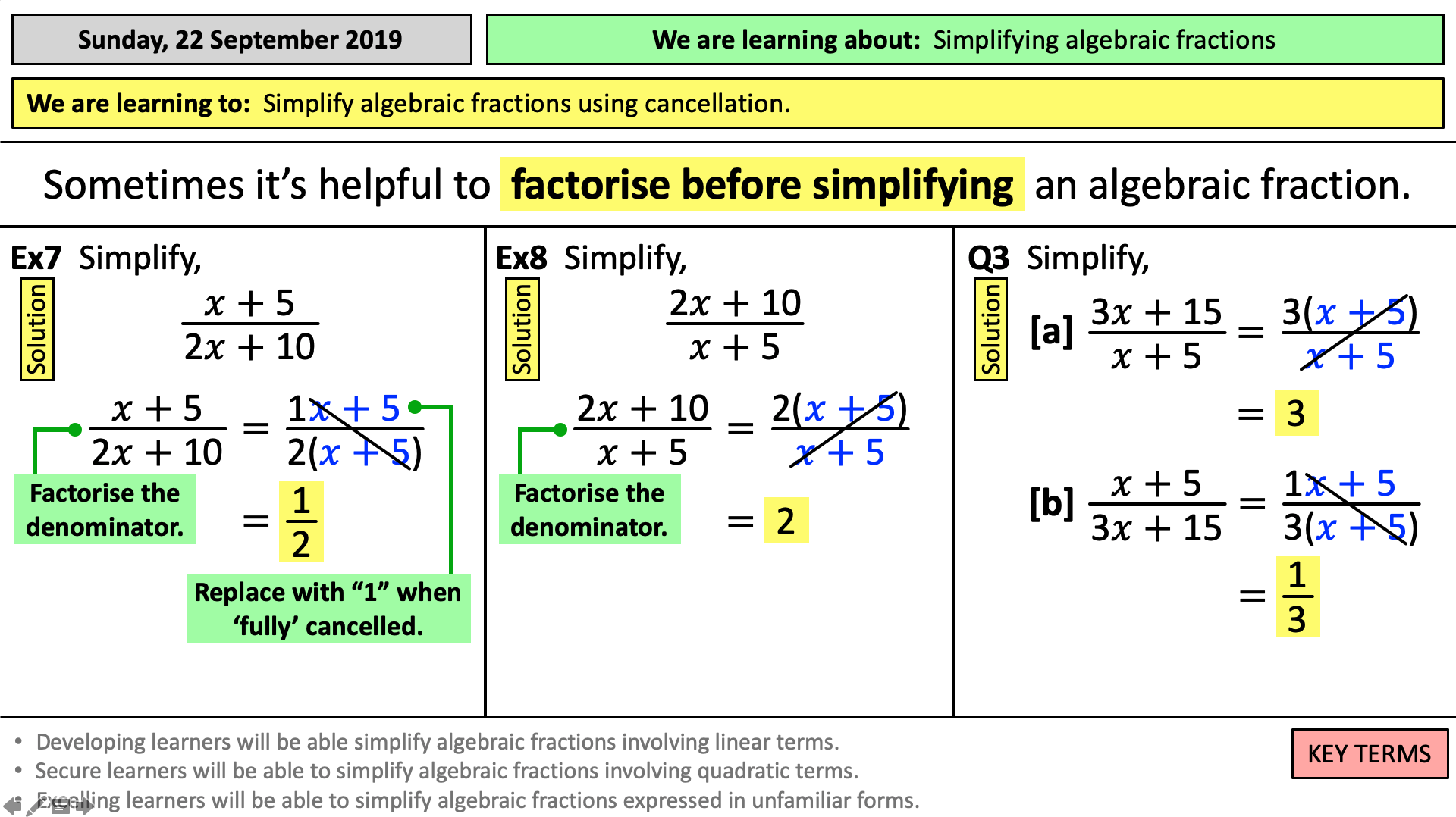
Simplifying Algebraic Fractions Worksheet

3 Easy Ways To Simplify A Square Root with Pictures
Sign in to Gmail Tip If you sign in to a public computer make sure to sign out before you leave the computer Learn how to sign in on a device that s not yours

How to install Chrome Important Before you download check if Chrome supports your operating system and you ve met all other system requirements

To find your username follow these steps You need to know A phone number or the recovery email address for the account The full name on your account Follow the instructions to

Learn how to change more cookie settings in Chrome For example you can delete cookies for a specific site In other browsers If you use Safari Firefox or another browser check its support
If you change or reset your password you ll be signed out everywhere except Devices you use to verify that it s you when you sign in Some devices with third party apps that you ve given
[desc-11] [desc-12]
[desc-13]