How To Show Empty Rows In Pivot Table Calculate Difference Between Two Rows In Pivot Table Pivot Table Easy How To Have Multiple Columns In Pivot Table Brokeasshome Come Cancellare Le Righe Vuote In Excel 14 Passaggi Why Does Pivot Table Show Blank Brokeasshome How To Delete Empty Rows In Excel 9 Steps WikiHow Rows Select the row field and then on the Options tab in the Active Field group click Field Settings The Field Settings dialog box opens TIP You can also double click the row field in outline or tabular form To add or remove the blank rows click the Layout Print tab and then under the Layout section select or clear Insert blank
SEE UPDATED VIDEO HERE UPDATED Trick to show items with no Show Items with no Data in PivotTables is a handy setting that allows you to show items in the PivotTable even if there isn t STEP 1 Click on any cell in the Pivot Table STEP 2 Go to PivotTable Analyze Tab Options STEP 3 In the PivotTable Options dialog box set For empty cells show with your preferred value Let s say you change pivot table empty cells to 0 All of your blank values are now replaced
How To Delete Empty Rows In Excel 9 Steps WikiHow How To Add New Column In Existing Pivot Table Printable Forms Free Online Excel 2013 Tutorial 06 Convert Rows To Columns With Transpose YouTube Automatically Remove Empty Columns And Rows From A Table In Excel Using How To Filter Zero Values In Pivot Table Brokeasshome How To Change Row Labels Title In Pivot Table Brokeasshome How To Hide Empty Columns In Pivot Table Brokeasshome Excel Of Row Total In Pivot Table Stack Overflow How To Add Multiple Rows In Excel Pivot Table Lopmasters
How To Show Empty Rows In Pivot Table
 How To Show Empty Rows In Pivot Table
https://i.pinimg.com/originals/a8/85/a8/a885a850c3a8f7ce9e369c248f0d8e39.jpg
First identify the empty cells in the pivot table This will help you determine what value to use as the replacement for the empty cell In the example below we have order 10251 that does not have a quantity value row 5 in spreadsheet Therefore the quantity is showing as a blank or empty cell We d like to replace all empty cells with
Pre-crafted templates offer a time-saving option for developing a varied range of documents and files. These pre-designed formats and layouts can be used for different individual and expert tasks, consisting of resumes, invitations, flyers, newsletters, reports, presentations, and more, streamlining the material development procedure.
How To Show Empty Rows In Pivot Table
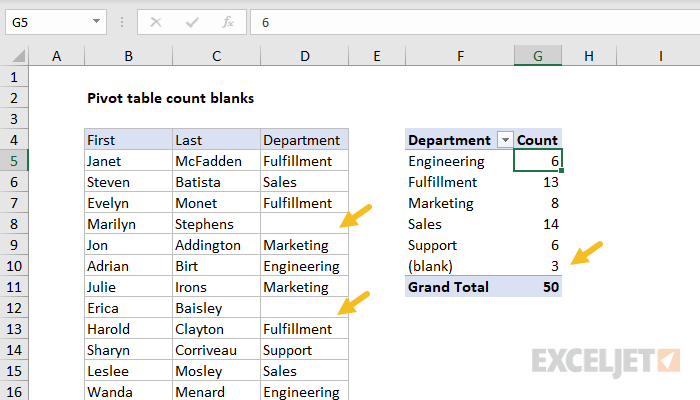
Pivot Table Show Count Of Blanks By Value Brokeasshome

How To Add New Column In Existing Pivot Table Printable Forms Free Online
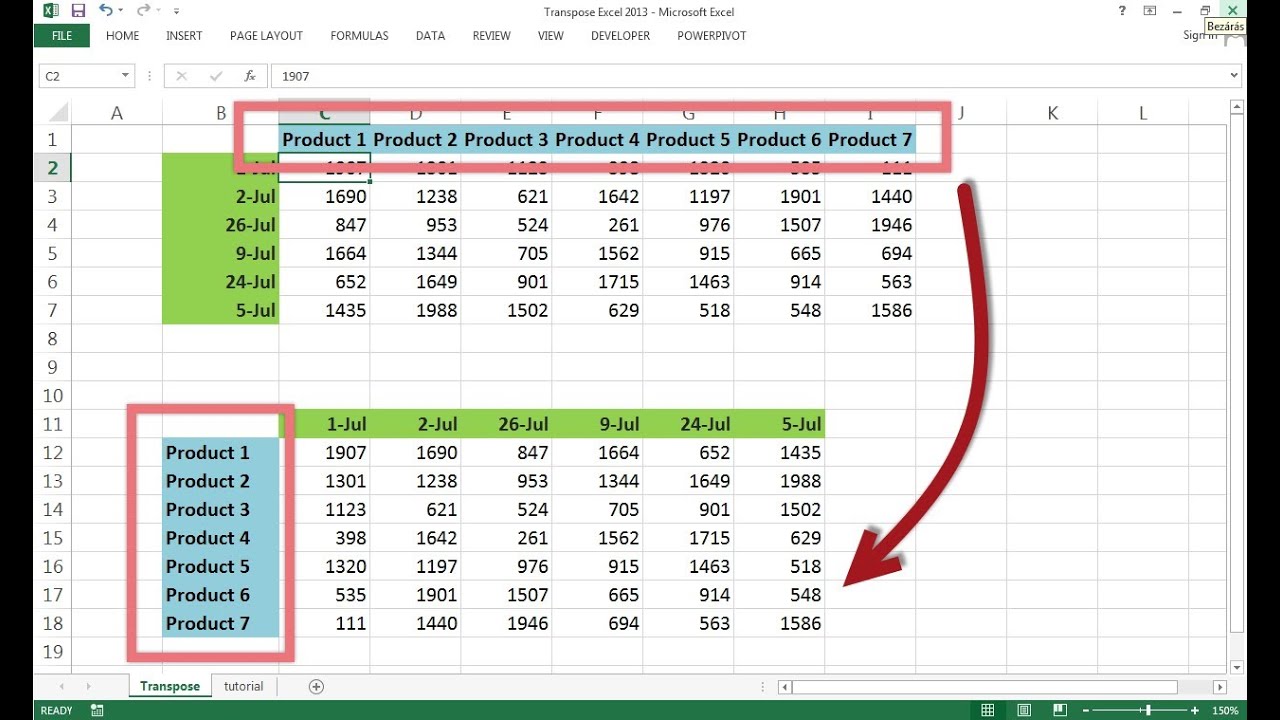
Excel 2013 Tutorial 06 Convert Rows To Columns With Transpose YouTube

Automatically Remove Empty Columns And Rows From A Table In Excel Using
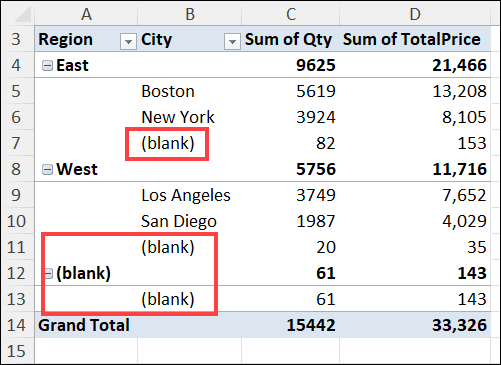
How To Change Row Labels Title In Pivot Table Brokeasshome

How To Hide Empty Columns In Pivot Table Brokeasshome

To change the display of empty cells select the For empty cells show check box and then type the value that you want to display in empty cells in the text box Tip To display blank cells delete any characters in the box

1 Select one cell in your pivot table that displays blank Manually change the cell s value to contain only a single space by pressing the space bar and then Enter Now all cells in that field that previously displayed as

To remove blanks in pivot tables you can set pivot table options to display data in empty cells filter to remove blanks apply conditional formatting find and replace blanks change pivot table design settings or clean up the source data

METHOD 1 Simply press CTRL Z if you have recently inserted a blank row METHOD 2 Go to Design Blank Row dropdown Select Remove Blank Line After Each Item This will remove the blank rows after each item Using the Design Tab you can easily insert blank row in pivot table or remove it Further Learning

Figure 7 Setting pivot blank cells to contain text Showing zero in pivot blank cells We can alternatively make our blank cells to show zero as well To do this right click anywhere in the pivot table Select Pivot Table options then Layout Format and lastly unmark For empty cells show option Figure 8 Showing zero in pivot blank
Step 1 In the pivot table chart place your cursor and right click on the mouse to show pivot table options Select the PivotTable Options Step 2 A new window will appear Choose Layout Format Fill up with 0 in the For empty cells show option This will input 0 for every blank cell in the pivot table Press OK On the PivotTable tab in the Show group click Buttons to show or hide the expand and collapse buttons Note Expand and collapse buttons are available only for fields that have detail data Show or hide details for a value field in a PivotTable
Excel 365 Pro Plus with Power Pivot and Power Query PivotTable Options Display show items with no data on rows leave checkbox blank This is the default option with Power Pivot